Crashes, No Sound, or Screen Glitches?
Random freezes, missing sound and display glitches usually trace back to one bad driver. Find and replace yours safely.Free scan · under a minutePC Slower Than It Used to Be?
A free scan shows the junk files, broken settings and background clutter dragging Windows down - then fixes them in one click.Free scan · Windows 10 & 11For a true 60% Hall effect gaming keyboard, the Wooting 60HE v2 is the strongest current lead. RTINGS names it the best 60% keyboard in its 2026 guide, while PC Gamer calls it the best 60% gaming keyboard. Those are editorial recommendations rather than proof that it suits every buyer, but they match the board’s practical advantages: configurable magnetic-key sensing, Rapid Trigger, per-key software controls, and a genuinely compact layout.
The trade-offs are substantial. It is wired only, omits dedicated navigation and function keys, and costs more in the aluminum configuration. If you want wireless operation or rely on a full set of dedicated keys, a larger keyboard will be a better fit regardless of its switch technology.
As an Amazon Associate I earn from qualifying purchases.
The short answer
The Wooting 60HE v2 is the best starting point in 2026 if your requirements are all three of these: Hall effect sensing, gaming-focused adjustable actuation, and a true 60% footprint. Wooting says its board supports Rapid Trigger, 0.1 mm actuation adjustments, and 8 kHz polling with stable input speed of about 0.125 ms. Those speed figures are manufacturer claims, not independent laboratory measurements.
Do these 3 things before closing this tab:
1Clear out junk files and repair common Windows errors2Scan for outdated or missing drivers - takes under a minute3Repair Windows errors before they cause bigger problemsIts compactness is also its biggest compromise. A 60% board removes the dedicated function row, arrow cluster, navigation block, and usually several other keys. You can recover many commands with a function layer or remapping, but that requires learning shortcuts. The v2 is therefore a particularly good match for competitive players who want more mouse room and are comfortable with layers, not a universal replacement for a tenkeyless or full-size keyboard.
#1 Best Overall

- High-Performance Hall Effect Magnetic Switch Keyboard: The AULA Win60 HE 60% keyboard features advanced, self-developed magnetic switches and a lightweight, non-memory-intensive driver, delivering polling rates of up to 8000Hz for ultra-fast response times. As a hall effect keyboard, it leverages cutting-edge magnetic technology to ensure precise and consistent actuation without physical contact, eliminating wear and tear associated with traditional mechanical switches. This level of performance gives you a competitive edge in gaming with unmatched precision and reliability
- Optimized for FPS Games: Designed for FPS titles like Valorant and CS2, the Win60 HE’s magnetic switches enable faster peeking and quick-stop shooting, enhancing accuracy and positioning. Experience a clear advantage in high-stakes moments with this gaming keyboard
- Rapid Trigger Gaming Keyboard: Featuring an ultra-low RT step distance of just 0.02mm, the Win60 HE ensures lightning-fast response times, perfect for rapid shooting and complex combos. Stay ahead in intense matches with unmatched speed and precision
- Compact 60% Design: With its space-saving 60% layout small keyboard, the Win60 HE is ideal for gaming, work, or travel. Its compact size saves desk space without sacrificing functionality, making it perfect for gamers and typists alike
- Dynamic RGB Lighting: The Win60 HE features a lower light position design that illuminates PBT keycaps, along with 16.8 million customizable RGB colors. Create stunning lighting effects to match your setup and elevate your gaming atmosphere
What makes the Wooting 60HE v2 the compact leader
Hall effect sensing with adjustable actuation
Hall effect switches use magnets and sensors to measure key travel rather than relying on a conventional electrical contact at one fixed point. That lets the keyboard choose where a key press registers. On the 60HE v2, Wooting says actuation can be set in 0.1 mm increments. A shallow setting can register a key early for fast inputs; a deeper setting can reduce accidental presses during typing.
The same travel measurement enables Rapid Trigger. Instead of waiting for a key to return to a fixed reset point, the keyboard can release and re-trigger based on movement. This is useful for repeated strafing or quick direction changes, but an overly sensitive setting can also produce unintended inputs. Treat actuation and Rapid Trigger as tuning controls, not automatic performance upgrades.
High polling and a compact footprint
Wooting lists true 8 kHz polling and reports stable input speed of approximately 0.125 ms. Because both numbers come from Wooting, they should be read as specifications and company-reported performance rather than an independent test result. In practical terms, the more important decision is whether you can use the 60% layout comfortably; a tiny theoretical latency advantage cannot compensate for keys you constantly have to search for.
Current independent support
RTINGS’ 2026 best-60% guide selects the 60HE v2 as its top 60% keyboard, and PC Gamer’s 2026 gaming-keyboard guide identifies it as its best 60% gaming keyboard. These labels establish that the model is a credible current recommendation in those guides. They do not establish that it is the best keyboard for every desk, operating system, game, or typing style.
Rank #2

- CHOSEN BY PRO’S FOR ADVANCED FPS MOVEMENT — With Rapid Trigger, Adjustable Actuation and Razer Snap Tap, the Huntsman V3 Pro offers lightning-fast, precise movements that provides gamers an unbeatable edge especially in FPS games
- RAZER SNAP TAP — Prioritize the latest input between two selected keys without having to release the previous one, and enjoy more responsive inputs for near-instant directional changes in FPS games (latest firmware update required)
- RAPID TRIGGER — A step up from traditional mechanical or optical keyboards to achieve the most responsive and precise inputs; reset keys at the slightest lift of a finger, and experience an advantage in speed that is especially useful for movement in competitive FPS games
- ANALOG OPTICAL SWITCHES GEN-2 — Max out on precision and response with advanced switches for ultra fast repeated inputs, a 0.1–4.0 mm adjustable actuation range, and a 100 million keystroke lifespan
- QUICK ONBOARD ADJUSTMENTS — Make precise, on-the-fly adjustments to actuation height or Rapid Trigger sensitivity with the visual aid of an onboard LED array while saving the settings to the keyboard with no software required
Wooting 60HE v2 specifications that matter
| Feature | What the 60HE v2 offers | What it means for your decision |
|---|---|---|
| Sensing technology | Hall effect analog key sensing | Enables adjustable actuation and movement-based Rapid Trigger. |
| Layout | True 60% | Saves desk space but removes many dedicated keys. |
| Connection | Wired only | No wireless mode or battery management; plan for a USB cable. |
| Actuation adjustment | 0.1 mm increments, according to Wooting | Allows fine tuning for sensitive gaming inputs or more deliberate typing. |
| Rapid Trigger | Supported | Keys can react to movement rather than a single fixed reset point. |
| Polling and latency | True 8 kHz polling; approximately 0.125 ms stable input speed claimed by Wooting | Manufacturer figures; do not treat them as independent benchmark results. |
| Switches and internal build | Lekker Tikken switches, FR4 plate, and Poron foam in PC Gamer’s review | These components influence feel, sound, and rigidity in addition to the magnetic sensing. |
| Case choices | Pre-assembled ABS or aluminum versions reported by PC Gamer | Aluminum costs more and changes the board’s weight and feel; ABS is the lower-priced configuration in the cited review. |
| Spacebar options | Standard spacebar or optional split spacebar | The split version creates an extra programmable key and can improve access to a layer or Delete command. |
How the 60% layout changes daily use
Keys you will not have dedicated
On a 60% board, the function row, arrow keys, navigation cluster, and other commonly separate keys are accessed through layers or remaps. The exact legends depend on the keymap, but the physical principle is constant: you hold a function key or assign another key to produce the missing command.
PC Gamer specifically notes that the 60HE v2 has no dedicated Delete key. A function-plus-Backspace combination can provide Delete, and the optional split spacebar can be remapped to make that command easier to reach. The split arrangement also supplies an additional programmable key while retaining a spacebar option for buyers who prefer the conventional layout.
Who benefits from the smaller footprint
- Players who need extra room for wide mouse movements.
- People who already use keyboard layers, shortcuts, or remapped keys.
- Desks where a function row and navigation block would be wasted space.
- Users who value a compact board more than immediate access to every dedicated key.
Who should choose a larger keyboard
- Editors, developers, and spreadsheet users who frequently use dedicated navigation keys.
- Anyone who relies on a separate function row for applications or hardware controls.
- Buyers who want a wireless connection; the 60HE v2 is wired only.
- People unwilling to change muscle memory or maintain a function-layer keymap.
Hall effect versus optical: a distinction buyers must check
Rapid Trigger and adjustable actuation do not automatically mean a keyboard is Hall effect. Razer’s Huntsman V3 Pro Mini is another 60% model with similar gaming controls, but its switches are analog optical rather than Hall effect. Optical switches detect interruption of a light path; Hall effect switches measure magnetic position. Both can support adjustable actuation and Rapid Trigger, yet they are different sensing systems.
| Characteristic | Wooting 60HE v2 | Razer Huntsman V3 Pro Mini |
|---|---|---|
| Layout | 60% | 60% |
| Sensing type | Hall effect analog switches | Analog optical switches |
| Adjustable actuation | 0.1 mm increments, according to Wooting | 0.1–4.0 mm range, according to Razer |
| Rapid Trigger behavior | Supported through Hall effect travel sensing | Can reset after upward movement as small as 0.1 mm, according to Razer |
| Connectivity | Wired only | Not stated on the cited product page |
| Price in the cited material | Review-time US prices vary by case; see the pricing section | Not stated on the cited product page |
If your search specifically says best Hall effect keyboard, verify the switch technology in the manufacturer’s specifications. A board can match the headline features while using optical sensing, and feature similarity alone does not make the two models interchangeable.
Rank #3
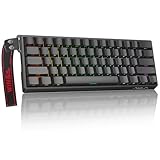
- High-Sensitivity Magnetic Switch Keyboard: The WIN60 HE is a pro-grade Magnetic Switch Gaming Keyboard. Featuring Hall Effect switches, 8000Hz polling rate, and zero debounce delay for instant response. Its fully adjustable actuation point ensures you win every competitive FPS match with unmatched speed
- Rapid Trigger Gaming Keyboard: The WIN60 HE is the ultimate Rapid Trigger gaming keyboard built for Valorant, CS2, and OSU!. Featuring instant reset technology, it allows for faster peeking and counter-strafing than standard mechanical keyboards. Ideal as a rhythm game or competitive FPS keyboard, it provides analog input precision to boost your positioning and scores
- Compact 60% Layout Design: Unlock massive mouse room with this space-saving 60 percent keyboard. The compact layout clears desk space for low-sensitivity FPS aiming, while 0.02mm Rapid Trigger and linear magnetic switches deliver instant response for OSU! combos. The ultimate small form factor gaming keyboard for speed and precision
- Double Shot PBT Keycaps: Built with PBT doubleshot shine through keycaps, this portable gaming keyboard delivers vibrant RGB lighting that never fades. The doubleshot process ensures legends never wear off, while the textured PBT material resists shine and grease forever. Perfect for enhancing the look and feel of your travel, work, or streaming setup.
- Customization RGB Lighting: Unlock 16.8 million customizable RGB colors to create your perfect gaming atmosphere. The Win60 HE supports dynamic lighting effects and full synchronization, allowing you to match any setup style instantly. From subtle ambient glows to intense battle modes, personalize your gaming keyboard lighting to reflect your unique vibe
Choosing the 60HE v2 configuration
ABS or aluminum case
PC Gamer reviewed pre-assembled versions with ABS and aluminum cases. The aluminum model is the premium option: it adds weight and a more substantial case feel, while ABS lowers the entry price and is easier to justify if you primarily want the magnetic-key features. The review describes Lekker Tikken switches, an FR4 plate, and Poron foam in the v2, so the case is only one part of the typing experience.
Standard or split spacebar
Choose the standard spacebar if you want conventional muscle memory and do not need another programmable key. Choose the split option if you can use the second half for a function layer, Delete, arrow access, or a game-specific command. The extra key is useful only after you assign it and practice the new position, so do not select the split version solely because it sounds more advanced.
Price, availability, and value
PC Gamer listed the following US prices at the time of its review: $240 for the aluminum pre-assembled 60HE v2, $180 for the ABS pre-assembled version, and $155 for the older 60HE+. These are review-time figures, not live quotes. Regional pricing, stock, taxes, shipping, promotions, and case availability can change the amount you pay.
The aluminum premium makes the value question straightforward. If your priority is adjustable actuation, Rapid Trigger, and the 60% footprint, the ABS model may deliver the core experience at lower cost. If case mass and finish are important, the aluminum version may justify the difference. The older 60HE+ can be a lower-cost comparison, but its current stock, exact listing, and regional price should be checked before purchase.
Rank #4

- Fast Trigger Gaming Keyboard: AULA WIN68 HE magnetic gaming keyboard offers an industry-leading 8,000Hz polling rate and 8x faster response time than traditional mechanical keyboard. Combined with ultra-low latency (0.3ms), it ensures your commands take effect instantly, giving you an edge in the game. The fast trigger keyboard is perfect for gamers and coders, greatly enhancing the gaming experience and work efficiency.
- Hall Effect Keyboard with Magnetic Switch: Equipped with advanced hall effect magnetic switches, the WIN68 HE black gaming keyboard offers adjustable actuation point(0.02mm-3.44mm), and each key can be personalized to the smallest unit of 0.1 mm, providing an ultra-precise keying experience. In addition, press/reset sensitivity can be individually set via software to match the keystroke habits of different people in different types of games
- Customizable Web Driver: The mechanical gaming keyboard is equipped with a professional web driver that allows users to customize RT/SOCD/DKS/MT/TGL functions, key mapping, macro editing, RGB lighting and other settings on windows systems without downloading(This driver does not support MAC, only compatible with Windows system). It provides one-stop management of the keyboard, allowing users to truly experience customization and personalization. Web driver connection: bit.ly/m/AULA
- 16.8 Million RGB Backlit keyboard: The light up keyboard features 16.8 million colors of RGB lighting effects with south-facing LEDs for a better visual experience. 14 preset lighting effects add a great ambience to your games. Lighting effects and brightness can be easily adjusted via driver or FN and key combinations. The backlight can be turned off if not needed
- 60% Compact Wired Keyboard: Designed for professional gamers, the 60% gaming keyboard saves up to 40% of desktop space while retaining the arrow keys and basic function keys. FN and key combinations unlock all keyboard commands. The 68-key wired gaming keyboard with detachable USB cable provides gamers with a more stable connection and greatly enhances the gaming experience. The small size and lightweight design make it easier to carry and perfect for business trip
Warranty terms and long-term support details are not established in the cited material. Confirm the warranty period, return policy, replacement-switch availability, and software support for your region before ordering, especially if you are paying the aluminum price.
How to set up and tune a compact Hall effect keyboard
The exact names of software controls can change with firmware releases, but the setup sequence below avoids assuming a particular interface label.
- Decide on the physical layout first. Select ABS or aluminum and choose a standard or split spacebar. A split spacebar changes where your thumb lands and should be treated as a layout decision, not an accessory.
- Connect the board by USB. Because the 60HE v2 is wired only, connect it directly to the computer you will use for configuration and gaming. Confirm that the operating system detects a keyboard before changing settings.
- Install or open Wooting’s configuration software. Use the current software supplied for the 60HE v2 and allow any prompted firmware update to finish before editing key behavior.
- Set a conservative actuation point. Start with a moderate value rather than the shallowest possible setting. Type a paragraph and play a familiar game to check for accidental presses, then move the setting in 0.1 mm increments as needed.
- Enable Rapid Trigger only where it helps. Test it on movement keys or other controls that benefit from quick re-triggering. If a key repeats or releases unexpectedly, make the trigger less sensitive or disable it for that key.
- Build a practical function layer. Map arrows, Delete, navigation commands, and the function row to combinations you can remember. PC Gamer’s Delete example is function plus Backspace; a split-spacebar half can be assigned instead if that is easier to reach.
- Save separate profiles for different tasks. Keep one profile for ordinary typing and another for games with different actuation or Rapid Trigger choices. This prevents a highly sensitive game setup from affecting documents and chat.
- Test every remap outside a match. Open a text editor and verify arrows, Delete, Home, End, and function-layer commands. Then test the game profile in a practice area before using it competitively.
Common problems and practical fixes
Accidental key presses
A very shallow actuation point or aggressive Rapid Trigger setting can make normal finger movement register as input. Increase the actuation distance in small steps, reduce sensitivity, or turn Rapid Trigger off for typing-heavy keys. Test after each change so you know which setting solved the problem.
The Tool Desk
Outbyte PC Repair FREEClear out junk files and repair common Windows errorsFree Scan →Outbyte Driver Updater FREEFix the driver behind crashes, sound loss and screen glitchesFind Drivers →Missing Delete, arrows, or function keys
This is a layout issue rather than a defective switch. Assign the commands to a function layer, use the function-plus-Backspace Delete arrangement described by PC Gamer, or remap one half of the split spacebar. Write down the layer while learning it; memorization comes with repeated use.
Best Value

- 【60% Percent Layout Magnetic Switch Keyboard with RT Function】Equipped with adjustable hall effect magnetic switches, featured with customizable dynamic keystroke and rapid trigger function, this ATTACK SHARK X68HE keyboard allow you bind 4 functions according to 4 different pressing degrees to one key, adjust keystroke actuation point from a light 0.1mm to a strong 3.4mm, true 8000Hz polling rates, 0.01mm RT accuracy, effectively reducing keyboard latency to an impressive 0.125ms(theoretical value), ensure flexibility and ultra-response, perfect for FPS and rhythm game like Valorant, osu
- 【Programmable NKRO ANSI Keyboard】Web driver link: qmk.top, no need to install, you can use it to remap key function, set macro and hot keys, adjust light mode and DIY your own light effect, apply desired function to the key you want, and choose or customize keystroke activate or deactivate actuation point for your typing or gaming need, minimize latency, provide a revolutionary full control of fast and ultra-accurate keystroke, always gets pre-acted in the game, design for win
- 【Top Mount&HiFI Typing Sound】This wired mechanical keyboard adopts top-mounted structure for a quiet, stable and smooth typing operation, built with aluminum alloy anodizing process positioning plate and double layer PORON, enhances your gaming efficiency with satisfying keystroke feeling, making it one of the fastest gaming keyboards available, in addition, using fine tuned stabilizer pre-lubed satelite switches to ensure a smoother typing experience with less wobbliness on the big keys
- 【Light Up Keyboard with PBT Keycaps】Adopt premier built-in RGB LED lamp with rich spectrum of 16.8 million colors, this X68HE keyboard can offer multiple backlit mode and light color to shine your world, wear with solid pure color theme Cherry profile double shot PBT keycaps, more durable with clear letter, always attractive. South-facing LEDs ensure superior shine-through capabilities for an immersive experience
- 【Ergonomic Design& Wide Compatibility】This type-c wired gaming keyboard is crafted with scientific structure with compact 66 key and curved wrist rest, retains separate arrow keys, has non-slip mat for stable using, support full key anti-ghosting and FN key combination function, can compatible with pc mac laptop, support dual system switchable between Win and Mac by one button, attached with detachable unique streamer, very useful for more efficient work and gaming, provides precise control tailored to your playstyle, particularly beneficial in fast-paced games like FPS and RTS games
Expecting wireless operation
The 60HE v2 is wired only. If your desk requires Bluetooth or a 2.4 GHz receiver, remove this model from the shortlist rather than trying to solve the limitation with software.
Unsure whether the board is really Hall effect
Check the manufacturer’s switch description, not just phrases such as analog, adjustable actuation, or Rapid Trigger. The Huntsman V3 Pro Mini demonstrates why: it offers those kinds of controls with analog optical switches.
Uncertain about long-term ownership
Before buying, verify current warranty coverage, return conditions, firmware support, and replacement-part availability in your country. Those details can matter more than a small actuation adjustment once the keyboard is installed on your desk.
What’s actually slowing this PC down?
Pick the symptom - the matching free tool is one click away.
What the player-use figures do—and do not—show
Wooting presents ProSettings.net usage figures dated June 2026. The figures are game-specific and come from small samples, so they should not be treated as overall market share or proof that the keyboard improves performance.
| Game | Players in the cited sample | Reported usage |
|---|---|---|
| Valorant | 137 | 20.6% |
| Rainbow Six Siege | 17 | 17.71% |
| Counter-Strike 2 | 252 | 27.51% |
| Fortnite | 51 | 15.41% |
These numbers are useful as evidence that the model appears in competitive-player setups, particularly in the cited games. They do not measure the whole keyboard market, and the sample sizes—especially for Rainbow Six Siege and Fortnite—are too narrow for broad conclusions.
A buyer’s checklist for the best Hall effect keyboard
- Confirm the sensing method: Hall effect if that is your requirement; do not substitute optical simply because the feature list looks similar.
- Confirm the layout: 60% means fewer dedicated keys and a greater dependence on layers.
- Decide whether wired is acceptable: the 60HE v2 has no wireless mode.
- Choose your case: ABS lowers the cited review price; aluminum is the premium pre-assembled configuration.
- Choose your spacebar: standard for conventional use, split for an extra programmable key.
- Plan your keymap: decide where Delete, arrows, navigation, and function commands will live before committing to a 60% board.
- Budget using current local pricing: the $240, $180, and $155 figures are historical US review prices, not guaranteed checkout totals.
- Check support terms: verify warranty, returns, firmware, and replacement-part policies for your region.
- Set expectations for tuning: adjustable actuation and Rapid Trigger require testing; the most sensitive setting is not automatically the best one.
Final buying decision
Choose the Wooting 60HE v2 when you specifically want a compact Hall effect board with adjustable actuation, Rapid Trigger, software remapping, and strong current review support. Its wired connection and missing dedicated keys are acceptable if you value desk space and are willing to use layers.
Choose a larger keyboard when navigation keys, a function row, or immediate access to every command matter more than footprint. Choose an optical 60% model only if Hall effect sensing is not a requirement. For the narrow brief of a 60% Hall effect gaming keyboard in 2026, the 60HE v2 is the most defensible lead—but the right configuration depends on your layout habits, case preference, and tolerance for a wired, layer-driven workflow.
Quick Recap
Product prices and availability are accurate as of the date/time indicated and are subject to change. Any price and availability information displayed on Amazon at the time of purchase will apply.

