The Tool Desk
Outbyte PC Repair FREERepair Windows errors before they cause bigger problemsFix Now →Outbyte Driver Updater FREEFix the driver behind crashes, sound loss and screen glitchesFind Drivers →Wyze Window Cam is the strongest all-around choice for a camera mounted inside a window and aimed outdoors. It is designed for glass, removes infrared (IR) lights and the spotlight that can reflect into the lens, supports color night viewing and records to a microSD card. Choose eufy Window Camera E10 if 2.5K resolution and continuous recording matter more than maximum storage capacity. Panasonic HomeHawk WINDOW is a useful suction-mounted 1080p alternative. Whichever camera you use, keep the lens close to the pane, control indoor reflections and test the view after dark; ordinary indoor cameras can produce a bright reflection instead of a usable night image.
Quick picks
| Camera | Best for | Key window advantage | Resolution and view | Recording and storage | Power and Wi-Fi |
|---|---|---|---|---|---|
| Wyze Window Cam | Most discreet purpose-built installation | No IR lights or spotlight; adhesive glass mount, cable clips and 10-foot cable | 1920×1080; 120° diagonal field of view | microSD support up to 512 GB; recording modes depend on the camera’s software settings | 2.4 GHz Wi-Fi; 10-foot power cable |
| eufy Window Camera E10 | Higher-resolution, continuous recording | Window-oriented indoor design with 90° L-shaped connector and cable clips | Advertised 2.5K video; field of view not stated in the product information cited here | Advertised 24/7 recording; microSD support up to 256 GB | Dual-band Wi-Fi; 90° connector helps route the cable close to the glass |
| Panasonic HomeHawk WINDOW KX-HNC500W | Suction mounting and a wide scene | Powerful suction cup adheres to the inside of a window without drilling | 1080p; 150° wide-angle view | Recording capacity and storage method not stated in the product information cited here | Not stated in the product information cited here |
| Compact indoor camera plus universal suction mount | Reusing a camera you already own | No-drill, flush-to-glass placement when the camera and mount are compatible | Depends on the camera | Depends on the camera | Depends on the camera and mount |
Availability can change. The E10 product page indicated an estimated future shipping window when it was checked, so confirm current shipping and retail status before ordering.
As an Amazon Associate I earn from qualifying purchases.
Why a window camera needs different night-vision design
Glass turns IR illumination into a reflection
Most indoor security cameras illuminate a dark room with infrared LEDs. The LEDs are useful when the camera looks across a room, but a pane of glass in front of the lens changes the result. Light from the LEDs can bounce off the glass and return to the lens, creating a white flare, a circular hotspot or a completely washed-out image. The camera may appear to be recording, yet the outdoor scene is hidden behind the reflection.
The risk increases when there is an air gap between the lens and the pane, when the glass is dirty, or when the room behind the camera is brighter than the area outside. Double glazing and angled panes can produce multiple reflections. A camera built for window use reduces these problems by omitting IR emitters or by providing a design that keeps the lens very close to the glass.
#1 Best Overall

- No Tools, Just Stick It — The secure hook-and-loop fastener mounting sticker makes installation simple. Just peel, stick, and plug in the camera. We've included an extra-long 10 ft micro USB to USB-A cable with cable clips for tidy mounting.
- Upgraded Color Night Vision — Our iconic Color Night Vision just leveled up. Powered by an f1.0 aperture lens and an advanced BSI sensor, it delivers day-like clarity from just a whisper of moonlight or starlight.
- Specialized Design to Reduce Glare — Glare beware. Wyze Window Cam is specially designed to prevent glare on the inside of your window. A bigger mounting sticker removes reflections to give you the clearest footage possible through a window.
- Motion and Sound Detection, No Subscription Needed — Get instant motion alerts pushed straight to your Wyze app the moment something moves. Want fewer false alarms? Add a Security Plan (Cam Plus from $2.99/mo) for smart detection that tells people, pets, vehicles, and packages apart.
- 24/7 Local Recording, No Subscription Needed — Record your full timeline around the clock to a microSD card (up to 512GB, sold separately) and scrub back through every minute anytime in the Wyze app. Want event clips backup in the cloud? Add the optional Security Plan (Cam Plus from $2.99/mo) for 14-day people, pets, vehicles, and packages event video history stored in the cloud.
Color night vision is not the same as unlimited darkness
Wyze Window Cam removes IR lights and the spotlight and uses color night vision. That avoids the most common IR-to-glass flare, but color footage still needs some ambient light. Porch lighting, street lighting or a nearby lamp may be enough; a completely dark yard will not become bright simply because a camera has color night mode. The E10 and Panasonic also advertise night viewing, but the final result depends on the light available outside and reflections inside.
How to improve any camera through glass
- Place the lens as close to the pane as practical. A smaller gap gives reflected light less opportunity to enter the lens.
- Disable IR night mode if the camera allows it. If IR cannot be disabled, expect a higher risk of glare.
- Make the room behind the camera darker than the outdoor scene. Turn off nearby lamps and cover bright displays.
- Clean and dry the inside of the glass before attaching the camera or mount.
- Test in daylight and darkness. A daytime image does not prove that the setup will work at night.
What each recommended camera offers
Wyze Window Cam: the discreet purpose-built choice
Wyze Window Cam is designed specifically to sit behind window glass. Its 1920×1080 image, 120-degree diagonal field of view and small 2.05-inch square body cover a broad area without requiring a large interior fixture. At 2.75 ounces, it is light enough for the supplied adhesive hook-and-loop sticker when the glass is properly prepared.
The mounting kit includes cable clips and a 10-foot power cable. Wyze recommends attaching the sticker horizontally to minimize glare and says to mount on clean window glass rather than behind a screen. The adhesive approach is reversible compared with drilling, although removal should still be done carefully so the sticker does not pull paint, film or trim.
Free tools Windows power users keep installed
One-click scans. No signup required.
For storage, the camera accepts microSD cards up to 512 GB. That is the largest stated local-storage limit among the purpose-built options here. The camera uses 2.4 GHz Wi-Fi, so the installation location must have a usable 2.4 GHz signal; a phone connected to a faster 5 GHz network does not guarantee that the camera will connect.
Choose this model when avoiding night reflections and keeping the installation visually unobtrusive are more important than maximum resolution. Its 1080p image is sufficient for monitoring a doorway, driveway or garden, but it will show less fine detail than a 2.5K camera when you crop or digitally zoom.
Rank #2

- [3MP Ultra-HD Clarity for Day & Night] Immerse yourself in stunning visuals with Girafit's 3MP Ultra-HD camera, utilizing chroMax Al color night vision to bring day-like clarity even in the darkest nights
- [Proactive Security with Intelligent Alerts] Stay one step ahead with instant notifications sent straight to your device, alerting you to any unusual activity captured by Girafit's intelligent detection system
- [Effortless Setup for All] Say goodbye to complicated installations. Girafit's innovative peel-and-stick design and Bluetooth connectivity make setup a breeze, even for those with limited technical experience
- [Secure Continuous Recording] Protect your memories and your home with 24/7 continuous recording. Choose between local storage on an SD card or secure, US-based cloud storage, with rigorous privacy measures in place to keep your data safe
- [Effortless Sharing & Comprehensive Control] Easily share access to your Girafit camera with family and friends, and enjoy the convenience of monitoring up to four camera feeds simultaneously on your smartphone or tablet
eufy Window Camera E10: the higher-resolution continuous-recording option
The eufy Window Camera E10 is advertised with 2.5K video and 24/7 recording. The higher pixel count can preserve more detail across a distant outdoor scene, provided the glass is clean, the lens is stable and the available light is adequate. Continuous recording is useful when you need a complete timeline rather than clips triggered by motion.
The E10 supports dual-band Wi-Fi, which gives it access to both 2.4 GHz and 5 GHz networks when the installation environment and router support both bands. It accepts microSD cards up to 256 GB, less than the Wyze limit but still suitable for local recording depending on bitrate and retention settings. The product design includes a 90-degree L-shaped connector and cable clips, helping the power lead run close to the window instead of projecting into the room.
The product page showed an estimated future shipping window when checked. Treat that as a time-sensitive availability note, not a permanent specification, and verify current shipping and stock before purchase. The cited product information does not establish a field-of-view figure or a specific smart-home platform list, so do not assume compatibility beyond what the current listing and app document.
Panasonic HomeHawk WINDOW KX-HNC500W: suction-mounted 1080p coverage
Panasonic’s HomeHawk WINDOW uses a powerful suction cup to adhere to the inside of a window. This is convenient for renters, temporary monitoring and installations where an adhesive pad is unsuitable. The suction design also makes it straightforward to reposition the camera, although the cup must be kept clean and fully seated to maintain its grip.
The camera records 1080p video, provides a 150-degree wide-angle view and advertises bright color night vision. Its wide view can cover more of a front yard or shared approach from one mounting point, but a wider image places fewer pixels on a distant face or license plate than a narrow view aimed at the same subject. The cited product information does not state its local-storage capacity, cloud terms, Wi-Fi band or smart-home integrations; check the current manual and listing for those details.
Rank #3

- [3MP Ultra-HD Clarity for Day & Night] Immerse yourself in stunning visuals with Girafit's 3MP Ultra-HD camera, utilizing chroMax Al color night vision to bring day-like clarity even in the darkest nights
- [Proactive Security with Intelligent Alerts] Stay one step ahead with instant notifications sent straight to your device, alerting you to any unusual activity captured by Girafit's intelligent detection system
- [Effortless Setup for All] Say goodbye to complicated installations. Girafit's innovative peel-and-stick design and Bluetooth connectivity make setup a breeze, even for those with limited technical experience
- [Secure Continuous Recording] Protect your memories and your home with 24/7 continuous recording. Choose between local storage on an SD card or secure, US-based cloud storage, with rigorous privacy measures in place to keep your data safe
- [Effortless Sharing & Comprehensive Control] Easily share access to your Girafit camera with family and friends, and enjoy the convenience of monitoring up to four camera feeds simultaneously on your smartphone or tablet
Compact indoor camera with a universal suction mount
If you already own a small indoor camera, a universal suction accessory can avoid buying a second camera. The camera should sit flush to the glass, and the mount must be rated for the camera’s weight. The Wasserstein Adjustable Suction Cup Mount is an example of this type of no-drill window camera mount, but compatibility and weight limits need to be checked on the live listing before use.
Outdated Drivers Are Slowing You Down
One free scan finds every outdated or missing driver and matches the right update for your exact hardware.Free scan · exact hardware matchPC Slower Than It Used to Be?
A free scan shows the junk files, broken settings and background clutter dragging Windows down - then fixes them in one click.Free scan · Windows 10 & 11This approach inherits every limitation of the camera you already own. In particular, ordinary IR night vision can reflect from the pane. Confirm that IR can be disabled, or plan to keep the room dark and accept that night footage may be less reliable than footage from a window-specific model. A mount that holds the camera a few centimeters from the glass may look secure while still producing glare.
How to choose the right window security camera
Start with the night scene, not the pixel count
If the camera will operate after sunset, prioritize a no-IR or window-specific design before comparing resolution. A sharp 2.5K image is not useful if reflections cover the scene. For a well-lit porch or street, the E10’s higher resolution can be worthwhile. For a dim yard viewed through glass, the Wyze design removes a major source of failure.
Match the field of view to the distance
A 120-degree diagonal view from Wyze covers a broad area. Panasonic’s stated 150-degree view covers even more, which can help with a short front window or a wide garden. Broad views spread available pixels over more space. If identification at the far end of a driveway matters, position the camera so the important approach occupies the central portion of the frame rather than relying on an extremely wide view.
Decide whether you need continuous recording
The E10 is advertised for 24/7 recording. That is the clearest fit when you need to review everything that happened during a time period. Wyze supports microSD storage up to 512 GB, but the available recording modes and retention depend on the camera’s current software settings. Panasonic’s storage details are not stated in the product information cited here, so confirm them before selecting it for a continuous-recording requirement.
Quick wins for a faster PC:
Repair Windows errors before they cause bigger problemsFix Now →Scan for outdated or missing drivers - takes under a minuteDriver Scan →Clear out junk files and repair common Windows errorsFree Scan →Rank #4

- 4MP 1440P Ultra-HD & AI Night Vision: Ultimate clarity camera, not missing any details in each video, AI enhanced color night vision, let you can see clearly like during the day even in the darkest
- Adjustable Angle: We provide a bracket that can adjust the camera angle, no longer just shooting directly in front. Now you can adjust the camera's view angle according to your own needs
- Easy Installation & No Wiring Required:(1)No drilling required, just clean the glass, apply double-sided tape, and then choose the appropriate angle to stick the camera on. (2)The camera has long battery life, fully charged, it can be used for 45 days(based on waking up the camera 10 times a day). No need to connect power cord, allow you to move windows freely
- Motion Detection and Instant Notification:The camera has built-in infrared motion detection. When an object enters the detection range (up to 10m), the camera will send a notification to the mobile app. You can customize the detection target in the app, such as only detecting people
- Multi User Sharing:A camera can support up to 4 people to use. After setting up the main account, you can share the device with others to watch together
Check the network where the window is located
Wyze lists 2.4 GHz Wi-Fi, which generally reaches farther through walls than 5 GHz but can be more congested. The E10 lists dual-band Wi-Fi. Measure signal strength at the actual window, not beside the router. A camera that repeatedly disconnects can miss events regardless of its sensor quality.
Plan the cable before attaching anything
Wyze includes a 10-foot cable; the E10 includes cable clips and a 90-degree connector. Measure the route from the nearest outlet to the window, allowing slack for opening the window only if the installation is designed for that movement. Keep the cable away from hinges, blinds and places where it can be pinched. Do not run a power cable through a closing sash unless the manufacturer specifically permits it.
Step-by-step installation through a window
- Check the window and rules. Confirm that the pane is smooth enough for the chosen adhesive or suction cup. If you rent, review lease rules before attaching anything. Check local privacy requirements before recording a shared hallway, neighboring property or public area.
- Clean the glass. Remove dust, grease and fingerprints from the inside of the pane. Let it dry completely. Moisture or cleaner residue weakens adhesive and can allow a suction cup to creep.
- Choose the exact viewing point. Hold the camera at the intended height and check the daylight framing. Keep the lens as close to the pane as the design allows. Avoid mounting behind a window screen; Wyze specifically advises mounting on the glass.
- Prepare the mounting surface. For Wyze, apply the supplied hook-and-loop sticker horizontally as recommended to reduce glare. For a suction mount, clean the cup and press it evenly against the glass until the seal is complete.
- Attach the camera and route the cable. Use the supplied clips or compatible clips to follow the window frame. Leave no loose loop that can swing in front of the lens. Keep the connector and power brick away from condensation-prone surfaces.
- Connect to Wi-Fi at the final location. Complete setup while the camera is mounted or immediately beside the window. Confirm that the camera remains connected with the window closed and with normal household devices using the network.
- Set the image and night mode. Aim slightly downward if the sky occupies too much of the frame. Disable IR on an adapted camera when possible. Set exposure or brightness only after the camera has been tested in darkness.
- Test twice. Review a daylight recording and a dark-scene recording. Walk through the areas that matter, inspect the image for reflections and verify that recorded clips can be played back from the selected storage.
- Secure and recheck. After several hours, inspect the sticker or suction cup, cable clips and connector. Recheck after a temperature change, because heat, cold and condensation can affect adhesion.
Night testing and troubleshooting
Symptom: a bright white circle or haze covers the image
This is usually reflected IR or an indoor light. Disable IR, turn off lamps behind the camera and move the lens closer to the pane. Clean the glass and remove reflective objects such as glossy blinds. If the camera cannot disable IR, replace it with a no-IR window model rather than trying to correct the flare with software.
Symptom: the outside is dark but the room is visible
The camera is exposing for the brighter interior. Darken the room behind it, block light from a nearby screen and retest. Add safe, outward-facing ambient lighting if appropriate. Do not assume that increasing digital brightness will restore detail that was never captured.
Symptom: the picture is sharp in the day and soft at night
Low light reduces detail and can trigger noise reduction or motion blur. Check the cleanliness of the pane, reduce the distance between lens and glass and point the camera away from direct reflections. A wide-angle view can also make distant subjects appear smaller; reposition the camera so the critical area is closer to the center.
Best Value
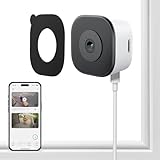
- CRYSTAL-CLEAR 2K VIDEO DAY & NIGHT: Capture sharp, detailed video in 2K (3MP) resoultion, allowing you to see important details like faces and license plates with clarity. The Color Full Color teach and specialized anti-reflection lens are engineered to provide vibrant, full-color footage even in low light, directly through your glass window. Monitor your property 24/7 without the blurry, black-and-white images produced by standard infrared night vision
- EFFORTLESS NO DRILLING INSTALLATION: Set up your security camera in minutes from the safety of inside your home. The simple magnetic mounted adheres securely to any interior window surface, requiring no tools, drilling, or permanent damage. Ideal for apartments, dorms, and rental properties, this cam offers powerful home monitoring without putting your security at risk
- SMART AI DETECTION WITH INSTANT ALERTS: Reduce unwanted notifications with intelligent AI processing that accurately distinguishes human motion from the movement of pets, shadows, or passing cars. Receive immediate alerts directly to your smartphone when a person is detected. Use the built-in two-way audio feature via the mobile app, adding another security while calling 911(AI core function need subscription)
- STABLE & RELIABLE DUAL-BAND WI-FI: Maintain a consistently strong and stable video feed. This camera supports both 2.4GHz and 5GHz WiFi bands to minimize wireless interference and prevent dropped connections. Enjoy smooth, live streaming and continuous recording in HD 2K resolution, ensuring you don't miss a critical moment
- LOCAL SD CARD & CLOUD STORAGE OPTIONS – Use main features of your camera without being locked into a mandatory subscription. Record footage continuously to a local microSD card (sold separately) for a private solution. For added backup and remote accessibility, an optional subscription for secure A.W.S. US Cloud storage is also available. You remain in complete control of video data
Symptom: reflections move when people walk inside
Indoor movement is being reflected from the pane. Move lamps and bright objects out of the camera’s rear field, close reflective blinds and keep the lens flush to the glass. A dedicated window camera reduces but does not eliminate reflections from the room itself.
Symptom: the camera disconnects at the window
Check the signal at the mounting position, not at the setup desk. For a 2.4 GHz-only model, ensure that band is enabled on the router. Move the router or add a properly configured access point if the signal is weak. Avoid hiding the camera behind metal blinds or placing the router inside a cabinet.
Symptom: the mount slips
Remove the mount, clean and dry the pane again, and reinstall according to the mount’s instructions. A suction cup must be within its weight rating and fully sealed; an adhesive pad must be applied to clean glass and allowed to set as directed. Do not add an improvised extension that increases leverage on the glass.
Recording, storage and power considerations
Local microSD recording
Wyze supports microSD cards up to 512 GB, while the E10 supports cards up to 256 GB. Capacity is not the same as retention time: higher resolution, higher bitrate and continuous recording consume storage faster. Format and replace cards according to the camera’s instructions, and periodically play back files so a failed card is discovered before an incident occurs.
The E10 is advertised for 24/7 recording. For Wyze and Panasonic, choose recording behavior only after confirming what the current app and manual provide. The cited product information does not establish Panasonic’s storage capacity or retention method, so those details should be treated as unknown until verified.
Power continuity
A window camera is normally powered continuously. Protect the cable from pinching, pets and condensation, and leave enough slack for minor movement without pulling on the connector. If the outlet is controlled by a wall switch, label it so nobody turns the camera off accidentally. A battery camera may be easier to place, but the products covered here are specified with powered cable arrangements rather than a stated battery runtime.
Privacy and placement checklist
- Frame your own property whenever possible instead of pointing directly into a neighbor’s window.
- Check lease, building and local privacy rules before recording shared spaces or public approaches.
- Use privacy masks or activity zones if the camera software provides them, especially where a sidewalk or neighboring property is unavoidable.
- Keep account credentials unique and enable available security controls in the camera app.
- Review stored footage regularly and delete recordings you no longer need.
- Tell household members where the camera points and when recording is active.
Which one should you buy?
Choose Wyze Window Cam for the least troublesome through-glass night setup, a reversible adhesive installation and the largest stated microSD capacity. Choose eufy Window Camera E10 when 2.5K detail, dual-band Wi-Fi and advertised 24/7 recording justify its smaller 256 GB card limit, and verify its current shipping status. Choose Panasonic HomeHawk WINDOW when a suction cup, 150-degree view and 1080p color night vision fit your window better. Use a universal suction mount with an existing camera only after confirming weight, fit and the camera’s ability to disable IR.
Quick Recap
Product prices and availability are accurate as of the date/time indicated and are subject to change. Any price and availability information displayed on Amazon at the time of purchase will apply.

