The Lenovo ThinkPad T14 Gen 6 AMD is the strongest like-for-like alternative to the ASUS ExpertBook P3. It combines a 14-inch business chassis with Ryzen AI PRO processors, two upgradeable DDR5 SODIMM slots, Windows 11 Pro, wired Ethernet, HDMI 2.1 and a customer-replaceable 57Wh battery. Choose the ThinkPad T14 Gen 6 Intel instead when Core Ultra, optional vPro, 5G or Thunderbolt 4 is more important. The HP ProBook 4 G1a is worth investigating when purchase cost is the priority, while the P3 itself remains the better fit for buyers who need a 16-inch screen or dual-SSD expansion.
The short answer
There is no single laptop that beats every ASUS ExpertBook P3 configuration because “P3” refers to several generations and hardware families. The Intel P3405CVA/P3605CVA models, AMD Copilot+ PM3406/PM3606 models and the P3 G2 announced in January 2026 differ in processors, displays, storage, batteries and regional availability.
As an Amazon Associate I earn from qualifying purchases.
For most buyers seeking a conventional 14-inch business laptop, the ThinkPad T14 Gen 6 AMD is the clearest alternative. Lenovo documents Ryzen AI 5 PRO 340 and Ryzen AI 7 PRO 350 options, Radeon 840M or 860M graphics, two DDR5-5600 SODIMM slots, up to 1TB of PCIe Gen 4 storage, Windows 11 Pro, RJ45 Ethernet, HDMI 2.1 and a replaceable 57Wh battery.
Free tools Windows power users keep installed
One-click scans. No signup required.
The ThinkPad T14 Gen 6 Intel is the better match when an Intel Core Ultra platform, optional vPro management, optional 5G or Thunderbolt 4 is required. The HP ProBook 4 G1a is a lower-cost comparison point, but its exact retail configuration and price depend on country and seller. The P3 has an advantage when you want a 16-inch workspace, a 2.5K panel option or dual-SSD flexibility.
#1 Best Overall

- Unopened retail packaging, sold as configured by Lenovo. One Year Onsite Lenovo Warranty Included (for US customers). Add up to 5 years of coverage when you register your computer with Lenovo.
- The 14" ThinkPad T14 Gen 6, with its AMD Ryzen AI 7 PRO 350 processor and Radeon graphics, delivers high-performance AI computing and power efficiency, boosting productivity for remote or hybrid work.
- Plenty of ports: 1x USB-A (USB 5Gbps / USB 3.2 Gen 1); 1x USB-A (USB 5Gbps / USB 3.2 Gen 1), Always On; 2x USB-C (Thunderbolt 4 / USB4 40Gbps), with USB PD 3.0 and DisplayPort 2.1; 1x HDMI 2.1, up to 4K/60Hz; 1x Headphone / microphone combo jack (3.5mm); and 1x Ethernet (RJ-45)
- Copilot+ uses advanced AI for real-time suggestions, automation, and personalized insights, learning your preferences to assist with tasks from document creation to communications. A dedicated key instantly launches Copilot, keeping you ahead.
- Log in quickly and securely with the fingerprint reader, eliminating the need for passwords and adding an extra layer of data protection.
Identify the ExpertBook P3 you are comparing
Before comparing prices or benchmarks, read the full model code. ASUS announced the Intel P3405CVA and P3605CVA on April 2, 2025. Those machines use Intel Core i5-13420H or Core i7-13620H processors, offer 14-inch or 16-inch display sizes, and can be configured with up to 64GB of DDR5-5200 memory through two SO-DIMM slots. Storage uses one M.2 2280 slot plus a second M.2 2230 slot. Wireless connectivity is Wi-Fi 6 and Bluetooth 5.4, and Windows 11 Pro is an option.
ASUS’s August 7, 2025 Copilot+ announcement covers the 14-inch PM3406 and 16-inch PM3606. These models add a 2.5K anti-glare display option, refresh rates up to 144Hz and dual-SSD expandability. A professional review dated October 4, 2025 examined one PM3606 configuration with an AMD Ryzen AI 7 350 processor, a 50 TOPS NPU, 32GB of DDR5-5600, a 1TB PCIe Gen 4 SSD plus an expansion slot, a 16-inch 1920×1200 panel, Wi-Fi 7, Windows 11 Pro and a 1.74kg weight. Those are review-unit specifications, not universal specifications for every PM3606 or P3.
ASUS announced the ExpertBook P3 G2 on January 7, 2026 as a 14-inch and 16-inch Full HD range aimed at administrators and budget-conscious professionals. Its announcement does not make older P3405, P3605, PM3406 and PM3606 specifications interchangeable with the G2.
| P3 family or model | Documented processor and platform | Display information | Memory and storage | Business features documented |
|---|---|---|---|---|
| P3405CVA/P3605CVA Intel | Core i5-13420H or Core i7-13620H | 14-inch or 16-inch; 1920×1200 or 2560×1600 | Up to 64GB DDR5-5200; two SO-DIMM slots; M.2 2280 plus M.2 2230 | Windows 11 Pro option; Wi-Fi 6; Bluetooth 5.4 |
| PM3406/PM3606 Copilot+ | AMD configurations available | 2.5K anti-glare option; up to 144Hz | Dual-SSD expandability | Copilot+ branding; exact options vary by SKU |
| Reviewed PM3606 configuration | Ryzen AI 7 350; 50 TOPS NPU | 16-inch 1920×1200 | 32GB DDR5-5600; 1TB PCIe Gen 4 plus expansion slot | Wi-Fi 7; Windows 11 Pro; 1.74kg review-unit weight |
| P3 G2 | Configuration details vary | 14-inch or 16-inch Full HD | Confirm the retail SKU | Announced for administrators and budget-conscious professionals |
Best alternative: Lenovo ThinkPad T14 Gen 6 AMD
The ThinkPad T14 Gen 6 AMD is the closest documented substitute for a P3 buyer who wants a compact business machine rather than a consumer notebook. It keeps the familiar 14-inch format and adds a Ryzen AI PRO platform, two memory slots, wired networking and a replaceable battery.
What you get
- AMD Ryzen AI 5 PRO 340 or Ryzen AI 7 PRO 350 processor options.
- Integrated Radeon 840M or Radeon 860M graphics, depending on processor configuration.
- Two DDR5-5600 SODIMM slots, allowing memory upgrades after purchase.
- Up to 1TB of PCIe Gen 4 storage, with the exact limit depending on the SKU.
- Windows 11 Pro configurations for business deployment.
- RJ45 Ethernet and HDMI 2.1 for wired networks and modern external displays.
- A customer-replaceable 57Wh battery.
Why it is the strongest P3 alternative
The T14 Gen 6 AMD lines up with the P3’s main business priorities without relying on one particular P3 screen or storage configuration. Its two SODIMM slots are especially important for organizations that buy a base-memory configuration and upgrade later. A replaceable battery also simplifies service planning compared with a machine whose battery specification changes between regional versions.
Ryzen AI PRO is designed for business platforms, but the presence of an NPU does not automatically establish faster performance in every application. NPU TOPS describe an AI accelerator’s theoretical throughput; they are not a standardized measure of overall laptop speed, battery life or software compatibility. Choose this model for its complete platform and serviceability rather than for the AI label alone.
Rank #2

- AI-POWERED LAPTOP - ThinkPad T14 Gen 6 is an advanced AI PC built to keep high‑performing professionals productive throughout the workday. Enjoy enhanced video conferencing and collaboration tools, robust security, document automation including scanning, summarizing, email management and scheduling. Tested to MIL‑STD‑810H standards, it delivers proven durability and reliability, while long battery life with fast charging supports remote work and outdoor use.
- POWERFUL PERFORMANCE - Powered by an Intel 12-Core Ultra 5 225U processor (up to 4.8GHz) with Intel Graphics, this system balances speed and efficiency for demanding workloads and AI‑assisted tasks. With 32GB DDR5 memory and 1TB PCIe NVMe M.2 SSD, it supports easy multitasking, quick startup, and fast app loading.
- EXCELLENT VISUAL - The 14" WUXGA (1920×1200) IPS display delivers 400-nit brightness with an anti‑glare finish for clear visuals during focused work and content review. Dual Thunderbolt 4 and one HDMI ports allow connection to up to three external 4K monitors @60Hz without a docking station. A 5MP IR webcam ensures sharp video calls and secure Windows Hello facial login.
- VERSATILE CONNECTIVITY - Includes two Thunderbolt 4, two USB‑A, HDMI, Ethernet, and audio combo jack to connect essential peripherals with ease. Wi‑Fi 6E and Bluetooth 5.3 provide fast, stable wireless connections, while a fingerprint reader and backlit keyboard support secure access and comfortable typing in any lighting condition.
- OPERATING SYSTEM - Preinstalled with Windows 11 Professional 64‑bit and AI‑powered Copilot, delivering intelligent assistance for document creation, content editing, data organization, and virtual meetings.
Best Intel alternative: Lenovo ThinkPad T14 Gen 6 Intel
The Intel T14 Gen 6 serves buyers who need features that are optional or unavailable on the AMD version. Lenovo lists Intel Core Ultra options, up to 32GB of DDR5-5600 memory in two SODIMM slots, Wi-Fi 6E, optional 5G, RJ45 Ethernet, HDMI 2.1 and two Thunderbolt 4 USB-C ports.
Choose it for these requirements
- Intel-specific fleet management: selected configurations offer vPro, which can matter to organizations using Intel management tooling.
- Thunderbolt 4: two Thunderbolt 4 USB-C ports support high-speed docks and compatible peripherals.
- Mobile connectivity: optional 5G can reduce dependence on public Wi-Fi for traveling employees.
- Core Ultra software compatibility: choose the Intel platform when a business application or support policy specifically requires it.
The Intel model has the same documented 57Wh battery capacity and two-slot memory design as the AMD T14 family. Its maximum listed memory is 32GB, so buyers who need more should verify the exact part number before ordering.
Lower-cost comparison: HP ProBook 4 G1a
The HP ProBook 4 G1a is a useful alternative to investigate when the purchase budget is tighter than the ThinkPad options. A professional review published October 4, 2025 compared it with the ExpertBook P3 and identified a Ryzen 7 250 processor with Radeon 780M graphics.
That review does not establish one universal retail configuration or a single worldwide price. Memory, SSD, display, operating system, warranty and port selections can change by country and by seller. Treat the ProBook 4 G1a as a model family to verify, not as a fixed specification sheet. Before buying, obtain the exact product number and confirm the installed RAM, upgrade slots, storage layout, panel resolution and Windows edition.
It is the most sensible third option when a retailer offers a substantially lower price for a configuration that still meets your security and support requirements. If the price difference is small, the documented upgradeability and replaceable battery of the T14 Gen 6 may provide a clearer long-term ownership case.
What’s actually slowing this PC down?
Pick the symptom - the matching free tool is one click away.
How the alternatives compare with the P3
Processor and local AI
| Platform | Documented processor choices | What the specification tells you |
|---|---|---|
| ExpertBook P3 Intel P3405CVA/P3605CVA | Core i5-13420H or Core i7-13620H | Traditional Intel H-series processors; exact performance depends on cooling, memory and power settings. |
| ExpertBook P3 AMD PM3606 review unit | Ryzen AI 7 350 | Review configuration included a 50 TOPS NPU; this does not represent every P3 SKU. |
| ThinkPad T14 Gen 6 AMD | Ryzen AI 5 PRO 340 or Ryzen AI 7 PRO 350 | Business-oriented Ryzen AI PRO options with Radeon 840M or 860M graphics. |
| ThinkPad T14 Gen 6 Intel | Core Ultra options | Intel platform with optional vPro and Thunderbolt 4 on documented configurations. |
| HP ProBook 4 G1a review configuration | Ryzen 7 250 | Review identified Radeon 780M graphics; retail specifications vary. |
No controlled, identical-configuration benchmark establishes a universal performance winner between the P3 and either T14. Processor names, memory channels, firmware, screen resolution and power limits can all change results. Use application requirements and the exact SKU rather than assuming that a higher NPU TOPS figure means faster office, coding or creative work.
Rank #3
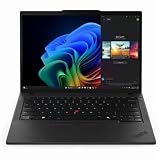
- With 32 GB DDR5 SDRAM of memory, users can effortlessly run multiple programs simultaneously, ensuring peak performance and productivity
- The 14" 1920 x 1200 screen delivers an exceptional viewing experience, featuring vibrant colors, sharp resolution, and wide viewing angles
- 512 GB SSD offers ample capacity to store your essential documents, favorite songs, movies, and pictures, ensuring you have plenty of space for all your digital content
Memory and storage expansion
The Intel P3 announcement documents two SO-DIMM slots and two different M.2 positions: one 2280 slot and one 2230 slot. The reviewed PM3606 also had a 1TB PCIe Gen 4 drive plus an expansion slot, while ASUS’s Copilot+ announcement describes dual-SSD expandability.
Both T14 Gen 6 variants use two DDR5-5600 SODIMM slots. Lenovo lists up to 1TB of PCIe Gen 4 storage for the AMD family and a maximum of 32GB memory for the Intel family. Storage and memory ceilings can still vary by submodel, so the seller’s machine-readable specification should be treated as the final authority.
For a small business, two memory slots are more than a technical detail. They let you start with a less expensive configuration, add capacity when workloads grow and replace a failed module without replacing the entire motherboard. Confirm that the retailer has not substituted soldered memory under the same marketing name.
Do these 3 things before closing this tab:
1Fix the driver behind crashes, sound loss and screen glitches2Clear out junk files and repair common Windows errors3Scan for outdated or missing drivers - takes under a minuteDisplay size, resolution and portability
| Machine family | Documented display choices | Portability implication |
|---|---|---|
| ExpertBook P3 Intel | 14-inch or 16-inch; 1920×1200 or 2560×1600 | Two chassis sizes cover mobile and desk-oriented work. |
| ExpertBook P3 Copilot+ models | 2.5K anti-glare option; up to 144Hz | Higher-resolution and higher-refresh options are available on selected SKUs. |
| Reviewed PM3606 | 16-inch 1920×1200; 1.74kg review-unit weight | More workspace, but the weight applies only to that reviewed configuration. |
| ThinkPad T14 Gen 6 | 14-inch platform | Consistent compact business format; verify brightness, color coverage and resolution for the exact panel. |
| ExpertBook P3 G2 | 14-inch or 16-inch Full HD | Size choice remains, while detailed panel options depend on the final SKU. |
Choose the T14 when the laptop will travel daily or spend time in meeting rooms. Choose a 16-inch P3 when spreadsheets, timelines or side-by-side documents matter more than the smallest footprint. Resolution alone does not predict visual quality: check brightness, color coverage, anti-glare treatment and refresh rate on the exact listing.
Security and manageability
For a business fleet, security is a set of controls rather than one processor feature. The relevant checks are Windows 11 Pro availability, TPM support, biometric login, webcam privacy, firmware controls, remote-management capability and the manufacturer’s support terms.
Lenovo documents Windows 11 Pro, optional vPro on selected Intel T14 configurations, and fingerprint-reader and IR-camera options. ASUS documents Windows 11 Pro options and ExpertGuardian features on current P3 pages. Those options are not necessarily fitted to every retail unit. Read the configuration line for the actual machine before assuming that a fingerprint reader, IR camera or management technology is included.
Rank #4

- With 16 GB DDR5 SDRAM of memory, users can effortlessly run multiple programs simultaneously, ensuring peak performance and productivity
- The 14" 1920 x 1200 screen delivers an exceptional viewing experience, featuring vibrant colors, sharp resolution, and wide viewing angles
- 512 GB SSD offers ample capacity to store your essential documents, favorite songs, movies, and pictures, ensuring you have plenty of space for all your digital content
If your organization images laptops centrally, verify the exact Windows edition and driver support before deployment. A consumer Windows edition may require a paid upgrade or a reimage, and a missing biometric camera can change your sign-in policy even when the chassis name is identical.
Ports and networking
P3 models provide the business basics: USB-C, USB-A, HDMI and RJ45 Ethernet. The T14 models add HDMI 2.1 and multiple USB-C ports; the Intel version lists two Thunderbolt 4 ports and optional 5G. That makes the Intel T14 especially attractive for desks built around a Thunderbolt dock or for employees who need cellular connectivity away from the office.
Count the ports you will use simultaneously. A laptop with one USB-C port may need a dock for power, display and peripherals, while a T14 with multiple USB-C connections can leave one port free. Confirm whether the USB-C ports support charging, display output and the data rate required by your dock; marketing names alone do not guarantee identical capabilities on every regional SKU.
Battery and serviceability
Lenovo lists a customer-replaceable 57Wh battery for both T14 Gen 6 families. ASUS’s P3 battery capacity varies by model and region, so the capacity and service procedure must be checked against the specific P3 product number. Neither the supplied specifications nor the cited review provides a controlled battery-life comparison across these families.
A replaceable battery is valuable for organizations that keep laptops for several years. It can reduce downtime when capacity falls and allows a service department to stock a known replacement. It does not guarantee longer runtime on a charge; runtime still depends on processor choice, display resolution, wireless use, firmware and workload.
Recommended Free Tools
Which laptop should you buy?
Choose the ThinkPad T14 Gen 6 AMD if
- You want the closest 14-inch business substitute for the P3.
- You need two accessible DDR5 memory slots and plan to upgrade later.
- You prefer Ryzen AI PRO options and integrated Radeon graphics.
- You require Windows 11 Pro, RJ45 Ethernet, HDMI 2.1 and a replaceable battery.
- You do not need Thunderbolt 4 or Intel vPro specifically.
Choose the ThinkPad T14 Gen 6 Intel if
- Your company standardizes on Intel Core Ultra or vPro management.
- You need two Thunderbolt 4 USB-C ports for docks or high-speed peripherals.
- Optional 5G is important for field work.
- A 14-inch chassis, two memory slots and a 57Wh replaceable battery fit your deployment plan.
Choose an ExpertBook P3 instead if
- You need a 16-inch display for spreadsheets, dashboards or split-screen work.
- You want a documented 2.5K anti-glare or up-to-144Hz option on a selected model.
- Dual-SSD expansion is more valuable than a consistent 14-inch platform.
- You have found a specific P3 SKU whose display, memory, storage and warranty meet your needs at a better local price.
Investigate the HP ProBook 4 G1a if
- The seller offers a meaningful saving over the T14 and P3 alternatives.
- The exact product number confirms the memory, SSD, display and Windows edition you need.
- You can verify warranty coverage and local service before committing to a fleet purchase.
A practical buying and deployment checklist
- Record the complete model code. Do not buy from a listing that only says “ExpertBook P3,” “T14 Gen 6” or “ProBook 4 G1a.”
- Match the processor to the software. Check whether your management tools require Intel vPro, whether your applications benefit from a specific instruction set and whether local AI features are actually supported.
- Confirm memory layout. Verify the number of SODIMM slots, the installed module arrangement and the maximum supported capacity for that exact SKU.
- Confirm storage expansion. Check the M.2 sizes, whether a second slot is populated, and whether adding a drive affects the warranty or thermal design.
- Read the panel specification. Record resolution, brightness, color coverage, anti-glare treatment and refresh rate instead of relying on the screen size alone.
- Check the business edition. Make sure Windows 11 Pro is included if your organization needs domain, policy or management features.
- Inventory security hardware. Confirm TPM, fingerprint, IR camera, webcam privacy controls and any documented fleet-management option.
- Map your desk setup. Count displays, Ethernet, USB accessories, charging and dock requirements, then compare the actual port capabilities.
- Verify battery service terms. For the P3 and ProBook, ask for the battery capacity and replacement procedure. For the T14, confirm that the listed 57Wh customer-replaceable battery applies to the offered part number.
- Compare the complete delivered cost. Include Windows edition, memory upgrades, SSD expansion, warranty length, shipping, regional taxes and any required dock or 5G plan.
Common mistakes to avoid
Comparing the family name instead of the SKU
A 14-inch Intel P3, a 16-inch AMD Copilot+ P3 and a P3 G2 can share a marketing name while using different processors, panels, batteries and storage arrangements. The same warning applies to T14 and ProBook listings that omit their processor or display suffix.
Best Value

- With 16 GB of memory, you can run numerous programs simultaneously without any degradation in performance
- The 14" 1920 x 1200 screen delivers an exceptional viewing experience, featuring vibrant colors, sharp resolution, and wide viewing angles
- 256 GB total SSD capacity ensures your programs remain active, allowing your computer to resume from suspension in mere seconds
- Gray color provides a sleek and refined appearance to your notebook, making it suitable for any environment
Treating NPU TOPS as an application benchmark
NPU TOPS are platform-specific theoretical figures. They do not replace tests of the applications your employees use, and they do not predict battery life or general CPU performance by themselves.
Assuming every optional feature is installed
Windows 11 Pro, vPro, 5G, fingerprint readers, IR cameras, high-resolution panels and larger SSDs are configuration-dependent. A product page can describe a family capability without including it in the unit in your cart.
Using a review-unit weight or specification as a universal value
The 1.74kg figure belongs to one reviewed PM3606 configuration. Different panels, batteries, memory and storage can change the weight. Treat review-unit data as an example of what a particular SKU offers.
The Tool Desk
Outbyte Driver Updater FREEFix the driver behind crashes, sound loss and screen glitchesFind Drivers →Outbyte PC Repair FREEClear out junk files and repair common Windows errorsFree Scan →Expecting a proven battery or performance champion
The available material contains specifications and a review of one P3 configuration, not a controlled head-to-head test of identical T14 and P3 systems. Choose based on documented requirements and the exact configuration rather than an unsupported universal ranking.
Availability, pricing and warranty checks
Prices, inventory, warranty terms and component combinations vary by country and by retailer. The P3 G2 announcement is newer than the 2025 P3 families, but a newer announcement does not guarantee immediate availability in every market. Likewise, a low listed price may represent a lower memory tier, a smaller SSD, Windows Home or a lower-resolution panel.
For a personal purchase, compare the final checkout configuration. For a business purchase, request a written quote that names the processor, memory modules, SSD, display, wireless card, operating system, warranty and battery service terms. This prevents a seller from substituting a different regional SKU under the same family name.
Final recommendation
Buy the ThinkPad T14 Gen 6 AMD when you want the most direct business-laptop alternative to the ASUS ExpertBook P3: a 14-inch format, Ryzen AI PRO choices, two upgradeable memory slots, Windows 11 Pro, Ethernet, HDMI 2.1 and a replaceable 57Wh battery. Move to the ThinkPad T14 Gen 6 Intel for Core Ultra, vPro, Thunderbolt 4 or optional 5G. Select the P3 when its 16-inch display or dual-SSD design solves a real workflow need, and consider the HP ProBook 4 G1a only after confirming the exact lower-cost configuration and support terms.
Quick Recap
Product prices and availability are accurate as of the date/time indicated and are subject to change. Any price and availability information displayed on Amazon at the time of purchase will apply.

