For an iMac that needs genuinely illuminated keys, the Logitech MX Keys S for Mac is the clearest match. It has a dedicated Mac layout, proximity-activated backlighting, automatic brightness adjustment and support for up to three Apple devices. Apple’s Magic Keyboard with Touch ID and Numeric Keypad is a better fit only when Touch ID or a full numeric keypad matters more than key lighting, because Apple’s cited specifications do not claim that its keys are backlit.
What to buy for an iMac with lighted keys
The Logitech MX Keys S for Mac should be the starting point for most iMac owners who specifically want visible illumination. Logitech describes it as a wireless illuminated keyboard with Mac legends, an ambient-light sensor and hand-proximity detection. The keys illuminate as your hands approach, then the brightness adapts to the room rather than staying permanently on.
As an Amazon Associate I earn from qualifying purchases.
That recommendation is about the documented feature set, not an independent typing test. Available manufacturer material establishes lighting behavior, layouts, connectivity and compatibility, but it does not provide controlled measurements of typing speed, key feel or long-term reliability. Your ideal choice still depends on whether you need Touch ID, a numeric keypad, a compact footprint or a particular charging routine.
Do these 3 things before closing this tab:
1Repair Windows errors before they cause bigger problems2Fix the driver behind crashes, sound loss and screen glitches3Clear out junk files and repair common Windows errorsHow the main choices compare
| Keyboard | Backlighting | Mac layout | Touch ID | Numeric keypad | Connectivity and battery information | Documented compatibility |
|---|---|---|---|---|---|---|
| Logitech MX Keys S for Mac | Adaptive proximity lighting; seven brightness levels documented by Logitech support | Dedicated Mac layout | No Touch ID documented | Not stated in the cited material; check the exact regional listing | Wireless; pairs with up to three Apple devices. Battery duration for this model is not stated in the cited material. | macOS 10.15 or later |
| Logitech MX Keys for Mac | Backlit keys adjust to changing light | Mac layout | No Touch ID documented | Not stated in the cited material | Bluetooth Low Energy and a Unifying receiver; up to 10 days with backlight or five months without, according to Logitech’s specification | macOS 10.15 or later |
| Apple Magic Keyboard with Touch ID and Numeric Keypad (USB-C) | Backlighting is not claimed in the cited Apple specification | Extended Apple layout | Yes | Yes | Wireless rechargeable; Apple advertises about a month or more between charges | For Mac models with Apple silicon |
The table separates a documented feature from an assumption: the Apple keyboard may look similar to a lighted model in photographs, but the cited specification does not say that its keys illuminate. Do not buy it expecting the MX Keys S lighting experience.
#1 Best Overall

- (WIRED MAC KEYBOARD WITH BACKLIT KEYS: ALWAYS ON, ALWAYS CONNECTED) Plug in the USB cable and your Mac recognizes it instantly. No Bluetooth to pair, no battery to charge, no dropped connections. Backlit keys with 3 brightness levels keep every key visible in any lighting.
- (107-KEY MAC LAYOUT WITH 16 MACOS SHORTCUTS) Full-size keyboard with the Apple layout you already know: Command, Option, Control right where you expect them. 16 shortcut keys for Mission Control, Launchpad, brightness, volume, and more. Number pad included.
- (PLUG IN THE USB-A CABLE AND START TYPING IN SECONDS) 5-foot USB-A cable gives you reach from your Mac to wherever you sit. No drivers to install, no software to download, no keyboard setup wizard. Your Mac sees it and you're typing.
- (SPACE GRAY ALUMINUM THAT MATCHES YOUR MAC SETUP) Low-profile design in space gray and black that sits right next to your iMac, MacBook, or Mac mini without looking out of place. Thin enough to feel familiar if you already type on Apple keyboards.
- (WORKS WITH IMAC, MACBOOK PRO, MACBOOK AIR, MAC MINI, AND MAC STUDIO) Compatible with any Mac that has a USB-A port or a USB-C adapter. Also works with Windows PCs and iPads. Backed by up to 2 years of Macally warranty.
Why the MX Keys S for Mac is the strongest lighted-key match
Lighting responds to you and the room
Logitech says the keyboard uses an embedded ambient-light sensor that “reads and adapts the level of backlighting accordingly.” Proximity detection wakes the illumination as your hands approach. This is useful on a desk that changes from daylight to evening light because you do not have to keep reaching for a brightness control.
Logitech support documents seven backlight levels. The levels can be adjusted in Logi Options+, and the software also lets you change how long the backlight remains active. Those controls are useful if you prefer a dim glow, want to conserve battery, or find motion-triggered lighting too sensitive.
Backlighting is deliberately conditional
The keys are not guaranteed to glow at all times. Logitech states that backlighting cannot be turned on when the room is bright or when the battery is low. The ambient-light thresholds differ by keyboard color:
| Keyboard color noted by Logitech support | Low-light range | Mid-light range | Backlight disabled above |
|---|---|---|---|
| Dark keyboard | Below 100 lux | 100–200 lux | Above 200 lux |
| Pale gray keyboard | Below 55 lux | Not separately stated | Above 55 lux |
If the keys appear dark in a sunlit room, that behavior can be normal rather than a defect. A low battery can produce the same symptom. The thresholds are Logitech’s support guidance, not a universal brightness standard, and they vary with the keyboard color.
Mac-specific legends and multi-device pairing
The MX Keys S for Mac is presented with a dedicated Mac layout, so Command, Option and other Apple-specific labels are where a Mac user expects them. Logitech says it can pair with up to three Apple devices, allowing you to move between an iMac and other Apple hardware without buying separate keyboards. Confirm the exact regional model before ordering, because layout and included accessories can differ between listings.
When the older MX Keys for Mac makes sense
The earlier MX Keys for Mac remains a documented backlit alternative. Logitech describes its keys as illuminated and able to adjust to changing light. Its technical specification lists Bluetooth Low Energy and a Unifying receiver, which can be useful if you want a receiver-based connection instead of relying only on Bluetooth.
Logitech’s stated battery figures are up to 10 days with the backlight enabled and up to five months with the backlight disabled. These are manufacturer specifications, so actual runtime changes with brightness, proximity-trigger frequency, connection use and battery condition. Check that a listing is truly the Mac version and not a differently labeled keyboard with another key arrangement.
Windows Errors? Fix Them Before They Spread
Repair common Windows errors and clear accumulated junk for a smoother, more stable PC - no reinstall needed.Free scan · no reinstallCrashes, No Sound, or Screen Glitches?
Random freezes, missing sound and display glitches usually trace back to one bad driver. Find and replace yours safely.Free scan · under a minuteThe older model is not automatically the better bargain. Stock, revisions and regional bundles change, and a product-page search captured a $119.99 listing for the older MX Keys for Mac. That was a time-specific snapshot, not a current price guarantee; recheck the seller, model name and return policy before treating it as a deal.
Rank #2

- Bluetooth Keyboard for Mac: Bluetooth keyboard and mouse for Mac resembles magic keyboard in full size layout with numeric keypad. Compatible with Mac OS 10.12 or later, iOS & iPadOS(13.0 or above), for MacBook, MacBook Pro, MacBook Air, Mac Pro/Mini, iPad, or iPhone, supports Bluetooth 5.1 version or above. Note: Macs before 2013, Windows, Linux are not compatible
- Backlit illuminated Keys: This backlit wireless keyboard for mac comes equipped with soft white LED backlighting and boasts three adjustable brightness levels (low-mid-high) to suit your individual needs. Perfect for use in dimly lit environments, the gentle illumination won't strain your eyes, and the brightness can be easily customized to your liking
- Switch Up To 3 Devices: Bluetooth keyboard mouse for mac can connect to three different devices simultaneously through its triple Bluetooth channels. You can easily switch between the devices by clicking on the mode switch button. Note: Connection is established solely through Bluetooth. USB dongle is not included
- Responsive Keys and Quiet Typing: This keyboard boasts a responsive scissor switch, allowing for efficient and hushed typing. The low-profile design and soft-touch keys elevate the typing experience to a new level of fingertip comfort and The mouse features three adjustable DPI levels of 1000/1600/2400, providing you with customizable sensitivity options
- Rechargeable and Power Saving: The keyboard and mouse for mac feature built-in rechargeable batteries, 1200mAh for keyboard, 300mAh for mouse. If the keyboard and mouse are idle for 60 minutes, the system enters sleep mode. Press any key to wake it, but note that keyboard's backlighting must be turned on again
Why Apple’s Touch ID keyboard is a different kind of choice
Apple’s USB-C Magic Keyboard with Touch ID and Numeric Keypad, introduced in 2024, targets buyers who value biometric sign-in and an extended layout. Apple specifies Touch ID, wireless rechargeable operation, a numeric keypad and about a month or more between charges. The cited specifications are for Mac models with Apple silicon.
Those are meaningful advantages for spreadsheet work, repeated number entry and unlocking or authenticating on a compatible Mac. They do not make it a backlit-keyboard substitute. Apple’s cited specification does not advertise illuminated keys, so choose it for Touch ID and the keypad rather than for night-time key visibility.
Choose by the feature you will use every day
| Your priority | Most defensible choice from the documented options | Why |
|---|---|---|
| Visible keys in dim rooms | MX Keys S for Mac | It is explicitly marketed as illuminated, with proximity activation and adaptive brightness. |
| Touch ID on an Apple-silicon Mac | Magic Keyboard with Touch ID and Numeric Keypad | Touch ID is documented; backlighting is not. |
| Frequent number entry | Magic Keyboard with Touch ID and Numeric Keypad | The extended layout includes a numeric keypad. |
| Receiver as well as Bluetooth options | MX Keys for Mac | Its specification lists Bluetooth Low Energy and a Unifying receiver. |
| Switching among several Apple devices | MX Keys S for Mac | Logitech says it can pair with up to three Apple devices. |
| Older macOS installation | Verify before buying | The Logitech documentation sets a macOS 10.15-or-later floor; Apple’s keyboard is documented for Apple-silicon Macs. |
Compatibility checks before you order
Check the iMac’s macOS version
Logitech documents macOS 10.15 or later for both MX Keys S for Mac and the earlier MX Keys for Mac. An iMac that cannot run that version is outside the stated support floor. Identify the iMac model, open Apple menu → About This Mac, and note the installed macOS version before purchasing. A keyboard may still physically connect on an older system, but that would be outside the manufacturer’s documented compatibility claim.
Recommended Free Tools
Check whether your Mac is Apple silicon
Apple specifies the USB-C Magic Keyboard with Touch ID and Numeric Keypad for Mac models with Apple silicon. In Apple menu → About This Mac, look for an entry such as “Chip.” If it reports Apple silicon, the model fits Apple’s stated requirement; an Intel iMac does not meet that documented condition.
Confirm the physical layout
“For Mac” does not by itself tell you whether a keyboard is compact or full-size. Verify the product photos and specifications for the Return, Command, Option, function-row and numeric-keypad arrangement you need. Regional layouts can also change legends and key shapes.
Setup: get adaptive lighting working on an iMac
- Charge the keyboard first. A low battery can prevent the backlight from turning on, so begin with a substantial charge rather than troubleshooting a dark keyboard at minimum power.
- Put the iMac and keyboard close together. Follow the keyboard’s pairing instructions and select it in Apple menu → System Settings → Bluetooth. The exact prompt can vary by macOS release.
- Install Logi Options+ if you want customization. Logitech documents this software as the place to adjust backlight brightness and the duration before the illumination turns off.
- Test in a dimmer room. The sensor may intentionally disable lighting in bright conditions. Move your hands over the keys and allow a moment for proximity activation.
- Select a backlight level. Use the documented seven levels to find a brightness that is readable without distracting glare.
- Pair additional Apple devices if needed. The MX Keys S for Mac supports up to three Apple-device pairings according to Logitech; assign each device using the keyboard’s device-selection controls and test switching before relying on it in a meeting or deadline.
Buying checklist: avoid the common listing mistakes
Search results often mix several MX Keys generations and regional layouts. Read the full model name, not just the “MX Keys” portion of a headline. Confirm that the listing says for Mac, shows the key legends you expect and identifies the seller responsible for support and returns. A photograph can be misleading when a retailer uses a generic image for multiple layouts.
Decide whether you need a receiver before checkout. The earlier MX Keys for Mac specification lists both Bluetooth Low Energy and a Unifying receiver, while the cited MX Keys S material confirms wireless use and multi-device pairing but does not list a receiver in the supplied specifications. If your iMac has limited ports or you prefer to avoid a receiver, Bluetooth may be the simpler arrangement; if you require receiver connectivity, verify that exact accessory and compatibility in the listing.
Price comparisons also need care. The captured $119.99 figure applies to an older MX Keys for Mac listing at one point in time. It is not a reliable current price for that model or for the MX Keys S. Compare the exact generation, color, layout, included charging cable or receiver, shipping, warranty and return window rather than choosing the lowest headline number.
Rank #3
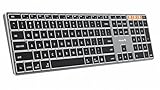
- Mac Only, Not for Windows/PC: Compatible with Mac OS 10.12 or later, iOS & iPadOS(13.0 or above). Works with MacBook, MacBook Pro, MacBook Air, Mac Mini, Mac Pro, iMac, iMac Pro, iPad, or iPhone, supporting Bluetooth 5.1 or above. Note: Macs before 2013, Windows, Linux are not compatible
- Designed Specifically for Mac: Featuring premium aluminum build with backlit Mac keys, matches magic keyboard design perfectly, the K110-A bluetooth keyboard offers seamless multi-device switching, ergonomic titing feet, convenient USB-C charging and the protective cover - the flagship model
- Sleek Aluminum Body: Redefines keyboard design with its aerospace-grade aluminum unibody construction. This keyboard achieves an impressive balance of durability and slim elegance—measuring just 0.4 inches thick. Unlike typical plastic keyboards, the aluminum chassis resists scratches while providing optimal stability
- Customizable Backlighting: ProtoArc backlit wireless keyboard for Mac offer 3 adjustable brightness levels (low-mid-high) with soft white LED lighting. Perfect for dimly lit environments, the gentle illumination reduces eye strain and can be tailored to your preferences
- Multi-Device Connectivity: Seamlessly connect up to 3 devices with our wireless bluetooth keyboard for iPad using the 3 Bluetooth channels. Easily switch between devices by pressing the mode switch button. Note: Connection is established via Bluetooth; USB dongle not included
Work habits and layout trade-offs
A compact layout leaves more room for a mouse or drawing tablet, while a full-size keyboard with a numeric keypad can be faster for accounting, spreadsheets and repeated data entry. The cited material does not establish which MX Keys S configuration includes a keypad, so do not assume the answer from the product family name. Inspect the dimensions and key arrangement for the precise regional SKU.
Backlighting can be helpful for late-night writing, but adaptive behavior means it is intentionally absent in a brightly lit room. That is efficient for battery use, yet it may surprise anyone expecting a constant glow. If you want illumination during daytime use, test the keyboard in your actual room and understand that the sensor thresholds, especially on the pale gray version, may turn the lights off sooner than expected.
Troubleshooting dark or unreliable backlighting
- Nothing lights in daylight: reduce direct light or test after sunset. Logitech’s thresholds can disable illumination above 200 lux on dark keyboards and above 55 lux on pale gray keyboards.
- The backlight stopped after heavy use: charge the keyboard. Logitech lists low battery as another condition that disables backlighting.
- Lighting turns off too quickly: open Logi Options+ and increase the backlight duration, if the setting is available for your model.
- The brightness feels wrong: adjust the level in Logi Options+ rather than assuming the sensor is faulty. The MX Keys S support documentation lists seven levels.
- The keyboard connects but Mac shortcuts are wrong: check that you bought the Mac-specific version and that the selected input source and layout match your region.
- Pairing fails on an old iMac: confirm macOS 10.15 or later for Logitech models. If the system is older, the connection may be outside documented support.
- Touch ID does not work: verify that the Mac is Apple silicon and that you are using Apple’s Touch ID model. The Touch ID feature is not a general property of every Magic Keyboard.
What the specifications do not tell you
Manufacturer pages establish the lighting modes, operating-system floors and advertised battery figures, but they do not establish which keyboard has the best subjective key feel, quietest sound, most durable switches or fastest typing performance. Those qualities depend on hand size, typing technique, desk acoustics and personal preference. Treat “great typing experience” as a buying goal to test with a return policy, not as a measured result supplied by these specifications.
Free tools Windows power users keep installed
One-click scans. No signup required.
Likewise, do not infer that a longer advertised battery span means better lighting. The older MX Keys figure of up to five months applies with the backlight disabled, while its up-to-10-day figure applies with backlighting enabled. The MX Keys S documentation supplied here explains adaptive lighting and seven levels but does not state a battery-life number.
Frequently asked questions
Frequently Asked Questions
Which keyboard is the clearest match for an iMac with illuminated keys?
The Logitech MX Keys S for Mac is the strongest documented match. Logitech describes a dedicated Mac layout, proximity-activated illumination, adaptive room brightness and seven adjustable backlight levels.
Does Apple’s Magic Keyboard with Touch ID and Numeric Keypad have backlit keys?
Apple’s cited USB-C specification documents Touch ID, wireless rechargeable operation, a numeric keypad and Apple-silicon compatibility, but it does not claim that the keys are backlit. Choose it for those features, not for illumination.
Why are my MX Keys S lights off in a bright room?
Logitech says the keyboard can disable backlighting when ambient light is high. Its support guidance lists an off threshold above 200 lux for dark keyboards and above 55 lux for pale gray keyboards.
Can I change the MX Keys S brightness and timeout?
Yes. Logitech documents seven backlight levels, and Logi Options+ provides controls for brightness and how long the backlight remains active.
Rank #4

- (3 Port USB Hub): Connect up to three peripherals, such as a mouse or hard drive, directly to your device via our slim keyboard with usb port. 2x USB-A and 1x USB-C port for versatile connectivity.
- (Enjoy Illuminated Keys): Type effortlessly in any lighting with white LED backlit keys, our usb c keyboard features 3 adjustable brightness levels for optimal visibility.
- (2 in 1 USB Plug): Enjoy seamless connectivity with any laptop or computer. This apple wired keyboard offers a versatile 2-in-1 USB C and USB A plug, to accomodate a wide range of usb devices.
- (Auto OS Detection): Compatible with all operating systems, this full-size keyboard features auto-detection, ensuring all 107 keys and 16 shortcuts adapt instantly to Mac, Windows, Android, and iPad.
- (What You'll Receive): Macally is dedicated to making your daily life easier. With your purchase of this USB-C keyboard, enjoy accessible, US-based support and up to a 2-year warranty for added peace of mind.
What macOS version does the Logitech documentation support?
Logitech lists macOS 10.15 or later for both the MX Keys S for Mac and the earlier MX Keys for Mac. Check the iMac’s installed version before ordering.
Does the MX Keys S for Mac include a numeric keypad?
The cited material does not state whether the specific MX Keys S listing has a numeric keypad. Check the exact regional product page, photographs and specifications rather than assuming from the family name.
How long does the older MX Keys for Mac battery last?
Logitech specifies up to 10 days with backlighting enabled or up to five months with backlighting disabled. Actual runtime varies with use, brightness and battery condition.
What’s actually slowing this PC down?
Pick the symptom - the matching free tool is one click away.
Can the MX Keys S switch between multiple Apple devices?
Logitech says it can pair with up to three Apple devices. Confirm each pairing and practice switching before relying on it for time-sensitive work.
Will Touch ID work with an Intel iMac?
Apple’s cited specification identifies the USB-C Touch ID keyboard for Mac models with Apple silicon. An Intel iMac does not meet that documented requirement.
Is the older MX Keys for Mac a guaranteed bargain?
No. A $119.99 listing was captured at one point, but prices, stock, bundles and sellers change. Verify the current model, Mac layout, warranty and return policy before buying.
The Bottom Line
Best for illuminated keys: Logitech MX Keys S for Mac, with adaptive proximity lighting and a dedicated Mac layout. Choose the older MX Keys for Mac only when its documented Bluetooth Low Energy and Unifying-receiver options suit you. Choose Apple’s Magic Keyboard with Touch ID and Numeric Keypad for biometric authentication or a full numeric layout, understanding that Apple’s cited specification does not document backlighting.
Quick Recap
Product prices and availability are accurate as of the date/time indicated and are subject to change. Any price and availability information displayed on Amazon at the time of purchase will apply.

