A bartop arcade is a playable, compact cabinet designed to sit on a table, counter or bar. An arcade topper is usually a separate decorative or promotional sign mounted above an existing cabinet. They are not interchangeable terms, and a marquee—the game-title panel above a monitor—is a third, related part.
First, untangle the three arcade terms
Bartop arcade: a complete upper cabinet
A bartop arcade is a smaller arcade machine that contains the upper portion of a traditional cabinet: the monitor, control panel, speakers and the electronics needed to run games. It normally has no lower pedestal or legs, so it rests on furniture rather than standing on the floor. Omniretro describes the form as the section “from the control panel up to the marquee, without the pedestal” and notes that a pedestal can be added when you want a full-height presentation.
As an Amazon Associate I earn from qualifying purchases.
The word bartop describes the cabinet’s placement and shape, not a particular game system. One unit might run a single original board, while another uses a modern computer or console and an emulator. The cabinet can be sold ready to play, partly assembled or as a bare woodworking shell.
Topper: an accessory above a cabinet
A cabinet topper is a separate sign, logo panel or illuminated graphic fixed above an existing arcade cabinet. It may advertise a game, venue or tournament, or simply extend the cabinet’s artwork upward. Seller Szabo’s Arcades lists toppers as accessories and warns that some listings contain only the topper, not the cabinet or its marquee. Always read the contents line before assuming you are buying a playable machine.
#1 Best Overall

- 14 Classic Games Included: Play PAC-MAN, Galaga, Dig Dug, Pac-Land, Mappy, and more—14 built-in titles deliver hours of iconic retro arcade fun at home
- Authentic Arcade Experience: Real-feel joystick and buttons let you dodge ghosts, eat pellets, and chase high scores just like you did in the arcade
- Crisp 17-Inch Display: BOE color monitor brings every glowing maze and character to life with sharp visuals that stay true to the original arcade look
- Wi-Fi Leaderboards: Compete with players across the country by posting high scores online using built-in Wi-Fi—no quarters required
- Deluxe Cabinet Design: Over 5 feet tall with a light-up marquee, molded faux coin door, and sleek cabinet that adds retro style to any game room or space
A topper usually has no controls, monitor or game electronics. Its job is visual identification and branding. Mounting holes, brackets and the width of the cabinet it fits are specific to the product, so a topper made for one cabinet is not automatically compatible with another.
Marquee: the title panel over the screen
A marquee is the sign associated with the game title immediately above the monitor. Traditional arcade marquees are often backlit panels showing the game’s name and artwork. The arcade-cabinet glossary and ICE’s description use marquee for this screen-area sign, while topper refers to a separate piece mounted higher than the cabinet. Some products use loose seller terminology, so inspect photographs and the parts list rather than relying on the product name alone.
How a bartop compares with a full upright cabinet
The meaningful difference is cabinet form and placement. It does not guarantee a difference in game library, display quality, sound or processing power. Those depend on the exact hardware installed.
Quick wins for a faster PC:
Fix the driver behind crashes, sound loss and screen glitchesFind Drivers →Clear out junk files and repair common Windows errorsFree Scan →Scan for outdated or missing drivers - takes under a minuteDriver Scan →| Comparison | Bartop arcade machine | Full upright cabinet |
|---|---|---|
| Support | Needs a table, counter, bar or optional pedestal. | Has its own lower section and stands on the floor. |
| Physical form | Compact upper cabinet containing the screen and controls. | Tall, self-supporting cabinet with a lower body. |
| Typical purchase choices | Ready-to-play unit, partial kit or DIY shell. | Complete commercial cabinet or a larger custom build. |
| Space planning | Check furniture depth, surface strength and player elbow room. | Check floor footprint, ceiling clearance and access through doors. |
| Hardware certainty | Varies widely; a shell may contain no monitor, controls or computer. | Also varies by model; a larger exterior does not prove a particular specification. |
“Smaller” is an ordinary description, not a standard measurement. Compare the published dimensions of the model you are considering. A bartop can be surprisingly deep once the control panel and rear electronics are included, while a commercial unit can be unusually compact.
Rank #2
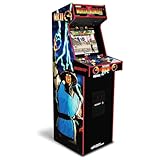
- 14 Classic Games Included: Play Mortal Kombat I–3, Ultimate MK3, and 10 more retro hits like Rampage, Paperboy, and Gauntlet for nonstop arcade action
- Authentic Arcade Feel: Real-feel joysticks, responsive buttons, and dual speakers deliver a true arcade experience in the comfort of your home
- Crisp 17-Inch Display: BOE color monitor showcases every detail, from pixel-perfect punches to vibrant retro graphics, just like the original machines
- Wi-Fi With Multiplayer: Compete online with friends or players across the country using built-in Wi-Fi leaderboards and online multiplayer features
- Premium Cabinet Design: Over 5 feet tall with a sleek finish, light-up marquee, and molded faux coin door for a nostalgic look that stands out in any room
What you actually get in a bartop purchase
Ready-to-play machine
A ready-to-play bartop should identify the monitor, controls, game system, power supply and audio equipment in its specification. Confirm whether the software is licensed, whether the machine supports one or two players, and how the controls are mapped. Ask how the machine starts and shuts down; a hard power switch is not always equivalent to a safe operating-system shutdown.
DIY cabinet kit
A kit can mean only the wooden or plastic cabinet parts. Ourcades presents a bartop foundation in which the builder chooses the gaming system, monitor, controls, audio, lighting, artwork and other accessories. Its listed physical components include pre-cut cabinet panels, speaker holes, T-molding slots and a vinyl-artwork template; options or separate purchases determine much of the finished machine.
Before ordering a shell, make a parts list that includes the display, mounting hardware, control encoder, joysticks, buttons, computer or console, storage, power distribution, speakers, amplifier, cooling and the marquee light. Check the internal clearances against every part. A monitor that fits the visible opening can still collide with the control panel or rear cables.
Example dimensions are model specifications
Monster Arcades lists one kit at 22 inches wide, 21.25 inches deep and 24.25 inches high, with a monitor-mounting system and control-panel features. Those measurements describe that listed kit, not a category-wide standard.
Rank #3

- Classic Arcade Experience: Enjoy 12 legendary games from 1981 on a full-size cabinet with real-feel joysticks, buttons, and authentic arcade-style gameplay
- Vibrant 17" Display: Features a crisp BOE 17" LCD screen that brings retro graphics to life with bright colors and sharp details for immersive gaming fun
- Wi-Fi Leaderboards: Connect to Wi-Fi and compete with players nationwide by posting high scores on global leaderboards—no subscription required
- Premium Retro Design: Over 5 feet tall with a sleek cabinet, light-up marquee, and faux coin door for a nostalgic look that enhances any game room or space
- Crisp Stereo Sound: Dual speakers deliver classic arcade soundtracks and effects just like you remember, bringing every game to life with rich audio
Miele Manufacturing documents a commercial bartop measuring 20.5 inches wide, 14.75 inches deep and 15.75 inches high with a 22-inch monitor. Its shallow commercial form illustrates why intended setting matters: it is substantially different from a hobby cabinet kit with a deeper control area.
Made for Arcade describes a machine designed for video games and up to two players at a time. The maker says its example weighs about 24–30 kilograms and should be placed on a stable surface. Treat that weight as a specification for that manufacturer’s model, not as the expected weight of every bartop.
Why the pedestal changes the experience
The missing pedestal is the visual and ergonomic dividing line. On a table, the control panel height depends on the furniture. A dining table may be comfortable for seated play but too low for standing; a bar-height counter may reverse that. A matching pedestal raises the controls and screen, hides cables and gives the bartop the silhouette of an upright cabinet, but it also consumes floor space and adds another structure that must be secured.
Do these 3 things before closing this tab:
1Fix the driver behind crashes, sound loss and screen glitches2Repair Windows errors before they cause bigger problems3Scan for outdated or missing drivers - takes under a minuteIf you plan to add a pedestal later, verify the cabinet’s mounting points, total height and center of gravity first. A pedestal designed for a different shell can leave the unit unstable even when the widths appear similar.
Rank #4

- Retro Arcade Cabinet: Celebrate the legacy of Street Fighter with a 9/10 scale home arcade machine that captures the look, feel, and excitement of the iconic 90s arcade experience.
- Authentic Arcade Controls: Responsive joysticks and buttons let you perform your favorite combos with the precise, arcade-style control that fans know and love from the 90s.
- 15+ Capcom Games: Choose from more than 15 classic Capcom titles, including Street Fighter favorites, for endless hours of competitive and nostalgic gameplay with friends.
- Modern Retro Performance: Officially powered by Raspberry Pi 5 hardware with a vivid 19.5 inch viewable screen, lighted marquee, lit faux coin door, and HDMI Out for streaming or recording.
- Online Multiplayer Fun: Assembly is easy, and the feature-rich online multiplayer system lets you plug in and challenge friends in competitive showdowns from your game room or den.
Choosing the right format for your room and use
Choose a bartop when
- You have a sturdy counter, desk or shelf but limited floor area.
- You want to carry the machine between rooms or store it when not in use.
- You enjoy selecting your own monitor, controls and computer.
- You want the option of adding a pedestal later.
Choose a full upright when
- You want a self-supporting cabinet that defines a dedicated games-room position.
- You prefer standing play without buying or building a separate stand.
- You need the visual presence and storage capacity of a larger cabinet.
- You can move a tall, heavy object safely through doorways and stairs.
Neither format automatically wins on performance. A carefully built bartop can use the same class of display and computer as a full cabinet, while an inexpensive upright can use modest hardware. Compare the installed components, not the cabinet’s height.
A practical buying or building checklist
- Identify the product type. Look for “complete machine,” “bartop cabinet,” “kit,” “shell,” “marquee” or “topper.” A topper or shell is not a playable arcade by itself.
- Record external dimensions. Measure width, depth and height, then mark the footprint on your furniture or floor with tape. Include rear cable clearance and the space needed for players’ elbows.
- Check the included parts. Separate cabinet panels from monitor, controls, computer, speakers, lighting, artwork, power supply and software. Mark each item as included, optional or buyer-supplied.
- Match the display. Confirm screen size, aspect ratio, mounting method, viewing angle and input type. The visible opening is not enough; the chassis must fit inside the cabinet.
- Plan control layouts. Two-player panels need enough width for both players. Verify joystick orientation, button spacing and whether the encoder uses USB or another interface supported by your chosen system.
- Plan power and cooling. Count outlets, leave room for ventilation and avoid trapping a computer or power brick against a hot rear panel.
- Verify the surface or floor. For a tabletop model, confirm that the furniture can carry the stated weight without flexing. For an upright or pedestal, check that the floor is level and the cabinet cannot rock.
- Confirm what the artwork means. A vinyl template, marquee panel and topper are different pieces. Ensure the artwork size matches the cabinet and that lighting hardware is actually included.
Placement and safety details that are easy to miss
Use the manufacturer’s placement guidance for the exact machine. A 24–30 kilogram unit can damage a narrow shelf or slide when players push a joystick. Set it on a broad, level surface with a lip or other restraint if the design allows one. Keep the rear ventilation openings clear, route cables so they cannot catch a player’s knees, and leave enough room to remove the control panel for service.
For two-player play, measure the usable control width rather than the cabinet’s outside width. Side panels can make a cabinet look wide while leaving little room for hands. If the cabinet will be used by children, consider rounded edges, secure fasteners and a power switch that adults can reach without moving the machine.
Recommended Free Tools
Common terminology and purchasing mistakes
Assuming “topper” means a bartop game
A listing can use “arcade topper” for a sign, not a machine. Look for a monitor opening, control panel and electronics in the description. If the seller says “topper only,” the cabinet and marquee are separate purchases.
Best Value

- 13 Classic Games: Mortal Kombat, Mortal Kombat II, Mortal Kombat 3, Ultimate MK 3, Rampage, Joust, Wizard of Wor, Gauntlet, Rootbeer Tapper, Defender, Bubbles, Paperboy, Klax
- 4 Feet Tall, with 15.6” IPS Color Monitor
- Dual Speakers for crisp arcade sound
- WiFi Leaderboards to challenge the world, Online Multiplayer
- Real feel Joysticks and Buttons
Assuming a kit is ready to play
Pre-cut panels reduce woodworking, but they do not supply a computer, display or controls unless the listing explicitly says so. The Ourcades example demonstrates how much of the system can remain the builder’s responsibility.
Using category averages instead of the model’s dimensions
The Monster Arcades and Miele examples differ substantially in depth, width, height and monitor arrangement. Use the exact specification sheet when planning furniture, shipping, storage or a pedestal.
Ignoring service access
A cabinet that fits its location can still be frustrating if the rear panel cannot open or the monitor cannot be removed. Before final assembly, plan how you will reach the computer, fuse, power switch, speakers and control wiring.
What’s actually slowing this PC down?
Pick the symptom - the matching free tool is one click away.
Confusing a marquee with a topper
The marquee identifies the game above the monitor; a topper is an additional sign above the cabinet. Some designs combine them visually, but replacement parts and mounting requirements are not necessarily interchangeable.
Bottom line: identify the object before comparing cabinets
When someone says “bartop arcade,” they usually mean a compact, playable cabinet without a lower pedestal. When a listing says “topper,” it may mean only a decorative sign mounted above an existing cabinet. A marquee is the title panel over the monitor. Once those terms are separated, compare the actual dimensions, included hardware, player count, stand requirements and placement load. The right choice is the format whose verified specifications fit your room and your willingness to build or supply the missing parts.
Quick Recap
Product prices and availability are accurate as of the date/time indicated and are subject to change. Any price and availability information displayed on Amazon at the time of purchase will apply.

