Crashes, No Sound, or Screen Glitches?
Random freezes, missing sound and display glitches usually trace back to one bad driver. Find and replace yours safely.Free scan · under a minuteWindows Errors? Fix Them Before They Spread
Repair common Windows errors and clear accumulated junk for a smoother, more stable PC - no reinstall needed.Free scan · no reinstallThe original B760M build was a credible roughly $1,800 1440p gaming PC when it was published on July 29, 2024. Its Core i5-13600KF and RTX 4070 Ti remain capable, but the build is no longer an automatic choice for a new $1,800 budget in 2026: the graphics card has 12GB of VRAM, LGA1700 is an older platform, and the 360 mm AIO prioritizes cooling and appearance over maximum gaming value. Treat it as a historical parts list, then compare current GPU and platform options before buying.
The original B760M parts list
WePC’s July 2024 guide described this system as an approximately $1,800 build aimed at high-settings 1440p or 1600p gaming. That is a publication-time total, not a current quote. Its exact component list is below; the source does not establish current availability or prices for each part.
| Component | Original selection | What to know |
|---|---|---|
| Case | MSI MAG PANO M100R PZ | Micro-ATX/ITX case; stated maximum GPU length 390 mm; top radiator support up to 360 mm; four included 120 mm fans. |
| Motherboard | MSI B760M GAMING PLUS WIFI | Micro-ATX, LGA1700, B760, DDR5, Wi-Fi 6E. |
| CPU | Intel Core i5-13600KF | 14 cores (6 performance and 8 efficiency), 20 threads, up to 5.1 GHz; no integrated graphics. |
| CPU cooler | MSI MAG CORELIQUID E360 | Sealed 360 mm all-in-one liquid CPU cooler with three 120 mm fans; the GPU is air-cooled. |
| Graphics card | MSI GeForce RTX 4070 Ti Gaming X Trio | 12GB GDDR6X; 285W stated board power; three DisplayPort 1.4a and one HDMI 2.1 output. |
| Memory | Kingston Fury Renegade RGB, 32GB (2×16GB) DDR5 | The selected kit was rated for 6000 MT/s. That speed depends on its XMP profile and the specific CPU/board combination. |
| Storage | WD Blue SN580 2TB | M.2 2280, PCIe 4.0 x4, up to 4,150 MB/s stated sequential read speed. It is not a PCIe 5.0 drive. |
| Power supply | MSI MAG A850GL PCIe 5 | 850W, fully modular, 80 Plus Gold, ATX 3.0/PCIe 5 support. The original article’s “ASUS MAG” wording is inconsistent; verify the exact MSI SKU when shopping. |
Part specifications and the original positioning come from WePC’s build guide. Its cooler description of being “solid” and “quiet” is an editorial assessment, not a reproducible acoustic or temperature test: no measurement method or test results are supplied.
What B760M means, and whether to keep LGA1700
B760M describes a Micro-ATX motherboard using Intel’s B760 chipset. The original board uses the LGA1700 socket. B760 is generally positioned below Z790 in cost and does not allow CPU multiplier overclocking, but a suitable B760 board can run a high-performance supported processor at stock settings.
#1 Best Overall

- Intel LGA 1700 Socket: Ready for Intel Core 14th & 13th Gen Processors, Intel Core 12th Gen, Pentium Gold and Celeron Processors
- Ultrafast Connectivity: PCIe 5.0, two M.2 slots, Realtek 2.5Gb Ethernet, Wi-Fi 6, rear USB 5Gbps Type-A, front USB 5Gbps support
- Comprehensive Cooling: VRM heatsink, PCH heatsink, hybrid fan headers and Fan Xpert 2+
- Aura Sync RGB Lighting: Onboard Addressable Gen 2 headers for RGB LED strips, easily synced with Aura Sync-capable hardware
LGA1700 boards can support 12th-, 13th- and 14th-generation desktop CPUs depending on the exact model and BIOS version. Do not assume every board boots every generation out of the box. If buying a board and processor separately, check its CPU support list and BIOS state. Also confirm the board is a DDR5 version: B760 boards exist with DDR4 as well as DDR5, and memory is not interchangeable between them.
The MSI B760M GAMING WIFI specification sheet—not necessarily identical to every similarly named MSI board—lists two DDR5 DIMM slots, two PCIe 4.0 M.2 slots, one PCIe 4.0 x16 slot, 2.5Gb Ethernet, Wi-Fi 6E and Bluetooth 5.3. Check the exact board model and revision before relying on these details. The official sheet is at MSI’s specification page.
Keep B760M if you already own compatible parts
Reusing an LGA1700 processor, memory and board—or finding a genuinely attractive bundle—can make the platform sensible. It is also adequate for a gaming PC that will be used as-is rather than upgraded through multiple CPU generations. Assess the board’s VRM cooling and CPU support for the specific processor, especially with an i7-class chip.
Choose a newer platform for a clean-sheet build
For a new 2026 purchase, LGA1700 is a mature platform with a more limited forward upgrade path than newer sockets. Early-2026 build coverage used AM5 processors such as Ryzen 5 9600X or Ryzen 7 7800X3D with B650/B850 Micro-ATX boards. The right choice depends on actual local board, CPU and memory prices rather than socket longevity alone. GamersNexus’ dated examples were a $1,491 RTX 5070 build in February 2026 and an approximately $1,917 upper-midrange build in January 2026; neither is a guaranteed current checkout price. See its February 2026 build and January 2026 build for their specific configurations and pricing context.
Quick wins for a faster PC:
Scan for outdated or missing drivers - takes under a minuteDriver Scan →Clear out junk files and repair common Windows errorsFree Scan →Rank #2

- Supports 12th/13th Gen Intel Core, Pentium Gold and Celeron processors for LGA 1700 socket
- Supports DDR4 Memory, Dual Channel DDR4 4800+MHz (OC)
- Core Boost : With premium layout and digital power design to support more cores and provide better performance
- Memory Boost: Advanced technology to deliver pure data signals for the best performance, stability and compatibility
- Lightning Fast Experience: PCIe 4.0, Lightning Gen4 x4 M.2 with M.2 Shield Frozr
What gaming performance to expect
The original target was 1440p or 1600p at high settings in demanding games, with ray tracing aided by NVIDIA upscaling and frame-generation features. That is a reasonable performance class for the RTX 4070 Ti, but it is not a promise of ultra settings or high frame rates in every game. Results vary with the game and patch, ray-tracing level, upscaling mode, frame generation, texture settings, CPU load and whether the goal is average FPS or strong 1% lows. The original article did not publish reproducible game-by-game benchmarks or a test methodology.
4K is possible with settings compromises, but this is not an uncompromising 4K system. The RTX 4070 Ti’s 12GB of VRAM is the main qualification for a premium build today, particularly for demanding textures, ray tracing and higher resolutions. The card can still be attractive if deeply discounted and NVIDIA features matter: DLSS, ray tracing behavior, creator applications and CUDA-dependent workflows can outweigh a competitor’s advantage in other workloads.
Compare actual current prices rather than carrying forward the RTX 4070 Ti’s historical value. GamersNexus’ early-2026 coverage placed the RTX 5070 and Radeon RX 9070 in competition, with the RX 9070 often slightly ahead in gaming but results varying by title. It observed RTX 5070 prices around $550–$630 in February 2026 and RX 9070 prices around $536–$550 in January 2026; these are dated observations, not current August 2026 offers. The RX 9070-class option can appeal when raster performance and VRAM capacity are the priority, while NVIDIA may suit buyers who value its feature and application ecosystem. Check the exact card’s memory, dimensions, power needs, and current independent benchmarks.
CPU cooling: the 360 mm AIO is optional
The 13600KF is a capable gaming processor, but gaming alone does not make a 360 mm radiator mandatory. A quality dual-tower air cooler is often a simpler, lower-cost choice, with no pump to fail. A 240 mm AIO is another compromise. A 360 mm model is easier to justify for sustained all-core work, a tuned low-noise setup, the panoramic look, or when its price premium is modest.
Rank #3
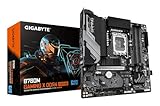
- PCIe Gen5 Performance: Excellent Sync to Win
- Supports Intel Core 14 / 13 / 12 processors
- Thermal Performance: VRM Thermal Armor Advanced and M.2 Thermal Shield
- EZ Latch: PCIe 5.0x16 Socket with Quick Release Design
- PCIe UD Socket: SMD PCIe 5.0 Armor for enhanced graphics card support
The PANO M100R PZ’s stated top 360 mm radiator support makes the original pairing plausible, but case support does not guarantee every radiator and motherboard combination clears cleanly. Before assembly, check total radiator-plus-fan thickness against memory and VRM heatsinks, tubing reach, and mounting orientation. Confirm LGA1700 brackets are included, headers and cable lengths are suitable, and the pump block can be mounted without sharply kinking tubes. The cooler product context is described by WePC’s MSI cooler coverage.
Memory, storage and power choices
32GB is a sound gaming baseline
A matched 2×16GB DDR5 kit is a sensible gaming configuration. Enable XMP in firmware to use the kit’s rated profile; do not assume every CPU and board combination will sustain that overclocked memory speed without adjustment. Consider 64GB at purchase for heavy mods, simulation, streaming with substantial multitasking, video editing or development. A two-slot board makes later expansion less flexible, so decide based on workload and current kit prices. GamersNexus reported some 32GB DDR5 kits around $300 amid early-2026 price pressure; that is a dated market observation, not a lasting price.
2TB is a practical starting capacity
Two terabytes gives a larger modern game library more breathing room than 1TB. The SN580 is a PCIe 4.0 x4 drive; a fast PCIe 5.0 SSD is rarely worth a large premium for a gaming-focused system when real game loading is the priority. Compare current drives on sustained-write behavior, NAND, endurance rating, warranty and price per usable terabyte, not headline sequential read speed alone. The cited MSI B760M GAMING WIFI sheet specifies two Gen4 x4 M.2 slots, allowing a second drive on that model. Check the exact board manual for slot or SATA lane-sharing limitations.
850W provides headroom, not a requirement
An 850W supply is comfortable for the original CPU/GPU pairing and leaves headroom for transient loads or a later GPU upgrade. A quality 750W unit may suffice for a comparable system, depending on the graphics card, CPU power limits and PSU behavior. Wattage and an 80 Plus Gold badge do not establish electrical quality by themselves: check protections, warranty, platform information and independent testing. For a newer GPU, confirm that the PSU’s native cable and connector match the card, and follow the cable’s bend and insertion guidance.
The Tool Desk
Outbyte Driver Updater FREEScan for outdated or missing drivers - takes under a minuteDriver Scan →Outbyte PC Repair FREERepair Windows errors before they cause bigger problemsFix Now →Rank #4

- System Compatibility Note: This Micro-ATX form factor (9.6-in x 9.6-in) is designed for compact and standard chassis; please verify case specifications before purchase.
- Dedicated Support: Please contact us directly through Amazon for any product questions or assistance you may require.
- Modern Intel Platform: Supports 14th, 13th & 12th Gen Intel Core processors (LGA1700), delivering reliable performance for gaming, productivity, and everyday computing tasks.
- Efficient Power Design: 7+1+1 power phase with Dr.MOS for VCore+GT ensures stable and efficient power delivery, providing enhanced performance for demanding applications.
- High-Speed DDR4 Memory: Four DDR4 DIMM slots support dual-channel configurations and overclocked speeds up to 5333+ (OC) with Intel XMP 2.0, delivering excellent memory bandwidth for responsive multitasking.
Does the compact case fit the build?
This is a compact Micro-ATX tower, not a tiny Mini-ITX system. The original article gives the case a 390 mm maximum GPU length and top radiator support up to 360 mm, plus four 120 mm fans. Treat those as case-level limits, not proof that every long or thick GPU and every radiator will fit together.
- Check the exact graphics card’s length, thickness and slot occupancy against the installed radiator and fans.
- Measure radiator and fan thickness together, then check top clearance over RAM and VRM heatsinks.
- Confirm PSU length, modular cable space and the side-panel clearance needed for the GPU power cable.
- With a 12VHPWR or 12V-2×6 connector, avoid side-panel pressure and a sharp bend close to the plug.
- Plan airflow: front or side intake and rear/top exhaust is a practical starting layout; check dust-filter access and fan orientation.
Assembly and first-boot checklist
- Verify parts first. Confirm the board is the DDR5 model, the CPU is supported by its BIOS, and the case, GPU, PSU and radiator dimensions are compatible.
- Prepare the motherboard. Install the LGA1700 CPU carefully, then place the two DIMMs in the board’s recommended dual-channel slots. Fit the M.2 SSD in the intended slot, removing protective film from the heatsink thermal pad before securing it.
- Install the board and cooler. Fit the correct Micro-ATX standoffs and install the motherboard. Mount the radiator only after verifying clearance. Attach the pump block with the LGA1700 hardware and thermal compound as directed by the cooler maker.
- Connect power and case wiring. Attach the pump to the specified powered header, connect radiator fans or their hub, CPU EPS and 24-pin motherboard power, and wire the case front panel, USB and audio headers.
- Install the graphics card. Seat it fully in the primary PCIe x16 slot, secure it to the case and connect its power cable. Do not sharply bend the cable at the plug.
- Check fan direction and cabling. Set intake and exhaust direction, keep cables clear of fans, and verify that no cable is pressing against a GPU power connector.
- Check firmware before the operating system. Confirm the CPU, memory and SSD are detected; verify pump operation and a reasonable idle CPU temperature; enable XMP if stable. Update BIOS only by following the motherboard maker’s instructions.
- Install software and test. Install Windows or Linux, chipset and network drivers, and a current GPU driver. Test memory stability, CPU and GPU temperatures, SSD health, USB, Wi-Fi, Ethernet, audio and sleep/wake operation.
Troubleshooting common first-build problems
Power comes on, but there is no display
Connect the monitor to the graphics card rather than the motherboard video output: the 13600KF has no integrated graphics, so the motherboard outputs cannot provide a fallback. Reseat the GPU and its power connection, test with one memory module, check diagnostic LEDs, and clear CMOS using the board manual if needed.
Memory runs below its rated speed
Enable XMP. If the system is unstable, use a less aggressive profile or lower the memory multiplier. A kit’s advertised profile is not a guarantee of stable operation on every CPU and motherboard pairing.
CPU temperatures are unexpectedly high
Check that the pump has power and is connected to a header configured to run it, and verify the block’s protective film was removed. Recheck mounting pressure and thermal compound, then confirm radiator fans are spinning and airflow is sensible.
Best Value

- Support Intel Core 14th/13th/12th Gen Processors, Intel Pentium Gold and Celeron Processors for LGA 1700 socket
- Supports DDR5 Memory, up to 7800+(OC) MHz
- Enhanced Power Design: 12+1+1 Duet Rail Power System, dual 8-pin CPU power connectors, Core Boost, Memory Boost
- Lightning Fast Game experience: PCIe 5.0 slot, Lightning Gen 4 x4 M.2, USB 3.2 Gen 2x2
- High Quality PCB: 6-layer PCB made by 2oz thickened copper and server grade level material
The radiator does not fit cleanly
Measure the combined radiator and fan thickness and recheck clearance against memory and VRM heatsinks. Change orientation only if tubing is not kinked. If the 360 mm setup conflicts, use a 240 mm AIO or a suitable air cooler rather than forcing the fit.
A GPU power connector gets hot or discolors
Shut the system down immediately if a plug is hot, smells unusual, discolors or causes instability. Inspect the connection, fully seat it, avoid sharp bends and panel pressure, and use the PSU maker’s native cable where available.
The SSD is missing or has less usable space than expected
If a new drive is not visible in the operating system, check firmware detection and initialize and format it in the operating system if necessary. Advertised capacity uses decimal units, while operating systems report usable capacity differently. Consult the exact board manual if an M.2 slot may share lanes with SATA ports.
Which version makes sense to buy?
| Choice | Best fit | Main trade-off |
|---|---|---|
| Recreate the 2024 B760M build | You already own LGA1700 parts or find the CPU, board and RTX 4070 Ti at compelling discounts. | Older platform and 12GB GPU memory; historical $1,800 pricing is not a current value benchmark. |
| Newer AM5 Micro-ATX build | You are buying all-new parts and want a newer CPU platform with a clearer upgrade path. | Value depends on current CPU, board and memory prices; compare complete configurations. |
| NVIDIA-focused GPU refresh | DLSS, ray tracing, creator software or CUDA workloads matter to you. | Compare actual card price, VRAM and performance in the games and applications you use. |
| AMD/high-VRAM-oriented refresh | Raster performance and memory capacity are stronger priorities than NVIDIA-specific features. | Ray tracing, software and application support vary; check workload-specific benchmarks. |
| Air-cooled value build | You mostly game and would rather direct budget toward the GPU than a large AIO. | Less visual impact; verify cooler height and case clearance. |
The best 2026 update is not a fixed replacement list with invented prices: keep the Micro-ATX case, 32GB DDR5, 2TB NVMe and a well-reviewed ATX 3.x PSU if they suit the budget, then compare GPUs and platforms at checkout. Keep the 360 mm AIO only if its looks or sustained-load cooling justify the cost. Cut RGB premiums where they do not materially improve the experience.
Quick Recap
Product prices and availability are accurate as of the date/time indicated and are subject to change. Any price and availability information displayed on Amazon at the time of purchase will apply.




