Recommended Free Tools
The ASUS ZenWiFi BD4 Outdoor is a dual-band Wi-Fi 7 router designed to bring wireless coverage to outdoor spaces. Announced as available on April 29, 2025, it combines an IP65-rated enclosure, two 2.5G ports with PoE+ support, and compatibility with ASUS AiMesh. Its advertised speeds and coverage are manufacturer claims, not independently verified performance results.
What is the ASUS ZenWiFi BD4 Outdoor?
ASUS positions the BD4 Outdoor as an outdoor router for devices such as security cameras, smart-home equipment, streaming devices, and remote-work setups. It uses Wi-Fi 7 (IEEE 802.11be) and operates on the 2.4 GHz and 5 GHz bands. ASUS advertises a combined rate of up to 3,600 Mbps; that figure is an aggregate headline rate, not the expected speed of one device or an internet connection.
As an Amazon Associate I earn from qualifying purchases.
Its Wi-Fi 7 feature set includes Multi-Link Operation (MLO), 4K-QAM, and support for 160 MHz channels. Actual performance depends on factors including the client device, network configuration, interference, and the connection feeding the router.
Is the BD4 Outdoor weatherproof?
ASUS specifies an IP65 water-resistant and dustproof enclosure, plus electrostatic-discharge and surge protection. IP65 indicates protection against dust ingress and water jets under the rating’s test conditions; it does not mean the router can be submerged or withstand unlimited exposure to weather. ASUS lists an operating temperature range of -30°C to 60°C.
#1 Best Overall

- Dual-band WiFi 7 speeds up to 5000 Mbps with MLO and 4K-QAM.
- WiFi 7 powering AiMesh technology boosts coverage up to 2500 ft², with easy extendibility and seamless connectivity for compatible ASUS routers, indoors and outdoors.
- Built for durability with ESD and surge protection, an IP65 certified water-resistant and dustproof enclosure, and a wide operating range from -30°C to 60°C, making it ideal for outdoor environments.
- Supports both Power over Ethernet and AC power for streamlined installation options, with two 2.5G PoE-in ports featuring AI WAN detection.
- Versatile mounting options provide easy deployment in various outdoor scenarios, whether wall-mounted, pole-mounted, or placed on a flat surface.
These are manufacturer specifications, not a substitute for assessing the installation site. Follow ASUS’s installation guidance and protect exposed cable connections and power equipment as appropriate for the location.
How much outdoor coverage does ASUS claim?
ASUS lists coverage of up to 15,000 square feet outdoors in an open, unobstructed environment. Its press materials also cite up to 2,530 square feet in a stated coverage context. These figures describe different stated contexts, not a guaranteed radius or a promise that every device across either area will receive a strong signal. Walls, foliage, neighboring networks, mounting position, and client radios can all change usable coverage.
Rank #2
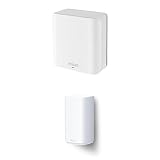
- Dual-band WiFi 7 speeds up to 3600 Mbps with MLO and 4K-QAM
- Dual-band WiFi 7 speeds up to 5000 Mbps with MLO and 4K-QAM.
- ASUS AiMesh technology boosts coverage up to 2450 sq.ft. (1-pack) and easy extendibility with compatible ASUS routers for seamless and secure whole home WiFi
- WiFi 7 powering AiMesh technology boosts coverage up to 2500 ft², with easy extendibility and seamless connectivity for compatible ASUS routers, indoors and outdoors.
- Four internal antennas and four high-power front-end modules eliminate WiFi dead zones
ASUS has not supplied independent laboratory throughput, range, or weather-exposure test results in the product information cited here. Treat the figures as manufacturer claims rather than independently measured outcomes.
Do these 3 things before closing this tab:
1Scan for outdated or missing drivers - takes under a minute2Repair Windows errors before they cause bigger problems3Fix the driver behind crashes, sound loss and screen glitchesDoes it need a PoE switch?
No. The BD4 Outdoor can receive power through PoE+ using an IEEE 802.3at-capable source, or run from the included AC adapter. Its two 2.5G ports support PoE-in and automatic WAN detection, allowing an Ethernet connection to carry network traffic and, with a compatible PoE+ source, power to the installation point.
Rank #3

- Dual-band WiFi 7 speeds up to 3600 Mbps with MLO and 4K-QAM
- ASUS AiMesh technology boosts coverage up to 2450 sq.ft. (1-pack) and easy extendibility with compatible ASUS routers for seamless and secure whole home WiFi
- Four internal antennas and four high-power front-end modules eliminate WiFi dead zones
- 24/7 end-to-end protection with commercial-grade AiProtection Pro and advanced VPNs
- IoT Network, parental controls & VPN easy setup on multiple devices with Smart Home Master SSIDs
A PoE+ setup needs a compatible power source—such as an 802.3at PoE+ switch or injector—and suitable Ethernet cabling. If Ethernet does not reach the mounting location, or no compatible PoE+ source is available, use the supplied AC adapter and plan for a suitable power outlet. Include cabling, power equipment, and installation needs when estimating the total cost.
Can it extend an existing ASUS AiMesh network?
Yes. ASUS says the BD4 Outdoor can join compatible AiMesh networks using wired or wireless backhaul. ASUS notes that Wi-Fi 7 features in an AiMesh extender configuration require a Wi-Fi 7 main router. AiMesh roaming is not available if the BD4 Outdoor is connected directly to a modem.
Rank #4

- Tri-band WiFi 7 speeds up to 9.4 Gbps MLO and 4K-QAM
- AI-powered Smart AiMesh boosts coverage up to 5800 sq.ft. (2pk) and easy extendibility with compatible ASUS routers for seamless and secure whole home WiFi
- 3. Seven internal antennas and eight high-power front-end modules eliminates WiFi dead zones
- 24/7 end-to-end protection with commercial-grade AiProtection Pro and advanced VPNs
- IoT Network, parental controls & VPN easy setup on multiple devices with Smart Home Master SSIDs
Before choosing a placement, decide whether the unit will use Ethernet backhaul or a wireless link to the existing network. A wired link can avoid relying on an outdoor wireless path, while a wireless setup depends on a usable connection between the router and the main AiMesh node.
Quick wins for a faster PC:
Fix the driver behind crashes, sound loss and screen glitchesFind Drivers →Clear out junk files and repair common Windows errorsFree Scan →Scan for outdated or missing drivers - takes under a minuteDriver Scan →Mounting, security, and network controls
The BD4 Outdoor supports wall, pole, and flat-surface mounting. ASUS also advertises AiProtection Pro, VPN support, parental controls, and up to three Smart Home Master SSIDs, which can help separate IoT or guest devices from other network traffic. Feature availability and configuration can depend on the router’s firmware and the broader network setup.
What to check before buying
- Installation and power: Confirm whether Ethernet reaches the mounting point and whether you have an IEEE 802.3at PoE+ source; otherwise, plan to use the included AC adapter.
- Existing network: Check AiMesh compatibility and whether your main router supports Wi-Fi 7 if you want Wi-Fi 7 features in an extender configuration.
- Coverage expectations: Treat ASUS’s area figures as claims under their stated conditions, not guaranteed results for a property with walls, trees, or interference.
- Site exposure: Consider the IP65 rating and temperature range alongside the actual exposure and installation conditions; IP65 is not a submersion rating.
- Regional availability: ASUS says specifications and availability can differ by country, so confirm the local product details before purchase.
Official product information
ASUS announced availability and described the product’s features in its April 29, 2025 press release. Current specifications and product details are available on the ASUS ZenWiFi BD4 Outdoor product page.
Quick Recap
Product prices and availability are accurate as of the date/time indicated and are subject to change. Any price and availability information displayed on Amazon at the time of purchase will apply.

