What’s actually slowing this PC down?
Pick the symptom - the matching free tool is one click away.
The ASUS ROG Maximus VIII Extreme is a 2015 flagship-era motherboard built around Intel Z170 and the LGA1151 socket for sixth-generation Intel Core processors. It supports four DDR4 memory slots, M.2 and U.2 storage, SATA Express, Wi-Fi and USB 3.1. It is a match for a Skylake build, but CPU support can depend on the installed BIOS, and several storage connections share bandwidth. This is a specification-based review: available documentation does not establish independent benchmark, overclocking or thermal results.
What the Maximus VIII Extreme is—and what it is not
ASUS announced the Maximus VIII Extreme on September 21, 2015, as a flagship Z170 gaming motherboard for sixth-generation Intel processors. The company called it “the new flagship Z170 gaming motherboard many of you have been waiting for”; that was launch copy, not an independent assessment. ASUS ROG’s announcement places the board in its original launch context.
As an Amazon Associate I earn from qualifying purchases.
This review concerns the MAXIMUS VIII EXTREME, not the separately named MAXIMUS VIII EXTREME/ASSEMBLY. ASUS documentation for the Assembly variant describes bundled SupremeFX Hi-Fi and 10G Express gear; those items should not be assumed to come with the board reviewed here. For any used purchase, verify the exact model name and included accessories rather than relying on photos or a seller’s shorthand.
CPU compatibility: check the processor and BIOS together
The board uses Intel Z170 and an LGA1151 socket, and ASUS described it as designed for sixth-generation Intel processors. Socket fit alone is not a sufficient compatibility check: ASUS’s CPU support table lists specific processors alongside the BIOS version required for support. Check the exact CPU entry and its required BIOS before pairing a processor with a particular board. ASUS’s MAXIMUS VIII EXTREME CPU support list is the model-specific reference.
#1 Best Overall

- Extreme Engine DIGI+
- SupremeFX 2015
- USB 3.1 Type A & C Onboard
- Sonic Sense Amp
- Lighting Control
ASUS’s support materials show BIOS 3801 dated April 20, 2018, with notes about updated Intel CPU microcode, memory compatibility and system performance. That is the latest firmware entry shown in the accessed support-page result; it does not establish current security status or guarantee support for processors absent from the CPU list. Check ASUS’s BIOS page for the board’s firmware records and instructions before attempting an update.
Memory: four DDR4 slots, up to 64 GB
ASUS specifies four DDR4 DIMM slots, dual-channel operation and a maximum capacity of 64 GB. The manual lists DDR4-2133 through DDR4-3866, with speeds above the standard rating identified as overclocked support. The advertised maximum is not a guarantee that every CPU and memory kit will run at that speed: ASUS notes that high-frequency support depends on the processor and memory qualification list. Consult the manual and the memory QVL for the exact configuration rather than treating DDR4-3866 as a universal operating speed. ASUS’s manual and specifications provide the board’s memory details.
Rank #2

- LGA 1151
- Intel Z170
- Memory: 4x DDR4-3200+(OC)/ 2933(OC)/ 2800(OC)/ 2400(OC)/ 2133 DIMM Slots, Dual-Channel, Non-ECC, Unbuffered, Max capacity up to 64GB
- Slots: 3x PCI-Express 3.0 x16 Slots (single at x16, dual at x8/x8, triple at x8/x8/x4), 3x PCI Express 3.0 x1 Slots (Flexible PCIe)
- SATA: 6x SATA3 Ports, Support RAID 0, 1, 5, 10, 3x SATA Express Ports
Storage: broad connector choice, with lane-sharing trade-offs
The board’s storage options include an M.2 Socket 3 M-key connector, one U.2 connector, two SATA Express connectors and SATA 6 Gb/s ports. ASUS specifies that the M.2 socket accepts 2242, 2260, 2280 and 22110 devices and supports SATA or PCIe mode. The useful headline is flexibility, but the connectors do not all operate independently in every configuration.
Free tools Windows power users keep installed
One-click scans. No signup required.
- M.2, U.2 and SATA Express 1: The manual identifies shared bandwidth among these connections. Check its configuration table to understand which combinations can be used together.
- PCIe x4_4 and SATA6G_56: These share bandwidth; the manual says PCIe x4_4 defaults to x2 mode.
Before selecting an SSD or populating expansion slots, consult the manual’s connector table for the exact combination you intend to use. A drive’s physical fit or interface label alone does not tell you whether it will coexist with every other attached device at full bandwidth.
Rank #3

- LGA1151, Supports 6th Generation Intel Core Processors
- Memory: 4x DDR4 DIMM Slots, Dual Channel
- Slots: 1x PCI-Express 3.0 x16 Slots, 1x PCI-Express 3.0 x8, 1x PCI-Express 3.0 x4, 3x PCI-Express 3.0 x1
- Audio: Realtek ALC1150 7.1-Channel High Definition Audio CODEC
- Storage Interface: 3 x SATA Express, 6 x SATA 3, 2 x M.2
Networking, audio and USB features
ASUS lists 802.11 a/b/g/n/ac dual-band Wi-Fi on 2.4 and 5 GHz, Bluetooth 4.0 and Intel I219-V Gigabit Ethernet. The manufacturer rates Wi-Fi transfer speeds at up to 1300 Mbps; this is a product specification, not an independently measured result. Audio is listed as SupremeFX, with an ESS ES9023P DAC and headphone amplification. The board also includes USB 3.1 Type-A and Type-C ports. These are manufacturer specifications, not evidence of present-day performance or condition on an individual used board.
The manual and product specifications are the best place to confirm the port layout and headers for a planned build. Do not assume a listing includes optional accessories, antennas, cables or add-in hardware: confirm each item with the seller.
Rank #4
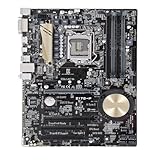
- Replacement: this motherboard delivers exceptional durability and reliability, making it the ideal choice for your replacement needs
- Advanced Connectivity Options: Equipped with diverse connectivity solutions, it supports a wide range of devices and peripherals, comprehensively enhancing your user experience and productivity
- Simple and Quick Installation: The motherboard enables rapid installation, getting your system up and running swiftly
- Features: Equipped with cutting-edge features such as high-speed connectivity options, robust power delivery systems, and enhanced cooling solutions
- Design: With an intuitive layout and easy-to-follow installation guides, motherboards make building or upgrading your PC a hassle-free experience, even for beginners
What this specification-led review can—and cannot—tell you
The official documentation establishes the platform, listed features and configuration caveats. It does not provide independent current benchmarks, measured overclocking headroom, thermal results or evidence of the board’s condition in a second-hand listing. Nor does it establish a current market price. Treat performance claims from the original launch as manufacturer claims, and assess a used unit based on its documented condition and tested operation rather than its original flagship positioning.
Recommended Free Tools
Quick Recap
Best Value

- Dual Intelligent Processors 5 with 5-Way Optimization
- USB 3.1 Boost
- M.2 and SATA Express Support
- 5X Protection II
- DTS Studio Sound
Used-board checklist
- Confirm the PCB or listing identifies the exact MAXIMUS VIII EXTREME model, not the EXTREME/ASSEMBLY variant.
- Match the intended CPU to ASUS’s support list and verify the BIOS version needed for that processor.
- Check the manual’s shared-bandwidth notes against your planned M.2, U.2, SATA Express, SATA and PCIe devices.
- Confirm the memory kit, capacity and target speed against the manual and memory qualification information.
- Ask which accessories are actually included and whether the seller has verified the board’s operation; do not infer condition from specifications or launch-era status.
Product prices and availability are accurate as of the date/time indicated and are subject to change. Any price and availability information displayed on Amazon at the time of purchase will apply.

