Recommended Free Tools
The ASRock X870E Challenger WiFi is an ATX AM5 motherboard with an unusually broad set of connections for a value-focused X870E option: two rear USB4 ports, 5GbE, Wi-Fi 7, and four M.2 sockets. Its main caveats are CPU-dependent expansion speeds, only two SATA ports, Windows 11-only Wi-Fi 7 support, and memory-profile compatibility that deserves a QVL check. The facts below apply to the black and white versions described by ASRock; verify the exact color and SKU before buying.
What the X870E Challenger WiFi offers
ASRock specifies an AMD AM5 board built on the X870E chipset, with support for Ryzen 9000, 8000, and 7000 desktop processors. Its 20+2+1 phase design uses 110A SPS for VCore and SOC. That is a hardware specification, not a guarantee of a particular overclock or performance result.
As an Amazon Associate I earn from qualifying purchases.
The board’s appeal is a combination of high-speed external connections and four M.2 sockets, rather than an abundance of SATA ports or add-in-card bandwidth. Check the following details against your processor, memory kit, storage plans, and case before choosing it.
Crashes, No Sound, or Screen Glitches?
Random freezes, missing sound and display glitches usually trace back to one bad driver. Find and replace yours safely.Free scan · under a minuteWindows Errors? Fix Them Before They Spread
Repair common Windows errors and clear accumulated junk for a smoother, more stable PC - no reinstall needed.Free scan · no reinstallWhich CPUs and expansion slots are supported?
The AM5 socket supports Ryzen 9000, 8000, and 7000 desktop processors, but the CPU generation changes the available link speed for the graphics slot and primary M.2 socket. ASRock specifies these graphics-slot modes:
#1 Best Overall

- 20+2+1 Power Phase Design
- Premium 5*M.2 Sockets
- EZ Release Design
- Dual USB4 Type-C
- Toolless Multi-Layer M.2 Heatsink
| Processor family | Top graphics slot | Primary M.2 socket |
|---|---|---|
| Ryzen 9000 | PCIe 5.0 x16 | PCIe 5.0 x4 |
| Ryzen 7000 | PCIe 5.0 x16 | PCIe 5.0 x4 |
| Ryzen 8000 Phoenix 1 | PCIe 4.0 x8 | PCIe 4.0 x4 |
| Ryzen 8000 Phoenix 2 | PCIe 4.0 x4 | PCIe 4.0 x4 |
The primary graphics slot is physically x16 and CPU-connected. The second long slot is PCIe 3.0 x2 electrically—not a second full-bandwidth x16 slot—and one PCIe 3.0 x1 slot is also present. If you plan to install several drives or add-in cards, check the current manual and BIOS documentation for your exact configuration: the published specification does not provide a complete lane-sharing table.
How many M.2 and SATA drives can it use?
There are four M.2 sockets in total. With Ryzen 9000 or 7000, the primary socket supports PCIe 5.0 x4; with Ryzen 8000, it runs at PCIe 4.0 x4. The other three sockets support PCIe 4.0 x4 and M.2 2280 drives. The board also has two SATA 6 Gb/s connectors.
ASRock lists RAID 0, 1, and 10 for M.2 NVMe drives, and RAID 0 and 1 for SATA drives. The four-socket count is useful for an NVMe-heavy build, but users with multiple existing SATA drives should account for the two-port limit.
Quick wins for a faster PC:
Scan for outdated or missing drivers - takes under a minuteDriver Scan →Repair Windows errors before they cause bigger problemsFix Now →Fix the driver behind crashes, sound loss and screen glitchesFind Drivers →What USB, display, and network connections are included?
| Connection | ASRock specification | Practical qualification |
|---|---|---|
| Rear USB4 Type-C | Two ports, up to 40 Gb/s | USB4 display output uses the CPU’s embedded graphics. |
| Rear USB Type-A | Five USB 3.2 Gen 2 ports, up to 10 Gb/s | These are rear-panel ports. |
| Front USB-C header | One header, up to 20 Gb/s | Requires a compatible case front-panel connector. |
| Wired networking | 5 GbE LAN | Actual transfer rates also depend on the network and connected equipment. |
| Wireless networking | 2×2 Wi-Fi 7 (802.11be), Bluetooth 5.4 | Wi-Fi 7 support is listed for Windows 11 only; 6 GHz availability depends on regional rules and updates. |
The wireless module supports 2.4, 5, and 6 GHz, with 160 MHz channel bandwidth on 6 GHz. A compatible access point, operating system, drivers, and local spectrum rules all affect what works; the specification does not establish a particular real-world throughput.
Rank #2
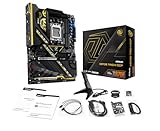
- Flagship AMD AM5 Overclocking Platform: Built for extreme performance, supporting AMD Ryzen 9000, 8000, and 7000 Series processors on the premium X870E chipset.
- Extreme Power Design: Features a massive 22+2+1 phase VRM with 110A Smart Power Stage (SPS) for uncompromising stability and power delivery for the highest overclocks.
- Dual PCIe 5.0 Graphics: Equipped with two PCIe 5.0 x16 slots, offering the maximum available bandwidth for next-generation graphics cards and future expansion.
- Cutting-Edge Connectivity: Includes two rear USB4 Type-C ports (up to 40 Gbps) and two front-panel USB 3.2 Gen2x2 Type-C headers for ultimate peripheral speed.
- Blazing-Fast Storage: Provides two PCIe Gen5x4 M.2 slots and two PCIe Gen4x4 M.2 slots for the world's fastest NVMe SSDs, plus SATA support.
For a display connected directly to the motherboard, ASRock lists HDMI 2.1 output up to 4K at 120 Hz and USB4 display output up to 8K at 30 Hz. USB4 display output depends on the processor’s embedded graphics. These are motherboard display-output specifications, not substitutes for checking the capabilities of a discrete graphics card.
Will your DDR5 memory kit work?
The board has four dual-channel DDR5 DIMM slots and supports up to 256 GB. ASRock lists speeds up to DDR5-8200+, but that is an overclocked specification, not a promise that every processor and memory kit will reach that speed.
Check ASRock’s memory QVL for the exact kit and processor combination. In its review, Tom’s Hardware reported that a Kingston kit did not work after the reviewer enabled its XMP/DOCP profile and used a secondary DDR5-6000 kit for performance testing. That is a report about that review configuration, not proof that all kits will fail or that the same outcome applies to every build.
What reviewers found—and how to read the results
In a review published September 28, 2026, Tom’s Hardware called the board one of the best-equipped X870E boards under $230 in its verdict. The outlet highlighted its power delivery, fast USB, and flexible I/O shield; it also listed BIOS refinement, lack of AI features, and 160 MHz Wi-Fi 7 among its drawbacks. Its performance section reported average-to-below-average results in most tests, with the memory-kit issue and the secondary DDR5-6000 configuration forming important context. Those results describe that outlet’s test system, not a prediction for every CPU and memory combination.
Rank #3

- Flagship AMD AM5 Platform: Built on the advanced AMD X870E chipset, supporting Ryzen 9000, 8000, and 7000 series processors for the ultimate in next-generation computing performance.
- Unmatched Power Delivery: Features a formidable 20+2+1 Phase Power Design with 110A SPS (Smart Power Stage) for VCore+SOC, ensuring rock-solid stability and clean power for extreme overclocking.
- 3.4" Full-Color IPS LCD Display Cooler: The Phantom Gaming 360 LCD features a stunning 3.4-inch IPS LCD screen (480x480, 60 FPS) for displaying system metrics, GIFs, images, or videos—fully customizable to your personal style.
- Dual-Inlet Cooling & VRM Fan: The AIO cooler's advanced dual-inlet cooling path and dedicated VRM fan provide superior heat transfer and active cooling for your motherboard's voltage regulation module.
- PCIe 5.0 & Blazing Storage: Features a PCIe 5.0 x16 slot and one Blazing M.2 PCIe Gen5x4 slot for the fastest graphics and storage speeds, plus three Hyper M.2 Gen4x4 slots and four SATA3 ports.
Hardware Busters’ review, dated July 16, 2026, also emphasized the combination of USB4, 5GbE, Wi-Fi 7, and X870E PCIe 5.0 GPU and storage support. It reviewed the black board and noted that the white version shares its specifications. ASRock lists both colors, but confirm the SKU and appearance of the exact product listing you intend to buy.
Independent reader supportYour contribution helps us test, update, and keep practical guides available for everyone.Is it good value, and what should you check before buying?
The board’s value case rests on getting USB4, 5GbE, Wi-Fi 7, and four M.2 sockets on an X870E platform. Whether that is good value for you depends on the live price and whether you need those connections. Two SATA ports and a PCIe 3.0 x2 second long slot are meaningful limits if your build relies on many SATA drives or bandwidth-hungry expansion cards.
Published price references are historical, not current quotes: Tom’s Hardware displayed $229.99 at Amazon on its September 28, 2026 review page, while Hardware Busters described a $279.99 price in its July 16, 2026 review. Check the exact variant, seller, stock, and current price before purchase.
The Tool Desk
Outbyte Driver Updater FREEFix the driver behind crashes, sound loss and screen glitchesFind Drivers →Outbyte PC Repair FREERepair Windows errors before they cause bigger problemsFix Now →- Confirm that your processor is a supported Ryzen 9000, 8000, or 7000 desktop model, then check its specific graphics-slot and primary M.2 link speeds.
- Check the memory QVL for your exact DDR5 kit and CPU; treat DDR5-8200+ as overclocked support rather than a guaranteed operating speed.
- Count your drives and add-in cards: the board has four M.2 sockets, two SATA ports, and a secondary long slot limited to PCIe 3.0 x2.
- If you need Wi-Fi 7, account for the Windows 11-only support note, your router or access point, driver availability, and regional 6 GHz rules.
- Verify the exact black or white SKU and the live price for the listing you are considering.
Sources: ASRock X870E Challenger WiFi specifications; Tom’s Hardware review, September 28, 2026; Hardware Busters review, July 16, 2026.
Quick Recap
Product prices and availability are accurate as of the date/time indicated and are subject to change. Any price and availability information displayed on Amazon at the time of purchase will apply.

