Yes. Halo 2: Anniversary and Halo 3 are included in Halo: The Master Chief Collection (MCC), and Xbox marks the collection as included with Game Pass. They are accessed through MCC rather than as separate Game Pass downloads.
For Windows, the Xbox Store currently lists MCC with PC Game Pass. On an Xbox console, the game-entitlement section names Premium and Ultimate. Essential is listed for console online multiplayer, but the current listing does not confirm that Essential includes MCC itself.
| # | Preview | Product | Price | |
|---|---|---|---|---|
| 1 |

|
Halo 2 - Xbox | $5.66 | Buy on Amazon |
| 2 |

|
Halo 2 - Compatible with Xbox and Xbox 360 (Renewed) | $22.62 | Buy on Amazon |
| 3 |

|
Halo 2 (Limited Collector's Edition) - Xbox | $25.98 | Buy on Amazon |
| 4 |
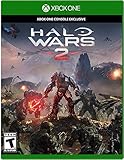
|
Halo Wars 2 – Xbox One | $47.95 | Buy on Amazon |
As an Amazon Associate I earn from qualifying purchases.
Quick answer by device
| How you want to play | Game Pass option Xbox lists | What that means |
|---|---|---|
| Windows 10 or 11 PC | PC Game Pass | MCC is included in the PC catalog, giving access to Halo 2: Anniversary and Halo 3 through the collection. |
| Xbox console game access | Premium or Ultimate | These are the console subscriptions named in the Store inclusion section for MCC. |
| Xbox console online multiplayer | Essential, Premium, or Ultimate | Xbox lists all three as satisfying the online-multiplayer requirement. That statement does not establish Essential as a license for the MCC game. |
| Cloud play | Game Pass cloud gaming | The MCC product page advertises cloud streaming with Game Pass. Your account, region and current cloud entitlement determine whether the play button is available. |
| Subscription-free play | Standalone MCC purchase | You can buy the collection outright and keep access without maintaining a Game Pass subscription. |
Halo 2 and Halo 3 are part of MCC, not separate Game Pass titles
The collection is the product you install or launch. Its included lineup contains six Halo campaigns: Halo: Reach, Halo: Combat Evolved Anniversary, Halo 2: Anniversary, Halo 3, Halo 3: ODST and Halo 4. Xbox describes the bundle as six games in one integrated experience, optimized for Windows PC and Xbox Series X|S.
Recommended Free Tools
That packaging explains why searching the Game Pass catalog for a standalone “Halo 2” or “Halo 3” entry can be confusing. After you install MCC, its in-game menus provide the campaigns and multiplayer components. You do not need to purchase Halo 2: Anniversary or Halo 3 separately when your subscription includes MCC.
#1 Best Overall
- Master Chief can now wield two weapons at once, board Covenant vehicles and steal Covenant weapons like the incredible double energy sword
- Lead an all-new unit of super-soldiers, the ODST -- tougher, badder and deadlier versions of your old comrades
- New enemies, allies and surprises around every corner - intense combat action with enhanced AI and real-time lighting
- Immense single-player action with maassive landscapes and huge cities to explore and defend - destructible and interactive environments
- Take the action online with your Xbox Live and switch sides, to become a Covenant Elite!
What “Halo 2” means in this listing
The Store names Halo 2: Anniversary, not a separate Game Pass entitlement titled simply Halo 2. It is the Halo 2 campaign as presented inside MCC. Select it from the collection after MCC is installed.
What “Halo 3” means in this listing
Halo 3 is another campaign in the same MCC bundle. It uses the same collection installation and account entitlement as Halo 2: Anniversary, so there is no second subscription to activate.
Which Game Pass edition do you need?
Playing on a Windows PC
Choose the PC Game Pass listing. Xbox currently identifies MCC as included with PC Game Pass for Windows. Install the Xbox app for PC, sign in with the Microsoft account that owns the subscription, search for Halo: The Master Chief Collection, and select the install option. Once the collection opens, choose Halo 2: Anniversary or Halo 3 from its campaign menu.
The Tool Desk
Outbyte Driver Updater FREEFix the driver behind crashes, sound loss and screen glitchesFind Drivers →Outbyte PC Repair FREERepair Windows errors before they cause bigger problemsFix Now →PC Game Pass is the relevant entitlement for the Windows version; a console-only subscription should not be assumed to provide the PC installation. MCC supports Windows 10 and Windows 11 according to the product listing.
Rank #2
- To play the Halo games on your Xbox 360 system, an OEM hard drive is required.
- Disc only. Original case and manual not included. Will come packaged in a generic case.
- This renewed game has been cleaned, tested, and shows minimal wear.
Playing on an Xbox console
For the console game license, Xbox’s current Store inclusion section names Premium and Ultimate. If your goal is to download and play MCC on Xbox One or Xbox Series X|S, use one of those listed plans or buy MCC outright.
Check the Store page while signed in, because plan names and catalog assignments can change. The entitlement shown for your account is more reliable than an old screenshot, forum post or an unlabeled search result.
Using Essential on console
Essential requires careful interpretation. The Xbox listing says: “Online multiplayer on console requires XBOX Game Pass Essential, Premium, or Ultimate (subscriptions sold separately).” That line identifies plans that satisfy the online-multiplayer requirement. It does not say that Essential includes the MCC game license.
Quick wins for a faster PC:
Repair Windows errors before they cause bigger problemsFix Now →Scan for outdated or missing drivers - takes under a minuteDriver Scan →Therefore, an Essential subscriber should not assume that MCC will install at no additional cost. If the Store does not show an install button and instead shows a purchase option, you would need Premium, Ultimate or a standalone MCC purchase for the game itself. Essential can still be relevant when a separately owned game needs console online multiplayer.
Rank #3
- The Covenant alien race threatens to destroy all humankind, and the only thing standing in its way is Master Chief, a genetically enhanced supersoldier. Master Chief returns in Halo 2, which features new vehicles, weapons, environments, and more. This time, you can interact with your environment, wield two weapons at the same time, board opponents' vehicles, and even switch sides to play the role of a Covenant Elite. Halo 2 also supports broadband multiplayer action via Xbox Live.
Cloud streaming
Xbox advertises MCC cloud streaming with Game Pass. Cloud availability is account- and region-dependent, and the eligible tier can change. Open the MCC page in the Xbox app or Xbox cloud-gaming interface and look for the cloud-play control while signed in. If only a buy or install control appears, check your plan, region and current cloud catalog before troubleshooting your device.
How to start playing
Windows PC installation
- Confirm that the Microsoft account signed into the Xbox app has PC Game Pass.
- Open the Xbox app for PC and search for Halo: The Master Chief Collection.
- Open the MCC product page and choose Install. Allow the Xbox app to install any required Gaming Services components if prompted.
- Launch MCC after the installation completes and allow its content or update packages to finish.
- Open the campaign selection screen and choose Halo 2: Anniversary or Halo 3. Install any individual campaign package the collection marks as optional.
Xbox console installation
- Sign in on the Xbox One or Xbox Series X|S console with the account that has Premium, Ultimate or an outright MCC purchase.
- Open the Microsoft Store or the Game Pass area and search for MCC.
- Check that the product page shows your entitlement before selecting Install. If it shows a price, the account or plan is not currently recognized as owning the game.
- Launch MCC, then select the Halo 2: Anniversary or Halo 3 campaign from the collection menu.
- For online co-op or multiplayer, make sure the account also meets the console’s online-multiplayer requirement.
Cloud session
- Sign in to the Xbox cloud-gaming service with the account holding the eligible Game Pass plan.
- Search for MCC and verify that the page offers a cloud-play button in your region.
- Start the stream and select Halo 2: Anniversary or Halo 3 from the MCC menu.
- If the game is unavailable in cloud play, use the install or purchase route instead; cloud catalog availability is not identical in every market.
What the MCC package contains
MCC combines six campaigns and presents them through one application. Xbox lists 67 campaign missions across the six included titles. The product listing also identifies single-player, online co-op and online multiplayer capabilities.
| Included title | How it relates to your question |
|---|---|
| Halo: Reach | Included in the MCC collection. |
| Halo: Combat Evolved Anniversary | Included in the MCC collection. |
| Halo 2: Anniversary | The Halo 2 campaign access supplied through MCC. |
| Halo 3 | The Halo 3 campaign access supplied through MCC. |
| Halo 3: ODST | Included in the MCC collection. |
| Halo 4 | Included in the MCC collection. |
The same entitlement covers the collection’s listed modes, but network features still depend on the platform’s multiplayer rules and an internet connection. Campaign access and console online access are separate questions: owning or subscribing to the game does not by itself change the console’s multiplayer requirement.
Can you buy Halo 2 or Halo 3 separately?
The practical purchase alternative is the standalone Halo: The Master Chief Collection package. Buying MCC outright gives you access without relying on an active Game Pass subscription. You are buying the collection rather than two independent Game Pass products, so confirm that the store edition matches your platform before completing the transaction.
Rank #4
- Experience an all-new story told across action-packed campaign missions
- Play the game with or against friends and the Xbox Live community in a variety of multiplayer modes supporting up to 6 players
- Instant combat, instant command. Blitz mode is an all-new way to play.
- Xbox One Console Exclusive
An outright purchase is useful if you expect to keep playing after a subscription ends, if your preferred Game Pass tier does not include the console game, or if catalog availability in your region is uncertain. It does not remove the separate console requirement for online multiplayer.
Supported platforms and capabilities
- Xbox consoles: Xbox One and Xbox Series X|S are listed as supported.
- PC: Windows 10 and Windows 11 are listed as supported operating systems.
- Modes: The Store listing identifies single-player, online co-op and online multiplayer.
- Cloud: Xbox advertises cloud streaming through Game Pass, subject to current account and regional eligibility.
The listing does not establish one worldwide catalog, price or cloud policy. Microsoft can change plan names, benefits and regional availability, so check the Store page for your country immediately before subscribing or buying.
Common access problems and fixes
The Store asks me to buy MCC even though I have Game Pass
- Verify that you are signed into the account that owns the subscription, not a different Windows or Xbox profile.
- Check whether your plan is PC Game Pass for a Windows installation, or Premium/Ultimate for console game access.
- Refresh the Xbox app or Store, then sign out and back in if the entitlement is not updating.
- Confirm that the subscription is active and that MCC is available in your region.
MCC installs, but Halo 2 or Halo 3 is missing
MCC can treat individual campaigns as selectable content. Open the collection’s manage-content or campaign screen and install the package for Halo 2: Anniversary or Halo 3. The main MCC application alone may not download every campaign component.
I can launch MCC but cannot play online on console
Game access and online-multiplayer access are distinct. Check that the account meets the console online requirement. Xbox lists Essential, Premium and Ultimate for that multiplayer requirement, while the game entitlement itself is listed separately for Premium and Ultimate.
Cloud play is unavailable
Cloud streaming can vary by country, account and current catalog. Confirm that your plan includes the cloud feature shown for your account, then check the MCC page again. If cloud play is not offered, install MCC on a supported device or use the standalone purchase option.
What to verify before subscribing
- Identify your platform: Windows PC, Xbox One, Xbox Series X|S or cloud.
- For Windows, look specifically for MCC under PC Game Pass.
- For console game access, look for Premium or Ultimate in the Store’s inclusion section.
- If you are considering Essential, treat it as an online-multiplayer requirement rather than confirmed MCC ownership.
- Check the current Store page for your country because plans, prices, catalog entries and cloud rights can change.
Bottom line: Halo 2: Anniversary and Halo 3 are included in MCC. Use PC Game Pass on Windows, Premium or Ultimate for the console game entitlement currently shown by Xbox, and do not assume Essential includes MCC merely because it qualifies for console online multiplayer. You can also buy MCC outright.
Quick Recap
Product prices and availability are accurate as of the date/time indicated and are subject to change. Any price and availability information displayed on Amazon at the time of purchase will apply.

