Recommended Free Tools
Choose an arcade cabinet if the main attraction is a dedicated control panel, authentic joystick-and-button play, quick access to a curated menu, and a two-player centerpiece. Choose a gaming PC if you want the broadest range of systems, modern-game support, upgradeability, keyboard-and-mouse compatibility, or one machine for gaming and everyday computing. A PC installed in a cabinet or connected to a television can combine much of the flexibility with an arcade-style interface, but it takes more setup and maintenance.
The short answer
Neither format is universally better. The right choice depends on whether you value the physical arcade experience or software flexibility more.
As an Amazon Associate I earn from qualifying purchases.
- Buy a cabinet for immediate access, fixed controls, a dedicated display, and a social two-player experience.
- Buy or build a gaming PC for the largest potential library, stronger emulation across many platforms, upgrades, and uses beyond retro games.
- Use a PC-based cabinet when you want broad emulation and an arcade presentation and are willing to handle configuration, updates, and repairs.
The RETROCADE Arcade Machine Buying Guide recommends choosing the cabinet format first, then the games and controls, and only then the hardware. That order prevents a common mistake: buying attractive hardware that is poorly suited to the games you actually play.
Arcade cabinet and gaming PC compared
| Decision factor | Dedicated arcade cabinet | Gaming PC |
|---|---|---|
| Controls | Built-in joystick, buttons, and usually two-player layout; excellent for arcade games and fighters. | USB gamepads, arcade sticks, keyboard, and mouse; excellent when configured, but mapping can vary by emulator. |
| Game library | Determined by the installed or licensed software; availability differs by product, title, and country. | Broadest route to arcade and console emulation, assuming you have lawful ROMs or ISOs. |
| Setup | Commercial models can be close to plug-and-play. | Requires an operating system, drivers, emulator settings, front-end configuration, and controller mapping. |
| Performance | Fixed to the cabinet’s computer, display, and software configuration. | Components can be selected and upgraded; performance varies by emulator and system. |
| Other uses | Primarily a game machine and display piece. | Can also run modern games, streaming software, creative applications, and general desktop programs. |
| Space | Needs floor area and a clear route through doors and stairs; bartop models need less room. | Can use an existing desk or television, but still needs a display and suitable controls. |
| Maintenance | Parts access, cabinet construction, controls, display, and internal computer determine serviceability. | Standard PC upgrades and troubleshooting are familiar, but add complexity. |
Controls and the feel of play
Why a cabinet feels immediate
An upright cabinet puts the controls at a fixed height and distance. A real arcade joystick has a short, predictable throw, while large buttons are easy to hit without looking down. The layout is always ready for a second player, and the screen, controls, and speakers are presented as one object.
#1 Best Overall

- 14 Classic Games Included: Play PAC-MAN, Galaga, Dig Dug, Pac-Land, Mappy, and more—14 built-in titles deliver hours of iconic retro arcade fun at home
- Authentic Arcade Experience: Real-feel joystick and buttons let you dodge ghosts, eat pellets, and chase high scores just like you did in the arcade
- Crisp 17-Inch Display: BOE color monitor brings every glowing maze and character to life with sharp visuals that stay true to the original arcade look
- Wi-Fi Leaderboards: Compete with players across the country by posting high scores online using built-in Wi-Fi—no quarters required
- Deluxe Cabinet Design: Over 5 feet tall with a light-up marquee, molded faux coin door, and sleek cabinet that adds retro style to any game room or space
This matters most for games designed around an arcade panel: fighting games, shoot-’em-ups, beat-’em-ups, classic maze games, and many 2D platformers. A cabinet also makes short sessions convenient: turn it on, select a title, and play without finding a controller or changing a television input.
What a PC controller can and cannot reproduce
A quality USB arcade stick and buttons can feel very close to a cabinet. A conventional gamepad is often better for console-oriented titles, especially games that expect analog sticks, shoulder triggers, or pressure-sensitive input. Keyboard and mouse remain the natural choice for many modern games, but fixed arcade controls are a poor match for those games.
The trade-off is configuration. Each emulator may use different button names, hotkeys, and controller profiles. A setup that works for an arcade emulator may require a separate mapping for a console emulator. Some PlayStation 1 controller arrangements also need extra support software, according to Tom’s Hardware’s comparison testing. Saving profiles per system and documenting your hotkeys prevents repeated troubleshooting.
Library breadth and emulation
Why the PC wins on selection
Tom’s Hardware compared PC emulators with Raspberry Pi, original consoles, and retro mini systems and identified PC emulation as the clear winner for game selection when the player has ROMs or ISOs. A PC can host separate emulators for arcade hardware, 8-bit and 16-bit consoles, handhelds, and later systems, all behind one front end.
In that testing, SNES and Sega Genesis emulation worked well, while Game Boy Advance and Nintendo 64 also ran successfully. Results are not identical for every title: emulator version, graphics settings, controller drivers, display scaling, and the individual game can change compatibility and latency.
What determines a cabinet’s library
A commercial cabinet’s library depends on its installed or licensed software. Some machines are deliberately limited to a curated selection, while others expose several systems through a front end. Paradox Arcade Systems lists a two-player economy cabinet with preconfigured CRT shaders, bezels, and control mappings, supporting MAME, NES, SNES, Genesis, Nintendo 64, PlayStation 1, Game Boy families, Neo Geo, and other systems. Those capabilities describe that particular configuration, not every cabinet sold under the same general category.
Rank #2
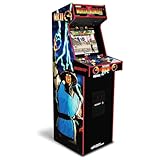
- 14 Classic Games Included: Play Mortal Kombat I–3, Ultimate MK3, and 10 more retro hits like Rampage, Paperboy, and Gauntlet for nonstop arcade action
- Authentic Arcade Feel: Real-feel joysticks, responsive buttons, and dual speakers deliver a true arcade experience in the comfort of your home
- Crisp 17-Inch Display: BOE color monitor showcases every detail, from pixel-perfect punches to vibrant retro graphics, just like the original machines
- Wi-Fi With Multiplayer: Compete online with friends or players across the country using built-in Wi-Fi leaderboards and online multiplayer features
- Premium Cabinet Design: Over 5 feet tall with a sleek finish, light-up marquee, and molded faux coin door for a nostalgic look that stands out in any room
DIY cabinets are more flexible. JVL reports that builders commonly use a PC, Raspberry Pi, or Android hardware for emulation or native ports. You can replace the computer later, change the front end, or add a different control panel. The extra flexibility also means you are responsible for software installation, backups, updates, and troubleshooting.
Do these 3 things before closing this tab:
1Fix the driver behind crashes, sound loss and screen glitches2Clear out junk files and repair common Windows errors3Scan for outdated or missing drivers - takes under a minuteROM and ISO rights
Emulator software and game files are separate legal questions. Nintendo’s Intellectual Property & Piracy FAQ explains that emulator software enables games to run on another console, PC, or handheld and discusses unauthorized copies and counterfeit hardware. Do not assume that downloading a ROM, dumping a cartridge, or distributing an image is legal everywhere. Rights differ by country, title, format, and how the file was obtained.
Before buying a machine advertised with a large game list, ask which games are licensed, which files you must provide, and whether the seller’s software is permitted in your region. A product’s availability and legality can vary by title and country, as the RETROCADE guide notes.
Setup effort: plug-and-play versus a project
What a commercial cabinet usually handles
A ready-made cabinet normally arrives with the display, speakers, controls, wiring, and computer installed. You still need to assemble or position it, connect power, and check that every button works. A reputable seller should explain the warranty, replacement parts, service access, and software update process.
Do not treat “preconfigured” as a guarantee that every game behaves identically. Check the exact emulator versions, front end, supported systems, controller layout, display resolution, and whether the cabinet permits you to add your own legally obtained files.
Crashes, No Sound, or Screen Glitches?
Random freezes, missing sound and display glitches usually trace back to one bad driver. Find and replace yours safely.Free scan · under a minutePC Slower Than It Used to Be?
A free scan shows the junk files, broken settings and background clutter dragging Windows down - then fixes them in one click.Free scan · Windows 10 & 11What building a PC setup involves
A PC build requires an operating system, graphics and chipset drivers, emulator downloads, gamepad or encoder drivers, and a front end if you want a ten-foot interface. You must decide how the computer connects to the display, how audio is routed, and how the system starts directly into the game menu.
Rank #3

- Classic Arcade Experience: Enjoy 12 legendary games from 1981 on a full-size cabinet with real-feel joysticks, buttons, and authentic arcade-style gameplay
- Vibrant 17" Display: Features a crisp BOE 17" LCD screen that brings retro graphics to life with bright colors and sharp details for immersive gaming fun
- Wi-Fi Leaderboards: Connect to Wi-Fi and compete with players nationwide by posting high scores on global leaderboards—no subscription required
- Premium Retro Design: Over 5 feet tall with a sleek cabinet, light-up marquee, and faux coin door for a nostalgic look that enhances any game room or space
- Crisp Stereo Sound: Dual speakers deliver classic arcade soundtracks and effects just like you remember, bringing every game to life with rich audio
HP’s gaming-PC comparison highlights the same trade-off: PCs are upgradeable and useful beyond gaming, but Windows and driver setup add work. Automatic updates can change a driver or input device behavior, so keep restore points or backups of working emulator configurations.
Performance, displays, and latency
Match hardware to the systems you will emulate
For classic arcade, 8-bit, 16-bit, and many handheld systems, a modest modern PC is generally sufficient. More demanding emulators can benefit from a faster processor, stronger graphics hardware, and adequate cooling. Because no single emulator performs identically across all systems, choose hardware after identifying the highest system you actually plan to run.
A cabinet’s performance is fixed by its installed computer. That simplicity is valuable if the included systems meet your needs, but replacing a weak or inaccessible computer may be difficult. With a PC, you can add memory, storage, graphics hardware, or a newer system later, subject to the case, power supply, and motherboard.
The Tool Desk
Outbyte PC Repair FREEClear out junk files and repair common Windows errorsFree Scan →Outbyte Driver Updater FREEScan for outdated or missing drivers - takes under a minuteDriver Scan →Display behavior is part of the experience
Arcade games were designed for specific aspect ratios, scanlines, and refresh behavior. A cabinet may include bezels and CRT-style shaders to approximate that presentation; the Paradox configuration cited above is one example. On a PC connected to a modern television or monitor, you can choose integer scaling, widescreen presentation, shaders, and per-system profiles, but those choices require tuning.
Input latency can come from the controller, USB encoder, emulator settings, display processing, or a television’s picture mode. Use the display’s game mode when appropriate, avoid unnecessary processing, and test each control profile rather than assuming that a low-latency setting in one emulator applies everywhere.
Upgradeability and everyday use
Why a PC is the better long-term platform
A gaming PC can evolve as your interests change. You can add storage for more legally acquired games, replace a graphics card, connect racing wheels or modern controllers, and install current PC games. It can also serve for streaming, school, work, and media playback. If you already own a capable desktop, adding emulators and USB controls may cost less and occupy less space than purchasing a separate cabinet.
Rank #4

- Retro Arcade Cabinet: Celebrate the legacy of Street Fighter with a 9/10 scale home arcade machine that captures the look, feel, and excitement of the iconic 90s arcade experience.
- Authentic Arcade Controls: Responsive joysticks and buttons let you perform your favorite combos with the precise, arcade-style control that fans know and love from the 90s.
- 15+ Capcom Games: Choose from more than 15 classic Capcom titles, including Street Fighter favorites, for endless hours of competitive and nostalgic gameplay with friends.
- Modern Retro Performance: Officially powered by Raspberry Pi 5 hardware with a vivid 19.5 inch viewable screen, lighted marquee, lit faux coin door, and HDMI Out for streaming or recording.
- Online Multiplayer Fun: Assembly is easy, and the feature-rich online multiplayer system lets you plug in and challenge friends in competitive showdowns from your game room or den.
Where a cabinet concentrates value
A cabinet’s value is in the complete experience: enclosure, control panel, display position, artwork, speakers, and the way it invites two people to play. Those parts are not easily replicated by a tower under a television. The downside is that a cabinet is less adaptable. A fixed joystick-and-button panel cannot replace a keyboard and mouse for many modern games, and a damaged control panel or display may require model-specific parts.
Space, delivery, and serviceability
Measure before ordering
Use the cabinet’s assembled dimensions and weight, not only the product photo. Measure the front door, hallway, stair turns, elevator, and the final play area. RETROCADE specifically calls out the delivery path, weight, player count, support, and parts access. A full upright that fits the room may still be impossible to bring through the doorway.
For a small room, consider a bartop or compact control panel that can sit on a sturdy desk. Confirm the desk’s depth and load rating, and plan where the display and speakers will go. A PC connected to an existing television can be the most space-efficient option, provided the seating distance and controller cable lengths work.
Plan for repairs
Ask how to reach the computer, power supply, display, buttons, joysticks, and USB encoder. Standard connectors and replaceable parts are preferable to proprietary assemblies. Keep a record of the control mapping and front-end configuration, and back up legal game files and configuration files separately.
How to choose: a practical decision framework
Choose a cabinet when these statements describe you
- You mainly play classic arcade titles, fighters, shoot-’em-ups, or 2D games.
- You want a permanent centerpiece and a ready two-player layout.
- You prefer selecting a game from a curated menu instead of managing emulators.
- You accept that the installed library and hardware may be fixed.
- You have measured the delivery route and confirmed warranty and parts support.
Choose a gaming PC when these statements describe you
- You want one machine for arcade, console, handheld, modern, and general PC use.
- You expect to add systems, storage, controllers, or graphics hardware later.
- You are comfortable installing Windows, drivers, emulators, and a front end.
- You need keyboard-and-mouse support or multiple controller types.
- You can obtain and manage lawful ROMs or ISOs for the games you intend to play.
Choose a PC-based cabinet when you want both
A PC inside a cabinet provides a dedicated interface while preserving upgradeability. Use an encoder and controls with documented inputs, leave room for ventilation and service, and make the computer accessible without dismantling the entire control panel. This route gives you the broadest design freedom but is a project rather than a simple appliance.
What’s actually slowing this PC down?
Pick the symptom - the matching free tool is one click away.
Buying checklist for a dedicated cabinet
- List the games first. Separate arcade games from console titles and note whether you need analog sticks, shoulder buttons, a trackball, a spinner, or a light gun.
- Select the format. Compare full upright, sit-down, bartop, and compact control-panel layouts against your room and player count.
- Verify the exact controls. Confirm joystick restrictors, button arrangement, simultaneous two-player support, encoder type, and whether parts are standard replacements.
- Confirm the software. Request the supported systems, emulator versions, front-end name, included licensed titles, and process for adding your own files.
- Inspect the display specification. Check size, aspect ratio, resolution, refresh rate, bezel or shader options, and access for replacement.
- Check service terms. Ask about warranty coverage, shipping damage, technical support, spare parts, and who performs software updates.
- Measure delivery. Record door, corridor, stair, and elevator dimensions and compare them with the packed and assembled cabinet.
Build checklist for a gaming PC retro setup
- Set the target systems. Choose the most demanding emulator you need, then select a PC with headroom for that target rather than buying by a vague game-count promise.
- Install and update the operating system. Apply chipset, graphics, audio, and USB drivers, then create a restore point before configuring emulators.
- Choose emulators deliberately. Use an emulator appropriate to each system and keep versions documented so a future update can be reversed if compatibility changes.
- Connect controls. Test each USB device in the operating system before assigning buttons inside the emulator.
- Create per-system mappings. Save profiles for arcade, SNES, Genesis, handheld, Nintendo 64, PlayStation 1, and any other system you use. Reserve clearly labeled hotkeys for pause, exit, save state, and menu access.
- Add a front end. Point it only to lawful game files, scrape or enter metadata carefully, and configure artwork, bezels, shaders, and aspect ratio per system.
- Test from the couch. Shut down the keyboard and verify that the machine boots to the menu, launches a game, returns to the menu, and handles two-player input without a mouse.
- Back up the working build. Save emulator profiles, front-end databases, controller mappings, and legally obtained game files to separate storage.
Common pitfalls and fixes
“The controls work in one emulator but not another”
Use a separate profile for each emulator, check whether the program uses physical button numbers or named buttons, and disable duplicate virtual controllers. Reconnect devices in the same USB ports after configuration.
Best Value

- 13 Classic Games: Mortal Kombat, Mortal Kombat II, Mortal Kombat 3, Ultimate MK 3, Rampage, Joust, Wizard of Wor, Gauntlet, Rootbeer Tapper, Defender, Bubbles, Paperboy, Klax
- 4 Feet Tall, with 15.6” IPS Color Monitor
- Dual Speakers for crisp arcade sound
- WiFi Leaderboards to challenge the world, Online Multiplayer
- Real feel Joysticks and Buttons
“The picture is stretched or blurry”
Set the correct aspect ratio, try integer scaling for pixel-art systems, and choose a shader or bezel profile intentionally. Check the television’s picture mode and disable overscan that crops the game screen.
“A cabinet advertises many systems but does not run my game”
Ask for title-level compatibility rather than a system list. Confirm the emulator version, required BIOS files, controller needs, and whether the advertised game is actually included and licensed.
“The PC is powerful but emulation still feels wrong”
More hardware cannot fix an incorrect control profile, display latency, audio buffering, or an unsuitable emulator core. Test with game mode enabled, remove unnecessary processing, and adjust one setting at a time.
“There is no room to repair the cabinet”
Do not place an upright flush against a wall if the rear panel is the service access. Leave a route to the computer, power supply, and control wiring, and keep replacement parts identified before a failure occurs.
Which setup is best for specific players?
The arcade-first player
Buy a cabinet with the exact joystick, button layout, player count, and display presentation required by your favorite games. Prioritize control quality, service access, warranty, and delivery logistics over a long but vague game list.
The broad-library player
Use a gaming PC with a front end and quality USB controls. This gives the widest platform coverage and an upgrade path, but budget time for emulator configuration, controller mapping, backups, and legal game-file management.
The mixed-use household
Use a PC connected to a television or installed in a cabinet. Keep a gamepad and keyboard available in addition to arcade controls so modern games and console titles are not forced into an unsuitable layout.
The small-room player
Start with a bartop, compact control panel, or existing television and PC. Measure the complete delivery route for any cabinet, and verify that the furniture can safely support the equipment.
Final verdict
For the most authentic, social, and effortless retro-arcade experience, a well-built cabinet is the better choice. For the broadest library, modern compatibility, upgradeability, and value beyond retro gaming, a gaming PC is better. If you want both characteristics, a PC-based cabinet is the most capable compromise—but only if you are prepared to configure and maintain it.
Quick Recap
Product prices and availability are accurate as of the date/time indicated and are subject to change. Any price and availability information displayed on Amazon at the time of purchase will apply.

