ZSoft Uninstaller
What ZSoft Uninstaller is
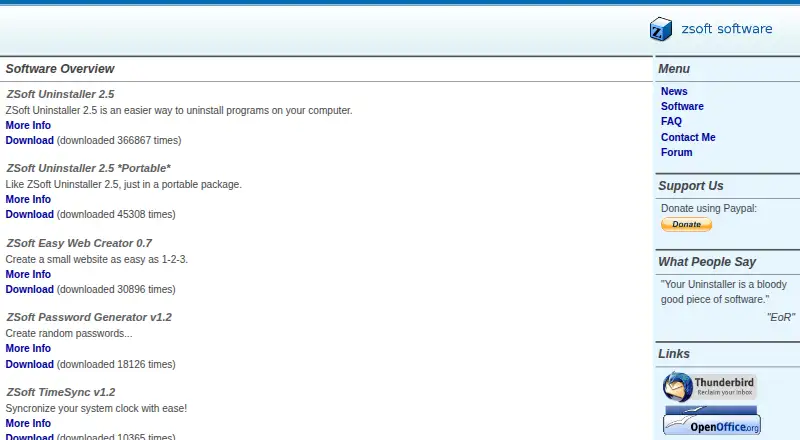
ZSoft Uninstaller is a free Windows desktop utility for removing programs and managing their installation records. It can replace the Add/Remove applet with a searchable installed-program list that shows more information and lets users hide entries they do not plan to uninstall, such as drivers. It can also remove entries for software no longer installed and hide Windows Updates. For removal, the utility can analyze an installation before and after setup, including when a reboot occurs between those stages. After uninstalling, it can search for leftovers, temporary files, and empty folders. A startup manager helps clean up programs that launch when the computer starts, and forced uninstall is supported. A portable version is available. Version 2.5 automatically backs up installation logs to a LogBackups folder. The main program lists 14 languages, including English, French, German, Spanish, and Chinese. The maker says it tested the software only on Windows XP and reports accounts of it working on Windows 95, 98, ME, 2000, and Vista. Version 1.7 is labeled an older release no longer under development; version 2.5 is listed separately. Donations are appreciated, with no purchase price stated.
Who it suits
It suits Windows users who want a free utility for uninstalling programs and cleaning installation leftovers. Its portable version and searchable program list may also suit people who want extra control over installed-software entries.
What it does well
- Free plan; donations are appreciated.
- Analyzes installations before and after setup.
- Scans for leftovers, temporary files, and empty folders.
- Includes a portable version and forced uninstall.
- Lists 14 program languages.
What to know first
- Maker says it tested only on Windows XP.
- Version 1.7 is no longer developed.
- No purchase price is stated; donations are requested.
Plans
| Plan | Billed and limits | Price |
|---|---|---|
| ZSoft Uninstaller 2.5 | Windows desktop uninstaller · donations appreciated | Free |
As zsoft.dk lists them, read 9 Oct 2026. The maker's own page has the final word.
Getting started
- Visit the ZSoft website.
- Download ZSoft Uninstaller 2.5 for Windows.
- Use the portable version if you prefer that route.
- Consider donating if you like the software.
Verdict
ZSoft Uninstaller combines program removal with installation analysis and cleanup tools. Note the maker’s limited testing statement and the separate status of version 1.7 before choosing a release.
Questions
Is ZSoft Uninstaller free?
Yes. The 2.5 plan is listed as free, and donations are appreciated.
Which platforms does it support?
It is listed for Windows. The maker says it tested only on Windows XP and has received reports of it working on Windows 95, 98, ME, 2000, and Vista.
Does it include a portable version?
Yes, a portable version is available.
Can it scan for leftover files?
Yes. It can search for leftovers after uninstalling, as well as temporary files and empty folders.
What is the difference between versions 1.7 and 2.5?
The maker labels version 1.7 an older version that is no longer developed and lists version 2.5 separately. Version 2.5 automatically backs up installation logs to a LogBackups folder.
How can users get support?
The maker directs users with unanswered questions to the forum or email and says it will answer as soon as possible.
Facts from ZSoft Uninstaller's own pages
- Cleanup
- It can search for leftovers after uninstalling, find temporary files, and find empty folders. · zsoft.dk, 9 Oct 2026
- Free plan
- Yes · zsoft.dk, 23 Sept 2026
- Installation analysis
- It can analyze an installation before and after setup so the program can be completely uninstalled, including when a reboot occurs between those steps. · zsoft.dk, 9 Oct 2026
- Installation log backups
- Version 2.5 automatically backs up installation logs to a LogBackups folder. · zsoft.dk, 9 Oct 2026
- Installed program list
- It can search the installed software list, show more information than Add/Remove, and hide entries such as drivers that a user does not plan to uninstall. · zsoft.dk, 9 Oct 2026
- Install monitoring
- Yes · zsoft.dk, 23 Sept 2026
- Languages
- The main program lists Chinese, Danish, Dutch, English, French, German, Hungarian, Italian, Polish, Portuguese, Russian, Spanish, Swedish, and Valencian. · zsoft.dk, 9 Oct 2026
- Leftover scan
- Yes · zsoft.dk, 23 Sept 2026
- Maintenance status
- The maker labels ZSoft Uninstaller V1.7 an older version that is no longer developed; the page lists version 2.5 separately. · zsoft.dk, 9 Oct 2026
- Operating system support
- The FAQ says the maker tested it only on Windows XP and had reports of it working on Windows 95, 98, ME, 2000, and Vista. · zsoft.dk, 9 Oct 2026
- Other management features
- It can remove entries for programs no longer installed and hide Windows Updates. · zsoft.dk, 9 Oct 2026
- Portable version
- A portable package is available and is described as like ZSoft Uninstaller 2.5. · zsoft.dk, 9 Oct 2026
- Pricing
- The download page requests donations if users like the software; it does not state a purchase price. · zsoft.dk, 9 Oct 2026
- Purpose
- ZSoft Uninstaller is described as an easier way to uninstall programs on a computer and can replace the Add/Remove applet. · zsoft.dk, 9 Oct 2026
- Startup manager
- It includes a tool to clean up programs that start when the computer starts. · zsoft.dk, 9 Oct 2026
- Support
- The FAQ directs users with unanswered questions to the forum or email and says the maker will answer as soon as possible. · zsoft.dk, 9 Oct 2026
Where ZSoft Uninstaller stands on Freedom251
- Uninstaller apps#19 of 36
- Uninstallers#22 of 35
- Software Uninstaller Tools#25 of 35