Zoho PDF Editor
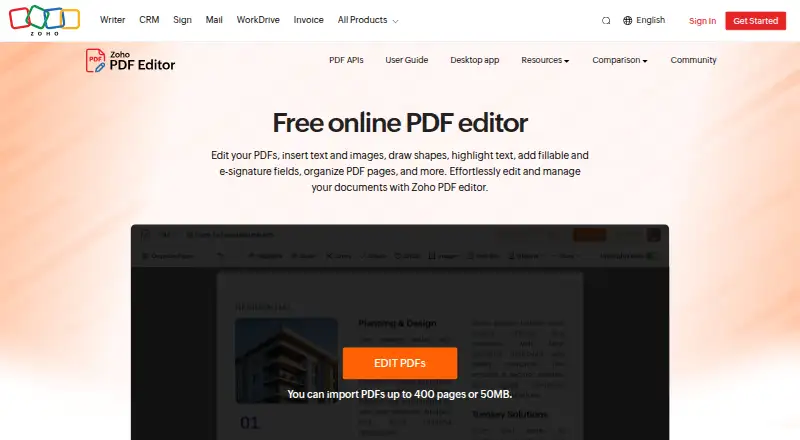
What Zoho PDF Editor is
Zoho PDF Editor is a free tool for editing, organizing, sharing, and converting PDF files. In the online editor, users can format text, add text or images, highlight content, insert shapes, hyperlinks, QR codes, barcodes, and watermarks, or cover content with white-out. Page tools combine, split, extract, rotate, and replace pages. It also supports fillable and signature fields, signing PDFs, and collecting data and digital signatures. Documents can be shared with view, comment, edit, or share permissions, and PDFs can be imported from Zoho WorkDrive, Dropbox, Box, or OneDrive. Exports include PDF, fillable and password-protected PDFs, JPEG, and PNG. A desktop app edits, annotates, organizes, secures, and exports files on-device without internet access; Zoho lists Windows and macOS apps, with PDF Editor also available among its Linux desktop apps. The online editor requires a Zoho account and accepts PDFs up to 50 MB or 150 pages, excluding encrypted and password-protected files. Zoho also offers cloud PDF APIs.
Who it suits
It suits people who need PDF editing, page organization, forms, signatures, or shared document work across web and desktop. Developers can use the cloud-based PDF APIs for PDF operations.
What it does well
- Free online and desktop options are listed.
- Includes page organization and form tools.
- Supports shared viewing, comments, editing, and permissions.
- Imports from four listed cloud storage services.
- Desktop app works without internet access.
What to know first
- Online editor requires a Zoho account.
- Dashboard limit is 50 MB or 150 pages.
- Encrypted and password-protected files are not accepted by the dashboard.
Limits
The online dashboard accepts PDFs up to 50 MB or 150 pages and does not accept encrypted or password-protected files. The online editor requires a Zoho account; the free desktop app works without internet access.
Plans
| Plan | Billed and limits | Price |
|---|---|---|
| Free online PDF Editor | Free online PDF editing; PDF Editor requires a Zoho account | Free |
| Free desktop app | Files stay on your device · works without internet | Free |
As zoho.com lists them, read 11 Oct 2026. The maker's own page has the final word.
Getting started
- Visit the Zoho PDF Editor website.
- Create or use a Zoho account for the online editor.
- Open a PDF in the online tool or use the free desktop app on Windows, macOS, or Linux.
- Import from Zoho WorkDrive, Dropbox, Box, or OneDrive, or open a supported PDF file.
- Edit, organize, annotate, create forms, sign, or share the document.
Overview
Zoho PDF Editor is a PDF tool for changing documents, managing pages, and preparing forms and signatures, with online and offline desktop versions. It is best suited to individuals and teams that want a broad editing toolkit at no cost. The online editor’s upload cap and Zoho account requirement make it less suitable for large files or anyone who wants to work in a browser without signing in.
Key features
Beyond text editing and annotation, the editor supports rich-text formatting, image and text overlays, shapes, highlighting, white-out, QR codes, barcodes, hyperlinks, and watermarks. That range works for both revising a document and marking it up; conversion and exports to PDF, fillable PDFs, password-protected PDFs, JPEG, and PNG add useful format options.
Page tools combine, split, extract, rotate, and replace pages, covering the common jobs of assembling or reorganizing a document. Users can create fillable and signature fields, fill and sign PDFs, and collect form data and digital signatures. For collaboration, shared PDFs can be assigned view, comment, edit, or share permissions.
The online editor imports from Zoho WorkDrive, Dropbox, Box, and OneDrive. Zoho says it protects stored PDFs, added images, email addresses, and IP addresses with application-layer AES-256 encryption. Its described account controls include two-factor authentication, role-based access, activity logs, and EU data residency for accounts created with zoho.eu.
The dashboard accepts PDFs up to 50 MB or 150 pages, and rejects encrypted or password-protected uploads. That ceiling is a meaningful constraint for large scans or lengthy files. The online editor also requires a Zoho account. Its browser support includes Chrome 72+, Firefox 70+, Ulaa 72+, Safari 14+, and Microsoft Edge 85+.
Pricing
Both listed plans cost nothing. The Free online PDF Editor includes free online PDF editing, but requires a Zoho account and is subject to the 50 MB or 150-page dashboard limit. It suits people who need browser-based editing, cloud imports, or shared review and can work within those constraints.
The Free desktop app keeps files on the device and works without internet access. Zoho describes it as able to edit, annotate, organize, secure, and export PDFs, making it the better fit for offline work or files a user prefers to keep local. Zoho Office Desktop offers Windows and macOS apps; Writer and PDF Editor are the only Zoho Office desktop apps available for Linux.
Zoho also offers cloud-based PDF APIs for editing, page organization, form data, compression, metadata, and password protection. They are aimed at developers or workflows that need PDF operations through an API rather than a standalone editor.
Platforms
The editor is available on the web, desktop, and through APIs. Browser users need a supported browser, while the desktop app provides offline editing on the device. Support includes global and EU email, plus phone support in the US and India.
Who it's for
Zoho PDF Editor is a good fit for people who need a free way to edit documents, reorganize pages, and create or sign forms, especially if offline desktop work or permission-based collaboration matters. It is a weaker fit for users handling PDFs over 50 MB or 150 pages in the online dashboard, or those who want to avoid a Zoho account for browser editing.
Pros and cons
- Pros: The free online and desktop options cover both collaboration and offline work without a plan fee.
- Pros: Editing, page organization, forms, signatures, and sharing permissions are combined in one tool, reducing the need to switch between separate PDF utilities.
- Pros: AES-256 encryption and controls such as two-factor authentication, role-based access, and activity logs support more controlled document handling.
- Cons: Online uploads are capped at 50 MB or 150 pages, and encrypted or password-protected files are not accepted by the dashboard.
- Cons: Online editing requires a Zoho account; the desktop app is the alternative for users who want offline, on-device work.
Alternatives
For more format and device coverage, consider WPS PDF Editor, which has a free plan and supports mobile, browser, desktop, and extension platforms; its WPS Standard plan includes 1 GB of cloud storage, 47 file formats, and 46 languages.
ONLYOFFICE PDF Editor is another free-plan option with web, desktop, mobile, API, and self-hosted availability; its Startup plan includes three admins, unlimited users and guests, 12 rooms, and 2 GB of storage.
Choose Smallpdf if a seven-day free trial and a free plan with 30+ tools and two Sign.com documents per month suit your needs.
PDFgear is a free alternative whose online editor accepts PDFs up to 100 MB, useful when Zoho’s 50 MB limit is too low.
PDF Candy offers a free web and desktop plan, with page and hourly restrictions, no batch processing, and file-size limits.
DocHub has a free plan limited to three uses per month shared across core features.
Sejda PDF Editor is another free-plan option for users choosing among web and desktop platforms.
UPDF offers a free plan with two conversions per day, two files per batch, five OCR uses, 1 GB of cloud storage, and a 10 MB maximum file size.
Browse more options in PDF editors.
Verdict
Choose Zoho PDF Editor if you want a free, capable PDF toolkit that spans forms, signatures, page management, and collaboration, with a desktop app for offline work. Look elsewhere if your online files exceed 50 MB or 150 pages, or if requiring a Zoho account is a deal-breaker.
Verdict
Zoho PDF Editor covers editing, page management, forms, signatures, and collaboration in a free online tool, with a desktop option that works offline. Check the dashboard file limits and account requirement before choosing the online editor.
Questions
Does Zoho PDF Editor have a free plan?
Yes. The online PDF Editor and desktop app are each listed as free.
Does the online editor require an account?
Yes. PDF Editor requires a Zoho account.
Which platforms are supported?
The listed platforms include Linux, macOS, web, and Windows. Zoho also offers PDF editing APIs.
Can I use the desktop app offline?
Yes. Zoho describes a free desktop app that works on the device without internet access.
Which cloud storage services can it import from?
The online editor can import PDFs from Zoho WorkDrive, Dropbox, Box, and OneDrive.
What are the dashboard upload limits?
The dashboard accepts PDFs up to 50 MB or 150 pages. It does not accept encrypted or password-protected files.
Facts from Zoho PDF Editor's own pages
- Annotation tools
- Yes · zoho.com, 20 Sept 2026
- Browser support
- The help page lists Chrome 72+, Firefox 70+, Ulaa 72+, Safari 14+, and Microsoft Edge 85+ as supported browsers. · zoho.com, 11 Oct 2026
- Cloud storage integrations
- The online editor can import PDFs from Zoho WorkDrive, Dropbox, Box, and OneDrive. · zoho.com, 11 Oct 2026
- Compliance and controls
- Zoho's PDF Editor GDPR page describes two-factor authentication, role-based access, activity logs, and EU data residency for accounts created with zoho.eu. · zoho.com, 11 Oct 2026
- Desktop and offline
- Zoho describes a free desktop app that edits, annotates, organizes, secures, and exports PDFs on the device without internet access. · zoho.com, 11 Oct 2026
- Desktop platforms
- Zoho Office Desktop lists Windows and macOS apps, and says Writer and PDF Editor are the only Zoho Office desktop apps available for Linux. · zoho.com, 11 Oct 2026
- Editing
- The editor supports rich text formatting, overlay text and images, shapes, highlighting, white-out, QR codes, barcodes, hyperlinks, and watermarks. · zoho.com, 11 Oct 2026
- Encryption
- Zoho says stored PDFs, added images, email addresses, and IP addresses are encrypted using application-layer AES-256 encryption. · zoho.com, 11 Oct 2026
- File formats
- The editor imports PDF and password-protected PDF files, and exports PDF, fillable PDF forms, password-protected PDFs, JPEG, and PNG. · zoho.com, 11 Oct 2026
- Form creation
- Yes · zoho.com, 20 Sept 2026
- Forms and signatures
- Users can add fillable and signature fields, fill and sign PDFs, and collect data and digital signatures. · zoho.com, 11 Oct 2026
- Free plan
- Yes · zoho.com, 20 Sept 2026
- Page organization
- Users can combine, split, extract, rotate, and replace PDF pages. · zoho.com, 11 Oct 2026
- PDF APIs
- Zoho offers cloud-based PDF editing APIs for operations including editing, page organization, form data, compression, metadata, and password protection. · zoho.com, 11 Oct 2026
- PDF conversion
- Yes · zoho.com, 20 Sept 2026
- Purpose
- Zoho PDF Editor is a free online PDF tool for editing PDFs, adding text and images, creating fillable and e-signature fields, and collaborating on documents. · zoho.com, 11 Oct 2026
- Sharing
- PDFs can be collaboratively edited and shared with view, comment, edit, or share permissions. · zoho.com, 11 Oct 2026
- Support
- The PDF Editor help page lists global and EU email support and US and India phone support. · zoho.com, 11 Oct 2026
- Supported platforms
- web,desktop,api · zoho.com, 20 Sept 2026
- Text editing
- Yes · zoho.com, 20 Sept 2026
- Upload limit
- Zoho's community post says the dashboard accepts PDFs up to 50 MB or 150 pages and does not accept encrypted or password-protected files. · help.zoho.com, 11 Oct 2026
Where Zoho PDF Editor stands on Freedom251
- PDF editors#7 of 102