
Zen Browser
What Zen Browser is
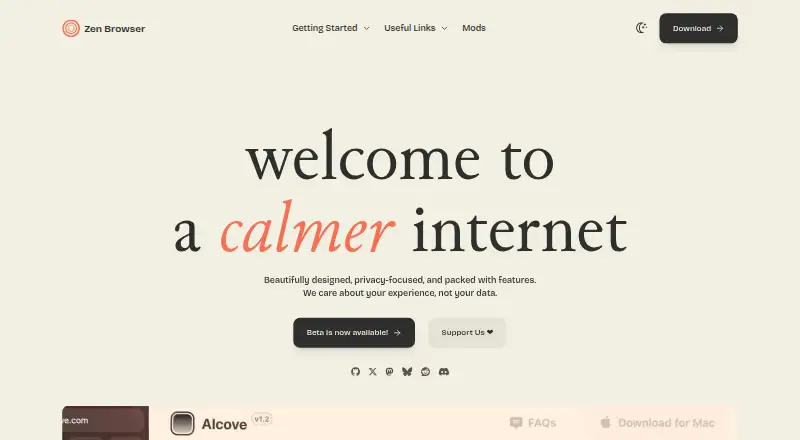
Zen Browser is a free, open-source desktop browser designed around privacy and focused browsing. Its Workspaces organize tabs by project or task, and Split View shows two tabs side by side. Glance previews a website over the current tab, while Compact Mode hides the tab bar when it is not needed. The browser supports extensions from Mozilla Add-ons and offers Zen Mods, a collection of community-made plugins and themes; Firefox themes are not supported. Privacy options include Standard, Strict, and Custom tracking protection, plus DNS over HTTPS settings. Security documentation describes OCSP, HTTPS-Only Mode, protections against deceptive content and dangerous software, and unsafe SSL connections treated as broken by default. Zen supports Firefox Sync for browser data such as addons, bookmarks, history, and passwords. Window syncing works on the same device; tabs can also be sent between devices signed into the same Mozilla account. Zen is currently in beta and is available for macOS, Windows, and Linux. Its FAQ says DRM-protected media cannot play because Zen lacks a Widevine license, and there is no Android or iOS version.
Who it suits
Zen Browser suits desktop users who want a privacy-focused browser with tools for organizing tabs across projects and tasks. It may also suit people who want to customize their browser with Mozilla Add-ons or community-made Zen Mods and sync browser data through Firefox Sync.
What it does well
- Free and open-source for Linux, macOS, and Windows.
- Workspaces group tabs by project or task.
- Split View displays two tabs side by side.
- Offers Standard, Strict, and Custom tracking protection.
- Firefox Sync supports browser data across devices.
What to know first
- Currently in beta.
- No Android or iOS version.
- DRM-protected media cannot play without a Widevine license.
- Firefox themes are not supported.
Limits
Zen is currently in beta. The browser cannot play DRM-protected media because it lacks a Widevine license, and no Android or iOS version is available.
Plans
| Plan | Billed and limits | Price |
|---|---|---|
| Free | Free and open-source · currently in BETA | Free |
As zen-browser.app lists them, read 12 Oct 2026. The maker's own page has the final word.
Getting started
- Visit https://zen-browser.app/.
- Choose the download for macOS, Windows, or Linux.
- Install and open Zen Browser.
- Add extensions from Mozilla Add-ons or customize with community-made Zen Mods.
- Use Firefox Sync to sync browser data such as addons, bookmarks, history, and passwords.
Verdict
Choose Zen Browser if you want a free, open-source desktop browser with workspace organization, privacy controls, and Firefox Sync support. Look elsewhere if you need mobile browsing, DRM-protected media playback, or Firefox themes.
Questions
Is Zen Browser free and open-source?
Yes. Its Free plan costs nothing, and Zen is open-source.
Which platforms does Zen Browser support?
It is available for macOS, Windows, and Linux desktops.
Does Zen Browser have a mobile version?
No. Its FAQ says there is no Android or iOS version and no current plans to develop one.
Can Zen sync browser data?
Zen supports Firefox Sync for data such as addons, bookmarks, history, and passwords. Window syncing works on the same device; tabs can be sent between devices signed into the same Mozilla account.
Can I use browser extensions and themes?
Zen supports extensions from Mozilla Add-ons and community-made Zen Mods. Firefox themes are not supported.
Can Zen play DRM-protected media?
No. Zen currently lacks a Widevine license, so DRM-protected media cannot be played in the browser.
Facts from Zen Browser's own pages
- 1Password integration
- The documentation says 1Password's browser integration may fail because Zen is not on its trusted-browser list, and describes workarounds for Linux, macOS, and Windows. · docs.zen-browser.app, 12 Oct 2026
- Availability
- Zen is available for macOS, Windows, and Linux, and the download page says it is currently in beta. · zen-browser.app, 12 Oct 2026
- Community customization
- Zen Mods are community-made plugins and themes for customizing the browser. · zen-browser.app, 12 Oct 2026
- Compact Mode
- Compact Mode hides the tab bar when it is not needed to provide more screen space. · zen-browser.app, 12 Oct 2026
- Cross-device sync
- Yes · zen-browser.app, 21 Sept 2026
- Customization
- Zen Mods is a collection of community-made plugins and themes for customizing Zen Browser. · zen-browser.app, 12 Oct 2026
- DRM limit
- Zen currently lacks a Widevine license, so DRM-protected media cannot be played in the browser according to its FAQ. · docs.zen-browser.app, 12 Oct 2026
- Extensions
- Zen supports extensions from Mozilla Add-ons, but Firefox themes are not supported. · docs.zen-browser.app, 12 Oct 2026
- Firefox Sync
- Zen Browser supports Firefox Sync for syncing browser data such as addons, bookmarks, history, and passwords across devices. · docs.zen-browser.app, 12 Oct 2026
- Free plan
- Yes · zen-browser.app, 21 Sept 2026
- Glance
- Glance lets users preview websites on top of the current tab. · docs.zen-browser.app, 12 Oct 2026
- Mobile availability
- The FAQ says Zen has no Android or iOS version and the team has no current plans to develop one. · docs.zen-browser.app, 12 Oct 2026
- Open source
- Yes · zen-browser.app, 21 Sept 2026
- Supported platforms
- desktop · zen-browser.app, 21 Sept 2026
- Privacy controls
- Zen includes tracking protection with Standard, Strict, and Custom levels, and offers DNS over HTTPS protection settings. · docs.zen-browser.app, 12 Oct 2026
- Product
- Zen is a privacy-focused web browser designed to help users stay productive and focused. · zen-browser.app, 12 Oct 2026
- Purpose
- Zen Browser describes itself as a privacy-focused browser designed to help users stay productive and focused. · zen-browser.app, 12 Oct 2026
- Release status
- The download page says Zen is currently in BETA and lists downloads for macOS, Windows, and Linux. · zen-browser.app, 12 Oct 2026
- Security
- The security documentation says Zen uses OCSP, HTTPS-Only Mode, protection against deceptive content and dangerous software, and treats unsafe SSL connections as broken by default. · docs.zen-browser.app, 12 Oct 2026
- Security updates
- Zen's documentation says it updates to the latest Firefox release within 0–72 hours and tests upcoming versions on the Twilight branch about a week before release. · docs.zen-browser.app, 12 Oct 2026
- Session isolation limit
- Container Tabs separate cookies and browsing sessions, but do not separate browsing history or extensions. · docs.zen-browser.app, 12 Oct 2026
- Split View
- Split View displays two tabs side by side. · zen-browser.app, 12 Oct 2026
- Support
- The project directs users to report issues on GitHub and lists a Discord community link. · zen-browser.app, 12 Oct 2026
- Tracking protection
- Tracking Protection offers Standard, Strict, and Custom levels, and DNS over HTTPS offers Default, Increased, and Max Protection levels. · docs.zen-browser.app, 12 Oct 2026
Where Zen Browser stands on Freedom251
- Web browsers#14 of 154