Zen Ad Blocker
What Zen Ad Blocker is
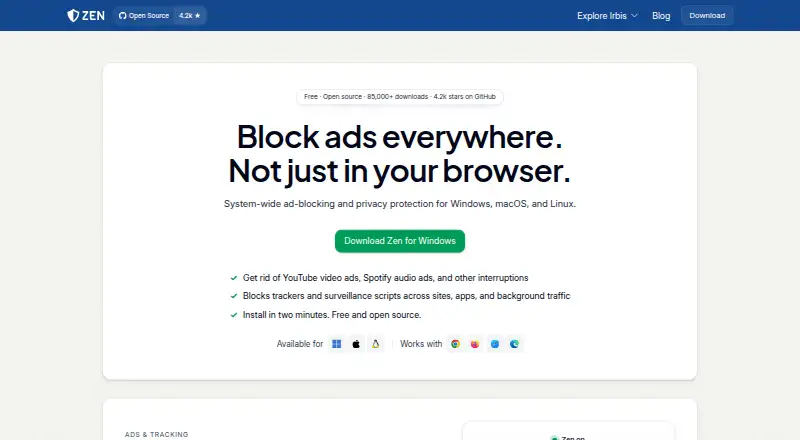
Zen Ad Blocker is a free desktop tool that filters ads, trackers, and malware across browsers and desktop apps. It runs a local proxy, checks HTTP(S) traffic against filter lists on the device, and displays blocked requests with their source and the reason they were stopped. Built-in lists cover ads, trackers, and malware, including 35 regional lists; users can add lists or custom rules. Zen also blocks cookie popups and works with major browsers such as Chrome, Firefox, Safari, Edge, Opera, and Brave, plus desktop apps that use system proxy settings. It is available for Windows, macOS, and Linux. Apps using custom networking or certificate pinning may bypass filtering or need to be excluded in settings. For HTTPS filtering, Zen creates a local root certificate and private key that users can remove in settings. The maker says it does not collect browsing data or send it to servers; its privacy policy says local debug logs redact hostnames and can be deleted. Zen works with any VPN on Windows and Linux and most VPNs on macOS. It is open source under the MIT license.
Who it suits
Zen suits desktop users on Windows, macOS, or Linux who want filtering across browsers and apps that use system proxy settings. Users with apps that use custom networking or certificate pinning should check compatibility.
What it does well
- Free and open source under MIT
- Filters ads, trackers, and malware
- Includes 35 regional filter lists
- Shows why requests were blocked
- Works with any VPN on Windows and Linux
What to know first
- Some apps may bypass filtering
- HTTPS filtering creates a local root certificate
- Works with most, not all, macOS VPNs
- Verifiable signed updates are still in progress
Plans
| Plan | Billed and limits | Price |
|---|---|---|
| Free | System-wide ad blocking · Open source · Windows, macOS, and Linux support | Free |
| Zen | Free and open source (MIT) · Windows, macOS, Linux | Free |
As irbis.sh lists them, read 20 Sept 2026. The maker's own page has the final word.
Getting started
- Visit https://irbis.sh/zen.
- Get the build for Windows, macOS, or Linux from GitHub.
- Run Zen and use its filter lists or add custom lists and rules.
- Review blocked requests and adjust app exclusions in settings if needed.
- Remove Zen’s local root certificate in settings if you no longer want HTTPS filtering.
Verdict
Zen offers local filtering across supported browsers and desktop apps, with request visibility and customizable lists. Compatibility varies for some app networking methods, and its verifiable signed update system is still in progress.
Questions
Is Zen Ad Blocker free?
Yes. The listed Free and Zen plans both cost nothing.
Which operating systems does it support?
Zen supports Windows, macOS, and Linux desktop devices.
Which browsers work with Zen?
It supports major browsers, including Chrome, Firefox, Safari, Edge, Opera, and Brave.
Does Zen work with desktop apps?
It works with desktop apps that use system proxy settings. Apps with custom networking or certificate pinning may bypass filtering or need exclusion.
Is Zen open source?
Yes. Zen is open source under the MIT license.
Does Zen collect browsing data?
The maker says Zen does not collect browsing data or send it to servers. Its privacy policy says local debug logs redact hostnames and can be deleted.
Facts from Zen Ad Blocker's own pages
- Browser and app compatibility
- Zen works with major browsers including Chrome, Firefox, Safari, Edge, Opera, and Brave, plus desktop apps that use system proxy settings. · irbis.sh, 7 Oct 2026
- Browser support
- major-browsers · irbis.sh, 20 Sept 2026
- Compatibility limits
- Apps with custom networking or certificate pinning may bypass filtering or need to be excluded in Zen’s settings. · irbis.sh, 7 Oct 2026
- Cookie popup blocking
- Yes · irbis.sh, 20 Sept 2026
- Custom filter lists
- Yes · irbis.sh, 20 Sept 2026
- Device coverage
- desktop · irbis.sh, 20 Sept 2026
- Filtering method
- Zen runs a local proxy, checks requests against filter lists, and filters HTTP(S) traffic on the device. · irbis.sh, 7 Oct 2026
- Filter lists
- Zen includes built-in ad, tracker, and malware lists, including 35 regional lists, and supports adding lists or custom rules. · irbis.sh, 7 Oct 2026
- Free plan
- Yes · irbis.sh, 20 Sept 2026
- HTTPS certificate
- Zen generates its local root certificate and private key on the device, and the certificate can be removed in settings. · irbis.sh, 7 Oct 2026
- Privacy
- The maker says Zen does not collect browsing data or send it to servers; its privacy policy says local debug logs have hostnames redacted and can be deleted. · irbis.sh, 7 Oct 2026
- Real-time visibility
- Zen shows blocked ads, trackers, and background requests, including where each came from and why it was stopped. · irbis.sh, 7 Oct 2026
- Security reporting
- The security policy says only the latest app version is actively supported and asks users to report vulnerabilities privately by email. · github.com, 7 Oct 2026
- Support
- Users can get help from maintainers and other users on Discord and report bugs or suggest features on GitHub. · irbis.sh, 7 Oct 2026
- System-wide filtering
- Zen blocks ads, trackers, and malware across browsers and desktop apps. · irbis.sh, 7 Oct 2026
- Third-party services
- Zen uses Cloudflare to serve update manifests, GitHub for source code, downloads and updates, and public filter-list providers for filtering rules. · irbis.sh, 7 Oct 2026
- Update security
- The maker says builds are reproducible and attested, while a verifiable cryptographically signed update system is still in progress. · irbis.sh, 7 Oct 2026
- VPN support
- Zen works with any VPN on Windows and Linux and most VPNs on macOS. · irbis.sh, 7 Oct 2026
Where Zen Ad Blocker stands on Freedom251
- Ad blockers#17 of 48