Freedom251 › ZX Spectrum Emulators
Zedex
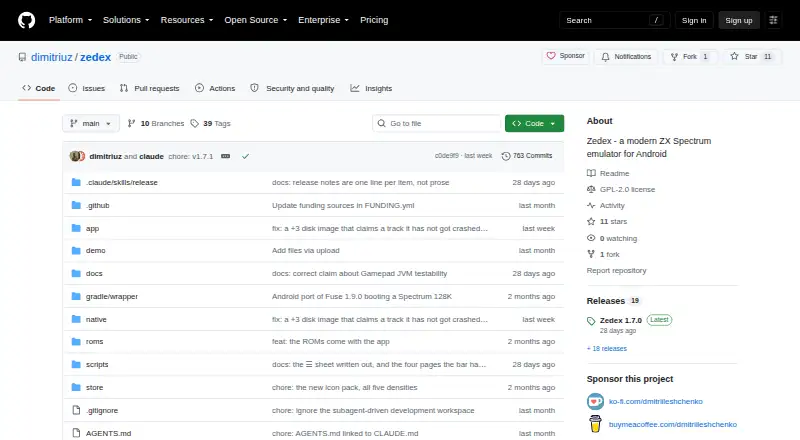
What Zedex is
Zedex is a free ZX Spectrum emulator for Android, built on the Fuse emulator with a native front end. It supports Android 11 and later, and emulates Sinclair, Timex, Pentagon, Scorpion, and Spectrum SE machines. Supported media includes snapshots, tapes, disks, cartridges, microdrive images, and RZX recordings; listed tape formats are TAP and TZX, while snapshot formats include SZX, Z80, and SNA. Players can save and load games quickly, or use save states. Display options include adjustable scaling and borders, scanlines, CRT effects, and RGB, composite, or RF signal effects. Controls include game controllers with remappable buttons and hotkeys, an on-screen joystick, keyboard skins, and Kempston mouse mode. The library can retrieve game details and media from ZXInfo, ScreenScraper, and zxart, and browse catalogs from ZXInfo or zxart. The README describes ES-DE integration and setup for Cocoon and Daijishō frontends. The maker says Zedex has no ads, analytics library, or accounts; optional internet requests support features such as catalog browsing, scraping, and update checks. Bulk importing, catalog suggestions while typing, catalog filtering by tape or disk, and a debugger are not yet implemented.
Who it suits
Zedex suits Android users who want to play ZX Spectrum software and configure display or controller options. It is aimed at devices running Android 11 or later.
What it does well
- Supports several Spectrum machine families and media types.
- Quick saves and save states are available.
- Display effects and scaling are adjustable.
- The maker says it has no ads, analytics, or accounts.
What to know first
- Requires Android 11 or later.
- Bulk importing is not yet implemented.
- A debugger interface is not yet available.
- Catalog filtering by tape or disk is not implemented.
Limits
Bulk importing, catalog suggestions while typing, catalog filtering by tape or disk, and a debugger are not yet available.
Getting started
- Use Android 11 or later.
- Get the Google Play build or a separate build from GitHub Releases.
- Load supported game media, including TAP or TZX tapes and SZX, Z80, or SNA snapshots.
- Configure display options and controller mappings as needed.
- Use the library to scrape details or browse online catalogs.
Verdict
Zedex combines Spectrum emulation with configurable controls, display effects, and catalog features. Note its Android requirement and the listed library and debugger gaps.
Questions
Is Zedex free and open source?
Yes. The maker describes it as free software under GNU GPL version 2 or any later version.
Which devices does Zedex support?
It supports Android 11 and later.
Which tape and snapshot formats are listed?
Listed tape formats are TAP and TZX. Listed snapshot formats are SZX, Z80, and SNA.
Does it have a built-in debugger?
No. The maker lists a debugger interface among features not yet implemented.
Does Zedex require an account or include ads?
The maker says the app has no ads, analytics library, or accounts.
How can I report a problem?
The About section offers a report-a-problem flow that prepares a report in your mail app. You can review and edit it, and it is sent only if you choose to send it.
Facts from Zedex's own pages
- Android support
- The README says Zedex supports Android 11 and later. · github.com, 7 Oct 2026
- Controllers
- Controllers work without a mapping screen, and users can remap controls and bind controller hotkeys. · github.com, 7 Oct 2026
- Controls
- Zedex supports controllers, configurable button mappings, on-screen joystick controls, several keyboard skins, and Kempston mouse mode. · github.com, 7 Oct 2026
- Diagnostics
- Problem reports are prepared for the user's mail app, can be reviewed and edited, and are not sent unless the user sends them. · github.com, 7 Oct 2026
- Display
- Display options include scanlines, CRT effects, RGB/composite/RF signal effects, adjustable scaling, and border choices. · github.com, 7 Oct 2026
- Distribution
- The README describes a Google Play build and a separate build available from GitHub Releases, with differences in permissions and update behavior. · github.com, 7 Oct 2026
- Frontend integrations
- The README describes integration with ES-DE and setup for Cocoon and Daijishō frontends. · github.com, 7 Oct 2026
- Game library
- Its library can scrape game details and media from ZXInfo, ScreenScraper, and zxart, and browse online catalogs from ZXInfo or zxart. · github.com, 7 Oct 2026
- Game support
- The emulator supports Sinclair, Timex, Pentagon, Scorpion, and Spectrum SE machines, with support for snapshots, tapes, disks, cartridges, microdrive images, and RZX recordings. · github.com, 7 Oct 2026
- Known gaps
- The README lists bulk importing, catalog suggestions while typing, catalog filtering by tape or disk, and a debugger interface as not yet implemented. · github.com, 7 Oct 2026
- License
- The maker states that Zedex is free software under GNU GPL version 2 or any later version. · github.com, 7 Oct 2026
- Limits
- The maker lists batch import, catalogue search suggestions, catalogue filtering by tape or disk, and a debugger as features not yet available. · github.com, 7 Oct 2026
- Privacy
- The maker says the app has no ads, analytics library, or accounts; internet requests are used for specified optional features such as scraping, catalog browsing, and update checks. · github.com, 7 Oct 2026
- Problem reporting
- Problem reports are prepared for the user's mail app, shown for review, and sent only if the user chooses to send them. · github.com, 7 Oct 2026
- Product
- Zedex is a modern ZX Spectrum emulator for Android, using the Fuse emulator with a native front end. · github.com, 7 Oct 2026
- Save states
- It supports save states in SZX, Z80, or SNA formats, with per-game quick save and quick load. · github.com, 7 Oct 2026
- Support
- The app's About section offers a report-a-problem flow that creates a report for the user's own mail app. · github.com, 7 Oct 2026
Where Zedex stands on Freedom251
- ZX Spectrum Emulators#18 of 23