Freedom251 › ZX Spectrum Emulators
SpeccyP
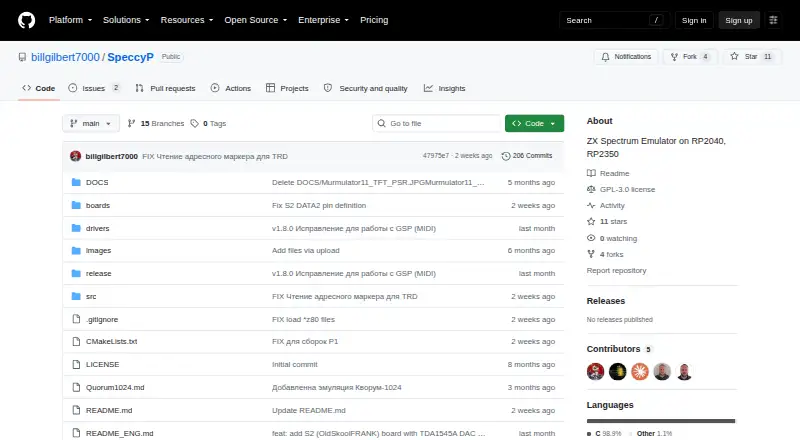
What SpeccyP is
SpeccyP is free, open-source firmware that emulates ZX Spectrum computers on Raspberry Pi RP2040, RP2350A and RP2350B microcontrollers. It supports the ZX Spectrum 48, several Pentagon models, Scorpion 256 and GMX 2048, Navigator 256, and MurmoZavr 8Mb. Video output includes HDMI and VGA at 60 Hz with auto-detection, as well as TFT displays using ILI9341 or ST7789. Controls include PS/2 and USB keyboards, a USB mouse, NES and Xbox gamepads, and wireless gamepads in Kempston mode. Audio options include Soft and I2S AY-3-8910 and TurboSound modes, with volume adjustment from 0 to 100%. Its Z80 emulator supports documented and undocumented processor features and offers selectable CPU types. The firmware can mount TRD or SCL disk images and connect TAP files, which can be loaded in NORMAL or FAST mode. Hotkeys provide quick save and load, and startup can restore a state from slot 0. Precompiled firmware is listed for six boards. Protected FDI images are not yet readable.
Who it suits
SpeccyP is for people setting up ZX Spectrum emulation on supported Raspberry Pi microcontroller boards. It suits users with compatible displays, input devices and tape or disk image files.
What it does well
- Supports multiple Spectrum, Pentagon and other models.
- HDMI, VGA and selected TFT outputs are supported.
- Works with keyboard, mouse and several gamepad types.
- Quick save and load hotkeys are available.
- Distributed under GNU General Public License v3.0.
What to know first
- Protected FDI images are not readable.
- The m2p1 RP2040 board without PSRAM supports only Spectrum 48/128.
- Firmware is for RP2040, RP2350A and RP2350B microcontrollers.
Limits
On the m2p1 RP2040 board without PSRAM, support is limited to Spectrum 48 and 128 models. Protected FDI images are not readable.
Getting started
- Open the SpeccyP project website.
- Choose a precompiled firmware build matching a listed board.
- Use a supported RP2040, RP2350A, or RP2350B microcontroller.
- Connect a supported display and input device.
- Set options saved in speccy_p.cnf at the SD card root.
- Press F1 to open Help.
Verdict
SpeccyP offers broad Spectrum model, display and peripheral support for the listed microcontroller boards. Note that protected FDI images are unsupported, and the m2p1 board without PSRAM is limited to Spectrum 48 and 128.
Questions
How much does SpeccyP cost?
It is free and open source under the GNU General Public License v3.0.
Which microcontrollers does it support?
Its host platforms are RP2040, RP2350A, and RP2350B. Precompiled firmware is listed for m1p1, m1p2, m2p1, m2p2, z0p2, and s2p2 boards.
What display and input devices can I use?
Video options include HDMI and VGA at 60 Hz and TFT displays using ILI9341 or ST7789. Input options include PS/2 and USB keyboards, a USB mouse, NES and Xbox gamepads, and wireless gamepads in Kempston mode.
Which tape and disk formats does it support?
It can mount TRD and SCL disk images and connect TAP files, which load in NORMAL or FAST mode. Protected FDI images are not readable.
Can SpeccyP save and restore progress?
Hotkeys provide quick save and load, and the firmware can load a state from slot 0 at startup.
Facts from SpeccyP's own pages
- Audio
- Audio modes include Soft and I2S AY-3-8910 and TurboSound, with volume adjustment from 0 to 100%. · github.com, 9 Oct 2026
- Configuration
- Settings are saved in speccy_p.cnf in the root of the SD card. · github.com, 4 Oct 2026
- Controls
- It supports PS/2 and USB keyboards, USB mouse, NES gamepad, Xbox gamepad, and wireless gamepads over USB OTG or the listed adapters. · github.com, 9 Oct 2026
- Emulated models
- It supports ZX Spectrum 48, Pentagon 128/512/512CASH/1024, Scorpion 256/GMX 2048, Navigator 256 and MurmoZavr 8Mb models. · github.com, 4 Oct 2026
- File formats
- The file menu can mount TRD/SCL disk images or connect TAP files, and the firmware includes TAP loading in NORMAL or FAST mode. · github.com, 4 Oct 2026
- File support
- The file menu can mount TRD/SCL disk images or connect TAP files, and the project notes that protected FDI images are still not readable. · github.com, 9 Oct 2026
- Hardware limit
- The m2p1 RP2040 board works without PSRAM but supports only Spectrum 48 and 128 in that configuration. · github.com, 9 Oct 2026
- Hardware support
- Precompiled firmware is listed for m1p1, m1p2, m2p1, m2p2, z0p2 and s2p2 boards. · github.com, 4 Oct 2026
- License
- The project is distributed under the GNU General Public License v3.0 (GPL-3.0). · github.com, 9 Oct 2026
- Memory limit
- The m2p1 RP2040 board works without PSRAM but is limited to Spectrum 48/128 models. · github.com, 4 Oct 2026
- Notable limitation
- The README says protected FDI images are still not read. · github.com, 4 Oct 2026
- Processor emulation
- The project uses a Z80 emulator that supports documented and undocumented processor features and offers selectable CPU types in its Advanced Menu. · github.com, 9 Oct 2026
- Purpose
- SpeccyP is firmware that emulates ZX Spectrum models on Raspberry Pi RP2040, RP2350A, and RP2350B microcontrollers. · github.com, 9 Oct 2026
- Save and configuration
- Quick-save and load functions are available, and settings are saved to speccy_p.cnf in the SD card root. · github.com, 9 Oct 2026
- Save states
- Hotkeys provide quick save and load, and the firmware can load a state from save slot 0 at startup. · github.com, 4 Oct 2026
- Spectrum models
- Supported models include ZX Spectrum 48, Pentagon 128/512/512CASH/1024, Scorpion 256/GMX 2048, Navigator 256, and MurmoZavr 8Mb. · github.com, 9 Oct 2026
- Support
- The README points users to the F1 Help screen and links a ZX_MURMULATOR Telegram channel for project information. · github.com, 9 Oct 2026
- Supported boards
- Precompiled firmware is listed for m1p1, m1p2, m2p1, m2p2, z0p2, and s2p2 boards. · github.com, 9 Oct 2026
- Video
- The firmware supports HDMI and VGA output at 60 Hz with auto-detection, plus ILI9341 and ST7789 TFT displays. · github.com, 9 Oct 2026
- Z80 emulation
- The project uses a Z80 emulator supporting documented and undocumented processor features and offers several selectable CPU types. · github.com, 4 Oct 2026
Where SpeccyP stands on Freedom251
- ZX Spectrum Emulators#17 of 23