Freedom251 › ZX Spectrum Emulators
Spectaculator
What Spectaculator is
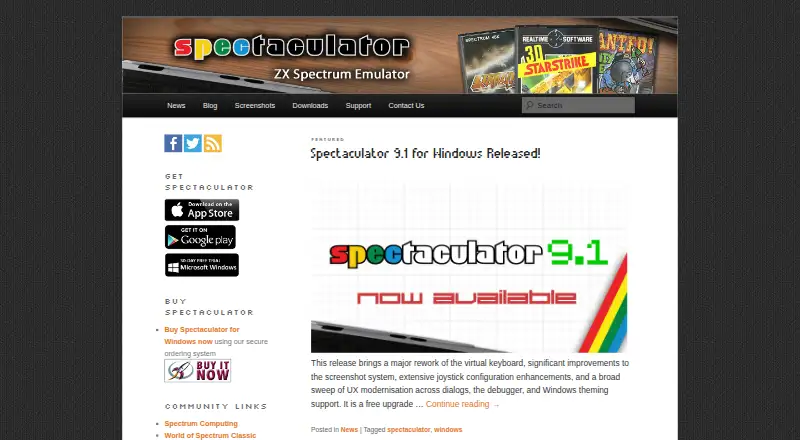
Spectaculator is a Sinclair ZX Spectrum emulator for Windows, iOS and Android. It works with TAP and TZX tape files and SZX, SNA and Z80 snapshots, and includes a debugger. The Windows debugger offers projects, complex breakpoints, watches, an inline assembler, memory and screen inspectors, a call stack window and a graphics inspector. Windows version 9 supports high-DPI displays and multiple monitors; version 9.1 can save or copy configurable-size screenshots as PNG or BMP, with PNG as the default. Its joystick and controller configuration includes named button labels for Quickshot II and X52 H.O.T.A.S. On iOS, users can add games in TAP, TZX, DSK, SZX and Z80 formats and customize controls and artwork. An external keyboard on iOS 13.4 or later supports gameplay and BASIC programming; older devices on iOS 12 and below are limited to text adventures. The maker lists a 30-day fully enabled Windows trial. The apps are paid, with one-time plans from $2.99, and there is no free plan.
Who it suits
Spectaculator suits people seeking a ZX Spectrum emulator with debugger tools, or users who want to load supported tape and snapshot formats. Its iOS keyboard features are relevant to users on iOS 13.4 or later who want to play games or write BASIC programs.
What it does well
- Includes a built-in debugger.
- Windows version 9 supports high-DPI displays.
- iOS accepts five listed game formats.
- Windows screenshots can be saved as PNG or BMP.
- Maker says apps operate on-device without transmitting personal information.
What to know first
- No free plan is listed.
- Windows plan costs $16.99 per one-time purchase.
- Android 6.0 Marshmallow or later is required for version 2.6.
- iOS 12 and older are limited to text adventures with keyboards.
Limits
The iPhone, iPod touch, and iPad plan costs 2.99 USD once and the Android plan costs 3.99 USD once; the Windows plan costs 16.99 USD once with a 30-day fully enabled trial. Android 2.6 requires Android 6.0 or later, and iOS 12 or earlier devices are limited to text adventures when using the external-keyboard feature.
Plans
| Plan | Billed and limits | Price |
|---|---|---|
| Spectaculator 9.1 for Windows | Windows 10 and later · 30-day fully enabled trial | $16.99, paid once |
| Spectaculator 8.0 for iPhone, iPod touch & iPad | Includes Sinclair BASIC and 22 games · more games available in-app | $2.99, paid once |
| Spectaculator 2.5 for Android | Includes Sinclair BASIC and Stephen Crow Anthology · more games available in-app | $3.99, paid once |
As spectaculator.com lists them, read 7 Oct 2026. The maker's own page has the final word.
Getting started
- Open the Spectaculator website
- Choose the Windows, iOS, or Android edition
- Start the 30-day Windows trial or buy a plan
- Install the app on the selected platform
- Add supported tape, snapshot, or iOS game files
- Configure controls or connect an external iOS keyboard
Verdict
Spectaculator offers platform-specific features alongside ZX Spectrum emulation, including Windows debugging and configurable iOS controls. One-time prices start at $2.99, and the Windows plan includes a 30-day trial.
Questions
How much does Spectaculator cost?
The iOS plan is 2.99 USD once, Android is 3.99 USD once, and Windows is 16.99 USD once. The Windows edition includes a 30-day fully enabled trial.
Is there a free plan?
No. Spectaculator is paid software, with a 30-day trial listed for the Windows plan.
Which platforms are supported?
Spectaculator is available for Windows, iOS, and Android. The maker also describes running it on Linux through Wine.
Which game files can iOS import?
The iOS app supports .tap, .tzx, .dsk, .szx, and .z80 files, with customizable controls and artwork for each game.
Does it collect personal information?
The privacy policy says the apps do not collect, store, or process personal information and operate without transmitting data to external servers or third-party services.
What Android version is required?
Android version 2.6 requires Android 6.0 Marshmallow, API 23, or later. Android 4.4 and Android 5.x no longer receive updates.
Facts from Spectaculator's own pages
- Android integration
- The Android 2.6 release restored Dropbox integration. · spectaculator.com, 7 Oct 2026
- Android requirement
- The Android 2.6 release requires Android 6.0 Marshmallow (API 23) or later; Android 4.4 and Android 5.x no longer receive updates. · spectaculator.com, 7 Oct 2026
- iOS game formats
- The iOS app supports adding games in .tap, .tzx, .dsk, .szx, and .z80 formats, with customizable controls and artwork for each game. · spectaculator.com, 7 Oct 2026
- Joystick support
- Windows version 9.1 includes joystick and controller configuration enhancements, including named button labels for Quickshot II and X52 H.O.T.A.S. · spectaculator.com, 7 Oct 2026
- Keyboard support
- On iOS 13.4 and later, an external keyboard can be used to play games and write BASIC programs; older devices on iOS 12 and below are limited to text adventures. · spectaculator.com, 7 Oct 2026
- License limit
- The maker says only games covered by a distribution agreement with their rights owners are distributed with Spectaculator. · spectaculator.com, 7 Oct 2026
- Linux
- The maker says Spectaculator can run on Linux via Wine and describes running it on Linux Mint. · spectaculator.com, 7 Oct 2026
- Privacy
- The privacy policy says the apps do not collect, store, or process personal information and operate on-device without transmitting data to external servers or third-party services. · spectaculator.com, 7 Oct 2026
- Purpose
- Spectaculator is a Sinclair ZX Spectrum emulator. · spectaculator.com, 7 Oct 2026
- Screenshots
- Windows version 9.1 can save or copy screenshots at configurable sizes, supports PNG and BMP, and uses PNG by default. · spectaculator.com, 7 Oct 2026
- Support
- Users can contact support with questions, bug reports, or comments through the site’s contact form; Windows users can also access comprehensive help in the application. · spectaculator.com, 7 Oct 2026
- Windows debugger
- The Windows debugger includes projects, complex breakpoints, watches, an inline assembler, memory inspector, call stack window, screen inspector, and graphics inspector. · spectaculator.com, 7 Oct 2026
- Windows display
- Windows version 9 supports high-DPI displays and multi-monitor setups. · spectaculator.com, 7 Oct 2026
Where Spectaculator stands on Freedom251
- ZX Spectrum Emulators#20 of 23