Freedom251 › Lecture Capture Software

YuJa Lumina Video Platform
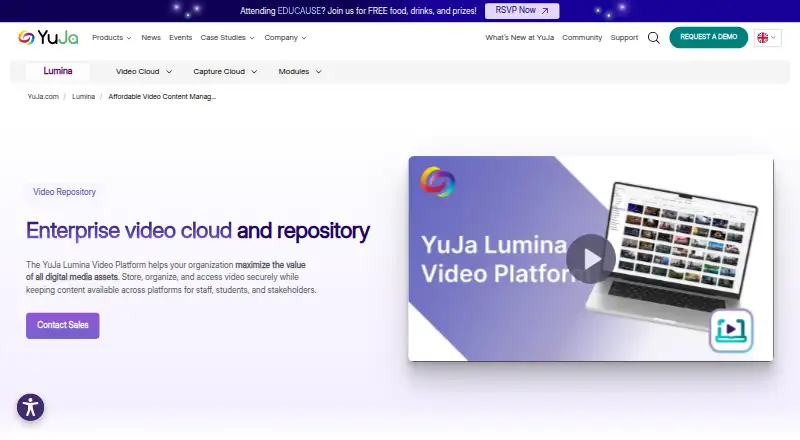
What YuJa Lumina Video Platform is
YuJa Lumina Video Platform is a cloud service for institutions to create, manage, store, and distribute video content. Its central repository organizes videos with metadata, captions, slides, and indexes for searching. The platform converts video into multiple resolutions and formats and supports adaptive bitrate streaming across devices. Accessibility tools include automatic captioning, inline caption editing, and a compliance report covering captions, audio descriptions, and chapters. Learning features include interactive video quizzes and LMS gradebook integration. YuJa lists LMS and video conferencing connections such as Zoom, Webex, Microsoft Teams, and Class Collaborate, along with single sign-on options including CAS, Shibboleth, OpenID, PingFederate, LDAP, and Active Directory. YuJa states that the platform uses SOC 2-certified security and that SSO connectors use TLS 1.2 encryption with 256-bit keys. iOS and Android apps support course access, recording or uploading, and offline downloads when enabled. Pricing is available from a YuJa sales specialist.
Who it suits
Lumina is intended for institutions, including higher education, K–12, government, healthcare, and other regulated organizations. It may suit teams that need video management, learning features, accessibility tools, and mobile access.
What it does well
- Central repository includes metadata, captions, slides, and indexes
- Supports interactive quizzes and LMS gradebook integration
- Offers caption editing and a compliance report
- iOS and Android apps support offline downloads when enabled
What to know first
- Pricing is available from a sales specialist
- Offline downloads are available only when enabled
Plans
| Plan | Billed and limits | Price |
|---|---|---|
| YuJa Lumina Video Platform | Pricing available from a YuJa sales specialist | On request |
As yuja.com lists them, read 4 Oct 2026. The maker's own page has the final word.
Getting started
- Visit the YuJa Lumina Video Platform website.
- Contact a YuJa sales specialist for pricing.
- Use the web platform or the Android and iOS apps to access course content.
- Install YuJa Software Capture on Windows or Mac to capture video.
YuJa Lumina Video Platform is a cloud system for institutions that create, govern, and teach with substantial video libraries. It is best suited to higher education, schools, government, healthcare, and other regulated organizations that need accessibility, identity, and learning integrations alongside playback. Choose it when one managed platform matters more than a simple, low-cost video host.
Overview
Lumina brings institutional video into a central repository with metadata, captions, slides, and indexes. That structure is useful when recordings span courses, departments, or compliance programs and need consistent search and organization. Automatic transcoding creates several resolutions and formats, while adaptive-bitrate streaming adjusts delivery to the viewer's device and connection.
This is more than storage. A custom player, analytics, accessibility reporting, interactive assessments, and learning-system connections are part of the same platform. The trade-off is scope: organizations seeking only occasional recording or public video publishing may find its institutional focus unnecessary.
Key features
Accessibility and learning
Automatic captioning supplies a draft transcript, and inline editing lets staff correct it in place. A compliance report checks captions, audio descriptions, and chapters, giving accessibility teams concrete issues to address. Interactive video quizzes can turn a recording into an assessment, while LMS gradebook integration connects results to existing course workflows. These tools fit teaching operations; they are less relevant to a team that only distributes informational video.
Playback, management, and analytics
Metadata, slides, and indexes make an archive more navigable than a folder of files. Multiple encoded versions and adaptive streaming support reliable viewing across varying networks. The custom player provides a controlled viewing experience, and video analytics help administrators understand use rather than relying on a third-party host's presentation.
Integrations and identity
YuJa lists connections for learning systems and conferencing services including Zoom, Webex, Microsoft Teams, and Class Collaborate. Single sign-on support covers CAS, Shibboleth, OpenID, PingFederate, LDAP, and Active Directory, which can align access with an institution's existing identity stack. YuJa states that the service uses SOC 2-certified security and that its SSO connectors use TLS 1.2 with 256-bit keys.
Capture and mobile access
iOS and Android apps let users access course content, record or upload media, and download it for offline viewing when that option is enabled. YuJa Software Capture installers support Windows and Mac, including both Apple M-series and Intel Macs. That combination covers classroom, desktop, and mobile contribution without limiting the service to a browser-only workflow.
Pricing
YuJa Lumina Video Platform uses custom pricing, supplied by a YuJa sales specialist. There is no published free plan, trial term, seat allowance, or storage quota to compare before contacting sales. The sales-led model can suit institutions that need a scoped deployment across users, integrations, and governance requirements, but it gives smaller teams no transparent entry price for a quick purchasing decision.
Platforms
Lumina is available on Android, iOS, macOS, the web, and Windows. The mobile apps support course access, recording, uploads, and enabled offline downloads; desktop capture supports Windows and both Apple-silicon and Intel Macs. This broad client coverage is practical for institutions with mixed devices and centrally managed computer labs.
Who it's for
Higher-education departments can use the repository, quizzes, gradebook link, and LMS and conferencing integrations to fit video into courses. K–12 systems, government agencies, healthcare organizations, and other regulated sectors may value the compliance reporting, SSO choices, and stated security controls. It is a poor fit for an individual creator or a small group that needs a free, self-hosted, or immediately priced tool rather than an institutional platform sold through a specialist.
Pros and cons
Pros
- One institutional video hub: Metadata, captions, slides, indexes, analytics, and a custom player address management and delivery together.
- Useful accessibility workflow: Automatic captions, inline corrections, and reporting for captions, audio descriptions, and chapters support ongoing compliance work.
- Teaching integrations: Quizzes, LMS gradebook integration, and links to major conferencing tools connect video with instruction.
- Broad access and identity support: Mobile apps, desktop capture, multiple SSO standards, and adaptive streaming accommodate varied users and networks.
- Stated support commitment: YuJa provides 24/7 unlimited live support and training.
Cons
- Custom-price purchase: Without a published price or quotas, smaller buyers cannot quickly estimate cost or compare capacity.
- Institutional complexity: Its governance and integration breadth is more than casual creators need.
- Offline viewing is conditional: Downloads work when enabled, so availability depends on configuration rather than being universal.
Alternatives
For a wider shortlist, see Lecture Capture Software.
- lectureStudio is a free, GPLv3 open-source option for Linux, macOS, Windows, web, or self-hosted use when you can manage the project yourself.
- Opencast is free and open source for API, Linux, self-hosted, and web deployments, with demo instances for trying its administration and portal.
- GoCast is free, MIT-licensed, self-hosted software for teams willing to provide their own servers and infrastructure.
- PuMuKIT is a free, open-source, self-hosted web video platform.
- Presentations2Go offers a freemium model, a free plan, and a free trial across mobile, desktop, web, API, and self-hosted environments.
- Planet eStream is a paid, modular alternative whose pricing depends on required features and, for school groups, the number of schools; room capture has no per-room licence cost.
- Galicaster-PRO is a paid option usually sold pre-installed with a Galicaster unit, with software licensing under certain conditions and education discounts.
- Vbrick Enterprise Video Platform is paid and scopes pricing to use case, audience size, library size, and network topology.
Verdict
YuJa Lumina Video Platform is a strong choice for institutions that need a governed video library, accessibility controls, learning workflows, identity integration, and support in one service. Its central repository and breadth reduce the need to stitch together separate systems. Look elsewhere if you require a transparent low-cost plan, open-source self-hosting, or a lightweight tool for individual publishing; Lumina's custom-price, institutional model is built for larger organizational requirements.
Verdict
Lumina combines institutional video management with learning, accessibility, and identity features. Organizations considering it will need to contact a YuJa sales specialist for pricing.
Questions
How much does YuJa Lumina Video Platform cost?
Pricing is available from a YuJa sales specialist.
Which platforms does it support?
YuJa lists Android, iOS, macOS, web, and Windows. Software Capture installers are available for Windows and Mac.
Does it support LMS and video conferencing integrations?
YuJa lists LMS integrations and video conferencing connections including Zoom, Webex, Microsoft Teams, and Class Collaborate.
Which sign-on providers are supported?
Options include CAS, Shibboleth, OpenID, PingFederate, LDAP, and Active Directory.
Are mobile apps available?
YuJa provides iOS and Android apps for course content, recording or uploading, and offline media downloads when enabled.
Who is the platform intended for?
YuJa describes its customers as organizations in higher education, K-12, government, healthcare, and other regulated sectors.
Facts from YuJa Lumina Video Platform's own pages
- Accessibility
- Lumina offers automatic captioning, inline caption editing, and a video compliance report covering captions, audio descriptions, and chapters. · yuja.com, 4 Oct 2026
- Desktop capture
- YuJa Software Capture installers are available for Windows and Mac, including Apple M-series and Intel Macs. · support.yuja.com, 4 Oct 2026
- Headquarters
- Delaware, United States; primary U.S. office in San Jose, California · yuja.com, 28 Sept 2026
- Identity
- Lumina supports single sign-on providers including CAS, Shibboleth, OpenID, PingFederate, LDAP, and Active Directory. · yuja.com, 4 Oct 2026
- Integrations
- YuJa lists LMS integrations and video conferencing connections including Zoom, Webex, Microsoft Teams, and Class Collaborate. · yuja.com, 4 Oct 2026
- Intended customers
- YuJa describes its customers as organizations in higher education, K-12, government, healthcare, and other regulated sectors. · yuja.com, 4 Oct 2026
- Learning features
- The platform supports interactive video quizzes and LMS gradebook integration. · yuja.com, 4 Oct 2026
- Playback
- Lumina automatically transcodes video into multiple resolutions and formats and supports adaptive bitrate streaming across devices. · yuja.com, 4 Oct 2026
- Purpose
- YuJa Lumina is a cloud-based platform for creating, managing, storing, and distributing video content for institutions. · yuja.com, 4 Oct 2026
- Security
- YuJa states that its platform uses SOC 2-certified security and that SSO connectors use TLS 1.2 encryption with 256-bit keys. · yuja.com, 4 Oct 2026
- Support
- YuJa states that it provides 24/7 unlimited live support and training. · yuja.com, 4 Oct 2026
- Supported mobile devices
- YuJa provides an iOS and Android app for accessing course content, recording or uploading content, and downloading media for offline viewing when enabled. · support.yuja.com, 4 Oct 2026
- Video management
- The platform provides a centralized repository with metadata, captions, slides, and indexes to help organize and search video content. · yuja.com, 4 Oct 2026
Where YuJa Lumina Video Platform stands on Freedom251
- Lecture Capture Software#14 of 19
- Video Hosting Platforms#104 of 114