Freedom251 › Two-Way SMS Software
YakChat
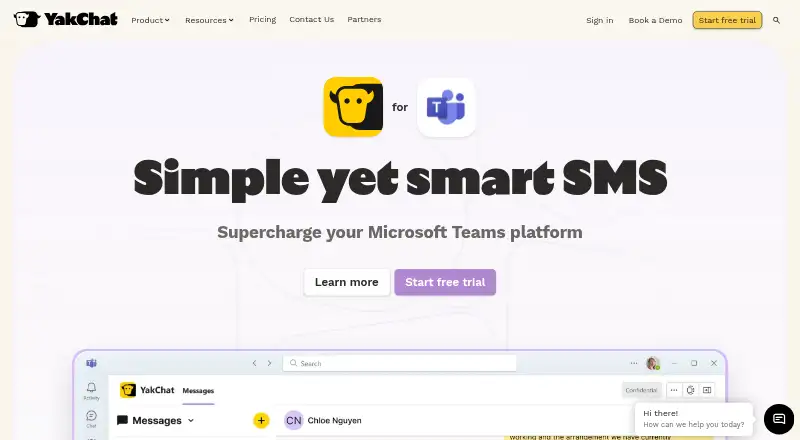
What YakChat is
YakChat brings business messaging into Microsoft Teams, Webex, browsers, and mobile apps. It handles SMS, MMS, WhatsApp Business Messaging, and RCS, with personal and shared inboxes, group messaging, scheduled messages, and out-of-office auto replies. The listed platforms are Android, iOS, web, Windows, and a browser extension. That extension works with Microsoft Edge and Google Chrome, and can start a chat when someone clicks a phone number on a website. Sign-in options include Microsoft 365, Webex, Okta, Google, and standard email login. YakChat lists connections to Microsoft Power Automate, Tango Extend, and SMS or CPaaS providers Bandwidth, Twilio, and Telnyx. It can archive messages to Microsoft Purview, Smarsh, Global Relay, Nuclei Cloud Archiving, email, Power Automate, webhooks, and AWS or Azure storage. YakChat states that it is SOC 2 Type II certified and HIPAA compliant. Its paid offering includes a 14-day free trial, and Professional includes text translation across 110 languages. MMS is supported in the USA and Canada; MMS Group Chat on Professional supports up to 10 participants, including the sender.
Who it suits
YakChat suits teams that want to manage business messages across collaboration tools, browsers, and mobile apps. It may also suit organizations that need shared inboxes, workflow automation, or message archiving to supported services.
What it does well
- Combines SMS, MMS, WhatsApp Business Messaging, and RCS.
- Supports personal and shared inboxes, scheduled messages, and auto replies.
- Browser extension can start chats from phone numbers on websites.
- Professional includes translation across 110 languages.
- Supports multiple sign-in and archiving options.
What to know first
- There is no free plan; the offer is paid with a 14-day trial.
- MMS is supported in the USA and Canada, but not the UK or Australia.
- Professional MMS Group Chat is limited to 10 participants including the sender.
Limits
The trial lasts 14 days. MMS Group Chat is available to US and Canadian users on Professional and supports up to 10 participants including the sender; MMS is not yet supported in the UK or Australia.
Plans
| Plan | Billed and limits | Price |
|---|---|---|
| Custom plans | Tailored to your business; monthly text-credit boosters available | On request |
As yakchat.com lists them, read 3 Oct 2026. The maker's own page has the final word.
Getting started
- Visit the YakChat website.
- Start the 14-day free trial; no credit card is required.
- Sign in through Microsoft 365, Webex, Okta, Google, or standard email.
- Use the web or mobile apps, or add the browser extension for Edge or Chrome.
Verdict
Choose YakChat if your team needs business messaging in tools such as Microsoft Teams or Webex, with shared inboxes and archiving options. Look elsewhere if you need MMS in the UK or Australia, or if a free plan is essential.
Questions
Is YakChat free?
No. YakChat is a paid service and does not have a free plan. It offers a 14-day free trial without a credit card requirement.
Which platforms does YakChat support?
YakChat lists Android, iOS, web, Windows, and a browser extension. The extension supports Microsoft Edge and Google Chrome.
What messaging channels does YakChat support?
It brings SMS, MMS, WhatsApp Business Messaging, and RCS into tools including Microsoft Teams, Webex, browsers, and mobile apps.
What does YakChat cost?
The listed Custom plans price is not provided. The plan is tailored to a business, with monthly text-credit boosters available.
Which integrations and archiving destinations are available?
YakChat lists Microsoft Power Automate, Tango Extend, Bandwidth, Twilio, and Telnyx integrations. Archiving destinations include Microsoft Purview, Smarsh, Global Relay, Nuclei Cloud Archiving, email, webhooks, and AWS or Azure storage.
Facts from YakChat's own pages
- Archiving
- YakChat supports archiving to Microsoft Purview, Smarsh, Global Relay, Nuclei Cloud Archiving, email, Power Automate, webhooks, and AWS or Azure storage. · yakchat.com, 3 Oct 2026
- Authentication
- YakChat supports sign-in through Microsoft 365, Webex, Okta, Google, or standard email login. · yakchat.com, 3 Oct 2026
- Browser extension
- The browser extension supports Microsoft Edge and Google Chrome and can start chats by clicking phone numbers on websites. · yakchat.com, 3 Oct 2026
- Business messaging
- YakChat brings SMS, MMS, WhatsApp Business Messaging, and RCS into tools including Microsoft Teams, Webex, browsers, and mobile apps. · yakchat.com, 3 Oct 2026
- Compliance
- YakChat states that it is SOC 2 Type II certified and HIPAA compliant. · yakchat.com, 3 Oct 2026
- Integrations
- YakChat lists integrations with Microsoft Power Automate, Tango Extend, and SMS/CPaaS providers including Bandwidth, Twilio, and Telnyx. · yakchat.com, 3 Oct 2026
- Media and group limits
- MMS Group Chat is available to US and Canadian users on the Professional plan and supports up to 10 participants including the sender. · yakchat.com, 3 Oct 2026
- Messaging tools
- Features include personal and shared inboxes, group messaging, scheduled messages, and out-of-office auto replies. · yakchat.com, 3 Oct 2026
- Regional limits
- The pricing FAQ says MMS is supported in the USA and Canada, but not yet in the UK or Australia. · yakchat.com, 3 Oct 2026
- Support
- YakChat links to a Help Center and offers contact and demo options for questions about its features. · yakchat.com, 3 Oct 2026
- Translation
- The pricing page says Professional includes text translation across 110 languages. · yakchat.com, 3 Oct 2026
- Trial
- YakChat advertises a 14-day free trial with no credit card required, commitment, or obligation. · yakchat.com, 3 Oct 2026
Where YakChat stands on Freedom251
- Two-Way SMS Software#19 of 30