Freedom251 › Keyboard and Mouse Customization Software
Wooting Macros
What Wooting Macros is
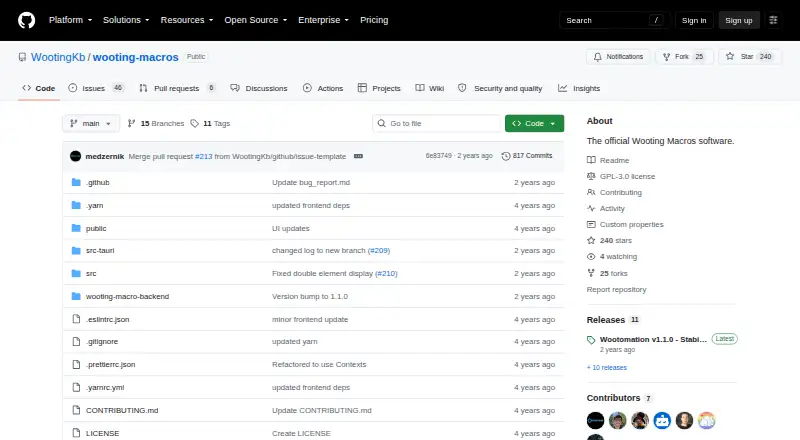
Wooting Macros is a free, open-source utility for creating keyboard and mouse macros on Windows and Linux. Its Wootomation software can automate keystrokes, open applications, folders, or websites, and paste text with emojis. Macros can be grouped into collections that are toggled together, then assigned to keyboard keys or mouse buttons. Windows 10/11 and most Linux distributions are listed as supported; Windows uses an MSI installer, while Linux users can choose an AppImage or .deb and may need to join the input group. The project is licensed under GNU GPL version 3, and its Free plan costs nothing. Release 1.1.0 added collection-wide macro search, key-combination fixes, and updated libraries. The README says macOS support is on the project’s radar. Linux Wayland use may be unstable, and mice with more than five buttons may behave unexpectedly.
Who it suits
It suits Windows and Linux users who want assignable macros for keys or mouse buttons and grouped macro sets. Users should review its input-capture and Linux limitations before setup.
What it does well
- Automates keystrokes and application launches
- Collections toggle multiple macros together
- Keyboard and mouse-button triggers
- Free GPL-3.0 open source
- Windows and Linux support
What to know first
- Linux Wayland use may be unstable
- Mice over five buttons may misbehave
- Scheduler may add input latency
Plans
| Plan | Billed and limits | Price |
|---|---|---|
| Free | Open source under GPL-3.0 · Windows and Linux | Free |
As github.com lists them, read 12 Oct 2026. The maker's own page has the final word.
Verdict
Wooting Macros provides straightforward macro creation and collection management across Windows and Linux. Its keystroke access, possible game-rule concerns, and platform-specific limitations deserve attention.
Facts from Wooting Macros's own pages
- Collections
- Macros can be grouped into collections that can be toggled on or off together. · github.com, 12 Oct 2026
- Downloads
- The README directs Windows users to install an MSI and Linux users to use an AppImage or .deb; Linux users might need to join the input group. · github.com, 12 Oct 2026
- Founded
- 2015 · github.com, 28 Sept 2026
- Keystroke access
- The README says the application grabs and analyzes keystrokes and advises users not to run it alongside games because macros may be considered cheating depending on configuration. · github.com, 12 Oct 2026
- Linux limitations
- The README warns that Linux may be unstable with Wayland, distribution and desktop-environment bugs can occur, and the scheduler may add input latency. · github.com, 12 Oct 2026
- Macro support
- Yes · github.com, 22 Sept 2026
- Maker history
- Wooting says it started its journey to make analog input keyboards the new standard in 2015. · wooting.io, 12 Oct 2026
- Mouse limitations
- The README warns that mice with more than five buttons may behave unexpectedly. · github.com, 12 Oct 2026
- Open source
- The repository identifies the project as open source and licenses it under GNU GPL version 3. · github.com, 12 Oct 2026
- Operating systems
- The README lists Windows 10/11 and most Linux distributions as supported, with macOS support described as being on the project's radar. · github.com, 12 Oct 2026
- Release features
- The v1.1.0 release notes list macro search across collections, key-combination fixes, and updated libraries among its changes. · github.com, 12 Oct 2026
- Support
- The README directs users to the project's Discord to report issues. · github.com, 12 Oct 2026
- Supported operating systems
- cross-platform · github.com, 22 Sept 2026
- Triggers
- Macros can be bound to keyboard keys or mouse buttons. · github.com, 12 Oct 2026
- What it does
- Wootomation creates macros for keystrokes, opening applications, folders and websites, and pasting text with emojis. · github.com, 12 Oct 2026