Freedom251 › Keyboard and Mouse Customization Software
mousemaster
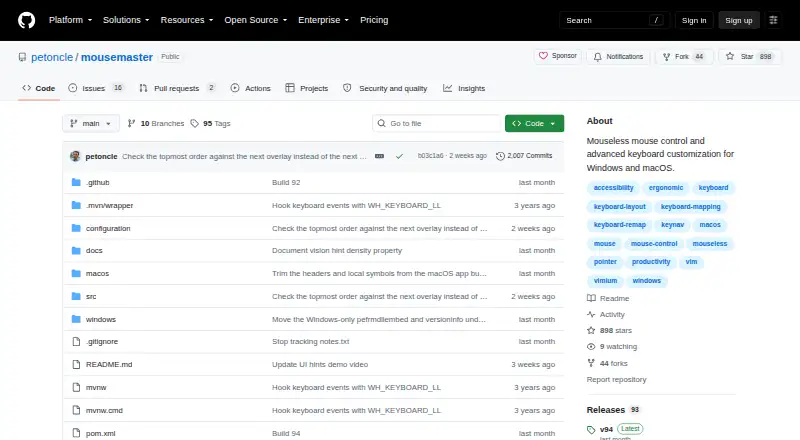
What mousemaster is
mousemaster is free software for controlling a computer mouse through the keyboard on Windows and macOS. It supports cursor movement, clicking, scrolling and dragging without conventional mouse actions. Hint mode labels screen locations so typing a label moves the cursor there, while UI hints label buttons, links and text fields in the active window. Keyboard combinations can use sequences, chords, timed holds, taps and tap-dances to run commands, switch modes or remap keys. Per-app profiles let combinations behave differently in each focused application. Settings stay in one file that reloads automatically after saving. Windows provides a portable executable and ready-made configuration files. On macOS, keyboard input is read through the Karabiner-Elements virtual HID device. Input Monitoring is required; UI hints need Accessibility permission and zoom needs Screen Recording. The macOS application is not signed or notarized. Help is available through GitHub issues or Discord, and the project invites contributions for Linux support.
Who it suits
It suits Windows and macOS users who want keyboard-driven pointer control or detailed key customization. It can also help people creating different controls for different applications.
What it does well
- Free on Windows and macOS
- Keyboard cursor movement, clicking and scrolling
- Per-app profiles for different key behavior
- Flexible sequences, chords and tap-dances
- Portable Windows executable
What to know first
- Linux support is not currently listed
- macOS app is unsigned and notarized
- Several macOS permissions are required
- Karabiner-Elements is needed for macOS input
Plans
| Plan | Billed and limits | Price |
|---|---|---|
| mousemaster | Windows and macOS | Free |
As github.com lists them, read 11 Oct 2026. The maker's own page has the final word.
Verdict
mousemaster offers extensive keyboard control and application-specific customization at no cost. macOS setup involves extra permissions and unsigned-app handling, while Linux users are limited to contributing toward support.
Facts from mousemaster's own pages
- App-specific behavior
- Combos can be restricted to specific apps so keys behave differently depending on the focused app. · github.com, 11 Oct 2026
- Configuration
- Configuration is kept in a single file that mousemaster automatically reloads when saved. · github.com, 11 Oct 2026
- Free plan
- Yes · github.com, 22 Sept 2026
- Hint navigation
- Hint mode overlays labeled screen locations so a user can type a label to move the cursor there. · github.com, 11 Oct 2026
- Key customization
- Combos can use key sequences, chords, timed holds, taps, and tap-dances to trigger commands, switch modes, or remap keys. · github.com, 11 Oct 2026
- macOS integration
- On macOS, mousemaster reads keyboard input through the Karabiner-Elements virtual HID device. · github.com, 11 Oct 2026
- macOS permissions
- macOS setup requires Input Monitoring, while Accessibility is needed for UI hints and Screen Recording is needed for zoom. · github.com, 11 Oct 2026
- Macro support
- Yes · github.com, 22 Sept 2026
- Mouse navigation
- It supports keyboard-driven cursor movement, clicking, scrolling, and dragging. · github.com, 11 Oct 2026
- Per-app profiles
- Yes · github.com, 22 Sept 2026
- Platform limit
- The project says it supports Windows and macOS and invites contributions to extend it to Linux. · github.com, 11 Oct 2026
- Purpose
- mousemaster provides mouseless mouse control and advanced keyboard customization for Windows and macOS. · github.com, 11 Oct 2026
- Signing status
- The macOS app is not signed or notarized, so the maker's installation instructions explain how to clear quarantine or allow it manually. · github.com, 11 Oct 2026
- Support
- The maker invites users to request configuration help through GitHub issues or Discord. · github.com, 11 Oct 2026
- Supported operating systems
- cross-platform · github.com, 22 Sept 2026
- UI hints
- UI hint navigation labels buttons, links, and text fields in the active window. · github.com, 11 Oct 2026
- Windows installation
- The Windows download is a portable executable, and the project provides ready-made configuration files. · github.com, 11 Oct 2026