Freedom251 › Software Uninstaller Tools

wmole
What wmole is
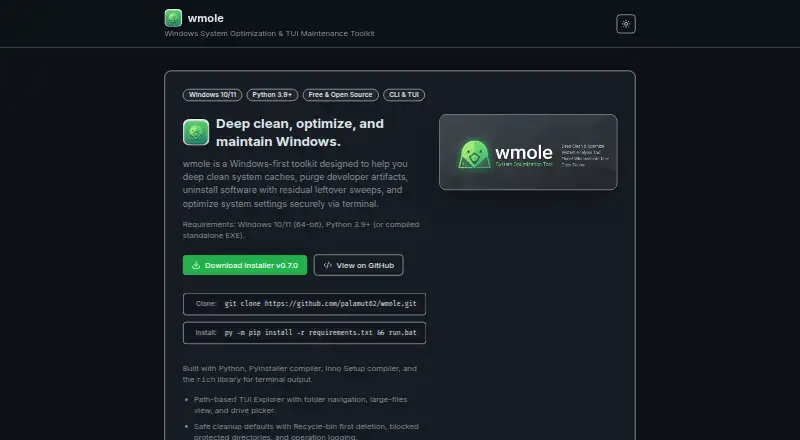
wmole is a free, Windows-first toolkit for cleaning caches, removing developer artifacts, finding uninstall leftovers and adjusting system settings. Its dashboard displays disk and RAM usage, CPU activity, a health score, reclaimable space and cleanup history. A text-based explorer supports folder navigation, drive selection, sub-item analysis and large-file listings. Deleted items go to the Recycle Bin by default, while protected folders such as Windows and Program Files are blocked. Developer cleanup targets include node_modules, .venv, target, build, dist, .next and Nuxt folders. The leftover scanner checks filesystem paths and Windows registry keys remaining after uninstallations. Maintenance actions include DNS and Winsock resets, Storage Sense and Windows Update resets. Live status covers uptime, network I/O, disk statistics, power state and sensor readings. Requirements are Windows 10/11 64-bit and Python 3.9+, or a compiled standalone EXE. The site also lists a pre-commit secret guard and ed25519/minisign updater verification.
Who it suits
wmole suits Windows users, especially developers who need cache, artifact and leftover cleanup. It also fits users seeking the listed system maintenance and monitoring views.
What it does well
- Free Windows cleanup toolkit
- Scans uninstall leftovers in files and registry
- Targets common developer artifact folders
- Uses Recycle Bin by default
- Includes signed-updater verification
What to know first
- Windows-only platform
- Permanent deletes cannot be recovered
- Some resets require administrator execution
- Requires Python unless using standalone EXE
Verdict
wmole combines cleanup, developer artifact removal, leftover scanning and Windows maintenance in one toolkit. Its safeguards help, but permanent deletion and administrator-required actions need care.
Facts from wmole's own pages
- Dashboard
- Its startup dashboard shows disk and RAM usage, CPU, a health score, reclaimable space, and cleanup history. · wmole.vercel.app, 11 Oct 2026
- Developer cleanup
- Purge targets include node_modules, .venv, target, build, dist, .next, and Nuxt folders. · wmole.vercel.app, 11 Oct 2026
- Developer security
- The v0.8.0 highlights include a pre-commit secret guard that blocks commits containing API keys or private keys. · wmole.vercel.app, 11 Oct 2026
- Features
- The listing marks paid-from, leftover scan, forced uninstall, batch uninstall, install monitoring, platform support, and portable version as not known. · techyorker.com, 5 Oct 2026
- File exploration
- The TUI path explorer supports folder navigation, drive selection, sub-item analysis, and large-file listings. · wmole.vercel.app, 11 Oct 2026
- Free plan
- The third-party listing says wmole has a free plan. · techyorker.com, 5 Oct 2026
- Maker
- The site identifies the maker as Umut, a full-stack developer and AI tools enthusiast. · wmole.vercel.app, 11 Oct 2026
- Maker details
- The opened listing identifies the product website as wmole.vercel.app and does not provide maker headquarters or founding year. · techyorker.com, 5 Oct 2026
- Platforms
- The listing says the maker’s pages it reviewed do not list supported platforms. · techyorker.com, 5 Oct 2026
- Pricing
- The listing says the maker does not publish plan prices on its site. · techyorker.com, 5 Oct 2026
- Product category
- A third-party product listing describes wmole as an uninstaller app. · techyorker.com, 5 Oct 2026
- Purpose
- wmole is a Windows-first toolkit for cleaning system caches, purging developer artifacts, finding uninstall leftovers, and optimizing system settings. · wmole.vercel.app, 11 Oct 2026
- Safe cleanup
- Deletes go to the Recycle Bin by default, and the tool blocks protected folders such as Windows and Program Files. · wmole.vercel.app, 11 Oct 2026
- Support
- The site links to GitHub Issues for reporting problems. · wmole.vercel.app, 11 Oct 2026
- System maintenance
- The site lists DNS and Winsock resets, Storage Sense, and Windows Update resets among its optimization actions. · wmole.vercel.app, 11 Oct 2026
- System requirements
- The site lists Windows 10/11 (64-bit) and Python 3.9+ as requirements, or a compiled standalone EXE. · wmole.vercel.app, 11 Oct 2026
- Telemetry
- Live status includes CPU and memory counters, uptime, network I/O, disk statistics, power state, and sensor readings. · wmole.vercel.app, 11 Oct 2026
- Trial
- The listing marks a free trial as not stated. · techyorker.com, 5 Oct 2026
- Uninstall leftovers
- The leftover scanner looks for filesystem paths and Windows registry keys remaining after app uninstallation. · wmole.vercel.app, 11 Oct 2026
- Update security
- The site says the in-app updater supports ed25519/minisign signature verification. · wmole.vercel.app, 11 Oct 2026
- Warnings
- The site warns that permanent deletes are non-recoverable and that registry manipulations or service resets require administrator execution. · wmole.vercel.app, 11 Oct 2026
Where wmole stands on Freedom251
- Software Uninstaller Tools#26 of 35
- Uninstallers#26 of 35
- Uninstaller apps#27 of 36