Freedom251 › Cybersecurity Training Platforms
Wizer
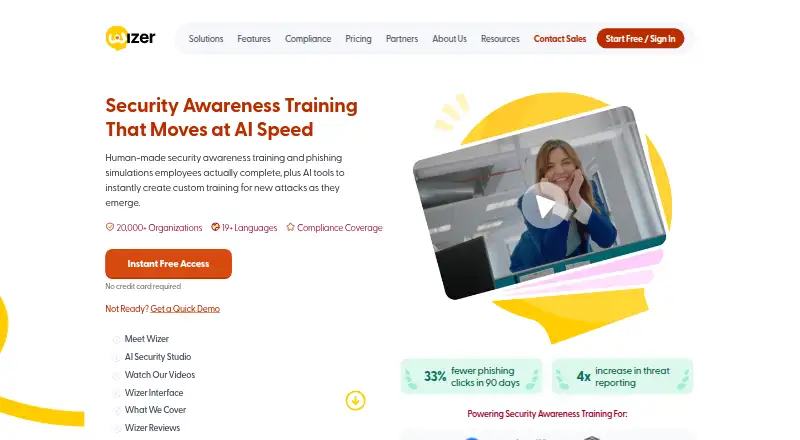
What Wizer is
Wizer is a cloud-based platform for security awareness training and phishing simulations. Its courses address topics including phishing, ransomware, compliance, GDPR, insider threats, AI and deepfake attacks, and secure code. WizerAI Studio turns documents, policies, or topics into training videos; the platform also offers deepfake awareness training and an interactive real-or-AI challenge. Boost includes adaptive phishing simulations, refreshed templates, report buttons, course planning, analytics, and automated training assignments for developers. Organizations can use Azure AD or Google Workspace for directory provisioning, Okta or OneLogin for single sign-on, and Zapier for integrations. SCORM packages allow teams to bring training into external learning systems, including Moodle, SAP Litmos, Docebo, and Blackboard. The free plan includes basic annual training, basic user management, limited reporting, and learner reminders. Boost has a 10-day trial that includes a phishing simulation. Wizer lists a SOC 2 Type II badge and says data locations for its platform sub-processors include the USA.
Who it suits
Wizer suits organizations that want security awareness courses alongside phishing simulations and training administration. Its listed integrations and SCORM packages may suit teams using external directories, identity providers, or learning systems.
What it does well
- Free plan includes basic annual training.
- Boost trial includes a phishing simulation.
- Training covers AI and deepfake attacks.
- SCORM packages support external LMS platforms.
- Supports SSO through Okta and OneLogin.
What to know first
- Free plan reporting is limited.
- Boost pricing varies by user threshold and term.
- Listed data locations include the USA.
Limits
The Free Plan includes basic annual training, basic user management, limited reporting and automatic learner reminder emails. Boost’s listed per-user pricing applies to a three-year term billed annually, starts at 25 users, and one-year pricing is available by request.
Plans
| Plan | Billed and limits | Price |
|---|---|---|
| Wizer Free Plan | Basic annual security awareness training · learner console · basic user management · limited reporting · no credit card | Free |
| Wizer Boost (1,001+ users) | 3-year term, billed annually · Comprehensive training · phishing simulations · gamification · integrations and APIs · monthly videos | $12 a year |
| Wizer Boost (501+ users) | 3-year term, billed annually · Comprehensive training · phishing simulations · gamification · integrations and APIs · monthly videos | $14 a year |
| Wizer Boost (101+ users) | 3-year term, billed annually · Comprehensive training · phishing simulations · gamification · integrations and APIs · monthly videos | $17 a year |
| Wizer Boost (51+ users) | 3-year term, billed annually · Comprehensive training · phishing simulations · gamification · integrations and APIs · monthly videos | $20 a year |
| Wizer Boost Plan | Per user, per year on a 3-year term, billed annually; $25 for 25+ users, $20 for 51+, $17 for 101+, $14 for 501+, $12 for 1,001+, $8 for 3,001+; contact sales for 5,001+ users · Volume pricing starts at 25 users · 1-year pricing by request | $25 a year |
| Wizer Boost (25+ users) | 3-year term, billed annually · Comprehensive training · phishing simulations · gamification · integrations and APIs · monthly videos | $25 a year |
| Wizer Boost (3,001+ users) | 3-year term, billed annually · Comprehensive training · phishing simulations · gamification · integrations and APIs · monthly videos | $8 a year |
The first 8 of 9 plans, as wizer-training.com lists them, read 14 Oct 2026. The maker's own page has the final word. Every plan
Getting started
- Open https://www.wizer-training.com/.
- Start with the Wizer Free Plan for basic annual training, user management, reporting and learner reminders.
- Try Boost free for 10 days, including the ability to run a phishing simulation.
- Select Boost at the listed per-user rate for your user-count tier, or contact sales for 5,001 or more users.
- Use Wizer on Android, iOS or web, or access its API documentation in the admin console.
Wizer is a cloud-based security awareness training and phishing simulation platform for organizations. It best suits teams that want training, exercises, and administration in one service. Its free plan makes it possible to start small, while Boost is the choice for teams that need phishing simulations and broader administration.
Overview
Wizer combines a broad security curriculum with tools for assigning courses, planning training, and reviewing analytics. Topics include phishing, ransomware, compliance, GDPR, insider threats, AI and deepfake attacks, and secure code. The platform says it launched in 2019 and serves more than 20,000 organizations in over 50 countries.
Its mix of training and simulated phishing makes it a more complete fit for employee-awareness programs than a tool focused only on one exercise type. The free plan is a practical starting point, but its limited reporting and lack of listed phishing simulations make it less suitable for teams that need to measure behavior through exercises.
Key features
Training and AI content
WizerAI Studio can turn documents, policies, or topics into training videos, which may help organizations build material around their own guidance. Deepfake awareness training and an interactive real-or-AI challenge address a newer class of social-engineering risk. Eleven course languages can help teams with multilingual learners, though the number alone does not establish coverage for any particular workforce.
Phishing and administration
Boost provides adaptive phishing simulations, monthly updated templates, and report buttons. Alongside automated phishing, course planning, analytics, training assignment for developers, risk scoring, and automated training give administrators tools to coordinate learning and follow activity. These features make Boost the stronger fit for a managed program; teams needing only basic annual training may not need to pay for them.
Integrations and deployment
Azure AD and Google Workspace support directory provisioning, while Okta and OneLogin support single sign-on. Zapier integrations and API documentation with integration-key setup provide additional ways to connect workflows. SCORM packages let organizations import Wizer training into external LMS platforms, including Moodle, SAP Litmos, Docebo, and Blackboard. This is useful for teams already managing learning through an LMS rather than a reason by itself to replace one.
Wizer lists Android, iOS, web, and API platforms. Its site displays a SOC 2 Type II certification badge, and its privacy policy describes technical, organizational, and security measures for personal data. It lists Google Cloud, Microsoft Azure, DigitalOcean, and other platform sub-processors with data locations in the USA, a point organizations should weigh against their own location and data-handling requirements.
Pricing
Wizer Free Plan
The free plan costs nothing and includes basic annual security awareness training, basic user management, limited reporting, and automatic learner reminder emails. It suits organizations that want a no-cost introduction to recurring training, but limited reporting and the absence of listed phishing simulations make it a constrained option for teams seeking a fuller awareness program.
Wizer Boost Plan
Boost is priced at $25 a year per user on a 3-year term, billed annually, for 25+ users. The per-user annual price falls by volume: $20 for 51+, $17 for 101+, $14 for 501+, $12 for 1,001+, and $8 for 3,001+ users. Contact sales for 5,001+ users; volume pricing starts at 25 users, and 1-year pricing is available by request. The 3-year commitment matters for buyers comparing the headline rate with a shorter contract.
Boost is the relevant tier for adaptive phishing simulations, refreshed templates, report buttons, and the broader administration tools. Wizer offers a free 10-day Boost trial, including the ability to run a phishing simulation, so teams can assess that workflow before committing. Managed Boost includes priority support; Wizer also provides support at [email protected].
Platforms
Wizer supports Android, iOS, web, and API. Its SCORM packages support importing training into external LMS platforms, while the named directory and single sign-on integrations can fit organizations using Azure AD, Google Workspace, Okta, or OneLogin.
Who it's for
Wizer is best suited to organizations building a recurring security-awareness program that want course administration and phishing simulation under one roof. Boost is a better match for teams that need exercises, reporting, automation, or developer training assignments. Organizations that only need basic annual training can start with Free; buyers with strict data-location requirements should assess the USA locations Wizer lists before choosing it.
Pros and cons
- Pros: Wide-ranging topics, including AI and deepfake awareness, give programs scope beyond routine phishing instruction.
- Pros: Boost combines adaptive simulations, updated templates, report buttons, analytics, and automated training for centralized administration.
- Pros: SCORM, directory, SSO, Zapier, and API options support a range of existing learning and identity workflows.
- Cons: The free plan has limited reporting and only basic user management, limiting its usefulness for teams that need stronger oversight.
- Cons: Boost's stated per-user annual rate is tied to a 3-year term, while one-year pricing requires a request.
- Cons: Wizer lists sub-processor data locations in the USA, which may not suit every organization's requirements.
Alternatives
Consider SentryMail if a self-hosted option is important; it also has a free plan. CyberHoot is another freemium choice with a free trial; its Autopilot plan is $125 a month and includes white-label functionality, multi-tenancy, automation, interactive HootPhish training, and videos. Choose Gophish if a free option for Windows, macOS, or Linux better fits your needs. DarkPhish and Hackiwi are other freemium alternatives with free plans. Consider Hoxhunt, a paid option supporting web, desktop, and mobile platforms, or Proofpoint Email DLP and Encryption, a paid product for Android, iOS, web, and Windows. BullPhish ID is another paid, web-based alternative.
Compare Wizer with other Security Awareness Training Software and Cybersecurity Training Platforms.
Verdict
Choose Wizer if your organization wants security training and phishing simulations joined with course administration, and Boost's reporting and automation justify its term. Its free plan is a sensible entry point for basic annual training. Look elsewhere if you need a different data-location arrangement, only want a narrowly focused tool, or do not want a 3-year Boost commitment.
Verdict
Wizer combines security training, phishing exercises, and administration features, with a free plan and a trial for Boost. Teams should check the plan terms and listed data-location details against their needs.
Questions
Does Wizer have a free plan?
Yes. The Wizer Free Plan includes basic annual security awareness training, basic user management, limited reporting and automatic learner reminder emails.
How much does Wizer Boost cost?
For a three-year term billed annually, the listed rate is $25 per user per year for 25 or more users, decreasing at larger user thresholds to $8 for 3,001 or more. One-year pricing is available by request; contact sales for 5,001 or more users.
Can I try Boost before paying?
Yes. Boost has a 10-day free trial that includes the ability to run a phishing simulation.
Which platforms does Wizer support?
Wizer lists Android, iOS, web and API.
Can Wizer courses be used in another LMS?
Yes. Wizer offers SCORM packages for external platforms including Moodle, SAP Litmos, Docebo and Blackboard.
Which identity integrations does Wizer list?
Azure AD and Google Workspace are listed for directory provisioning; Okta and OneLogin are listed for single sign-on. Wizer also lists Zapier integrations.
Facts from Wizer's own pages
- Administration
- The platform offers course planning, analytics, automated phishing simulations, and training assignment for developers. · wizer-training.com, 30 Sept 2026
- AI data restriction
- Wizer says AI Studio inputs must not contain personal or confidential data and says inputs and outputs are not used to train its own models. · wizer-training.com, 14 Oct 2026
- AI limitation
- Wizer disclaims accuracy and completeness of AI outputs and requires customers to review them before use. · wizer-training.com, 14 Oct 2026
- AI Security Studio
- WizerAI Studio turns documents, policies or topics into shareable training videos without video editing. · wizer-training.com, 14 Oct 2026
- AI tools
- WizerAI Studio can turn documents, policies, or topics into training videos, and the product includes deepfake awareness training and an interactive real-or-AI challenge. · wizer-training.com, 30 Sept 2026
- Analytics
- Wizer provides high-level program analytics to monitor awareness progress. · wizer-training.com, 14 Oct 2026
- API
- The admin console provides API documentation and integration key setup, and Wizer also documents Zapier setup. · learn.wizer-training.com, 30 Sept 2026
- Company
- Wizer says it launched in 2019 and serves more than 20,000 organizations in over 50 countries. · wizer-training.com, 30 Sept 2026
- Company products
- Crunchbase describes Wizer Boost as cloud training with phishing, reporting, policy tracking and user administration, and WizerAI Studio as an AI content generator. · crunchbase.com, 14 Oct 2026
- Content coverage
- Topics include phishing, ransomware, GDPR, insider threats, social engineering, cloud security, AI attacks and secure coding. · wizer-training.com, 14 Oct 2026
- Data locations
- Wizer lists Google Cloud, Microsoft Azure, DigitalOcean, and other platform sub-processors with data locations in the USA. · wizer-training.com, 30 Sept 2026
- Deepfake training
- Wizer offers training that helps learners recognize manipulated media and AI-enabled scams. · wizer-training.com, 14 Oct 2026
- Documentation
- The knowledge base contains setup, phishing, account settings, SSO, provisioning, training, policy and learner-console guides. · learn.wizer-training.com, 14 Oct 2026
- Founded
- 2019 · wizer-training.com, 28 Sept 2026
- Free-service limitation
- The free subscription is provided as-is without warranty, indemnification or support and may be changed or terminated at Wizer's discretion. · wizer-training.com, 14 Oct 2026
- Identity integrations
- Wizer documents SSO and provisioning for Azure, Okta, OneLogin, Google Workspace, custom SAML and JumpCloud through custom SAML. · learn.wizer-training.com, 14 Oct 2026
- Integrations
- Wizer lists Azure AD and Google Workspace for directory provisioning, Okta and OneLogin for single sign-on, and Zapier for integrations. · wizer-training.com, 30 Sept 2026
- Languages
- The site lists Hebrew, Spanish, Chinese, Portuguese, Italian, German, Dutch, French, English and Russian support. · wizer-training.com, 14 Oct 2026
- Learner console
- Learners can see assigned and completed training, certificates and policies in one dashboard. · wizer-training.com, 14 Oct 2026
- Legal name
- Crunchbase identifies the legal entity as Wizer Inc and lists Gabriel Friedlander as founder. · crunchbase.com, 14 Oct 2026
- Licence
- The service is proprietary and licensed for limited internal use; copying, reverse engineering, resale and derivative products are prohibited. · wizer-training.com, 14 Oct 2026
- Limit: SCIM direction
- The Okta SCIM guide says Wizer does not support provisioning from Wizer back to Okta. · learn.wizer-training.com, 14 Oct 2026
- Limit: SSO password recovery
- For SSO accounts, Wizer says password resets are handled by the customer's administrators because Wizer does not provide an SSO password-reset option. · learn.wizer-training.com, 14 Oct 2026
- LinkedIn company facts
- LinkedIn lists Wizer as privately held, founded in 2019, headquartered in Boston and employing 51–200 people. · linkedin.com, 14 Oct 2026