Freedom251 › Game recording software
Wisp
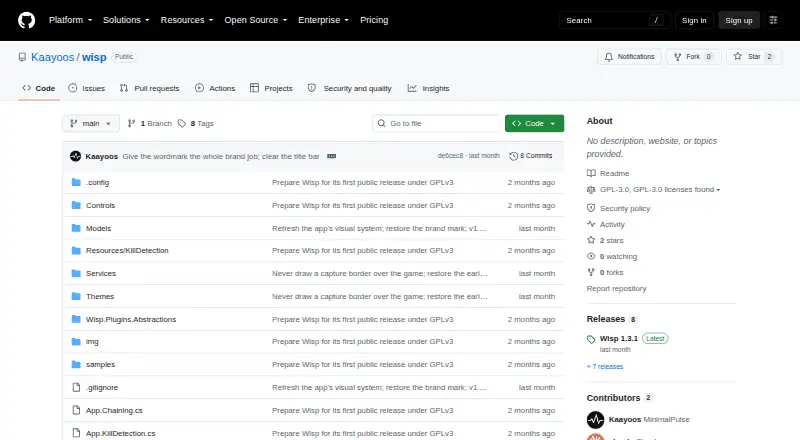
What Wisp is
Wisp is a free, open-source game clip recorder for Windows 10 and Windows 11. It keeps a screen-and-audio buffer continuously or while a game is running, then saves that buffer when you press a hotkey or kill detection is enabled. A clip can be created in under a second, and pressing the hotkey again while a clip is fresh can chain another segment to it with a marker at each press.
Kill detection uses official local APIs for League of Legends and CS2; detection for Valorant and Overwatch 2 is experimental and samples their on-screen kill confirmation UI. Wisp captures with Windows Graphics Capture, with Desktop Duplication and GDI as alternatives, and supports hardware encoding on NVIDIA, AMD, and Intel GPUs. System audio and microphone input can be mixed independently, while voice chat apps such as Discord can be isolated on a separate track. An optional voice trigger runs a bundled speech model locally without internet access.
Its clip browser shows thumbnails, duration, and file size, and supports playback, search, sorting, renaming, and deletion. Plugins can add themes, overlays, timeline markers, export video layers, clip actions, and tray menu items. The maker says Wisp has no ads, account, or telemetry; its GitHub update check is the only network connection and can be disabled. Wisp is licensed under GNU GPL version 3.0 or later.
Who it suits
Wisp suits Windows gamers who want to save recent gameplay clips through a hotkey or supported kill detection, with separate control over system audio and microphone input. It may also suit users who want local voice triggering, plugins, or an open-source recorder.
What it does well
- Free software under GNU GPL version 3.0 or later.
- Can save a buffered clip in under a second.
- Supports hardware encoding on NVIDIA, AMD, and Intel GPUs.
- Can isolate apps such as Discord on a separate audio track.
- Optional voice trigger runs locally without internet access.
- Clip browser supports search, sorting, playback, renaming, and deletion.
What to know first
- Runs on Windows 10 version 2004 or newer.
- Kill detection for Valorant and Overwatch 2 is experimental.
- The maker says anti-cheat vendors provide no written guarantee.
Limits
Wisp requires Windows 10 version 2004 (build 19041) or newer. Kill detection for Valorant and Overwatch 2 is experimental, and the maker says anti-cheat vendors provide no written guarantee.
Plans
| Plan | Billed and limits | Price |
|---|---|---|
| Wisp | Free software under GNU GPL v3.0 or later | Free |
As github.com lists them, read 11 Oct 2026. The maker's own page has the final word.
Getting started
- Open the Wisp project website on GitHub.
- Use a Windows 10 system running version 2004 (build 19041) or newer.
- Set Wisp to buffer continuously or while a game is running.
- Use a hotkey to save a clip, or enable kill detection for a supported game.
Verdict
Choose Wisp if you want a free Windows recorder that saves buffered gameplay through hotkeys or supported kill detection, with flexible audio tracks and a local voice trigger. Look elsewhere if you need a platform other than Windows or require a written anti-cheat guarantee.
Questions
How much does Wisp cost?
Wisp is free software under GNU GPL version 3.0 or later.
Which operating systems does it support?
Wisp runs on Windows 10 version 2004 (build 19041) or newer and supports Windows 10 and Windows 11.
Which games have kill detection?
League of Legends and CS2 use their official local APIs. Valorant and Overwatch 2 are supported experimentally through on-screen kill confirmation detection.
Does Wisp send data over the internet?
The maker says Wisp has no ads, account, or telemetry. Its only network connection is GitHub for update checks, which can be disabled.
Does it support separate voice chat audio?
Yes. Voice chat apps such as Discord can be isolated onto their own audio track.
Facts from Wisp's own pages
- Anti-cheat approach
- The maker says Wisp does not inject into game processes, read game memory, or hook game rendering; it also says anti-cheat vendors provide no written guarantee. · github.com, 11 Oct 2026
- Audio
- System audio and microphone can be mixed independently, and voice chat apps such as Discord can be isolated onto their own track. · github.com, 11 Oct 2026
- Webcam overlay
- Yes · github.com, 20 Sept 2026
- Capture
- Screen capture uses Windows Graphics Capture, with Desktop Duplication and GDI as fallbacks. · github.com, 11 Oct 2026
- Capture and encoding
- Wisp uses Windows Graphics Capture, with Desktop Duplication and GDI as fallbacks, and supports hardware encoding on NVIDIA, AMD, and Intel GPUs. · github.com, 11 Oct 2026
- Clip capture
- Wisp buffers continuously or while a game is running and can merge the buffer into a clip in under a second after a hotkey press. · github.com, 11 Oct 2026
- Clip chaining
- Pressing the hotkey again while a clip is fresh chains the clips together with a marker at each press. · github.com, 11 Oct 2026
- Clip library
- The clip browser displays duration, file size, and thumbnails, and supports playback, renaming, deletion, search, and sorting. · github.com, 11 Oct 2026
- Discord audio
- Wisp can isolate voice chat apps such as Discord onto a separate audio track. · github.com, 11 Oct 2026
- Encoding and audio
- Wisp automatically uses hardware encoding on NVIDIA, AMD, or Intel GPUs when available, and can mix system audio and microphone input independently. · github.com, 11 Oct 2026
- Game detection
- Kill detection supports League of Legends and CS2 through their official local APIs, and experimentally supports Valorant and Overwatch 2 by sampling their on-screen kill confirmation UI. · github.com, 11 Oct 2026
- GPU encoding
- Yes · github.com, 20 Sept 2026
- Instant replay
- Yes · github.com, 20 Sept 2026
- Kill detection
- Kill detection uses each game's official local API for League of Legends and CS2, and experimental on-screen detection for Valorant and Overwatch 2. · github.com, 11 Oct 2026
- License
- Wisp is free software licensed under GNU GPL version 3.0 or later. · github.com, 11 Oct 2026
- License and cost
- Wisp is free software under GNU GPL version 3.0 or later. · github.com, 11 Oct 2026
- Offline voice trigger
- An optional voice trigger runs a bundled speech model locally without using the internet. · github.com, 11 Oct 2026
- Plugins
- Wisp plugins can add themes, player overlays, timeline markers, export video layers, clip actions, and tray menu items. · github.com, 11 Oct 2026
- Privacy
- The maker says Wisp has no ads, account, or telemetry; its only network connection is GitHub for update checks, which can be disabled. · github.com, 11 Oct 2026
- Purpose
- Wisp is a Windows game clip recorder that buffers screen and audio and saves clips when you press a hotkey or enable kill detection. · github.com, 11 Oct 2026
- Recording modes
- multi-mode · github.com, 20 Sept 2026
- Security support
- The security policy asks users to report vulnerabilities by email and says reports will be acknowledged within a few days. · github.com, 11 Oct 2026
- Supported platforms
- Windows 10 and Windows 11 · github.com, 20 Sept 2026
- Supported Windows versions
- The README says Wisp runs on Windows 10 version 2004 (build 19041) and newer. · github.com, 11 Oct 2026
Where Wisp stands on Freedom251
- Game recording software#17 of 30