Freedom251 › Game recording software

GamePlay
What GamePlay is
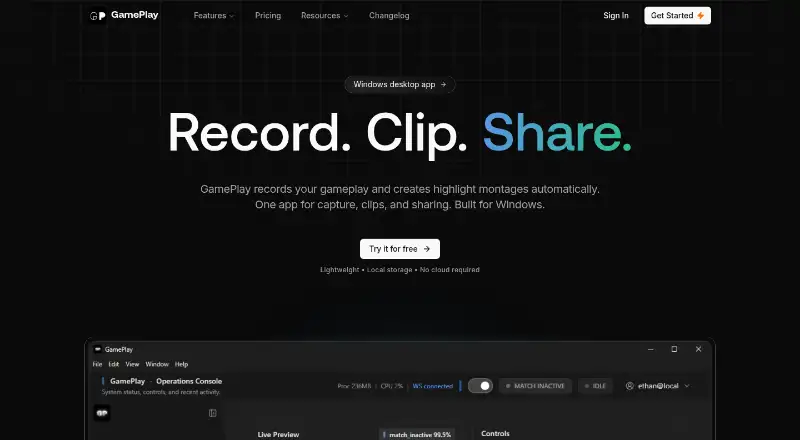
GamePlay is Windows software that records gameplay and automatically turns moments into highlight montages. Its workflow covers recording, highlight inference, montage creation, and export. GamePlay says its inference process scores each moment, and describes the runtime as local-first, with no cloud required. The desktop shell manages the interface, shortcuts, settings, and file orchestration; a Python service performs computer vision inference and generates state events. The Free plan includes unlimited gameplay recording, with raw recordings saved locally, as well as custom keybinds, basic settings, and community support. Pro adds automatic montages, music search and montage audio, priority support, and early access to new features. It costs $9 a month. GamePlay describes Free as intended for casual players and Pro for streamers and creators. The site offers the product as a Windows desktop app, and account registration offers Google and Discord sign-in. Recording modes are described as multi-mode, without further detail about the modes. Players who mainly want to capture gameplay can start with the free recording plan; those seeking the listed montage and audio tools can choose Pro.
Who it suits
GamePlay suits Windows players who want to record gameplay and keep raw recordings on their computer. Pro is aimed at streamers and creators who want automatic montages, montage audio tools, priority support, and early access to features.
What it does well
- Free includes unlimited gameplay recording.
- Raw recordings are saved locally.
- Local-first runtime does not require cloud processing.
- Pro adds automatic montages and montage audio.
What to know first
- The app is available for Windows.
- Automatic montages are included with the paid Pro plan.
- Pro costs $9 a month.
Limits
Free provides recording and saves raw recordings locally; automatic montages, music search and montage audio are listed with Pro at $9 a month.
Plans
| Plan | Billed and limits | Price |
|---|---|---|
| Free | Unlimited gameplay recording · Raw recordings saved locally · Custom keybinds · Basic settings · Community support | Free |
| Pro | Auto montages · Music search & montage audio · Priority support · Early access to new features | $9 a month |
As gameplay.software lists them, read 8 Oct 2026. The maker's own page has the final word.
Getting started
- Open the GamePlay website.
- Download the Windows desktop app.
- Create an account using Google or Discord sign-in.
- Choose Free or Pro, depending on whether you need Pro's montage and audio features.
- Set custom keybinds and basic settings, then record gameplay.
Verdict
Choose GamePlay Free if you want unlimited gameplay recording with locally saved raw files. Pro is the option for streamers and creators who need automatic montages and the listed music tools; look elsewhere if you need a platform other than Windows.
Questions
Is GamePlay free?
Yes. The Free plan costs nothing and includes unlimited gameplay recording.
How much does Pro cost?
Pro costs $9 a month.
What does Pro add?
Pro includes automatic montages, music search and montage audio, priority support, and early access to new features.
Which operating system does GamePlay support?
GamePlay is offered as a Windows desktop app.
Does GamePlay require cloud processing?
GamePlay describes its runtime as local-first and says no cloud is required.
How can I sign in?
The account sign-up page offers Google and Discord sign-in options.
Facts from GamePlay's own pages
- Account sign-in
- The account sign-up page offers Google and Discord sign-in options. · gameplay.software, 8 Oct 2026
- Automatic workflow
- The product flow includes recording, highlight inference, montage creation, and montage export. · gameplay.software, 8 Oct 2026
- Download
- The site offers GamePlay as a Windows desktop app. · gameplay.software, 8 Oct 2026
- Free plan
- Yes · gameplay.software, 20 Sept 2026
- Highlight scoring
- The site says highlight inference scores each moment. · gameplay.software, 8 Oct 2026
- Intended users
- The site describes Free as being for casual players and Pro as being for streamers and creators. · gameplay.software, 8 Oct 2026
- Local processing
- The site describes a local-first runtime and says no cloud is required. · gameplay.software, 8 Oct 2026
- Product
- GamePlay records gameplay and creates highlight montages automatically. · gameplay.software, 8 Oct 2026
- Pro features
- Pro includes automatic montages, music search and montage audio, priority support, and early access to new features. · gameplay.software, 8 Oct 2026
- Recording
- The Free plan includes unlimited gameplay recording, with raw recordings saved locally. · gameplay.software, 8 Oct 2026
- Recording modes
- multi-mode · gameplay.software, 20 Sept 2026
- Support
- The Free plan includes community support, and Pro includes priority support. · gameplay.software, 8 Oct 2026
- Supported platforms
- Windows · gameplay.software, 20 Sept 2026
- Technical architecture
- The desktop shell handles the interface, shortcuts, settings, and file orchestration, while a Python service handles computer vision inference and state event generation. · gameplay.software, 8 Oct 2026
Where GamePlay stands on Freedom251
- Game recording software#18 of 30