Freedom251 › Authenticator apps
Winticator
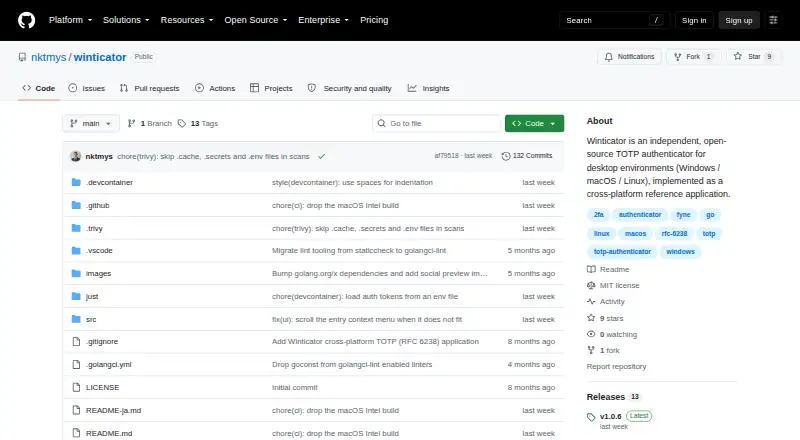
What Winticator is
Winticator is a free, open-source desktop authenticator for Windows, macOS, and Linux. It generates time-based one-time passwords according to RFC 6238 and operates entirely offline, making no network communications. You can scan TOTP QR codes shown on your screen, including Google Authenticator migration codes that use the otpauth-migration:// scheme. Entries can be exported and imported through a proprietary password-protected backup file, or displayed as QR codes for transfer to another device. Selecting an entry copies its current code to the clipboard, which clears automatically when that code expires. Winticator is presented as an independent technical demonstration and reference implementation, not a commercial product. The MIT License permits commercial use under its terms. Current downloads include Windows x64, macOS Apple Silicon, and Linux x64 binaries; macOS Intel binaries are no longer published. Large migration QR codes may be difficult to decode.
Who it suits
Winticator suits desktop users who need offline TOTP codes on Windows, macOS, or Linux. It also fits people moving entries from Google Authenticator or transferring them between devices.
What it does well
- Works entirely offline with no network communication
- Supports Windows, macOS, and Linux binaries
- Imports Google Authenticator migration QR codes
- Password-protected backup export and import
- Clipboard clears codes after expiration
What to know first
- No macOS Intel binary in latest releases
- Advanced enterprise features are out of scope
- Provided without warranty or official support
- Dense migration QR codes may fail to scan
Verdict
Winticator provides offline desktop TOTP generation with migration, backup, and transfer options. Its reference-implementation focus and missing macOS Intel release matter for production or older-Mac users.
Facts from Winticator's own pages
- Backup and restore
- Entries can be exported and imported using a proprietary password-protected backup file. · github.com, 11 Oct 2026
- Clipboard
- Selecting an entry copies its OTP code to the clipboard, which is automatically cleared after the code expires. · github.com, 11 Oct 2026
- Code type
- totp · github.com, 22 Sept 2026
- Current downloads
- The README lists Windows x64, macOS Apple Silicon, and Linux x64 binaries; the latest release notes say macOS Intel binaries are no longer published. · github.com, 11 Oct 2026
- Data transfer
- An entry can be displayed as a QR code for transfer to another device. · github.com, 11 Oct 2026
- Downloads
- The releases page provides Windows x64, macOS Apple Silicon, and Linux x64 binaries. · github.com, 11 Oct 2026
- Entry transfer
- Users can display an entry as a QR code to transfer it to another device. · github.com, 11 Oct 2026
- Free plan
- Yes · github.com, 22 Sept 2026
- Google Authenticator import
- It supports bulk importing entries from Google Authenticator migration QR codes using the otpauth-migration:// scheme. · github.com, 11 Oct 2026
- Imports
- The app supports bulk imports from Google Authenticator migration QR codes using the otpauth-migration:// scheme. · github.com, 11 Oct 2026
- Integrations
- The project says service integrations and advanced enterprise features are out of scope. · github.com, 11 Oct 2026
- Integration scope
- The project says advanced usability, enterprise features, and service integrations are out of scope. · github.com, 11 Oct 2026
- Intended audience
- The project is intended to demonstrate cross-platform desktop app development and provide a desktop TOTP reference implementation, and is not intended as a commercial product. · github.com, 11 Oct 2026
- License
- Winticator is released under the MIT License, which the README says permits commercial use under the license terms. · github.com, 11 Oct 2026
- Offline operation
- The app works entirely offline and makes no network communication, so its data stays on the user's machine. · github.com, 11 Oct 2026
- Offline use
- The application works entirely offline and states that it makes no network communications. · github.com, 11 Oct 2026
- Platform limitation
- The latest release no longer publishes a macOS Intel binary. · github.com, 11 Oct 2026
- Product
- Winticator is an independent, open-source TOTP authenticator for desktop environments. · github.com, 11 Oct 2026
- Purpose
- The project is intended as a technical demonstration and reference implementation, not as a commercial product. · github.com, 11 Oct 2026
- Push approvals
- No · github.com, 22 Sept 2026
- QR scanning
- Users can scan TOTP QR codes displayed on their screen. · github.com, 11 Oct 2026
- Scanning limitation
- Migration QR codes containing many entries may be too dense to decode, and the README suggests changing display scale or exporting entries individually if scanning fails. · github.com, 11 Oct 2026
- Support and warranty
- The project is provided as is without warranty, and the README directs production-grade or enterprise users toward products with official support. · github.com, 11 Oct 2026
- Supported platforms
- Windows,macOS,Linux · github.com, 22 Sept 2026
Where Winticator stands on Freedom251
- Authenticator apps#79 of 111