Freedom251 › Authenticator apps
Keyden
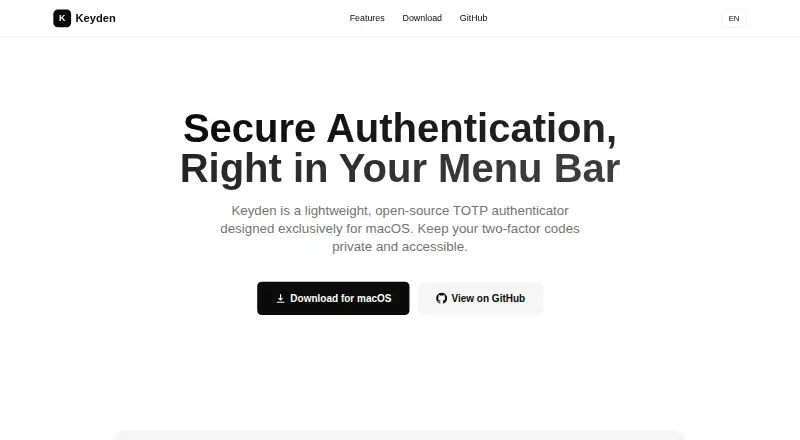
What Keyden is
Keyden is a free, open-source TOTP authenticator for the macOS menu bar. It stores secrets encrypted in macOS Keychain, and the maker says verification codes never leave the device. Accounts are available from the menu bar and codes can be copied with a click. New accounts can be added by scanning QR codes, while tokens can be exported as QR images for backup. Google Authenticator accounts can be imported through a migration QR code or link, including batch imports. The app works offline first; optional synchronization uses a private GitHub Gist with local encryption. Accounts can be pinned, reordered and grouped by issuer. Keyden supports English, Simplified Chinese, Traditional Chinese and Japanese, with light and dark modes. A command-line interface supports scripting and automation. The universal app requires macOS 12.0 or later and can be installed through Homebrew or a downloaded DMG. The Free plan costs nothing under the MIT License.
Who it suits
It suits macOS users wanting menu-bar TOTP access, QR-based account migration and optional offline-first synchronization. Developers and power users may use its command-line interface.
What it does well
- Encrypts secrets in macOS Keychain
- Imports Google Authenticator accounts
- Offers QR backup and scanning
- Works offline first
- Includes command-line automation
What to know first
- Requires macOS 12.0 or later
- Not notarized by Apple
- Gatekeeper may show a damaged error
- Sync depends on a private GitHub Gist
Plans
| Plan | Billed and limits | Price |
|---|---|---|
| Free | macOS 12.0 or later · Free and open source under MIT License | Free |
As tasselx.github.io lists them, read 12 Oct 2026. The maker's own page has the final word.
Verdict
Keyden combines menu-bar access, encrypted local storage and migration tools in a free macOS authenticator. Be ready to address Gatekeeper’s warning during installation.
Facts from Keyden's own pages
- Automation
- Keyden includes a command-line interface for scripts and automation. · tasselx.github.io, 12 Oct 2026
- Code access
- Users can click to copy verification codes and access them from the menu bar. · tasselx.github.io, 12 Oct 2026
- Code type
- totp · tasselx.github.io, 22 Sept 2026
- Compatibility
- The maker lists macOS 12.0 or later as required and offers a universal app build. · github.com, 12 Oct 2026
- Encrypted backup
- Yes · tasselx.github.io, 22 Sept 2026
- Free plan
- Yes · tasselx.github.io, 22 Sept 2026
- Installation
- The maker documents installation through Homebrew or a manually downloaded DMG. · github.com, 12 Oct 2026
- Intended users
- The maker describes the CLI as suitable for developers and power users. · tasselx.github.io, 12 Oct 2026
- Languages and themes
- The app supports English, Simplified Chinese, Traditional Chinese, and Japanese, plus light and dark modes. · tasselx.github.io, 12 Oct 2026
- Migration
- Keyden imports accounts from Google Authenticator using a migration QR code or link, with batch import supported. · tasselx.github.io, 12 Oct 2026
- Notarization limitation
- The maker says the app is not notarized by Apple and Gatekeeper may show a “damaged” error when opening it. · github.com, 12 Oct 2026
- Organization
- Users can pin and reorder accounts and group accounts by issuer. · tasselx.github.io, 12 Oct 2026
- Product
- Keyden is a lightweight, open-source TOTP authenticator designed for the macOS menu bar. · tasselx.github.io, 12 Oct 2026
- QR codes
- Users can scan QR codes to add accounts or export tokens as QR images for backup. · tasselx.github.io, 12 Oct 2026
- Secure storage
- TOTP secrets are stored encrypted in macOS Keychain, and the maker says codes never leave your device. · tasselx.github.io, 12 Oct 2026
- Supported platforms
- macOS · tasselx.github.io, 22 Sept 2026
- Sync
- Optional sync uses a private GitHub Gist; the app works offline first and says data is encrypted locally. · tasselx.github.io, 12 Oct 2026
Where Keyden stands on Freedom251
- Authenticator apps#75 of 111