Freedom251 › Authenticator apps
Chronos Authenticator
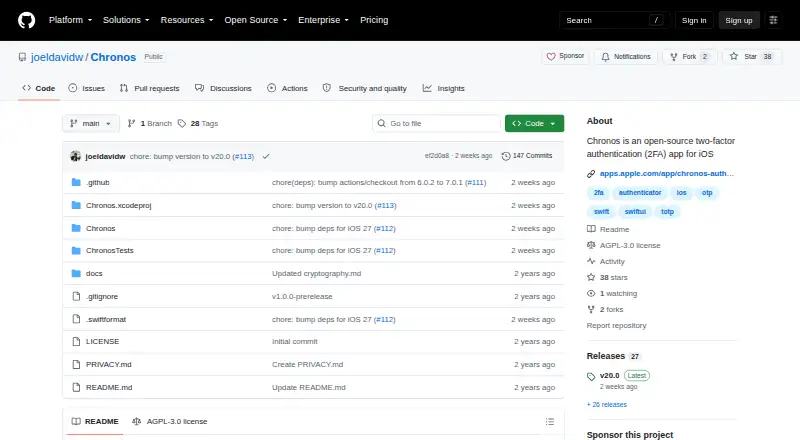
What Chronos Authenticator is
Chronos Authenticator is a free, open-source two-factor authentication app for iPhone. It generates both TOTP and HOTP codes and can optionally back up and synchronize tokens through iCloud. Token data stored on the device and in iCloud is encrypted with XChaCha20-Poly1305. Users can export tokens as encrypted or unencrypted ZIP archives containing JSON or HTML with QR codes, and import data from 2FAS, Aegis, Ente Authenticator, Raivo, Google Authenticator, and LastPass Authenticator. Chronos requires no account. Its privacy statements say it uses no telemetry, obtains no information, and shares no data with third parties. The project is licensed under the GNU Affero General Public License v3.0. The App Store listing identifies Joel-David Wong as developer and seller. The sole Free plan is listed as free. Chronos requires iOS 17.0 or later and is only for iPhone.
Who it suits
Chronos suits iPhone users seeking an open-source authenticator with TOTP, HOTP, encrypted storage, and optional iCloud sync. It is limited to devices running iOS 17 or later.
What it does well
- Free open-source app
- Supports TOTP and HOTP
- Encrypted device and iCloud data
- Imports from major authenticator apps
- No account or telemetry
What to know first
- Only for iPhone
- Requires iOS 17.0 or later
- iCloud backup is optional
Plans
| Plan | Billed and limits | Price |
|---|---|---|
| Free | iPhone only · Requires iOS 17.0 or later | Free |
As github.com lists them, read 11 Oct 2026. The maker's own page has the final word.
Verdict
Chronos offers broad token import and export options alongside encrypted storage and a no-account privacy model. Its platform is narrowly limited to iPhone devices on iOS 17 or later.
Facts from Chronos Authenticator's own pages
- Code type
- totp and hotp · github.com, 22 Sept 2026
- Encrypted backup
- Yes · github.com, 22 Sept 2026
- Encryption
- The README says token data stored on the device and in iCloud is encrypted with XChaCha20-Poly1305. · github.com, 11 Oct 2026
- Export
- Tokens can be exported in encrypted or unencrypted ZIP archives containing JSON or HTML with QR codes. · github.com, 11 Oct 2026
- Free plan
- Yes · github.com, 22 Sept 2026
- iCloud sync
- Optional backup and sync are available through iCloud. · github.com, 11 Oct 2026
- Imports
- The README lists imports from 2FAS, Aegis, Ente Authenticator, Raivo, Google Authenticator, and LastPass Authenticator. · github.com, 11 Oct 2026
- Maker
- The App Store identifies Joel-David Wong as the developer and seller. · apps.apple.com, 11 Oct 2026
- Multi-device sync
- Yes · github.com, 22 Sept 2026
- Platform limitation
- The App Store listing says Chronos is only for iPhone and requires iOS 17.0 or later. · apps.apple.com, 11 Oct 2026
- Privacy
- The app requires no account and says it uses no telemetry; its privacy policy says it obtains no information and shares no data with third parties. · github.com, 11 Oct 2026
- Purpose
- Chronos is an open-source two-factor authentication app for iOS that supports TOTP and HOTP codes. · github.com, 11 Oct 2026
- Source license
- The project is licensed under the GNU Affero General Public License v3.0. · github.com, 11 Oct 2026
- Support contact
- The privacy policy lists [email protected] for privacy questions and concerns. · github.com, 11 Oct 2026
- Supported platforms
- iOS (iPhone) · github.com, 22 Sept 2026
Where Chronos Authenticator stands on Freedom251
- Authenticator apps#77 of 111