Freedom251 › Windows Compatibility Layers
WineGUI
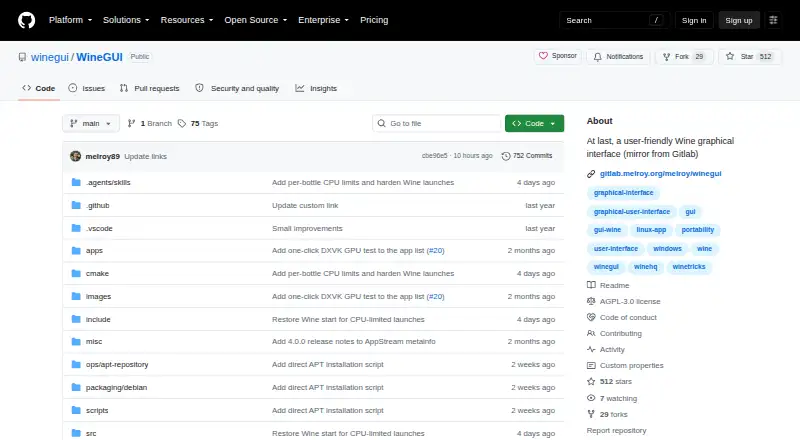
What WineGUI is
WineGUI is a Linux app for managing Wine, the compatibility layer that runs Windows applications on Linux. A step-by-step wizard helps create machines, which you can later edit, clone, or remove. For each machine, WineGUI can download and switch among Vanilla, Staging, Staging-TkG, Wine-Proton, and GE-Proton runners. Its searchable application list can add desktop or menu shortcuts, while the configuration window installs extras such as DirectX and DXVK with one click. One-button controls run a program, open the C: drive, simulate a reboot, or stop all processes. WineGUI also manages GE-Proton with a UMU launcher, including Proton initialization and protonfixes without Steam. GE-Proton is for win64/WoW64 bottles; a true 32-bit bottle needs a regular Wine runner. The app is free, with AppImage, DEB, RPM, compressed tar.gz, and source archive options. The host needs Wine v9 or higher; the AppImage does not include Wine. The repository is licensed under AGPL-3.0.
Who it suits
WineGUI suits Linux users who want a graphical way to manage Wine machines and Windows applications. It may also suit users who want to install DirectX or DXVK or manage GE-Proton without Steam.
What it does well
- Wizard creates, edits, clones, and removes machines
- Choose among five Wine runner options per machine
- Search applications and add desktop or menu shortcuts
- One-click installation for DirectX and DXVK
- Available as AppImage, DEB, RPM, and tar.gz
What to know first
- Host must have Wine v9 or higher
- AppImage does not bundle Wine
- GE-Proton does not support true 32-bit bottles
Limits
The host requires Wine v9 or higher, which is not bundled with the AppImage. GE-Proton is available for win64/WoW64 bottles; true 32-bit bottles need a regular Wine runner.
Plans
| Plan | Billed and limits | Price |
|---|---|---|
| WineGUI | No paid plans or pricing stated on the opened pages | Free |
As github.com lists them, read 9 Oct 2026. The maker's own page has the final word.
Getting started
- Visit the WineGUI GitHub project.
- Install Wine v9 or higher on the Linux host.
- Choose an available Linux package: AppImage, DEB, RPM or compressed tar.gz binary; a source archive is also available.
- Create a machine with the step-by-step wizard.
- Choose a runner for the machine and add or configure applications.
Verdict
WineGUI brings machine setup, runner selection, application shortcuts, and software configuration together for Linux. Check the host Wine requirement and GE-Proton's 32-bit limit before choosing a runner.
Questions
How much does WineGUI cost?
The listed plan is free. No paid plans or pricing are stated.
Which operating system does WineGUI support?
WineGUI is for Linux. Packages and installation are described for distributions including Debian, Ubuntu, Fedora and related derivatives.
Does WineGUI include Wine?
The host must have Wine v9 or higher installed. The AppImage does not bundle Wine.
Can I use GE-Proton without Steam?
Yes. WineGUI manages GE-Proton through a UMU launcher without requiring Steam.
Can GE-Proton run 32-bit Windows versions?
WineGUI does not offer 32-bit Windows versions with GE-Proton. A regular Wine runner is needed for a true 32-bit bottle.
What license does WineGUI use?
The GitHub repository identifies its license as AGPL-3.0.
Facts from WineGUI's own pages
- Application controls
- WineGUI lists applications per machine with search and can add desktop or menu shortcuts. · github.com, 8 Oct 2026
- Application management
- Each machine has a searchable application list, with options to add desktop or menu shortcuts. · github.com, 9 Oct 2026
- Bottle setup
- A step-by-step wizard creates new machines, and users can edit, remove, or clone them. · github.com, 9 Oct 2026
- Downloads
- Linux packages include AppImage, DEB, RPM, and compressed tar.gz binaries, as well as a source archive. · github.com, 8 Oct 2026
- Download verification
- WineGUI says its managed UMU launcher is downloaded and checksum-verified, with recovery and atomic updates. · github.com, 9 Oct 2026
- GE-Proton limit
- GE-Proton is offered for win64/WoW64 bottles; true 32-bit bottles require a regular Wine runner. · github.com, 9 Oct 2026
- GE-Proton support
- WineGUI manages a non-Steam runtime for GE-Proton, which is available for win64/WoW64 bottles; Steam is not required. · github.com, 8 Oct 2026
- Integrations
- WineGUI integrates with GE-Proton through a managed UMU launcher and handles Proton initialization and protonfixes without requiring Steam. · github.com, 9 Oct 2026
- Launch controls
- One-button actions can run a program, open the C: drive, simulate a reboot, or kill all processes. · github.com, 9 Oct 2026
- License
- The GitHub repository identifies the project license as AGPL-3.0. · github.com, 9 Oct 2026
- License and support
- The repository is licensed under AGPL-3.0 and provides issue tracking and contribution instructions on GitHub. · github.com, 8 Oct 2026
- Linux packages
- The project provides AppImage, DEB, RPM, and compressed binary tar.gz packages, plus source archives. · github.com, 9 Oct 2026
- Machine setup
- A step-by-step wizard creates machines, and users can edit, remove, or clone them. · github.com, 8 Oct 2026
- Maker
- The GitLab project page identifies Melroy van den Berg in its copyright notice; no headquarters or founding date was stated on the opened pages. · gitlab.melroy.org, 9 Oct 2026
- Package trust
- Official release DEBs install the WineGUI repository key and a dedicated signed APT source on supported distributions. · github.com, 8 Oct 2026
- Platform support
- The README describes WineGUI packages and installation for Linux distributions, including Debian, Ubuntu, Fedora, and related derivatives. · github.com, 9 Oct 2026
- Purpose
- WineGUI is a graphical manager for Wine, a compatibility layer that runs Windows applications under Linux. · github.com, 9 Oct 2026
- Runtime requirement
- Wine version 9 or higher must be installed on the host. · github.com, 9 Oct 2026
- Security and updates
- The project describes a signed APT repository and says official release DEBs install its repository key and a package-specific Signed-By source. · github.com, 9 Oct 2026
- Software configuration
- The configuration window can install additional software such as DirectX and DXVK with one click. · github.com, 9 Oct 2026
- Software installation
- Its configure window can install additional software such as DirectX and DXVK with one click. · github.com, 8 Oct 2026
- Wine runners
- Users can download and switch among Vanilla, Staging, Staging-TkG, Wine-Proton, and GE-Proton runners per machine. · github.com, 9 Oct 2026
- Wine versions
- Users can download and switch between Vanilla, Staging, Staging-TkG, Wine-Proton, and GE-Proton runners per machine. · github.com, 8 Oct 2026
Where WineGUI stands on Freedom251
- Windows Compatibility Layers#19 of 26