Freedom251 › Window Management Software
WinBar
What WinBar is
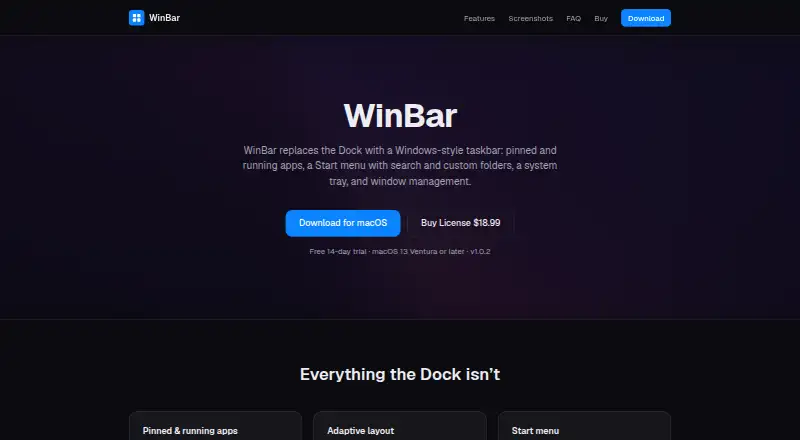
WinBar is a macOS utility that replaces the Dock with a Windows-style taskbar. It shows pinned and running apps, marks active applications, supports drag-to-reorder, and lets users pin apps from Finder. When space runs out, icons shrink and move into a popover. The searchable Start menu includes customizable folders and quick power actions. A configurable tray can show the clock and calendar, battery, input source, volume, and Wi-Fi. WinBar keeps windows clear of the bar and fits them to available space. Users can place it on any screen edge and adjust highlight style, tint, transparency, blur, and icon size. It requires macOS 13 Ventura or later. The fully featured trial lasts 14 days; afterward, the bar continues working with a reminder until purchase. The license costs 18.99 USD once for one Mac, with a 14-day money-back offer. Accessibility permission is required for window management; Screen Recording and Location are optional.
Who it suits
WinBar suits Mac users who want a Windows-style taskbar, Start menu, and configurable system tray. It requires macOS 13 Ventura or later.
What it does well
- Shows pinned and running apps
- Searchable Start menu
- Configurable system tray
- Works on any screen edge
- 14-day fully featured trial
What to know first
- Requires macOS 13 Ventura or later
- No free plan
- Accessibility permission is requested
- One-time license covers one Mac
Plans
| Plan | Billed and limits | Price |
|---|---|---|
| WinBar license | One-time · one Mac · 14-day money-back | $18.99, paid once |
As winbar.app lists them, read 11 Oct 2026. The maker's own page has the final word.
Verdict
WinBar adds Windows-style taskbar controls while retaining extensive placement and appearance settings on macOS. The trial is fully featured, and the one-time license includes a 14-day money-back offer.
Facts from WinBar's own pages
- Adaptive layout
- Icons shrink to fit and overflow into a popover when the bar is full. · winbar.app, 11 Oct 2026
- Apps
- It shows pinned and running apps, with active indicators, drag-to-reorder, and pinning from Finder. · winbar.app, 11 Oct 2026
- Customization
- The bar can be placed on any screen edge and customized with Mac or Windows highlight styles, tint, transparency, blur, and icon size. · winbar.app, 11 Oct 2026
- Headquarters
- Knyahyni Olgi 3, Rivne, Ukraine · winbar.app, 28 Sept 2026
- Permissions
- WinBar requests Accessibility permission for listing and managing windows, with optional Screen Recording for window previews and Location for Wi-Fi names. · winbar.app, 11 Oct 2026
- Purpose
- WinBar replaces the macOS Dock with a Windows-style taskbar. · winbar.app, 11 Oct 2026
- Refunds
- The site offers a refund if WinBar does not work for the buyer within 14 days of purchase, with the license key revoked. · winbar.app, 11 Oct 2026
- Requirements
- The site lists macOS 13 Ventura or later as the system requirement. · winbar.app, 11 Oct 2026
- Seller
- The listed seller is individual entrepreneur Vitalii Karaman, registered in Rivne, Ukraine since 27 March 2026. · winbar.app, 11 Oct 2026
- Start menu
- The Start menu has a searchable app list, customizable folders, and quick power actions. · winbar.app, 11 Oct 2026
- Support
- The seller says it usually replies to purchase, license, refund, or data questions within one business day. · winbar.app, 11 Oct 2026
- System tray
- The tray can show a clock and calendar, battery, input source, volume, and Wi-Fi, each toggleable. · winbar.app, 11 Oct 2026
- Trial
- The fully featured trial lasts 14 days; after it ends, the bar keeps working with a reminder until purchase. · winbar.app, 11 Oct 2026
- Updates
- Updates are delivered through Sparkle, which checks for signed updates and installs them in place. · winbar.app, 11 Oct 2026
- Window management
- WinBar keeps windows clear of the bar and fits them to the available space. · winbar.app, 11 Oct 2026
Where WinBar stands on Freedom251
- Window Management Software#59 of 65