Freedom251 › Window Management Software
Swish
What Swish is
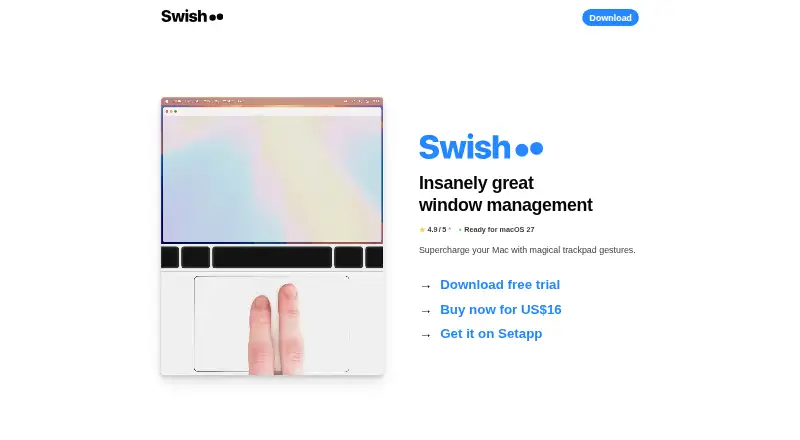
Swish is a paid macOS window manager operated with trackpad gestures, mouse input, and keyboard shortcuts. It provides 30 gestures for windows, the Dock, and the menu bar, supporting Magic Trackpad and Magic Mouse. Titlebar swipes or keyboard controls arrange windows into 2×2, 3×2, and 3×3 grids. Gestures can close, minimize, or make windows full screen. Swish moves windows between displays and works with macOS spaces, while dragging a divider resizes multiple windows at once. Keyboard controls include Arrow, WASD, IJKL, and Dvorak hotkeys. It requires macOS 12 or later and is optimized for Intel and Apple Silicon Macs. A license can be active on two machines at a time. The maker says cursor movement and keyboard events are not stored, and no other user data is collected. Internet access is used for license checks and finding or installing updates. The Swish plan costs 16.00 USD one time with a 14-day trial; Setapp costs $9.99 a month after seven days free.
Who it suits
It suits Mac users who prefer gesture- or shortcut-based window arranging across displays and spaces. It requires macOS 12 or newer.
What it does well
- Thirty gestures for windows, Dock, and menu bar
- 2×2, 3×2, and 3×3 window grids
- Supports displays and macOS spaces
- Magic Trackpad and Magic Mouse support
- One license covers two machines
What to know first
- macOS only
- Requires macOS 12 or later
- Costs 16.00 USD one time
- Internet connection needed for license checks and updates
Plans
| Plan | Billed and limits | Price |
|---|---|---|
| Swish | One-time purchase; no recurring costs · One license for personal use on two computers · 14-day trial | $16, paid once |
| Setapp | After 7 days free · Swish plus 200+ premium macOS and iOS apps | $9.99 a month |
As highlyopinionated.co lists them, read 11 Oct 2026. The maker's own page has the final word.
Verdict
Swish focuses on gesture-driven window placement, resizing, and movement for Mac users. Its one-time license includes a trial, while Setapp offers another paid route; the app remains limited to macOS.
Facts from Swish's own pages
- Developer
- The site identifies Christian Renninger as Swish's author. · highlyopinionated.co, 11 Oct 2026
- Gestures
- It offers 30 window, Dock and menu bar gestures and supports Magic Trackpad, Magic Mouse and keyboard shortcuts. · highlyopinionated.co, 11 Oct 2026
- Grid resizing
- Dragging a divider resizes multiple windows at once. · highlyopinionated.co, 11 Oct 2026
- Keyboard support
- Keyboard controls include Arrow, WASD, IJKL and Dvorak hotkeys. · highlyopinionated.co, 11 Oct 2026
- License limit
- A Swish license can be activated on two machines at a time. · highlyopinionated.co, 11 Oct 2026
- Network use
- Swish uses an internet connection to verify licenses and search for and install updates. · highlyopinionated.co, 11 Oct 2026
- Privacy
- Swish listens to cursor movement and keyboard events but says it does not store this data or collect other user data. · highlyopinionated.co, 11 Oct 2026
- Product
- Swish is a macOS window manager controlled with trackpad gestures. · highlyopinionated.co, 11 Oct 2026
- Sales
- The maker says all app sales are handled by Paddle.com Market Limited. · highlyopinionated.co, 11 Oct 2026
- Screens and spaces
- Swish can move windows between displays and supports working with macOS spaces. · highlyopinionated.co, 11 Oct 2026
- Support
- The maker lists email contact at [email protected]. · highlyopinionated.co, 11 Oct 2026
- System requirements
- Swish works on macOS 12 and above and is optimized for Intel and Apple Silicon Macs. · highlyopinionated.co, 11 Oct 2026
- Window controls
- Gestures can close, minimize or make windows full screen. · highlyopinionated.co, 11 Oct 2026
- Window snapping
- It snaps windows into 2×2, 3×2 and 3×3 grids using titlebar swipes or keyboard controls. · highlyopinionated.co, 11 Oct 2026
Where Swish stands on Freedom251
- Window Management Software#58 of 65