Freedom251 › PC Optimization Software
Win11Debloat
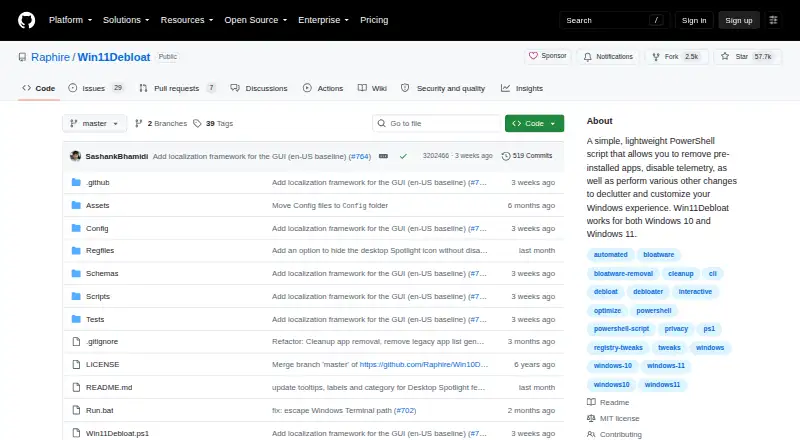
What Win11Debloat is
Win11Debloat is a free PowerShell script for decluttering and customizing Windows 10 and Windows 11. It can remove many preinstalled apps and disable telemetry, diagnostic data collection, activity history, app-launch tracking, targeted ads, tips, suggestions, and location services. Other controls change the Start menu, taskbar, File Explorer, appearance, Windows Search, and multitasking behavior, although some options depend on the Windows version. Command-line operation supports Windows Audit mode, changes for other users, and updates to the default profile for new users. Parameters can apply selected changes without prompts, while settings can be exported and imported for repeated setups. Most changes can be reversed by rerunning the script and unchecking tweaks, and nearly all removed apps can be reinstalled through Microsoft Store. Running it requires administrator approval through Windows UAC. The project is MIT-licensed and directs issue reports to GitHub.
Who it suits
It suits Windows 10 or 11 users who want scriptable app removal, privacy controls, and interface customization, including administrators managing multiple profiles.
What it does well
- Free PowerShell script
- Supports Windows 10 and 11
- Command-line automation
- Exportable and importable settings
- Most tweaks are reversible
What to know first
- Some features depend on Windows version
- Requires administrator permissions
- Use is at your own risk
Plans
| Plan | Billed and limits | Price |
|---|---|---|
| Win11Debloat | PowerShell script for Windows 10 and Windows 11 | Free |
As github.com lists them, read 12 Oct 2026. The maker's own page has the final word.
Verdict
Win11Debloat provides broad Windows cleanup and customization controls with automation and rollback options. Users should review each tweak carefully because the project places responsibility for use on them.
Facts from Win11Debloat's own pages
- Advanced use
- The script supports command-line operation, Windows Audit mode, applying changes to other users, and applying changes to the default profile for new users. · github.com, 12 Oct 2026
- App removal
- The script can remove a wide variety of preinstalled apps. · github.com, 12 Oct 2026
- Automation
- Command-line parameters can apply selected changes without interactive prompts, enabling automation. · github.com, 12 Oct 2026
- Configuration
- Users can export and import settings to apply the same choices across systems. · github.com, 12 Oct 2026
- Customization
- Features include changes to the Start menu, taskbar, File Explorer, appearance, Windows Search, and multitasking behavior. · github.com, 12 Oct 2026
- Free plan
- Yes · github.com, 22 Sept 2026
- License
- Win11Debloat is licensed under the MIT license. · github.com, 12 Oct 2026
- Maintainer
- The GitHub profile identifies the maintainer as Raphire (Jeffrey). · github.com, 12 Oct 2026
- Permissions
- The traditional launch instructions say to accept the Windows UAC prompt to run as administrator, which is required for the script to function. · github.com, 12 Oct 2026
- Privacy controls
- It can disable telemetry, diagnostic data, activity history, app-launch tracking, targeted ads, tips, suggestions, and location services. · github.com, 12 Oct 2026
- Purpose
- Win11Debloat is a lightweight PowerShell script for decluttering and customizing Windows, including removing preinstalled apps and disabling telemetry. · github.com, 12 Oct 2026
- Restore-point tools
- Yes · github.com, 22 Sept 2026
- Reversibility
- The project says changes can be reverted, and most can be undone by rerunning the script and unchecking the tweak; almost all removed apps can be reinstalled through Microsoft Store. · github.com, 12 Oct 2026
- Scheduled maintenance
- Yes · github.com, 22 Sept 2026
- Security caution
- The project says care was taken to avoid unintentionally breaking operating system functionality but instructs users to use the script at their own risk. · github.com, 12 Oct 2026
- Support
- The README asks users who encounter issues to report them through the project's GitHub issues. · github.com, 12 Oct 2026
- Supported versions
- It works on Windows 10 and Windows 11, though some features may be limited to specific Windows versions. · github.com, 12 Oct 2026
- Windows support
- windows 10 and 11 · github.com, 22 Sept 2026
Where Win11Debloat stands on Freedom251
- PC Optimization Software#34 of 103