Freedom251 › PC Optimization Software

CodeWinOptimizer
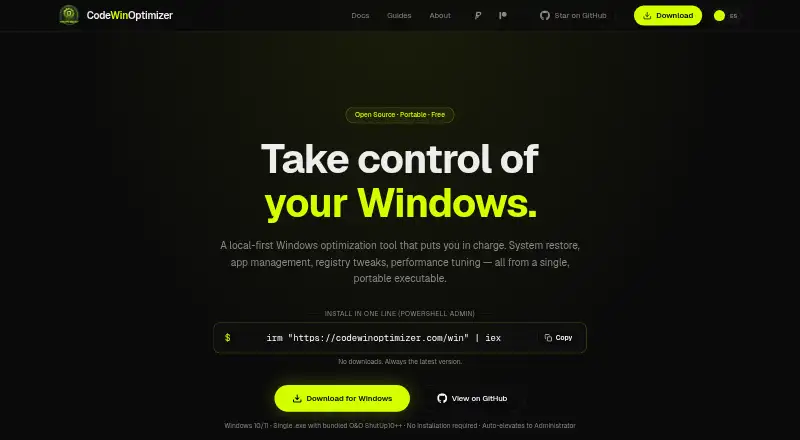
What CodeWinOptimizer is
CodeWinOptimizer is a free, open-source utility for cleaning and adjusting Windows 10 and 11 systems. It handles junk cleanup and startup entries, and its App Manager installs or removes 181 apps across eight categories through WinGet or Chocolatey. More than 140 system tweaks are arranged across 14 categories, including privacy, network, memory, GPU, performance, and bloat removal. The app can switch Windows features such as .NET Framework, Hyper-V, WSL, and Sandbox, and run network reset or SFC/DISM scans. For system safeguards, it creates restore points and backs up the registry and drivers. Its monitor displays hardware metrics and a PC Health Score, with Speedtest.net integration. The portable executable can run from a USB drive without installation, but requires 64-bit Windows 10 or 11, WebView2, and administrator privileges. The maker says the desktop app runs locally without sending usage data, statistics, or telemetry. The MIT-licensed app documents commands, impact levels, and warnings for its tweaks.
Who it suits
It suits Windows users seeking cleanup, app management, startup controls, and system tweaks in one portable utility. Users should be comfortable running an administrator-level Windows application.
What it does well
- Free plan has no accounts or paid features
- Manages 181 apps through WinGet or Chocolatey
- Creates restore points and backs up registry and drivers
- Portable executable can run from a USB drive
- Tweak documentation includes commands and warnings
What to know first
- Requires administrator privileges
- Requires WebView2 runtime
- Supports only 64-bit Windows 10 and 11
Plans
| Plan | Billed and limits | Price |
|---|---|---|
| Free | No subscriptions · no trial limits · no accounts · no paid features | Free |
As codewinoptimizer.com lists them, read 11 Oct 2026. The maker's own page has the final word.
Verdict
CodeWinOptimizer brings cleanup, software management, system controls, and safeguards together in a free Windows utility. Its administrator requirement and Windows-only compatibility are important fit considerations.
Facts from CodeWinOptimizer's own pages
- App management
- Its App Manager installs and uninstalls 181 apps across 8 categories using WinGet or Chocolatey. · codewinoptimizer.com, 11 Oct 2026
- Compatibility
- The app supports 64-bit Windows 10 and Windows 11 with the WebView2 runtime and requires administrator privileges to run. · codewinoptimizer.com, 11 Oct 2026
- Distribution
- The app is a portable Windows executable that requires no installation and can be run from a USB drive. · codewinoptimizer.com, 11 Oct 2026
- Free plan
- Yes · codewinoptimizer.com, 21 Sept 2026
- Integrations
- App installation uses WinGet or Chocolatey, and the system monitor includes Speedtest.net integration. · codewinoptimizer.com, 11 Oct 2026
- Junk cleanup
- Yes · codewinoptimizer.com, 21 Sept 2026
- Privacy
- The maker says the desktop app runs locally and sends no usage data, statistics, or telemetry; the website uses Google AdSense, whose partners may use advertising cookies. · codewinoptimizer.com, 11 Oct 2026
- Purpose
- CodeWinOptimizer is a free, open-source Windows optimizer and debloater for Windows 10 and 11. · codewinoptimizer.com, 11 Oct 2026
- Restore and backup
- It can create system restore points and back up the registry and drivers. · codewinoptimizer.com, 11 Oct 2026
- Restore-point tools
- Yes · codewinoptimizer.com, 21 Sept 2026
- Startup and monitoring
- The app manages Windows auto-start entries and provides a system monitor with hardware metrics and a PC Health Score. · codewinoptimizer.com, 11 Oct 2026
- Startup manager
- Yes · codewinoptimizer.com, 21 Sept 2026
- Support
- The maker directs users to its Discord community for help and feedback, and lists an email address for questions and privacy requests. · codewinoptimizer.com, 11 Oct 2026
- System tweaks
- It offers 140+ system tweaks across 14 categories, including network, memory, GPU, privacy, performance, and bloat removal. · codewinoptimizer.com, 11 Oct 2026
- Transparency
- The maker says every tweak documents its commands, impact level, and relevant warnings, and the application is MIT-licensed open source. · codewinoptimizer.com, 11 Oct 2026
- Windows support
- windows 10 and 11 · codewinoptimizer.com, 21 Sept 2026
- Windows tools
- It can enable or disable Windows features including .NET Framework, Hyper-V, WSL, and Sandbox, and run fixes such as network reset and SFC/DISM scans. · codewinoptimizer.com, 11 Oct 2026
Where CodeWinOptimizer stands on Freedom251
- PC Optimization Software#32 of 103