Freedom251 › Video Editing Software
WeVideo
by WeVideo
What WeVideo is
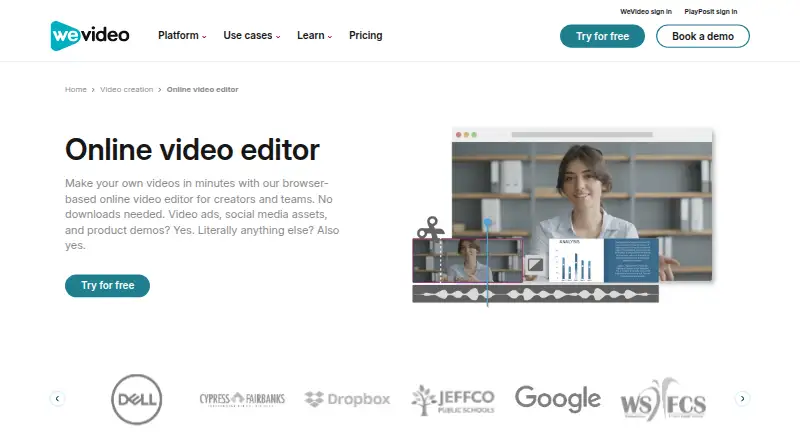
WeVideo is a browser-based video editor for creating and exporting videos without downloading a desktop app. It is available on the web and through iOS and Android apps, and projects autosave to cloud storage. The editor supports many video formats and exports MP4, GIF, or audio-only MP3. Depending on the plan, downloads range from 720p through 4K Ultra HD; automatic captions, brand kits, and team collaboration are also listed features. Brand kits can hold logos, watermarks, colors, fonts, and branded templates. The free plan costs nothing and provides five minutes of monthly publishing, 1 GB of cloud storage, and a 480p maximum resolution; videos made on it include a watermark. Paid plans include Power at $4.99 a month, billed annually, with 30 minutes of monthly publishing and 20 GB of storage. Creator and Instructor plans offer a seven-day trial without a stated credit-card requirement. Annual subscriptions are charged upfront for 12 months, renew automatically, and are non-refundable, including the current billing period after cancellation.
Who it suits
WeVideo suits people who want to edit videos in a browser or on iOS and Android, including users who need captions, brand kits, or collaboration. Its plans range from a free option with limited publishing time and resolution to options offering 4K and unlimited publishing.
What it does well
- Edits in a browser without a desktop download
- Apps available for iOS and Android
- Exports MP4, GIF, or audio-only MP3
- Automatic captions are available
- Supports team collaboration and brand kits
What to know first
- Free videos include a watermark
- Free plan is limited to five publishing minutes monthly
- Free plan maximum resolution is 480p
- Annual subscriptions are charged upfront and renew automatically
Limits
The Free plan allows five minutes of publishing per month, 1 GB of cloud storage, and a maximum resolution of 480p; exported videos include a watermark. Power costs $4.99 a month billed annually and allows 30 minutes of publishing per month, 20 GB of storage, and 720p resolution.
Plans
| Plan | Billed and limits | Price |
|---|---|---|
| Free | 5 min/month publishing time · 1 GB cloud storage · 480p maximum resolution | Free |
| Power | Billed annually at $59.88 · 30 min/month publishing time · 20 GB cloud storage · 720p resolution | $4.99 a month |
| Unlimited | Billed annually at $95.88 · Unlimited publishing time · Unlimited cloud storage · 4K Ultra HD | $7.99 a month |
| Professional | Billed annually at $239.88 · Unlimited publishing time · Unlimited cloud storage · 4K Ultra HD | $19.99 a month |
| Business | Billed annually at $443.88 · Teams of 3 or less · Unlimited publishing time · Unlimited cloud storage · 4K Ultra HD | $36.99 a month |
| Creator | Billed annually · Unlimited storage · Unlimited publishing · 4K resolution | $240 a year |
| Teams | Billed annually · 3 seats · Unlimited storage · Unlimited publishing · 4K Ultra HD | $624 a year |
| Enterprise | Dedicated rendering environment · Personalized service · Bi-annual trainings · Team-based pricing | On request |
The first 8 of 11 plans, as wevideo.com lists them, read 20 Sept 2026. The maker's own page has the final word. Every plan
Getting started
- Open the WeVideo online video editor in a browser.
- Choose the Free plan or review the paid plans.
- Create an account and open the browser-based editor.
- Use the iOS or Android app if you want mobile access.
- Choose a plan with the publishing time, storage, and resolution you need.
- Use the seven-day trial for Creator or Instructor if applicable.
Verdict
WeVideo combines browser and mobile editing with cloud autosave, multiple export formats, and plan-dependent resolution up to 4K. Check the free plan's watermark and limits, and note that annual subscriptions renew automatically and are non-refundable.
Questions
Does WeVideo have a free plan?
Yes. It costs nothing and includes five minutes of publishing time per month, 1 GB of cloud storage, and a 480p maximum resolution. Free-plan videos include a watermark.
How much does WeVideo cost?
Power costs $4.99 a month billed annually. Other listed plans include Unlimited at $7.99 a month, Professional at $19.99 a month, Creator at $240 a year, and Teams at $624 a year; billing terms and plan details vary.
What platforms does WeVideo support?
WeVideo has a browser-based web editor and mobile apps for iOS and Android. There is no desktop app.
Can WeVideo export 4K video?
Yes. Export resolution depends on the plan and reaches up to 4K Ultra HD.
Does WeVideo offer a free trial?
Creator and Instructor plans have seven-day free trials, with no stated credit-card requirement.
How do WeVideo subscriptions renew and can fees be refunded?
Monthly and annual subscriptions renew automatically at the end of each billing cycle. Annual subscriptions are charged upfront for 12 months, and fees are non-refundable, including the current billing period after cancellation.
Facts from WeVideo's own pages
- Annual Billing
- Annual subscriptions are charged once upfront for 12 months. · wevideo.com, 28 Sept 2026
- Automatic Renewal
- Monthly and annual subscriptions renew automatically at the end of each billing cycle. · wevideo.com, 28 Sept 2026
- Brand Management
- Brand kits can store logos, watermarks, colors, fonts, and branded templates. · wevideo.com, 28 Sept 2026
- Browser-Based Editor
- The editor works in a browser and requires no download. · wevideo.com, 28 Sept 2026
- Cloud Autosave
- Videos autosave to cloud storage for fast access. · wevideo.com, 28 Sept 2026
- Included cloud storage
- 20 · wevideo.com, 20 Sept 2026
- Company Identity
- The page identifies the company as WeVideo, Inc. · wevideo.com, 28 Sept 2026
- Desktop app
- No · wevideo.com, 20 Sept 2026
- Export Resolution
- Videos can be downloaded from 720p through 4K, depending on the plan. · wevideo.com, 28 Sept 2026
- Supported Formats
- The editor supports many video formats and exports MP4, GIF, or audio-only MP3. · wevideo.com, 28 Sept 2026
- Founded
- 2011 · wevideo.com, 28 Sept 2026
- 4K export
- Yes · wevideo.com, 20 Sept 2026
- Free plan
- Yes · wevideo.com, 20 Sept 2026
- Free Trial
- Free trials are available for Creator and Instructor plans without a stated credit-card requirement. · wevideo.com, 28 Sept 2026
- Free Watermark
- Videos created on the free plan include a watermark. · wevideo.com, 28 Sept 2026
- Mobile app
- Yes · wevideo.com, 20 Sept 2026
- Mobile Apps
- Mobile apps are available for iOS and Android. · wevideo.com, 28 Sept 2026
- Payment Security
- Payments use SSL encryption and a PCI-compliant processor; full card details are not stored. · wevideo.com, 28 Sept 2026
- Refund Policy
- Fees are non-refundable, including the current billing period after cancellation. · wevideo.com, 28 Sept 2026
- Paid from
- 4.99 · wevideo.com, 20 Sept 2026
- Team collaboration
- Yes · wevideo.com, 20 Sept 2026
- Web app
- Yes · wevideo.com, 20 Sept 2026
Where WeVideo stands on Freedom251
- Video Editing Software#29 of 155
- Video editors#18 of 71
- Google Workspace Academic Software#9 of 18
- AI Video Editors#53 of 81
- Video Creation And Editing Software#24 of 31
- Video Making Software#25 of 31
- Google Workspace Creative Tools#24 of 27