Freedom251 › Video Editing Software
Media.io Video Editor
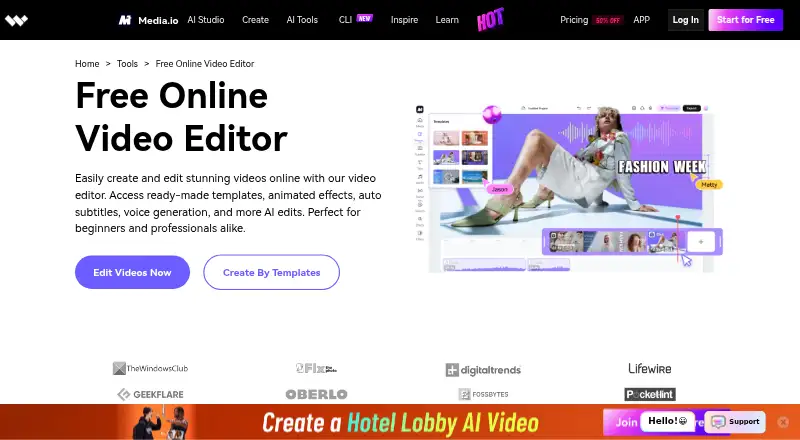
What Media.io Video Editor is
Media.io Video Editor is a browser-based tool for creating videos for websites, social media, promotional projects, and educational materials. It works in modern desktop and mobile browsers, including Chrome, Firefox, Safari, and Microsoft Edge, and is listed for Android, iOS, Linux, macOS, Windows, and the web. You can start with templates or edit from scratch, then cut, trim, rearrange, join, crop, change speed, loop, or reverse clips. Creative tools include filters, video-in-video effects, sound effects, fonts, stickers, animated text, subtitles, and transitions. Its AI functions include subtitle transcription with translation and syncing, text-based voiceovers, and background removal. Teams can review, comment, edit, and approve through a shared workspace link. Exports include MP4 and MOV, with 480p, 720p, or 1080p options and direct sharing to several social platforms. The service offers a free plan and three-day trial.
Who it suits
It suits individuals, educators, promoters, and social-media creators who want browser editing. Teams needing shared review and approval can also use it.
What it does well
- Works in modern desktop and mobile browsers
- Template and from-scratch editing options
- AI subtitles, voiceovers, and background removal
- Shared workspace supports real-time collaboration
- Direct sharing to major social platforms
What to know first
- Free-plan exports may include a watermark
- No 4K export support
- Exports may fail during server overload
- Desktop app is not available
Plans
| Plan | Billed and limits | Price |
|---|---|---|
| Free Trial | 3 daily check-in credits · 1GB cloud storage · 720p exports with watermark · video export up to 10 min · uploads up to 512MB · auto subtitles up to 5 min | Free |
| Standard | The pricing page displays the price as an unrendered template and says it is billed monthly or annually. · 20GB cloud storage · 1080p exports without watermark · video export up to 60 min · uploads up to 2GB · auto subtitles 60 min/mo · 100 credits/mo | On request |
| Premium | The pricing page displays the price as an unrendered template; it states a 3-day free trial followed by annual billing, and also displays a monthly option. · 50GB cloud storage · 1080p exports without watermark · video export up to 120 min · uploads up to 2GB · auto subtitles 120 min/mo · 100 credits/mo | On request |
| Pay As You Go | Credits valid for 2 years | On request |
| Monthly Credit Plan | Automatically renews · Can be used in all AI tools | On request |
As media.io lists them, read 11 Oct 2026. The maker's own page has the final word.
Verdict
Media.io combines conventional clip editing, creative assets, AI tools, and collaborative review in a browser. Check the free-plan watermark and export limits against your projects before choosing a paid plan.
Facts from Media.io Video Editor's own pages
- AI features
- The page describes one-click AI subtitle transcription with translation and syncing, text-based AI voiceovers, and AI background removal. · media.io, 11 Oct 2026
- Browser support
- The editor runs in modern desktop and mobile browsers, including Chrome, Firefox, Safari, and Microsoft Edge. · media.io, 11 Oct 2026
- Included cloud storage
- 1 · media.io, 21 Sept 2026
- Collaboration
- Teams can use a shared workspace link for real-time reviewing, commenting, editing, and approval. · media.io, 11 Oct 2026
- Creative assets
- It offers filters, video-in-video and sound effects, fonts, stickers, animated text, subtitles, and transitions. · media.io, 11 Oct 2026
- Desktop app
- No · media.io, 21 Sept 2026
- Editing
- The editor supports template-based or from-scratch editing, including cutting, trimming, rearranging, joining, cropping, speed changes, looping, and reversing clips. · media.io, 11 Oct 2026
- Export and sharing
- The editor page describes watermark-free exports at 480p, 720p, or 1080p and direct sharing to Instagram, TikTok, Facebook, YouTube, YouTube Shorts, and Twitter. · media.io, 11 Oct 2026
- 4K export
- No · media.io, 21 Sept 2026
- Free plan
- No · media.io, 21 Sept 2026
- Free-plan watermark
- The FAQ says video editor users may see a watermark on the free plan. · media.io, 11 Oct 2026
- Privacy
- Media.io says it provides reasonable administrative, technical, and physical security controls and does not sell personal data to third parties without express consent. · media.io, 11 Oct 2026
- Purpose
- Media.io describes its browser-based editor as a tool for creating videos for websites and social media, for users of any skill level. · media.io, 11 Oct 2026
- Supported creators
- The product page presents the editor for individual projects, promotional videos, and educational materials such as tutorials, lectures, and presentations. · media.io, 11 Oct 2026
- Supported formats
- The workflow page says exports can be downloaded in formats such as MP4 and MOV. · media.io, 11 Oct 2026
- Team collaboration
- Yes · media.io, 21 Sept 2026
- Usage caveat
- The FAQ says export attempts may fail during server overload and suggests trying again after two hours; projects are saved automatically in the Media.io workspace. · media.io, 11 Oct 2026
- Web app
- Yes · media.io, 21 Sept 2026
Where Media.io Video Editor stands on Freedom251
- Video Editing Software#28 of 153