Freedom251 › Web Annotation Tools

WebPinch
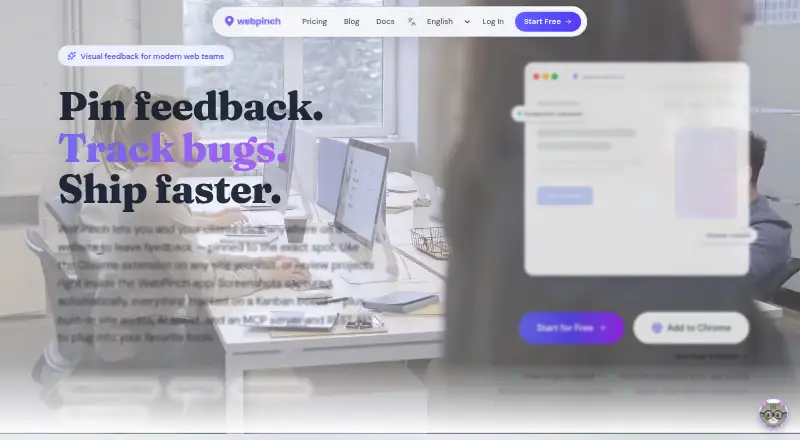
What WebPinch is
WebPinch is a website feedback and review tool for live, staging, and localhost sites, available on the web and as an extension. Users click a page to leave a pinned comment. Each pin captures a screenshot, browser version, operating system, screen resolution, and page URL, then becomes a Kanban task with statuses, priorities, and assignees. Clients and stakeholders can comment through a guest link without an extension or account, and the Chrome extension and in-app review work without changes to the site’s code.
WebPinch can crawl sites and create health reports covering SEO issues, broken links, and page maps, with AI-generated fixes. Its AI features also include project chat, standups, and bulk task creation from a description. Native integrations are available for Jira, GitHub, and Slack; Linear, ClickUp, Asana, Monday, Zapier, and Make connect through webhooks or the REST API. The no-expiry free plan includes two personal projects, one organization with one project, one teammate, and one API/MCP token. Paid pricing starts at $12/user/mo (annual). The product is aimed at agencies, developers, project managers, QA testers, and freelancers. Users retain ownership of pins, comments, screenshots, and recordings.
Who it suits
WebPinch suits agencies, developers, project managers, QA testers, and freelancers who collect feedback on websites and track it as tasks. Guest links let clients and stakeholders comment without creating accounts or installing an extension.
What it does well
- Pins capture screenshots and browser and device details.
- Feedback pins become Kanban tasks with priorities and assignees.
- Guest reviewers can comment without an account or extension.
- Review works without changes to the site’s code.
- Native integrations include Jira, GitHub, and Slack.
- Free plan has no expiry.
What to know first
- The free plan includes one teammate.
- The free plan allows two personal projects.
- The free plan includes one organization with one project.
- Paid pricing starts at $12/user/mo (annual).
Limits
The no-expiry free plan includes two personal projects, one organization with one project, one teammate, and one API/MCP token. Paid pricing starts at $12/user/mo (annual).
Plans
| Plan | Billed and limits | Price |
|---|---|---|
| Free | 2 Personal Projects · 1 Organization with 1 project · 1 free teammate · 1 API / MCP token | Free |
| Per Seat | Billed $144/seat/year · Everything in Free · Unlimited Projects · Unlimited Organizations · Unlimited API / MCP tokens · Per-seat pricing | $1,512 a month |
As webpinch.com lists them, read 1 Oct 2026. The maker's own page has the final word.
Getting started
- Visit the WebPinch website.
- Use WebPinch on the web or with its extension.
- Add a live, staging, or localhost website for visual review.
- Click a page to leave a pinned comment.
- Invite clients or stakeholders to comment through a guest link.
- Choose the free plan or a paid plan if its free-plan limits do not fit.
Verdict
Choose WebPinch if your team needs to gather visual website feedback, turn it into assigned Kanban tasks, and invite guest reviewers. The free plan has limits on projects, organization, teammates, and API/MCP tokens; paid pricing starts at $12/user/mo (annual).
Questions
Is there a free plan?
Yes. It has no expiry and includes two personal projects, one organization with one project, one teammate, and one API/MCP token.
How much does a paid plan cost?
Paid pricing starts at $12/user/mo (annual). The listed Per Seat plan is $1,512 a month, billed $144/seat/year.
Which platforms does WebPinch support?
The listed platforms are extension and web.
Can clients leave feedback without an account?
Yes. Clients and stakeholders can comment through a guest link without installing an extension or creating an account.
Which integrations are native?
Native integrations are available for Jira, GitHub, and Slack. Linear, ClickUp, Asana, Monday, Zapier, and Make connect through webhooks or the REST API.
Who owns feedback and related captures?
Users retain ownership of feedback pins, comments, screenshots, and recordings.
Facts from WebPinch's own pages
- AI assistance
- AI features can provide project chat, standups, and bulk task creation from a description. · webpinch.com, 1 Oct 2026
- Automatic capture
- Each pin captures a screenshot, browser version, operating system, screen resolution, and page URL. · webpinch.com, 1 Oct 2026
- Billing
- International subscriptions are processed by Stripe and renew automatically until cancelled; Indian payments use Razorpay for fixed periods without automatic renewal. · webpinch.com, 1 Oct 2026
- Free-plan limits
- The free plan has no expiry and includes two personal projects, one organization with one project, one teammate, and one API/MCP token. · webpinch.com, 1 Oct 2026
- Guest reviewers
- Clients and stakeholders can comment through a guest link without installing an extension or creating an account. · webpinch.com, 1 Oct 2026
- Integrations
- Native integrations are available for Jira, GitHub, and Slack, with webhooks, REST API, and MCP support. · webpinch.com, 1 Oct 2026
- Kanban tracking
- Every feedback pin becomes a Kanban task with statuses, priorities, and assignees. · webpinch.com, 1 Oct 2026
- Non-native integrations
- Linear, ClickUp, Asana, Monday, Zapier, and Make connect through webhooks or the REST API rather than native integrations. · webpinch.com, 1 Oct 2026
- No site code
- The Chrome extension and in-app visual review work without code changes to the target website. · webpinch.com, 1 Oct 2026
- Security and data
- Users retain ownership of feedback pins, comments, screenshots, and recordings, while a data processing agreement is available to business customers on request. · webpinch.com, 1 Oct 2026
- Site audits
- WebPinch can crawl sites and produce health reports covering SEO issues, broken links, page maps, and AI-generated fixes. · webpinch.com, 1 Oct 2026
- Support
- WebPinch offers a 60-minute working session to review a team’s feedback process and demonstrate the product. · webpinch.com, 1 Oct 2026
- Target users
- WebPinch is built for agencies, developers, project managers, QA testers, and freelancers. · webpinch.com, 1 Oct 2026
- Visual feedback
- WebPinch lets users click anywhere on live, staging, or localhost websites to leave pinned feedback. · webpinch.com, 1 Oct 2026
Where WebPinch stands on Freedom251
- Web Annotation Tools#23 of 31