Freedom251 › Web Annotation Tools

PinPoint
What PinPoint is
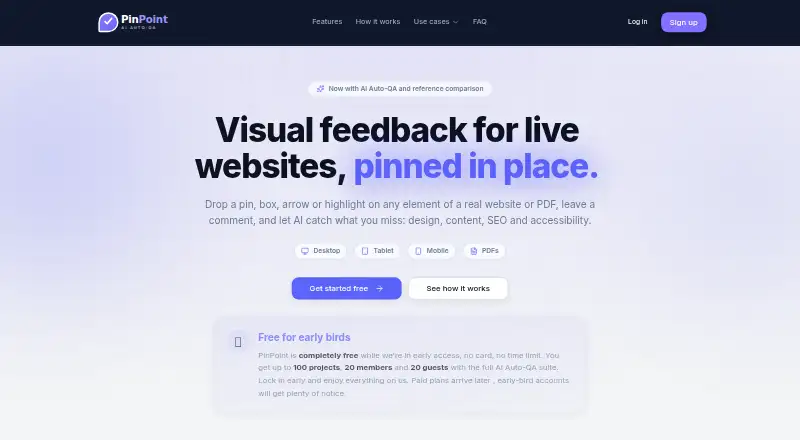
PinPoint is a web tool for visual feedback and AI quality checks on live websites and PDFs. Reviewers can attach findings and comments to page elements or document locations, then use replies and resolutions to follow the discussion. Five specialist agents cover general website QA, accessibility, conversion, page optimization, and PDF review. For visual comparison, users can provide a reference page URL or upload a PNG; PinPoint identifies layout, spacing, and style changes to adapt to a brand. Website pins stay attached to real DOM elements through scrolling, resizing, and reflow, and reviewers can add boxes, circles, arrows, and text highlights. PDFs can be reviewed page by page with pins, shapes, and comment threads. Teams get real-time cursors and presence, with separate member and guest roles. Workspace reports filter issues by project, status, priority, due date, and device. PinPoint handles AI without requiring API keys or a separate AI bill, while reviews use credits priced from the run's real cost. Early access is free and limited to 100 projects, 20 members, and 20 guests; paid plans are planned for later.
Who it suits
PinPoint is aimed at web agencies, freelancers, product teams, and marketing teams that review websites or PDFs. It may suit groups that need shared annotations, role-based access, and issue reports.
What it does well
- Reviews live websites and PDFs
- Five specialist agents cover distinct QA areas
- Website pins stay anchored through reflow
- Supports real-time collaboration and guest roles
- Reports filter issues across projects
What to know first
- Early access is capped at 100 projects
- Early access allows up to 20 members and 20 guests
- AI reviews consume credits
- Website ownership must be verified once
Limits
The free early-access plan is capped at 100 projects, 20 members, and 20 guests. AI reviews consume credits priced from the run’s real cost.
Plans
| Plan | Billed and limits | Price |
|---|---|---|
| Early access | Free while in early access; no card or time limit · Up to 100 projects · 20 members · 20 guests · full AI Auto-QA suite | Free |
As getpinpointqa.com lists them, read 3 Oct 2026. The maker's own page has the final word.
Getting started
- Open the PinPoint website.
- Create a project by pasting a website URL or uploading a PDF.
- For a website project, verify ownership once with a DNS TXT record or meta tag.
- Use the free Early access plan, which requires no card and has no time limit.
- Invite members or guests within the plan limits.
Verdict
PinPoint brings website and PDF review, AI checks, and team discussion into one web workspace. Its early-access limits and credit-based AI reviews are important to consider before setting up a larger workflow.
Questions
Is PinPoint free?
Yes. Early access is billed Free, with no card or time limit.
What platforms does PinPoint support?
PinPoint is available on the web.
Can it review PDFs as well as websites?
Yes. Users can review live websites and PDFs; PDF reviews work page by page with pins, shapes, and comment threads.
What is included in early access?
The plan includes the full AI Auto-QA suite and allows up to 100 projects, 20 members, and 20 guests.
How does its AI pricing work?
PinPoint manages AI without API keys or a separate AI bill. Reviews consume credits priced from the run’s real cost.
How do I start a project?
Paste a URL or upload a PDF. Website projects require one ownership verification using a DNS TXT record or meta tag.
Facts from PinPoint's own pages
- AI review
- Its five specialist agents cover general site QA, accessibility, conversion, page optimization, and PDF review. · getpinpointqa.com, 3 Oct 2026
- AI setup and credits
- PinPoint manages AI without requiring API keys or a separate AI bill, and says reviews consume credits priced from the run's real cost; users can select a specific model per agent. · getpinpointqa.com, 3 Oct 2026
- Annotations
- Website pins attach to real DOM elements and remain anchored through scrolling, resizing, and reflow; the tool also supports boxes, circles, arrows, and text highlights. · getpinpointqa.com, 3 Oct 2026
- Early access limits
- The early-access offer is capped at 100 projects, 20 members, and 20 guests; the site says paid plans will arrive later. · getpinpointqa.com, 3 Oct 2026
- Intended users
- PinPoint names web agencies, freelancers, product teams, and marketing teams among the groups it is built for. · getpinpointqa.com, 3 Oct 2026
- PDF review
- Users can upload PDFs and review them page by page with pins, shapes, and comment threads. · getpinpointqa.com, 3 Oct 2026
- Reference comparison
- Users can provide a reference page URL or upload a PNG, and PinPoint identifies ways to match layout, spacing, and style while adapting the result to their brand. · getpinpointqa.com, 3 Oct 2026
- Reports
- Workspace reports let users filter issues across projects by project, status, priority, due date, and device, and track resolved progress. · getpinpointqa.com, 3 Oct 2026
- Setup requirement
- To create a project, users paste a URL or upload a PDF and verify website ownership once using a DNS TXT record or meta tag. · getpinpointqa.com, 3 Oct 2026
- Support
- The Pip workspace assistant answers using project state and can open a ticket for a human technician, with ticket status updates by email. · getpinpointqa.com, 3 Oct 2026
- Team collaboration
- PinPoint supports real-time pins, replies, resolutions, cursors, and presence, with Owner, Admin, and Editor member roles and Commenter and Viewer guest roles. · getpinpointqa.com, 3 Oct 2026
- What it does
- PinPoint provides visual feedback and AI QA for live websites and PDFs, pinning findings and comments to specific elements or document locations. · getpinpointqa.com, 3 Oct 2026
Where PinPoint stands on Freedom251
- Web Annotation Tools#19 of 31