Freedom251 › WebDAV Client Software
WebDAV Navigator
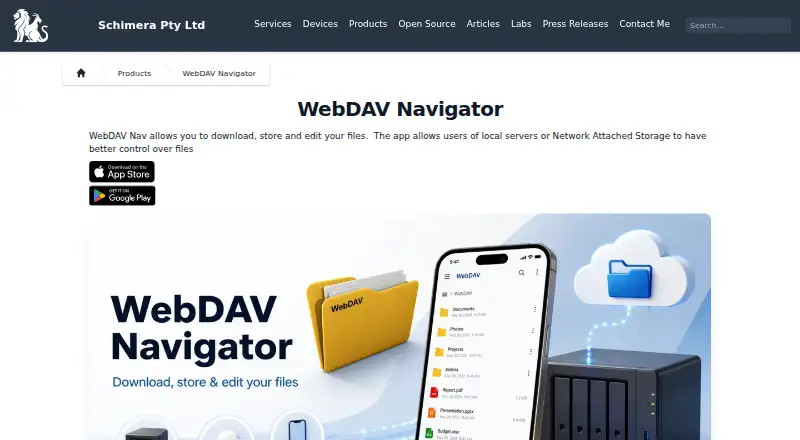
What WebDAV Navigator is
WebDAV Navigator is a mobile app for reaching files stored on a user's own server or network-attached storage, without requiring cloud storage. It is available on Android and iOS. Users can download files for local access, open them in other installed apps, then email or upload their changes. The feature list names Microsoft Office, OpenOffice, PDF, Keynote, Pages, Numbers, RTF, and DICOM formats. A built-in text editor works with files such as .txt, .html, .css, .js, .rb, and .py, and a built-in WebDAV server can share local storage with a computer or another WebDAV Nav client.
The app can stream video and music from servers that support partial requests, and lists AirPlay and Google Chromecast support. Folder synchronization is one-way and depends on the server supporting infinite-depth queries. Android WebDAV Nav supports Basic and Digest Authentication and HTTPS, including self-signed certificates. Other listed controls include PIN protection, client-side certificates, optional acceptance of self-signed certificates, and automatic logout when the app is backgrounded. Bonjour can discover WebDAV servers advertising the _webdav._tcp service on a local network. A free plan is listed; paid options include one-time prices of 0.99 USD, 1.99 USD, and 3.99 USD, depending on the app and platform.
Who it suits
WebDAV Navigator suits Android and iOS users who want mobile access to files on their own server or network-attached storage. It may fit businesses and educational facilities, which the maker identifies among its users, as well as people who need local file access, editing, or streaming.
What it does well
- Access files on a personal server without cloud storage.
- Downloads support local access and opening files in other apps.
- Built-in text editor covers common code and text formats.
- Streams media with AirPlay and Chromecast support listed.
- Includes a WebDAV server for sharing local storage.
What to know first
- Folder synchronization runs one way.
- Synchronization requires server support for infinite-depth queries.
- Drive mounting is not supported.
- Paid app options are one-time purchases at listed prices.
Limits
Folder synchronization is one-way and requires a server that supports infinite-depth queries. WebDAV Nav+ for iOS requires iOS 13 or later.
Plans
| Plan | Billed and limits | Price |
|---|---|---|
| WebDAV NavX | iOS in-app purchase · adds logo and feature restrictions via hosted configuration | $0.99, paid once |
| WebDAV Navigator for Android | Android devices · 10K+ downloads shown | $1.99, paid once |
| WebDAV Nav+ for iOS | iPhone and iPad · iOS 13 or later | $3.99, paid once |
As schimera.com lists them, read 1 Oct 2026. The maker's own page has the final word.
Getting started
- Visit https://schimera.com/products/webdav-navigator/ for product details.
- Choose the Android or iOS app for your device.
- Use the free plan or select a listed one-time purchase for the relevant platform.
- Connect to a WebDAV server or network-attached storage.
- For local-network discovery, use Bonjour with servers advertising the _webdav._tcp service.
Verdict
Choose WebDAV Navigator if you need mobile access to files on your own server, with local downloads, editing, or media streaming. Look elsewhere if you need drive mounting or two-way folder synchronization; the listed synchronization works only one way and depends on server support.
Questions
Is WebDAV Navigator free?
A free plan is listed. Paid options are also available: WebDAV NavX costs $0.99, paid once, WebDAV Navigator for Android costs $1.99, paid once, and WebDAV Nav+ for iOS costs $3.99, paid once.
Which platforms does it support?
WebDAV Navigator is listed for Android and iOS. WebDAV Nav+ for iOS requires iOS 13 or later.
Does it require cloud storage?
No. It provides remote access to files on a user's own server without requiring cloud storage.
Can it synchronize folders?
Yes, but synchronization is one-way and requires server support for infinite-depth queries.
Can it mount a drive?
No. Drive mounting is listed as unsupported.
Who makes WebDAV Navigator?
Schimera lists the product and provides support contact details at [email protected].
Facts from WebDAV Navigator's own pages
- Authentication
- Android WebDAV Nav supports Basic and Digest Authentication and HTTPS including self-signed certificates. · schimera.com, 1 Oct 2026
- Certificate default
- WebDAV Nav no longer trusts all SSL certificates by default for security reasons; users can enable Trust all certificates in Settings. · schimera.com, 1 Oct 2026
- Editing
- A built-in text editor supports files such as .txt, .html, .css, .js, .rb and .py. · schimera.com, 1 Oct 2026
- File formats
- The feature page lists support for Microsoft Office, OpenOffice, PDF, Keynote, Pages, Numbers, RTF and DICOM formats. · schimera.com, 1 Oct 2026
- File handling
- Users can download files locally, open them in other installed applications, and email or upload changes. · schimera.com, 1 Oct 2026
- Founded
- 2003 · schimera.com, 28 Sept 2026
- Headquarters
- Brisbane, Queensland, Australia · schimera.com, 28 Sept 2026
- Purpose
- WebDAV Nav lets users download, store and edit files from mobile devices connected to local servers or network-attached storage. · schimera.com, 1 Oct 2026
- Remote access
- The app provides remote access to files on a user's own server without requiring cloud storage. · schimera.com, 1 Oct 2026
- Security controls
- The feature page lists PIN protection, client-side certificates, optional acceptance of self-signed certificates and automatic logout when backgrounded. · schimera.com, 1 Oct 2026
- Server discovery
- Bonjour integration discovers WebDAV servers advertising the _webdav._tcp service on the local network. · schimera.com, 1 Oct 2026
- Sharing
- The app includes a built-in WebDAV server for sharing local storage with a computer or another WebDAV Nav client. · schimera.com, 1 Oct 2026
- Streaming
- The app can stream video and music from servers supporting partial requests, with AirPlay and Google Chromecast support listed. · schimera.com, 1 Oct 2026
- Support
- Schimera lists [email protected] and a Brisbane, Queensland, Australia address for contact. · schimera.com, 1 Oct 2026
- Synchronization
- Folder synchronization is available, but it requires the server to support infinite-depth queries and synchronizes local files one way. · schimera.com, 1 Oct 2026
- Target users
- The maker says businesses and educational facilities find WebDAV Nav secure and easy to use. · schimera.com, 1 Oct 2026
Where WebDAV Navigator stands on Freedom251
- WebDAV Client Software#18 of 26