Freedom251 › Virtual Drive Software
NetDrive
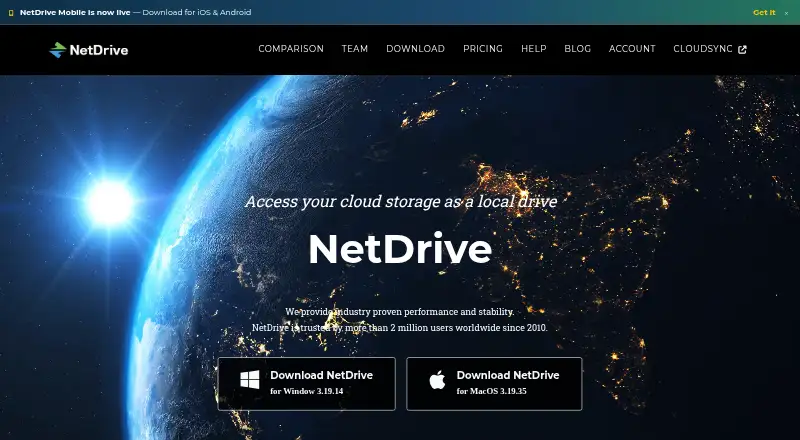
What NetDrive is
NetDrive mounts remote storage so files can be accessed like local files in Windows Explorer or macOS Finder. Its File Browser can also open, download, rename, and delete remote files without mounting a drive. NetDrive 3 supports background uploads, while file locking prevents other users from deleting, renaming, or overwriting locked files. Team maintainers can configure and publish drives that appear in members’ drive lists. Listed connections include Google Drive, Dropbox, OneDrive, Box, MEGA, Google Cloud Storage, Amazon S3, Azure, Backblaze B2, WebDAV, FTP, and SFTP. The platform lists Windows, macOS, Android, and iOS, though downloads specifically list Windows and macOS versions. NetDrive 3 requires a Bdrive account ID and an internet connection while in use. Each license can be used on one device concurrently; simultaneous use on additional devices requires additional licenses. Plans include a 7-day trial, with listed prices including $3.90 a month for a personal monthly subscription and $29.90 a year for a personal yearly subscription.
Who it suits
NetDrive suits people who want remote storage to appear in desktop file browsers, as well as teams that need shared drives and file locking. It is available across the listed desktop and mobile platforms.
What it does well
- Mounts remote storage in Windows Explorer and Finder.
- File Browser works without mounting a drive.
- Supports background uploads and file locking.
- Lists connections to many cloud and network storage services.
- Offers a 7-day trial.
What to know first
- NetDrive 3 requires an internet connection while in use.
- One license covers one concurrent device.
- Downloads are listed for Windows and macOS.
Limits
The free evaluation lasts seven days. Personal plans include one license; team subscriptions require at least two licenses, and one license can be used on one device concurrently.
Plans
| Plan | Billed and limits | Price |
|---|---|---|
| Team free trial | 7 days · up to 3 licenses per team trial | Free |
| Personal free trial | 7 days · 1 user · 1 license · unlimited speed · unlimited drive items | Free |
| Personal Lifetime | One-time price shown · 1 license · 1 user account · lifetime support · 14-day money-back guarantee | $129.95, paid once |
| Team Lifetime | One-time price shown · Multiple users · minimum 2 licenses · lifetime support and software updates · 14-day money-back guarantee | $149, paid once |
| Personal Yearly subscription | Yearly · 1 license · 1 user account · add licenses at $ 14.95 / year · 14-day money-back guarantee | $29.90 a year |
| Team Yearly subscription | Yearly · Multiple users · minimum 2 licenses · add licenses at $ 27.9 / year · 14-day money-back guarantee | $34.90 a year |
| Personal Monthly subscription | Shown as “$ 3.9 / Year” on the page · 1 license · 1 user account · add licenses at $ 1.95 / year · 7-day trial for new customers | $3.90 a month |
| Team Monthly subscription | Shown as “$ 4.9 / Year” on the page · Multiple users · minimum 2 licenses · add licenses at $ 3.9 / year · 7-day trial for new customers | $4.90 a month |
The first 8 of 9 plans, as netdrive.net lists them, read 9 Oct 2026. The maker's own page has the final word. Every plan
Getting started
- Visit https://www.netdrive.net/.
- Choose Windows or macOS from the download page, or use the listed Android or iOS version.
- Install the software and use the seven-day evaluation.
- For NetDrive 3, have a Bdrive account ID and internet connection while using it.
- Choose a personal or team subscription, or a lifetime plan, when selecting a paid option.
Verdict
NetDrive offers both mounted-drive access and a separate browser for remote files, with team drive and locking features. Check the plan details for license counts and support terms before choosing a subscription or one-time option.
Questions
How much does NetDrive cost?
Paid plans start at $3.90 per month. Yearly plans are $29.90 for Personal and $34.90 for Team; lifetime options start at $69.95 once.
Is there a free plan or trial?
There is no free plan. Personal and Team free trials last seven days; the Personal trial includes one user and one license, while the Team trial supports up to three licenses.
Which platforms are listed?
NetDrive is listed for Windows, macOS, Android, and iOS. The download page lists Windows and macOS versions.
Which storage services can it connect to?
Listed connections include Google Drive, Dropbox, OneDrive, Box, MEGA, Google Cloud Storage, Amazon S3, Azure, Backblaze B2, WebDAV, FTP, and SFTP.
Can I use one license on several devices at once?
No. One license can be used on one device concurrently; simultaneous use on additional devices requires additional licenses.
Does NetDrive require an account and internet access?
NetDrive 3 requires a Bdrive account ID and an internet connection while the software is in use.
Facts from NetDrive's own pages
- Account requirement
- NetDrive 3 requires a Bdrive account ID and an internet connection while the software is in use. · netdrive.net, 9 Oct 2026
- Background uploads
- NetDrive 3 can upload files to remote storage in the background. · netdrive.net, 9 Oct 2026
- Company history
- The homepage says NetDrive has been trusted by more than 2 million users worldwide since 2010. · netdrive.net, 9 Oct 2026
- File browser
- Its File Browser can open, download, rename, and delete remote files without mounting a drive. · netdrive.net, 9 Oct 2026
- File locking
- Users can lock files, and other users cannot delete, rename, or overwrite locked files. · netdrive.net, 9 Oct 2026
- Founded
- 2010 · netdrive.net, 28 Sept 2026
- Headquarters
- Seoul, South Korea · netdrive.net, 28 Sept 2026
- License concurrency
- One license can be used on one device concurrently; additional concurrent devices require additional licenses. · netdrive.net, 9 Oct 2026
- Local cache and logs
- NetDrive stores temporary performance data on local disk; its help page says logs contain no credential information and sensitive file names in verbose logs are encrypted. · netdrive.net, 9 Oct 2026
- Platforms and trial
- The download page lists Windows and macOS versions and says the software can be installed for a 7-day evaluation; it also lists Android and iOS entries. · netdrive.net, 9 Oct 2026
- Purpose
- NetDrive mounts remote storage so files can be accessed like local files through Windows Explorer and macOS Finder. · netdrive.net, 9 Oct 2026
- Storage integrations
- The help page lists connections including Google Drive, Dropbox, OneDrive, Box, MEGA, Google Cloud Storage, Amazon S3, Azure, Backblaze B2, WebDAV, FTP, and SFTP. · netdrive.net, 9 Oct 2026
- Support
- Subscription plans include support and updates during the subscription period; the lifetime team plan includes lifetime support and updates. · netdrive.net, 9 Oct 2026
- Team drives
- Team maintainers can configure and publish team drives that appear in members’ drive lists. · netdrive.net, 9 Oct 2026
Where NetDrive stands on Freedom251
- Virtual Drive Software#17 of 24
- WebDAV Client Software#19 of 26