Freedom251 › Time-Series Databases

Warp 10
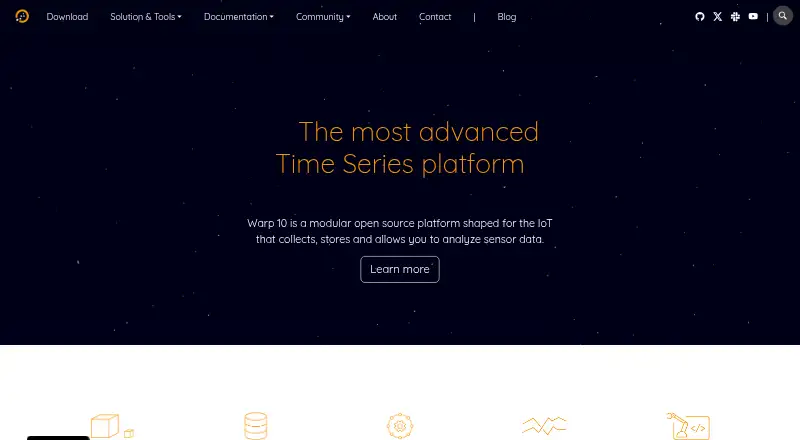
What Warp 10 is
Warp 10 is an open-source platform for collecting, storing, and analyzing time series and Geo Time Series data, including sensor data. It includes more than 1,300 functions for managing and analyzing those data. Its Standalone, Standalone+, and Distributed versions mainly differ in their storage engine implementation. It can be installed as binaries on your own infrastructure or from a Docker image that includes Warp 10, WarpStudio, and Sensision. Documentation covers Jupyter Notebooks and Zeppelin, and WarpLib can be used with Spark and Flink. Listed connections include MQTT, BACNet, NodeRed, NiFi, JDBC-accessible SQL databases, Grafana, and PowerBI. Data ingestion uses HTTP POST to an update endpoint with a valid WRITE token; cryptographic READ and WRITE tokens control access. Metadata encryption is enabled by default, while datapoint encryption is disabled by default because of its storage and performance effects. Standalone is described as suitable for a few tens of millions of time series and a few hundreds of billions of datapoints; larger needs point to Distributed. Windows users are directed to Docker, and the maker says Windows is not supported in production environments.
Who it suits
Warp 10 suits teams collecting and analyzing sensor or other time series data who want an open-source platform on their own infrastructure. Its integrations may also fit data workflows involving notebooks, stream processing, databases, and dashboard tools.
What it does well
- Includes more than 1,300 time series functions
- Offers Standalone, Standalone+, and Distributed versions
- Documents notebook, Spark, and Flink integrations
- Uses separate cryptographic READ and WRITE tokens
What to know first
- Windows is not supported in production environments
- Datapoint encryption is off by default
- Standalone is aimed at a stated capacity range
Limits
The free sandbox is described as being for trying Warp 10, with no limits stated. Standalone is suitable for a few tens of millions of time series and a few hundreds of billions of datapoints; the documentation points to Distributed for larger needs.
Plans
| Plan | Billed and limits | Price |
|---|---|---|
| Free sandbox | Free sandbox for trying Warp 10; no limits stated | Free |
As warp10.io lists them, read 10 Oct 2026. The maker's own page has the final word.
Getting started
- Open the Warp 10 website.
- Choose the free sandbox or a deployment version: Standalone, Standalone+, or Distributed.
- Install binaries on your infrastructure or use the Docker image.
- For Windows use, follow the maker's Docker recommendation.
- Send data to the server using an ingestion method such as HTTP POST, WebSocket, UDP, MQTT, or Kafka.
- For HTTP POST ingestion, provide a valid WRITE token in the X-Warp10-Token header.
Warp 10 is a modular, open-source server for collecting, storing, and analyzing sensor and Geo Time Series data. It best suits engineering teams that can operate their own infrastructure and need extensive in-platform analytics. The trade-off is that deployment sizing, token management, and Windows production constraints require deliberate planning.
Overview
Warp 10 combines time-series storage with WarpScript, its query language, and more than 1,300 functions for managing and analyzing time series and Geo Time Series data. It runs as a server, accepting HTTP requests for ingestion and script execution, rather than functioning as only a hosted dashboard or browser tool.
Three deployment forms are offered: Standalone, Standalone+, and Distributed. They differ mainly in storage-engine implementation. Standalone uses LevelDB and is described as suitable for a few tens of millions of time series and a few hundreds of billions of datapoints; Warp 10 directs larger requirements to Distributed, which uses FoundationDB. That gives small and very large installations a path forward, while making architecture and capacity planning central to the choice.
Key features
- Deep time-series analytics: More than 1,300 functions cover management and analysis of time series and Geo Time Series. Teams doing substantial transformation or location-aware processing can keep that work close to the stored data instead of assembling a separate function stack.
- Flexible ingestion: Data can arrive through HTTP POST, WebSocket, UDP, MQTT, or Kafka. The HTTP update endpoint requires a valid WRITE token in the X-Warp10-Token header, a clear control for production pipelines but an additional credential requirement for every sender.
- Retention and scale controls: Retention policies and horizontal scaling are supported. Standalone is a sensible boundary for the stated tens-of-millions-of-series range; installations beyond that should plan for Distributed rather than assuming a later storage swap will be trivial.
- Security model: Cryptographic tokens separate READ and WRITE access. Authentication plugins can turn an authentication string into a Warp 10 read or write token, which helps integrate existing identity flows. Metadata encryption is enabled by default, while datapoint encryption is disabled by default because it increases storage footprint and affects performance; teams with stricter data-at-rest requirements must account for that trade-off.
- Integration and processing: Documentation covers Jupyter Notebooks and Zeppelin, and WarpLib can be used from Spark and Flink batch and streaming environments. Connections include SQL and NoSQL databases, document stores, other time-series systems, monitoring platforms, MQTT, BACNet, Node-RED, NiFi, JDBC, Grafana, and PowerBI.
- Installation options: Binary installation targets your own infrastructure. A Docker image bundles Warp 10, WarpStudio, and Sensision, which is a practical route for container-based evaluation or deployment.
Pricing
Warp 10 is open source and free. The Free sandbox plan costs nothing and is intended for trying Warp 10; no usage limits are stated. There are no paid tiers or seat charges described, so the main cost decision is operating and scaling the infrastructure yourself rather than selecting a metered hosted package.
This model fits teams comfortable with self-hosting, custom retention, and their own support processes. It gives up the convenience of a conventional paid service tier: capacity, upgrades, and operational responsibility remain with the deploying organization. Documentation points users to a community Slack for issues or missing documentation.
Platforms
Warp 10 supports API, Linux, macOS, self-hosted, web, and Windows environments. Windows users are directed toward Docker, and SenX explicitly does not support Windows in production environments. Linux or container-based infrastructure is therefore the safer fit for production; Windows is better treated as a development or evaluation platform.
Who it's for
Choose Warp 10 for sensor-data programs that need broad analytical functions, multiple ingestion protocols, cryptographic read/write controls, and deployment choices from a single-node-style Standalone setup to Distributed storage. It is particularly suitable for teams integrating industrial protocols, notebooks, stream processors, and dashboard tools around one time-series platform.
Look elsewhere if you want a fully managed service, minimal operational ownership, or supported Windows production. The need to understand WarpScript, token-based writes, encryption settings, and storage-engine boundaries makes Warp 10 a poor match for a quick, hands-off metrics database.
Pros and cons
Pros
- More than 1,300 time-series and Geo Time Series functions support substantial analytics in one platform.
- HTTP, WebSocket, UDP, MQTT, and Kafka ingestion cover varied sensor and streaming architectures.
- Standalone, Standalone+, and Distributed editions provide a route from smaller installations to larger storage designs.
- Separate READ and WRITE tokens, authentication plugins, and default metadata encryption provide a structured security model.
- Open-source, free licensing avoids per-seat pricing and supports self-hosted control.
Cons
- Datapoint encryption is off by default and carries storage and performance costs when enabled.
- Standalone's stated capacity is finite, so larger deployments must plan around Distributed and its different storage engine.
- Windows lacks production support from SenX, with Docker recommended instead.
- Self-hosting shifts installation, scaling, maintenance, and troubleshooting to the user.
Alternatives
Consider InfluxDB if you want a freemium option with a free trial and a listed cloud serverless plan alongside self-hosted platforms. LinDB is another free, Apache 2.0 open-source choice when you want a straightforward no-trial alternative.
Prometheus fits monitoring and alerting use cases, while QuestDB offers an Apache 2.0, self-managed single-instance edition with community support. TDengine is worth considering for an open-source AGPL time-series database with clustering in its OSS release. VictoriaMetrics provides open-source single-node and cluster versions. Apache IoTDB is a free downloadable open-source time-series database, and CnosDB offers free Community and custom-priced Enterprise editions. Browse more options in Time-Series Databases.
Verdict
Warp 10 is a strong choice for self-hosting teams building sensor and Geo Time Series pipelines that value unusually broad analytics, protocol integrations, and explicit token-based access control. Choose it when you can plan storage architecture and operate the platform. Look elsewhere when managed convenience, Windows production support, or a simpler metrics-first workflow matters more than Warp 10's extensibility.
Verdict
Warp 10 offers multiple deployment forms, extensive time series functions, and documented integration options. Consider its deployment and encryption defaults, along with the stated Standalone capacity, when assessing fit.
Questions
Is Warp 10 free?
The pricing model is free, and the listed Free sandbox plan costs nothing. The sandbox is for trying Warp 10.
Which platforms does Warp 10 support?
Listed platforms are API, Linux, macOS, self-hosted, web, and Windows. SenX recommends Docker for Windows users and says it does not support Windows in production environments.
Is Warp 10 open source?
Yes. The pricing note describes Warp 10 as open source.
What deployment versions are available?
Warp 10 is available in Standalone, Standalone+, and Distributed versions. They differ mainly in storage engine implementation; Standalone uses LevelDB and Distributed uses FoundationDB.
What integrations does Warp 10 document?
It documents connections with Jupyter Notebooks, Zeppelin, Spark, Flink, MQTT, BACNet, NodeRed, NiFi, JDBC-accessible SQL databases, Grafana, and PowerBI.
How does Warp 10 control data access?
It uses cryptographic READ and WRITE tokens. HTTP POST ingestion requires a valid WRITE token in the X-Warp10-Token header.
Facts from Warp 10's own pages
- Access control
- Warp 10's security mechanisms use cryptographic tokens, and its documentation describes separate READ and WRITE tokens for controlling access to data. · warp10.io, 9 Oct 2026
- Analytics
- The download page says Warp 10 includes more than 1,300 functions for managing and analyzing time series and Geo Time Series data. · warp10.io, 9 Oct 2026
- Business application connections
- The applications page lists MQTT and BACNet for industrial data, JDBC for SQL databases, APIs, and dashboard tools including Grafana and PowerBI. · warp10.io, 10 Oct 2026
- Company
- The site identifies SenX S.A.S. as the owner of the Warp 10 trademarks. · warp10.io, 10 Oct 2026
- Data science integrations
- Warp 10 integrates with Jupyter Notebooks and Zeppelin, and WarpLib can be used with Spark, Flink, NiFi and Kafka Streams. · warp10.io, 10 Oct 2026
- Deployment
- Warp 10 is available in Standalone, Standalone+, and Distributed versions; the versions differ mainly in how the storage engine is implemented. · warp10.io, 9 Oct 2026
- Deployment modes
- Warp 10 is available in Standalone, Standalone+ and Distributed versions, which differ mainly in their storage engine implementation. · warp10.io, 10 Oct 2026
- Encryption
- The encryption documentation says metadata encryption is on by default, while datapoint encryption is off by default because it affects storage footprint and performance. · warp10.io, 9 Oct 2026
- Extensibility
- Warp 10 supports authentication plugins that can convert an authentication string into a Warp 10 read or write token. · warp10.io, 9 Oct 2026
- Headquarters
- 29490 Guipavas, France · warp10.io, 28 Sept 2026
- Ingestion API
- The Ingress documentation says data is ingested through HTTP POST requests to the update endpoint and requires a valid WRITE token in the X-Warp10-Token header. · warp10.io, 9 Oct 2026
- Installation
- The download page describes binary installation on your own infrastructure and a Docker image that includes Warp 10, WarpStudio, and Sensision. · warp10.io, 9 Oct 2026
- Integrations
- The platform can fetch data from SQL and NoSQL databases, document stores, other time series databases, and monitoring platforms. · warp10.io, 10 Oct 2026
- Local use
- Warp 10 is a server that accepts HTTP requests at endpoints for tasks such as ingesting data and executing WarpScript. · warp10.io, 10 Oct 2026
- Other integrations
- The applications page names MQTT, BACNet, NodeRed, NiFi, JDBC-accessible SQL databases, Grafana, and PowerBI among connection options or examples. · warp10.io, 9 Oct 2026
- Product
- Warp 10 describes itself as a time series platform for storing and analyzing time series and Geo Time Series data. · warp10.io, 9 Oct 2026
- Purpose
- Warp 10 is a modular open source platform for collecting, storing, and analyzing sensor data. · warp10.io, 10 Oct 2026
- Security
- Warp 10 uses cryptographic tokens to control access, and its ingress API requires a valid write token in the X-Warp10-Token header. · warp10.io, 10 Oct 2026
- Standalone capacity
- The getting-started guide says the Standalone version is suitable for a few tens of millions of time series and a few hundreds of billions of datapoints; it points to the distributed version for larger needs. · warp10.io, 9 Oct 2026
- Storage scale
- The standalone version uses LevelDB and is described as suitable for a few tens of millions of time series and a few hundreds of billions of datapoints; a distributed version uses FoundationDB. · warp10.io, 10 Oct 2026
- Support
- Warp 10 documentation directs users to its community Slack to report issues or missing documentation. · warp10.io, 9 Oct 2026
- Time series functions
- The download page says Warp 10 includes more than 1,300 functions for managing and analyzing time series and Geo Time Series data. · warp10.io, 10 Oct 2026
- Windows support
- The maker recommends Docker for Windows users and explicitly says SenX does not support Windows in production environments. · warp10.io, 10 Oct 2026
Where Warp 10 stands on Freedom251
- Time-Series Databases#25 of 36