Freedom251 › AI Voice Changer Software
Voxal Voice Changer
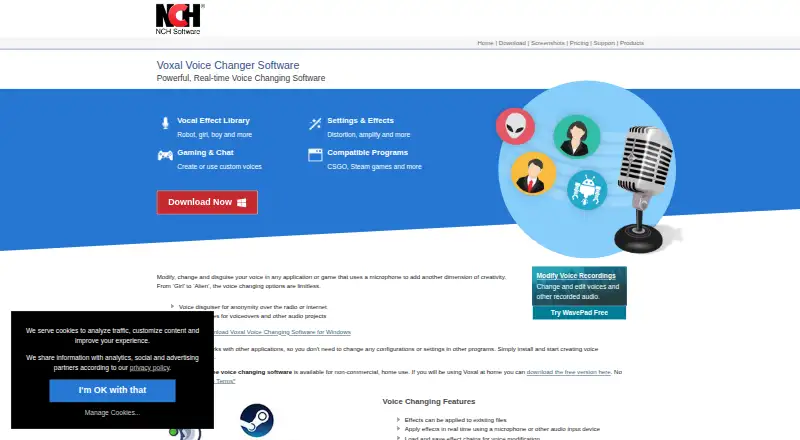
What Voxal Voice Changer is
Voxal Voice Changer alters microphone audio in real time for applications and games, and it can also apply effects to existing recordings. Its library includes robot, girl, boy, alien, atmospheric, and echo voices. Users can build unlimited custom effects, save or load effect chains, and switch voices with custom hotkeys. Voxal can add background sounds such as a busy office, a train, or a forest.
The maker lists CSGO, Rainbow Six Siege, Steam games, TeamSpeak, and Discord as compatible programs. Described uses include gaming, chat, audiobooks, podcasts, YouTube, Twitch, and social media content. Voxal runs on Windows 7 to 11 and macOS 10.5 or above. The free version is for non-commercial home use and requires no signup; its listed price is free (Non-commercial home use). Support includes video tutorials, how-to articles, a help manual, a forum, and a technical-support contact link. NCH’s registration guidance says a registration key is tied to one computer and advises against using it on another.
Who it suits
Voxal suits people who want to change their voice live in games or chat, or apply effects to recorded audio. It also fits creators making audiobooks, podcasts, YouTube, Twitch, or social media content, provided their use is non-commercial home use on Windows or macOS.
What it does well
- Changes microphone audio in real time and supports recorded audio.
- Offers robot, girl, boy, alien, atmospheric, and echo effects.
- Allows unlimited custom effects and saved effect chains.
- Custom hotkeys switch between voices.
- Can add office, train, or forest background sounds.
- Free home use needs no signup.
What to know first
- The free version is limited to non-commercial home use.
- A registration key locks to one computer.
- Runs on Windows and macOS only.
Limits
The free plan is for non-commercial home use. A registration key locks to the computer and should not be used on another computer.
Plans
| Plan | Billed and limits | Price |
|---|---|---|
| Free (non-commercial home use) | Non-commercial home use | Free |
As nchsoftware.com lists them, read 3 Oct 2026. The maker's own page has the final word.
Getting started
- Open the Voxal website.
- Choose the Windows or macOS version that matches your system.
- Install the application on a supported system: Windows 7 to 11 or macOS 10.5 or above.
- Use the free version for non-commercial home use; no signup is required.
- Select an effect or create a custom effect, then use Voxal with a compatible program or recorded audio.
Verdict
Choose Voxal for real-time voice effects in games and chat, with recorded-audio effects and custom voice chains available too. Its free option is limited to non-commercial home use, and a registration key is tied to one computer.
Questions
Is Voxal Voice Changer free?
Yes. The free plan is listed as free (Non-commercial home use), and it requires no signup.
Which systems does Voxal support?
It supports Windows 7 to 11 and macOS 10.5 or above.
Can it change recorded audio as well as a live microphone?
Yes. Voxal applies effects to existing audio files and changes microphone audio in real time.
Which programs does the maker list as compatible?
The maker lists CSGO, Rainbow Six Siege, Steam games, TeamSpeak, and Discord.
Can I make custom voice effects?
Yes. Users can create unlimited custom effects and load or save effect chains.
What support resources are available?
Support includes video tutorials, how-to articles, a help manual, a forum, and a technical-support contact link.
Facts from Voxal Voice Changer's own pages
- Background audio
- Voxal can add background sounds such as a busy office, train, or forest. · nchsoftware.com, 3 Oct 2026
- Custom effects
- Users can create unlimited custom voice effects and load or save effect chains. · nchsoftware.com, 3 Oct 2026
- Effect library
- Its vocal effect library includes robot, girl, boy, alien, atmospheric, and echo effects. · nchsoftware.com, 3 Oct 2026
- Founded
- 1993 · nchsoftware.com, 28 Sept 2026
- Free use
- The free version is available for non-commercial home use and requires no signup. · nchsoftware.com, 3 Oct 2026
- Headquarters
- Canberra, Australian Capital Territory, Australia · nchsoftware.com, 28 Sept 2026
- Hotkeys
- Users can switch between voices with custom hotkeys. · nchsoftware.com, 3 Oct 2026
- Integrations
- The maker lists CSGO, Rainbow Six Siege, Steam games, TeamSpeak, and Discord as compatible programs. · nchsoftware.com, 3 Oct 2026
- License limit
- NCH’s registration guidance says a registration key locks to the computer and advises against using it on another computer. · nch.com.au, 3 Oct 2026
- Recorded audio
- Effects can be applied to existing audio files as well as live microphone input. · nchsoftware.com, 3 Oct 2026
- Support
- Voxal support includes video tutorials, how-to articles, a help manual, a forum, and a contact link for technical support. · nchsoftware.com, 3 Oct 2026
- System requirements
- The product page lists Windows 7 to 11 and macOS 10.5 or above. · nchsoftware.com, 3 Oct 2026
- Use cases
- The maker describes uses including gaming, chat, audiobooks, podcasts, YouTube, Twitch, and social media content. · nchsoftware.com, 3 Oct 2026
- What it does
- Voxal changes voices in real time in applications and games that use a microphone. · nchsoftware.com, 3 Oct 2026
Where Voxal Voice Changer stands on Freedom251
- AI Voice Changer Software#31 of 48
- Game Voice Changers#21 of 29
- Voice Changer Software#35 of 45