Freedom251 › Video Editing Software
VirtualDub
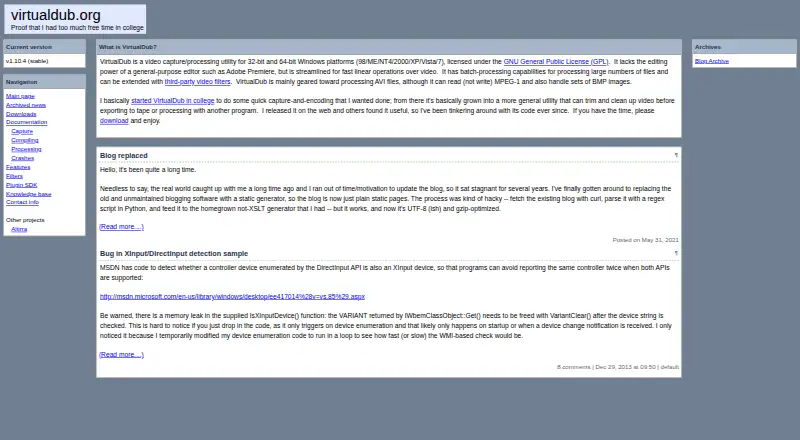
What VirtualDub is
VirtualDub is a free Windows utility for video capture and processing, intended as a fast linear pre- or post-processing companion to a general-purpose editor rather than an editor itself. Capture requires a Video for Windows-compatible device and driver, and supports fractional frame rates, optimised disk access, AVI2 and multisegment capture, input-level monitoring, plus real-time downsizing, noise reduction and field swapping. Processing handles AVI2 and multi-segment AVI, MPEG-1 and Motion-JPEG decoding, audio-track removal or replacement, video filters, frame-rate changes and preview with live audio. Batch processing handles large groups of files. The utility mainly targets AVI; it reads but does not write MPEG-1 and can work with BMP image sets. Third-party DLLs add filters and input drivers for more formats. The maker releases source code under the GNU General Public License. The site lists version 1.10.4 as stable. Email reports are accepted, although responses are not guaranteed; incoming messages are limited to 40K raw size.
Who it suits
VirtualDub suits Windows users needing free capture or batch-processing tools, especially for AVI workflows. It is intended to complement another editor, not replace one.
What it does well
- Free under the GNU General Public License
- AVI2 and multisegment capture support
- Batch processing for many files
- Video filters and frame-rate adjustment
- Third-party DLL extensibility
What to know first
- Windows only
- Capture requires a compatible Video for Windows driver
- Primarily geared toward AVI files
- Reads but does not write MPEG-1
Plans
| Plan | Billed and limits | Price |
|---|---|---|
| VirtualDub | Free under GPL · video capture and processing utility · primarily AVI; reads but does not write MPEG-1 | Free |
As virtualdub.org lists them, read 12 Oct 2026. The maker's own page has the final word.
Verdict
VirtualDub remains a focused, free utility for capture and linear video processing on Windows. Its AVI emphasis, driver requirements and companion-to-editor design define where it fits.
Facts from VirtualDub's own pages
- Batch processing
- VirtualDub supports batch processing for large numbers of files. · virtualdub.org, 12 Oct 2026
- Capture compatibility
- Video capture requires a Video for Windows compatible capture device and driver. · virtualdub.org, 12 Oct 2026
- Capture features
- Capture features include fractional frame rates, optimized disk access, AVI2 and multisegment capture, input level monitoring, and real-time downsizing, noise reduction, and field swapping. · virtualdub.org, 12 Oct 2026
- Capture limitation
- Most FireWire DV devices without a Video for Windows driver cannot be used for capture with VirtualDub. · virtualdub.org, 12 Oct 2026
- Current version
- The site lists version 1.10.4 as the stable version. · virtualdub.org, 12 Oct 2026
- Desktop app
- Yes · virtualdub.org, 21 Sept 2026
- Extensibility
- Third-party DLLs can add video filters and input drivers for additional video and audio file formats. · virtualdub.org, 12 Oct 2026
- Formats
- VirtualDub is mainly geared toward AVI files; it can read but not write MPEG-1 and can handle sets of BMP images. · virtualdub.org, 12 Oct 2026
- Free plan
- Yes · virtualdub.org, 21 Sept 2026
- Intended use
- It is a pre- and post-processor for video and is described as a companion to a general-purpose editor, not an editor application itself. · virtualdub.org, 12 Oct 2026
- License and cost
- The maker says VirtualDub costs nothing and is licensed under the GNU General Public License, with its source code available. · virtualdub.org, 12 Oct 2026
- Mobile app
- No · virtualdub.org, 21 Sept 2026
- Purpose
- VirtualDub is a video capture and processing utility for Windows, designed for fast linear operations over video. · virtualdub.org, 12 Oct 2026
- Security and compliance
- The site provides no security or compliance claims; its download page notes that released materials are under the GPL and gives conditions for mirroring them. · virtualdub.org, 12 Oct 2026
- Support
- The author accepts crash reports and compatibility reports by email, but says limited spare time means not every email can be answered. · virtualdub.org, 12 Oct 2026
- Support limits
- Incoming email is limited to 40K raw size, and the author notes that spam filters may prevent messages or replies from getting through. · virtualdub.org, 12 Oct 2026
- Video processing
- Processing features include AVI2 and multi-segment AVI support, MPEG-1 and Motion-JPEG decoders, audio track removal or replacement, video filters, frame-rate adjustment, and preview with live audio. · virtualdub.org, 12 Oct 2026
- Web app
- No · virtualdub.org, 21 Sept 2026
Where VirtualDub stands on Freedom251
- Video Editing Software#108 of 153