Freedom251 › Container Development Environments
Vessel
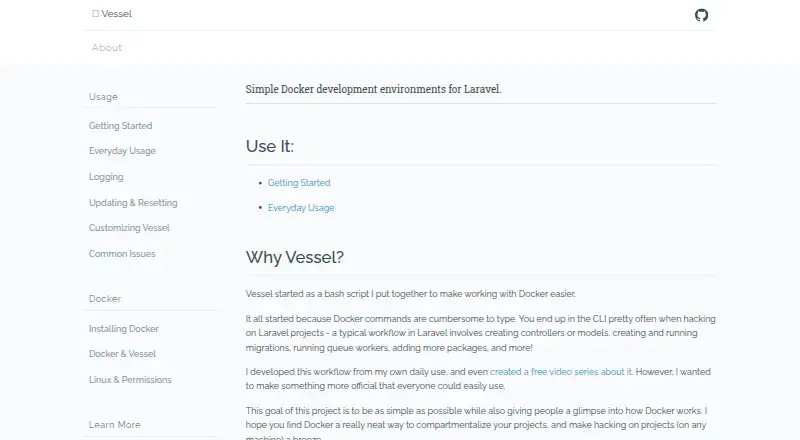
What Vessel is
Vessel is a free Docker development environment for Laravel projects. It is delivered as project files rather than a global installation, while Docker is the only software it requires globally. Installation uses Composer inside a Laravel project, followed by Artisan commands that publish Vessel’s command and Docker files. The environment includes PHP 7.4, MySQL 5.7, Redis, and Node.js with NPM, Yarn, and Gulp. Commands cover Composer, Artisan, PHP, queue workers, PHPUnit tests, Node.js, NPM, Yarn, and Gulp tasks. Database and Redis data persist after stopping and restarting the environment. Vessel works on macOS and Linux, while its documentation says Windows is not supported. It normally uses host ports 80 and 3306; APP_PORT and MYSQL_PORT can be changed for multiple instances. MySQL can be replaced with PostgreSQL, and Beanstalkd can be added as a queue service. Vessel supports self-hosted Compose workflows.
Who it suits
Vessel suits Laravel developers who want project-local Docker environments on macOS or Linux. It is also relevant for teams needing configurable database, queue, and development services.
What it does well
- Free Laravel Docker environment
- No global installation beyond Docker
- Includes PHP, MySQL, Redis, and Node.js
- Persistent database and Redis data
- Supports PostgreSQL and Beanstalkd customization
What to know first
- Windows is not currently supported
- Docker must be installed separately
- Defaults to ports 80 and 3306
- Queue technology is not included by default
Verdict
Vessel packages common Laravel development services into project files and provides commands for everyday PHP and frontend work. Its macOS and Linux support, persistent data, and customization options are useful, but Windows users and projects needing default queues have limitations.
Facts from Vessel's own pages
- Customization
- The docs say Vessel is Docker underneath and describe customizing it with Docker and Docker Compose, including swapping MySQL for PostgreSQL. · vessel.shippingdocker.com, 11 Oct 2026
- Data persistence
- Database and Redis data are saved when Vessel is stopped and restarted. · vessel.shippingdocker.com, 11 Oct 2026
- Development commands
- Vessel provides commands for running Composer, Artisan, PHP, PHPUnit tests, Node, NPM, Yarn, and Gulp tasks. · vessel.shippingdocker.com, 10 Oct 2026
- Docker dependency
- The getting-started guide says Docker must be installed to use Vessel and points readers to Docker's installation and supported-systems information. · vessel.shippingdocker.com, 10 Oct 2026
- Everyday commands
- Vessel provides commands for running Composer, Artisan, PHP, queue workers, tests, Node.js, NPM, Yarn, and Gulp tasks. · vessel.shippingdocker.com, 11 Oct 2026
- How it works
- It is a small set of project files that sets up a local Docker-based development environment, with no global installation required except Docker. · vessel.shippingdocker.com, 10 Oct 2026
- Included components
- The listed included components are PHP 7.4, MySQL 5.7, Redis, and Node.js with NPM, Yarn, and Gulp. · vessel.shippingdocker.com, 11 Oct 2026
- Included services
- The site lists PHP 7.4, MySQL 5.7, Redis, and NodeJS with NPM, Yarn, and Gulp as included components. · vessel.shippingdocker.com, 10 Oct 2026
- Install
- The getting-started guide installs Vessel in a Laravel project through Composer and publishes its command and Docker files with Artisan. · vessel.shippingdocker.com, 10 Oct 2026
- Installation
- Vessel is installed in a Laravel project through Composer and its command and Docker files are published with Artisan. · vessel.shippingdocker.com, 11 Oct 2026
- Maker
- The site identifies Vessel as a Shipping Docker project and carries a © 2020 Fideloper LLC notice. · vessel.shippingdocker.com, 10 Oct 2026
- Maker attribution
- The site identifies Vessel as a Shipping Docker project and displays © 2020 Fideloper LLC. · vessel.shippingdocker.com, 11 Oct 2026
- Not included by default
- Vessel does not include a queue technology out of the box; the docs show how to add Beanstalkd as an additional service. · vessel.shippingdocker.com, 11 Oct 2026
- Port constraint
- Vessel attempts to use host ports 80 and 3306 by default, and the docs explain that multiple instances need different port settings. · vessel.shippingdocker.com, 11 Oct 2026
- Ports
- Vessel defaults to host ports 80 and 3306, and the guide describes using APP_PORT and MYSQL_PORT to run multiple instances. · vessel.shippingdocker.com, 10 Oct 2026
- Project setup
- Vessel is a small set of files that sets up a local Docker development environment for each project; Docker is the only software it says must be installed globally. · vessel.shippingdocker.com, 11 Oct 2026
- Purpose
- Vessel provides simple Docker development environments for Laravel projects. · vessel.shippingdocker.com, 11 Oct 2026
- Requirements
- The docs state that Docker is Vessel's only requirement. · vessel.shippingdocker.com, 11 Oct 2026
- Security and compliance
- The opened Vessel pages provide no stated security certification or compliance claim. · vessel.shippingdocker.com, 10 Oct 2026
- Support
- The opened Vessel pages link to usage and customization documentation and do not state a support service or response time. · vessel.shippingdocker.com, 10 Oct 2026
- Supported operating systems
- Vessel currently works on Macintosh and Linux; the docs say Windows is not currently supported. · vessel.shippingdocker.com, 11 Oct 2026
Where Vessel stands on Freedom251
- Container Development Environments#36 of 40