Freedom251 › Internet Performance Monitoring Software
Uptime Kuma
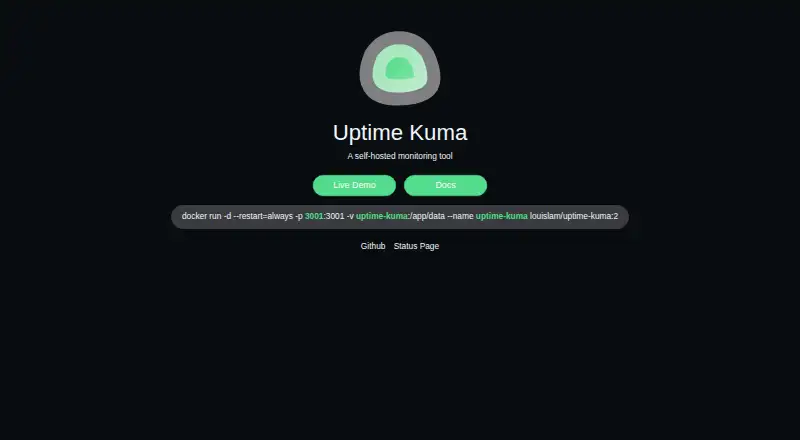
What Uptime Kuma is
Uptime Kuma is a free, self-hosted monitoring tool for checking websites, network services, and containers. It supports HTTP(S), TCP, keyword and JSON checks for HTTP(S), WebSocket, Ping, DNS records, Push, Steam game servers, and Docker containers; monitoring intervals can run every 20 seconds. Users can create multiple status pages and map them to particular domains. Published pages cache results and refresh every five minutes. Notification choices include Telegram, Discord, Gotify, Slack, Pushover, SMTP email, and more than 90 listed services, with Apprise available for additional options. The software supports proxy use and two-factor authentication. Prometheus-compatible metrics are exposed at /metrics, with basic authentication or an API key. Installation instructions cover Docker Compose, a Docker command, and non-Docker setup for major Linux distributions. The project provides a temporary Frankfurt demo server, where data is deleted after 10 minutes. Uptime Kuma is released under the MIT License, which permits use, modification, distribution, and selling copies.
Who it suits
Uptime Kuma suits people who want to host their own monitoring tool for websites, services, servers, or containers. Its multiple status pages and notification options may also suit teams that publish service status.
What it does well
- Monitors a wide range of protocols and services.
- Intervals can run every 20 seconds.
- Supports multiple status pages and domain mapping.
- Lists more than 90 notification services.
- MIT License permits modification and distribution.
What to know first
- Published status pages refresh every five minutes.
- Self-hosted deployment requires installation.
- Demo data is deleted after 10 minutes.
Limits
The software is free and self-hosted. Published status pages cache results and refresh every five minutes; the temporary Frankfurt demo deletes data after 10 minutes.
Plans
| Plan | Billed and limits | Price |
|---|---|---|
| Self-hosted Uptime Kuma | MIT-licensed software · self-hosted deployment | Free |
| Self-hosted open-source | Docker or Node.js deployment · HTTP(S), TCP, ping, DNS, WebSocket, push, Steam and Docker checks · 90+ notification services | Free |
As uptime.kuma.pet lists them, read 1 Oct 2026. The maker's own page has the final word.
Getting started
- Open the Uptime Kuma website or project repository.
- Choose Docker Compose, a Docker command, or non-Docker installation for a major Linux distribution.
- Install and run Uptime Kuma in a self-hosted environment.
- Configure the monitors and notification services you need.
- Use the temporary Frankfurt demo if you want to explore it; its data is deleted after 10 minutes.
Overview
Uptime Kuma is a free, MIT-licensed monitoring application that you host yourself. It is best suited to technically comfortable operators who want broad checks and control over deployment, while organisations seeking a managed service should look elsewhere. The main trade-off is clear: there is no licence fee, but installation, security and ongoing operation remain your responsibility.
Key features
Monitoring intervals can be as short as 20 seconds. Checks cover HTTP(S), TCP, WebSocket, Ping, DNS records, Push endpoints, Steam game servers and Docker containers, with keyword and JSON-query checks for inspecting response content rather than only connectivity. That range lets one deployment watch websites, infrastructure and selected application behaviour.
You can create multiple status pages and map them to specific domains, useful when separate products or customers need distinct public views. Published pages cache results for five minutes and refresh on that schedule, so a status page can lag behind the underlying checks by several minutes.
Native notifications include Telegram, Discord, Gotify, Slack, Pushover and SMTP email, with more than 90 services listed. Apprise integration adds another route for notification delivery. Prometheus-compatible metrics are exposed at /metrics and can use basic authentication or API-key authentication, making Kuma a sensible companion to an existing metrics stack.
Proxy support and two-factor authentication are supported. Official guidance covers Docker Compose, a Docker command and non-Docker installation on major Linux distributions. The project provides a temporary Frankfurt demo, but its data is deleted after 10 minutes, so it is for a quick look rather than a persistent evaluation.
Pricing
There is one plan: Self-hosted Uptime Kuma costs free. It is MIT-licensed software, so the licence permits use, copying, modification, distribution, sublicensing and sale. There are no paid tiers or subscription renewal terms. This is an unusually flexible price model, but infrastructure, administration and any hosting costs are outside the software plan.
Platforms
Uptime Kuma is available for self-hosted Linux deployments and is accessible through the web. Its platform listing also includes API and Windows, making it relevant to mixed environments, although the official installation paths focus on Docker and major Linux distributions.
Who it's for
Choose Kuma if you can run and maintain a monitoring service, need DNS or synthetic checks alongside ordinary uptime checks, or want status pages and notifications without sending monitoring data to a vendor. It is also a strong fit for operators already using Prometheus. It is less suitable when you need a fully managed monitor, guaranteed hosted availability for the monitor itself, or a support model beyond the project’s security-reporting process.
Pros and cons
Pros
- Broad check coverage: website, network, DNS, content, containers and game-server checks fit varied environments.
- Fast intervals: checks can run every 20 seconds, useful when rapid detection matters.
- Flexible alerting: major chat, push and email channels plus Apprise and more than 90 listed services.
- Self-hosting freedom: MIT licensing and domain-mapped status pages support control over deployment and presentation.
- Metrics integration: authenticated Prometheus output suits established observability setups.
Cons
- Operational burden: you must deploy, secure and maintain the monitoring instance.
- Status-page delay: five-minute caching means public pages are not an immediate reflection of checks.
- Short-lived demo: the Frankfurt demonstration deletes data after 10 minutes.
Alternatives
Site24x7 Website Monitoring is the better choice for a hosted, freemium service, with a free tier for up to 50 resources and instant downtime email alerts. Dotcom-Monitor suits readers wanting a free hosted tier with up to 25 targets, five-minute checks and two monitoring locations. HetrixTools offers a free-for-life account with 15 uptime monitors, 15 server monitors, one-minute checks and four locations.
Better Stack is aimed at personal projects needing monitors, heartbeats, a status page and broader incident data in one free tier. Prometheus Node Exporter is a free, Apache 2.0-licensed self-hosted option when the priority is exporting host metrics rather than Kuma’s varied service checks. UptimeRobot fits hobby and nonprofit projects wanting a hosted free tier with 50 monitors and five-minute intervals.
Checkly is preferable for teams focused on API and browser checks, with a free Hobby tier covering 10 uptime monitors and usage quotas. SmokePing is a free self-hosted alternative for Unix-based latency monitoring that requires Perl, RRDtool, FPing and a web server. Browse more options in Internet Performance Monitoring Software.
Verdict
Uptime Kuma is a strong recommendation for self-hosting practitioners who want diverse checks, flexible alerts and no licence cost. Choose a hosted alternative instead if maintaining the monitoring infrastructure or tolerating five-minute public-page freshness is unacceptable.
Verdict
Uptime Kuma offers self-hosted monitoring with varied check types, notification options, and public status pages. Its publishing cache refreshes every five minutes, and the Frankfurt demo is temporary with data deleted after 10 minutes.
Questions
How much does Uptime Kuma cost?
The listed self-hosted plan is free.
Is Uptime Kuma open source?
It is released under the MIT License, which permits use, copying, modification, publication, distribution, sublicensing, and selling copies.
What can Uptime Kuma monitor?
It supports HTTP(S), TCP, HTTP(S) keyword checks and JSON queries, WebSocket, Ping, DNS records, Push, Steam Game Servers, and Docker Containers.
Which platforms does it support?
The listed platforms are API, Linux, self-hosted, web, and Windows. Installation instructions include Docker Compose, a Docker command, and non-Docker installation for major Linux distributions.
Which notifications are available?
Native options include Telegram, Discord, Gotify, Slack, Pushover, and SMTP email. More than 90 notification services are listed, and Apprise provides additional options.
Who makes Uptime Kuma?
The listed founding year is 2021.
Facts from Uptime Kuma's own pages
- API status
- The API documentation describes an internal Socket.IO API plus REST endpoints for push monitors, badges, metrics and public status pages, and warns that it is not officially supported for third-party integrations. · github.com, 15 Oct 2026
- Apple App Store praise
- An App Store reviewer said the companion app is well made, runs well and makes Uptime Kuma monitoring easy to view on a phone. · apps.apple.com, 15 Oct 2026
- Charts and certificates
- Built-in views include ping charts and certificate information. · github.com, 15 Oct 2026
- Check interval
- Monitoring intervals can run every 20 seconds. · github.com, 1 Oct 2026
- Content validation
- HTTP keyword and HTTP JSON-query monitors can check response content in addition to reachability. · github.com, 15 Oct 2026
- Demo
- The project provides a temporary Frankfurt demo server whose data is deleted after 10 minutes. · github.com, 1 Oct 2026
- Docker installation
- Official instructions provide Docker Compose and docker run images, with persistent data stored in /app/data and port 3001 used by default. · github.com, 15 Oct 2026
- Documentation depth
- The GitHub wiki covers installation, updates, status pages, notifications, badges, Docker monitoring, maintenance, Prometheus, reverse proxies, development and translation. · github.com, 15 Oct 2026
- Founded
- 2021 · uptime.kuma.pet, 28 Sept 2026
- Google Play complaint
- Google Play reviewers report connection timeouts, inability to use two-factor authentication and navigation problems on some Android layouts. · play.google.com, 15 Oct 2026
- HTTP monitoring
- It monitors HTTP and HTTPS endpoints for availability. · github.com, 15 Oct 2026
- Installation
- Official installation instructions provide Docker Compose, Docker command and non-Docker installation for major Linux distributions. · github.com, 1 Oct 2026
- Integration framework
- The project integrates Apprise for additional notification services beyond its native providers. · github.com, 15 Oct 2026
- Latest release
- GitHub shows version 2.5.6 released on October 9, 2026, with a bug fix and dependency update. · github.com, 15 Oct 2026
- Licence
- The repository is released under the MIT License, allowing reuse, modification, redistribution and commercial use subject to retaining notices. · github.com, 15 Oct 2026
- License
- The software is released under the MIT License, which grants permission to use, copy, modify, publish, distribute, sublicense and sell copies. · github.com, 1 Oct 2026
- Limit: automation API
- Better Stack reports that adding, updating or removing monitors through an API is unavailable, limiting workflow automation. · betterstack.com, 15 Oct 2026
- Limit: documentation detail
- Hysenlabs found that documentation gives broad monitor coverage but relatively few detailed configuration examples for individual check types. · hysenlabs.com, 15 Oct 2026
- Limit: geographic monitoring
- Hysenlabs characterizes Uptime Kuma as a single-server monitor without distributed probe locations, limiting multi-region perspective. · hysenlabs.com, 15 Oct 2026
- Limit: multi-user access
- Better Stack's guide says Uptime Kuma lacks multiple users and role-based access control, which can be unsuitable for larger teams. · betterstack.com, 15 Oct 2026
- Limit: polling speed
- Hysenlabs identifies the documented 20-second interval as a potential problem for services that need faster outage detection. · hysenlabs.com, 15 Oct 2026
- Limit: redundancy
- Better Stack says the product has no built-in data replication or automatic failover, so one failed instance can remove monitoring coverage. · betterstack.com, 15 Oct 2026
- Maker identity
- The GitHub account identifies Louis Lam as the Uptime Kuma maintainer and lists Hong Kong as his location. · github.com, 15 Oct 2026
- Monitoring interval
- The README documents 20-second monitoring intervals. · github.com, 15 Oct 2026