Freedom251 › PC Overclocking Software
Universal x86 Tuning Utility
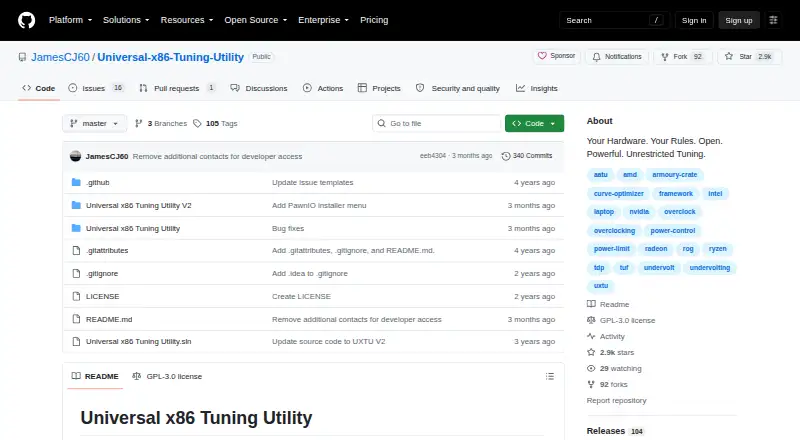
What Universal x86 Tuning Utility is
Universal x86 Tuning Utility (UXTU) is a free Windows utility for adjusting processor and GPU settings on x86 laptops and computers. The project says it works best with Zen-based CPUs or APUs, or Intel CPUs from the fourth generation onward. Users can apply premade presets, configure and save custom presets, or use Adaptive Mode, which monitors processor temperatures while adjusting power limits. The application also has Game Library, System Info, and Automations sections. AutoOC monitors CPU and memory instability signals and adjusts Curve Optimiser offsets for Zen-based CPUs and APUs. Version 26.3.0 added an in-game overlay, preset backup and import, tray shortcuts, Windows Power Plan options, Intel premade presets, and experimental Zen6 support. The project cautions that games with anti-cheat systems may not always work with the overlay. Windows installer and portable downloads are available. The latest stable release lists .NET 10 64-bit, PawnIO Driver, and Microsoft Visual C++ Redistributable as prerequisites. The project calls the software a work in progress, provides it without warranty, and warns that misuse could cause instability or malfunction.
Who it suits
UXTU suits Windows users seeking processor and GPU controls for x86 laptops or computers, particularly those with Zen-based hardware or newer Intel CPUs. Users should be comfortable with listed prerequisites and the project's stability warning.
What it does well
- Offers premade and saveable custom presets.
- Adaptive Mode monitors temperatures while changing power limits.
- Includes AutoOC controls for Zen-based CPUs and APUs.
- Available as installer or portable download.
What to know first
- Requires .NET 10 64-bit, PawnIO, and Visual C++ Redistributable.
- Anti-cheat games may not work with the overlay.
- Project warns misuse could cause instability or malfunction.
Limits
The utility is provided as-is without warranty, and misuse could cause system instability or malfunction. Its overlay may not always work with games that have anti-cheat systems.
Plans
| Plan | Billed and limits | Price |
|---|---|---|
| Universal x86 Tuning Utility | Windows installer or portable download · .NET 10 64bit · PawnIO Driver · Microsoft Visual C++ Redistributable | Free |
As github.com lists them, read 1 Oct 2026. The maker's own page has the final word.
Getting started
- Open the project's GitHub release page.
- Choose the Windows installer or portable download.
- Install the listed prerequisites: .NET 10 64-bit, PawnIO Driver and Microsoft Visual C++ Redistributable.
- Launch the app and select a premade preset, configure a custom preset or use Adaptive Mode.
- For problems, open a GitHub issue or contact @jamescj in the Discord community server.
Verdict
UXTU offers several ways to adjust hardware settings, including Adaptive Mode and custom presets. The project describes it as a work in progress and warns of possible system problems from misuse.
Questions
Is Universal x86 Tuning Utility free?
Yes. The listed plan is free.
Which computers does it support?
It is for Windows x86 laptops and computers with processor and GPU controls. It works best on Zen-based CPUs or APUs, or Intel CPUs that are fourth generation and newer.
What tuning modes does it include?
The interface offers Premade Presets, Custom Presets and Adaptive Mode. Custom presets can be configured, applied and saved.
Is UXTU open source?
The repository is licensed under GPL-3.0.
What do I need to run the latest stable release?
The listed prerequisites are .NET 10 64-bit, the PawnIO Driver and Microsoft Visual C++ Redistributable.
Where can users get help?
The project directs users to open a GitHub issue or contact @jamescj in its Discord community server.
Facts from Universal x86 Tuning Utility's own pages
- Adaptive mode
- Adaptive Mode dynamically adjusts power limits using an adaptive TDP algorithm while monitoring processor temperatures. · github.com, 1 Oct 2026
- Application sections
- The application includes a Game Library, System Info, and Automations sections. · github.com, 1 Oct 2026
- AutoOC
- AutoOC monitors CPU and memory instability signals and dynamically adjusts Curve Optimiser offsets for Zen-based CPUs/APUs. · github.com, 1 Oct 2026
- Best supported hardware
- The project says it works best on Zen-based CPUs/APUs or Intel CPUs that are 4th generation and newer. · github.com, 30 Sept 2026
- Development status
- The README describes the project as still very much a work in progress. · github.com, 30 Sept 2026
- Device coverage
- It is a lightweight Ryzen Master/XTU alternative for x86 laptops and computers with processor and GPU controls. · github.com, 30 Sept 2026
- Downloads
- The latest release provides Windows installer and portable downloads. · github.com, 1 Oct 2026
- Hardware controls
- It provides fine control over processors and GPUs in x86 laptops and computers. · github.com, 1 Oct 2026
- Latest release features
- Version 26.3.0 added a customizable hook/injection-free in-game overlay, preset backup and import, tray preset shortcuts, Windows Power Plan options, Intel premade presets, and experimental Zen6 support. · github.com, 30 Sept 2026
- License
- The repository is published under the GPL-3.0 license. · github.com, 1 Oct 2026
- Localization
- The application includes GUI localization for 21 languages or language variants. · github.com, 1 Oct 2026
- Maker background
- The repository says UXTU was created by developers of Ryzen Controller, Renoir Mobile Tuning, and Power Control Panel. · github.com, 30 Sept 2026
- Other sections
- The application includes a Game Library, System Info, and Automations sections. · github.com, 30 Sept 2026
- Overlay
- Version 26.3.0 added a customisable hook/injection-free in-game overlay, although games with anti-cheat systems may not always work. · github.com, 1 Oct 2026
- Prerequisites
- The latest release requires .NET 10 64bit, the PawnIO Driver, and Microsoft Visual C++ Redistributable. · github.com, 1 Oct 2026
- Preset management
- Custom Presets can be configured, applied, and saved for future use. · github.com, 30 Sept 2026
- Preset modes
- The interface includes Premade Presets, Custom Presets, and Adaptive Mode. · github.com, 30 Sept 2026
- Presets
- The interface includes premade presets and custom presets that users can apply or save. · github.com, 1 Oct 2026
- Purpose
- Universal x86 Tuning Utility is a tuning utility intended to help users tune their device as they wish. · github.com, 1 Oct 2026
- Risk disclaimer
- The project states that the software is provided as-is without warranty and that misuse could cause system instability or malfunction. · github.com, 1 Oct 2026
- Risk disclosure
- The project states that the software is provided as-is without warranty and that misuse could cause system instability or malfunction. · github.com, 30 Sept 2026
- Security policy
- GitHub reports that the project has no SECURITY.md security policy and no published security advisories. · github.com, 1 Oct 2026
- Support
- Users are directed to open an issue or contact @jamescj in the Discord community server for problems and errors. · github.com, 1 Oct 2026
- Supported CPUs
- It works best on Zen-based CPUs/APUs or Intel CPUs that are 4th generation and newer. · github.com, 1 Oct 2026
Where Universal x86 Tuning Utility stands on Freedom251
- PC Overclocking Software#24 of 31