Freedom251 › File Viewer Software
Universal Viewer
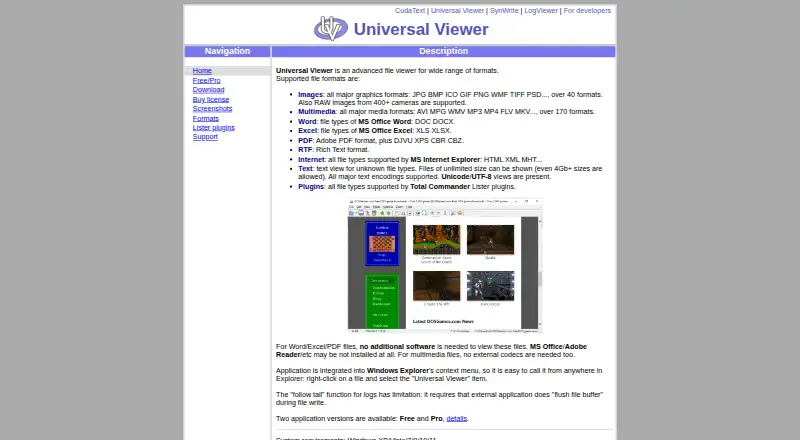
What Universal Viewer is
Universal Viewer is a Windows desktop app for opening a broad range of files in one viewer. It handles images, multimedia, text, internet formats, PDF and RTF, along with formats supported by Total Commander Lister plugins. Its image support covers more than 40 graphics formats and RAW images from 400+ cameras. The multimedia player supports more than 170 formats without external codecs; in the Free edition, multimedia support depends on the Windows Media Player engine.
The Pro version opens Word and Excel files, including DOCX and XLSX, without MS Office, and includes a PDF plugin that does not require Adobe or Foxit Reader. Pro also adds support for complex RTF files and RAW images, an image panel with a Convert to feature, and text search highlighting. Text mode handles files of unlimited size, including files larger than 4 GB, and supports major encodings such as Unicode and UTF-8. Windows Explorer context menu integration lets users open files from their right-click menu. Listed system requirements cover Windows XP, Vista, 7, 8, 10 and 11. Universal Viewer has a free plan, a 15-day Pro trial and paid access from $26. Technical support is available by email in English or Russian.
Who it suits
Universal Viewer suits Windows users who need one desktop app for viewing varied image, media, text and document formats. Pro may suit people who need Word, Excel, PDF, complex RTF or RAW image support without the named office or PDF applications.
What it does well
- Supports over 40 graphics formats and RAW images from 400+ cameras.
- Multimedia player supports over 170 formats without external codecs.
- Text mode handles files larger than 4 GB.
- Windows Explorer context menu integration opens files from right-click.
- Pro opens Word and Excel files without MS Office.
What to know first
- Free edition multimedia support depends on the Windows Media Player engine.
- Pro features are not included in the free plan.
- The Pro plan is shareware with a 15-day trial.
Limits
The Free plan's multimedia support depends on the Windows Media Player engine. Pro is available as shareware with a 15-day trial; the pricing note lists paid access from $26.
Plans
| Plan | Billed and limits | Price |
|---|---|---|
| Universal Viewer Free | Freeware; multimedia support depends on Windows Media Player engine | Free |
| Universal Viewer Pro | Shareware; 15-day trial | On request |
As uvviewsoft.com lists them, read 3 Oct 2026. The maker's own page has the final word.
Getting started
- Open the Universal Viewer website.
- Choose the Free edition or start the 15-day Pro trial.
- Download and run the Windows application.
- Open files from the viewer or use the Windows Explorer right-click menu.
Verdict
Choose Universal Viewer if you want a Windows desktop viewer for many file types, especially if large text files or extensive image and media format support matter. Look elsewhere if you need Pro document features without a paid plan, or if you use a platform other than Windows.
Questions
What does Universal Viewer cost?
There is a free plan. The pricing note lists paid access from $26 and a 15-day trial.
Which platforms does Universal Viewer support?
Universal Viewer is for Windows. Its listed system requirements cover Windows XP, Vista, 7, 8, 10 and 11.
Can it open Word, Excel and PDF files?
The Pro version supports Word and Excel files, including DOCX and XLSX, without MS Office. It includes a PDF plugin that does not require Adobe or Foxit Reader.
Does Universal Viewer support plugins?
It supports file types handled by Total Commander Lister plugins. The site lists third-party document, graphic, text, font and other viewer plugins.
How can I contact support?
Technical support is offered by email in English or Russian. The author says some issues with third-party Lister plugins cannot be resolved by them.
Facts from Universal Viewer's own pages
- Additional features
- Pro adds support for complex RTF files, RAW images, an image panel with a Convert to feature, and text search highlighting. · uvviewsoft.com, 3 Oct 2026
- Compatibility
- The product page lists system requirements of Windows XP, Vista, 7, 8, 10, and 11. · uvviewsoft.com, 3 Oct 2026
- Documents
- The Pro version supports Word and Excel files, including DOCX and XLSX, without requiring MS Office, and includes a PDF plugin without requiring Adobe or Foxit Reader. · uvviewsoft.com, 3 Oct 2026
- File types
- It supports images, multimedia, Word and Excel files, PDF, RTF, internet formats, text, and Total Commander Lister plugin formats. · uvviewsoft.com, 3 Oct 2026
- Follow-tail limitation
- The follow-tail function for logs requires the external application writing the log to flush its file buffer. · uvviewsoft.com, 3 Oct 2026
- Image support
- The product page says it supports over 40 graphics formats and RAW images from 400+ cameras. · uvviewsoft.com, 3 Oct 2026
- Maker location
- The privacy policy lists UVviewsoft's address as Zelenograd, Moscow, Russia. · uvviewsoft.com, 3 Oct 2026
- Media support
- Its multimedia player supports over 170 formats without external codecs. · uvviewsoft.com, 3 Oct 2026
- Plugins
- Universal Viewer supports file types supported by Total Commander Lister plugins; the site lists third-party document, graphic, text, font, and other viewer plugins. · uvviewsoft.com, 3 Oct 2026
- Privacy and security
- The privacy policy says order information is used to process transactions and sensitive payment information is transmitted using SSL to payment gateway providers. · uvviewsoft.com, 3 Oct 2026
- Purpose
- Universal Viewer is an advanced file viewer for a wide range of formats. · uvviewsoft.com, 3 Oct 2026
- Support
- Technical support is offered by email, in English or Russian; the author says some issues with third-party Lister plugins cannot be resolved by them. · uvviewsoft.com, 3 Oct 2026
- Text files
- Text mode supports files of unlimited size, including files larger than 4 GB, and major text encodings including Unicode and UTF-8. · uvviewsoft.com, 3 Oct 2026
- Windows integration
- The application integrates with Windows Explorer's context menu so users can open it from a file's right-click menu. · uvviewsoft.com, 3 Oct 2026
Where Universal Viewer stands on Freedom251
- File Viewer Software#18 of 31
- File Reader Software#18 of 24