Freedom251 › Cloud Disaster Recovery Software
Unitrends Disaster Recovery as a Service
Visit Unitrends Disaster Recovery as a Service Alternatives Pricing
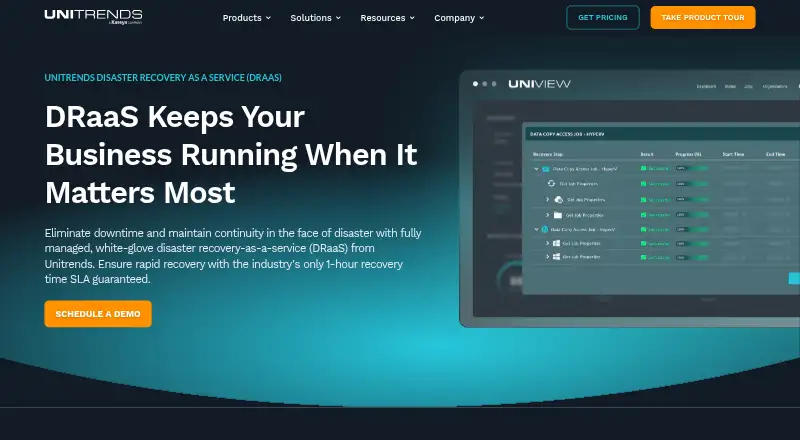
What Unitrends Disaster Recovery as a Service is
Unitrends Disaster Recovery as a Service (DRaaS) is a managed recovery service that brings business workloads online in the Unitrends Cloud during a disruption, then supports their recovery to a local site. It protects physical servers, virtual servers, and applications across environments that include Windows, Linux, macOS, NAS, Unix, VMware, Hyper-V, Nutanix AHV, Citrix XenServer, Red Hat, Azure, AWS, SQL, Oracle Database, Exchange, SharePoint, and Active Directory.
Getting started requires backups from a Unitrends Recovery Series appliance or Unitrends Backup Software at the primary site, paired with Unitrends Forever Cloud. When a disaster is declared, an authorized organizational contact calls Unitrends Support to request a full or partial workload spin-up. Customers then receive secure network access to the recovered workloads. A dedicated DRaaS team is available 24/7/365 to help carry out the recovery runbook. Automated Recovery Assurance checks runbooks in an isolated environment and reports recovery time and recovery point results. For failback, Unitrends says it ships encrypted backup data overnight to the local site. Pricing is available by request and described as flat-rate, without ingress, egress, or DR-testing charges; a 30-day trial is offered.
Who it suits
Unitrends positions DRaaS for businesses protecting mission-critical workloads, with service levels aimed at different workload criticality and recovery objectives. It suits organizations that can establish the required Unitrends backup and cloud setup and want support executing a recovery runbook.
What it does well
- Protects physical servers, virtual servers, and applications.
- Automated isolated tests report recovery time and recovery point results.
- Dedicated recovery team is available 24/7/365.
- Supports full or partial workload spin-up.
- Maker says pricing excludes ingress, egress, and DR-testing charges.
What to know first
- Requires Unitrends backup software or a Recovery Series appliance plus Forever Cloud.
- No free plan; pricing requires a request.
- Failover is initiated by calling Unitrends Support.
- Plan options include best-effort SLAs as well as timed RTO SLAs.
Limits
There is no free plan. Standard and Unlimited list best-effort SLAs, while Premium lists a one-hour RTO SLA and Elite a 24-hour RTO SLA; plan testing frequency and configuration also differ.
Plans
| Plan | Billed and limits | Price |
|---|---|---|
| Premium DRaaS | 1-hour RTO SLA · full failover · weekly Recovery Assurance testing · configured per server or VM | On request |
| Standard DRaaS | Best-effort SLA · full failover · onboarding testing · configured per server or VM | On request |
| Elite DRaaS | 24-hour RTO SLA · full failover · monthly Recovery Assurance testing · configured per server or VM | On request |
| Unlimited DRaaS | Best-effort SLA · full failover for unlimited systems · onboarding testing · capacity-based configuration | On request |
As unitrends.com lists them, read 30 Sept 2026. The maker's own page has the final word.
Getting started
- Visit the Unitrends DRaaS website.
- Request pricing and choose a DRaaS plan suited to workload criticality and recovery objectives.
- Set up backups from a Unitrends Recovery Series appliance or Unitrends Backup Software at the primary site, paired with Unitrends Forever Cloud.
- Have an authorized organizational contact call Unitrends Support to declare a disaster and request full or partial workload spin-up.
- Use the secure network access provided to reach workloads in the Unitrends Cloud.
Verdict
Choose Unitrends DRaaS if your organization needs managed recovery for mission-critical servers and applications, with runbook testing and a team available around the clock. Compare the plan levels against your recovery objectives: some offer best-effort SLAs, while Premium and Elite list one-hour and 24-hour RTO SLAs respectively.
Questions
How much does Unitrends DRaaS cost?
Pricing is available on request. The maker describes it as flat-rate and says it does not charge for ingress, egress, or DR testing.
Is there a free plan or trial?
There is no free plan. The pricing note lists a 30-day trial.
What does the service protect?
It protects physical servers, virtual servers, and applications. Listed environments include Windows, Linux, macOS, VMware, Hyper-V, Azure, AWS, databases, and business applications.
How do customers start a failover?
An authorized organizational contact calls Unitrends Support to initiate a full or partial workload spin-up. Customers then receive secure network access to the workloads in the Unitrends Cloud.
What DRaaS plans are available?
Premium, Standard, Elite, and Unlimited DRaaS are listed. Their SLAs, testing schedules, and configuration approaches differ.
What is required to set up the service?
Backups must come from a Unitrends Recovery Series appliance or Unitrends Backup Software at the primary site, paired with Unitrends Forever Cloud.
Facts from Unitrends Disaster Recovery as a Service's own pages
- Covered environments
- The maker lists Windows, Linux, macOS, NAS, Unix, VMware, Hyper-V, Nutanix AHV, Citrix XenServer, Red Hat, Azure, AWS, SQL, Oracle Database, Exchange, SharePoint, and Active Directory among the environments it protects. · unitrends.com, 30 Sept 2026
- Disaster declaration
- An authorized organizational contact initiates a full or partial workload spin-up by calling Unitrends Support. · unitrends.com, 30 Sept 2026
- Failback
- When customers are ready to fail back, Unitrends says it ships encrypted backup data overnight to the local site. · unitrends.com, 30 Sept 2026
- Founded
- 1989 · unitrends.com, 28 Sept 2026
- Headquarters
- Columbia, South Carolina, United States · unitrends.com, 28 Sept 2026
- Intended users
- The maker presents DRaaS as a service for businesses protecting mission-critical workloads, with levels intended for different workload criticality and recovery objectives. · unitrends.com, 30 Sept 2026
- Pricing
- The maker describes DRaaS pricing as flat-rate and says it does not charge for ingress, egress, or DR testing; it directs buyers to request pricing for a tailored plan. · unitrends.com, 30 Sept 2026
- Recovery access
- After workloads are spun up, customers receive secure network access to the protected workloads in the Unitrends Cloud. · unitrends.com, 30 Sept 2026
- Security and compliance
- The maker describes the Unitrends Cloud as secure and offers FIPS Mode for regulated and compliance-driven environments. · unitrends.com, 30 Sept 2026
- Service
- Unitrends DRaaS is a fully managed disaster recovery service that installs, manages, fails over, and recovers business operations in the Unitrends cloud. · unitrends.com, 30 Sept 2026
- Setup requirement
- The service starts with backups from a Unitrends Recovery Series appliance or Unitrends Backup Software at the primary site, paired with Unitrends Forever Cloud. · unitrends.com, 30 Sept 2026
- Support
- A dedicated DRaaS team is available 24/7/365 to help execute the customer’s disaster recovery runbook. · unitrends.com, 30 Sept 2026
- Testing
- Automated Recovery Assurance tests DR runbooks in an isolated environment and reports recovery time and recovery point results. · unitrends.com, 30 Sept 2026
- Workloads
- The service protects physical servers, virtual servers, and applications. · unitrends.com, 30 Sept 2026
Where Unitrends Disaster Recovery as a Service stands on Freedom251
- Cloud Disaster Recovery Software#18 of 27