Freedom251 › AI 3D Model Generators
Unique3D
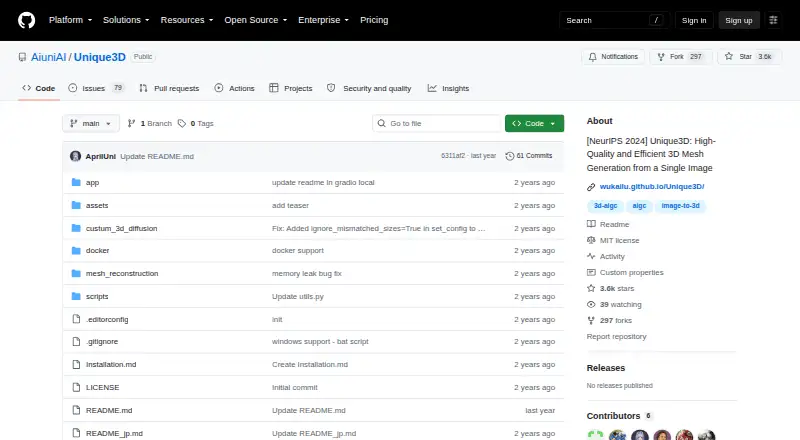
What Unique3D is
Unique3D creates textured 3D meshes from a single image. Its method generates four orthographic views from the input, progressively upscales them, and uses a normal diffusion model to create corresponding normal maps. The project says it can generate a high-fidelity textured mesh from one orthogonal RGB image in under 30 seconds; it also describes generation from single-view images in 30 seconds. Its ISOMER reconstruction algorithm combines color and geometric priors and can reconstruct meshes with millions of faces. Image-to-3D generation and AI texturing are listed capabilities, and GLB is the listed export format. The repository links to a ComfyUI implementation and gives instructions for running an interactive local Gradio demo after downloading model weights. The online demo is free to try with a registration invitation code and is described as slower but more stable than the Gradio demo. Linux setup targets Ubuntu 22.04.4 LTS and CUDA 12.1; the Windows installation path may require Visual Studio Build Tools. Images with occlusions may reconstruct less well when the generated views do not capture the whole object.
Who it suits
Unique3D may suit people who want to turn an image into a textured 3D mesh and can work with the listed GLB export. It also offers a local Gradio path for users prepared to download model weights and follow the stated setup requirements.
What it does well
- Creates textured meshes from a single image.
- Supports AI texturing and image-to-3D.
- GLB is the listed export format.
- Links to a ComfyUI implementation.
- Local Gradio demo instructions are provided.
What to know first
- Online demo requires a registration invitation code.
- Local use requires downloading model weights.
- Occluded images may produce worse reconstructions.
- Windows setup may require Visual Studio Build Tools.
Limits
The online demo is free to try but requires a registration invitation code. The README warns that occluded images can yield worse results because the four generated views may not cover the whole object.
Plans
| Plan | Billed and limits | Price |
|---|---|---|
| Online demo | Free to try · registration invitation code required | Free |
As github.com lists them, read 7 Oct 2026. The maker's own page has the final word.
Getting started
- Open the Unique3D repository.
- For the online demo, obtain a registration invitation code.
- For local inference, download the model weights and follow the Gradio demo instructions.
- For Linux setup, use the README instructions targeting Ubuntu 22.04.4 LTS and CUDA 12.1.
- For Windows, follow the installation path, which may require Visual Studio Build Tools.
Unique3D is a free, image-to-3D project for turning one RGB image into a textured mesh, with both a hosted demo and a self-hosted route. It suits developers, researchers, and technically equipped artists who want an open project they can connect to local workflows rather than a subscription asset service. The trade-off is a setup centered on CUDA/Linux or build tools on Windows, plus quality risks when the source image hides parts of the object.
Overview
Unique3D takes a single view and produces a textured 3D mesh, targeting high-fidelity output rather than a simple depth preview. Its method first creates four orthographic views and progressively upscales them, then uses a normal diffusion model to make matching normal maps. That gives the reconstruction more geometric and surface guidance than relying on the original image alone, but the four-view assumption is also its central weakness: an occluded object may have important areas that none of those generated views can infer well.
The project’s ISOMER reconstruction algorithm combines color and geometric priors and can build meshes with millions of faces. That ceiling is useful for detailed downstream work, although a dense mesh can also demand more processing and cleanup than a lightweight preview. Output is provided as GLB, and the feature set is focused: image-to-3D and AI texturing are present, while text-to-3D, sketch-to-3D, rigging, animation, and API access are not.
Key features
Single-image generation
The project says it can generate a textured mesh from one orthogonal RGB image in under 30 seconds. For concept artists or researchers processing consistent, front-facing references, that promises a fast route from a 2D asset to something usable in a 3D pipeline. It is not a substitute for multi-angle capture when the subject has concealed or highly irregular geometry.
Local and ComfyUI workflows
A local interactive Gradio demo is available after downloading model weights, and a linked ComfyUI-Unique3D implementation adds node-based workflow support. These options favor users who need repeatable, locally controlled generation or want to place the model inside an existing ComfyUI graph. They require substantially more technical commitment than a purely hosted converter.
Online demo
The online demo is free to try with a registration invitation code. It is described as slower but more stable than the Gradio demo, making it the better first stop for occasional evaluation when local installation is impractical.
Pricing
| Plan | Price | What it includes |
|---|---|---|
| Online demo | free | Free to try; registration invitation code required |
There is no paid tier, recurring renewal, seat charge, quota, or API package stated for this project. The free offer is therefore best for experimentation and research collaboration, while teams needing guaranteed throughput, programmatic access, or commercial service terms will need a different tool.
Platforms
Unique3D supports Linux, Windows, web use through the online demo, and self-hosted deployment. The README targets Ubuntu 22.04.4 LTS with CUDA 12.1 for Linux. Windows installation may require Visual Studio Build Tools, so Windows users should expect a development-style setup rather than a one-click desktop installer.
Who it's for
Choose Unique3D if you have single-view reference images, want textured GLB output, and are comfortable with local model weights, CUDA, or ComfyUI. It is particularly relevant to researchers and developers interested in the project’s stated goal of building a 4D generative model with 3D concepts, as well as artists who value local inference over a metered web service.
Look elsewhere if you need text prompts, sketch input, animation or rigging, an API, or dependable reconstruction of objects with extensive occlusion. The four-view generation strategy cannot guarantee coverage of hidden surfaces.
Pros and cons
Pros
- Free access: the online demo costs 0.00 USD, so you can evaluate the workflow without a subscription.
- Fast stated generation: the project targets under 30 seconds for a textured mesh from one orthogonal image.
- Detailed reconstruction path: normal maps, progressive multi-view upscaling, and an ISOMER algorithm designed for meshes with millions of faces support demanding assets.
- Flexible deployment: web, local Gradio, and ComfyUI routes cover both quick trials and integrated workflows.
Cons
- Occlusion-sensitive results: hidden geometry may reconstruct poorly because four generated views may not cover the whole object.
- Technical installation: Linux expects a specific Ubuntu/CUDA setup, while Windows may need Visual Studio Build Tools.
- Narrow scope: there is no text-to-3D, sketch-to-3D, API, rigging, or animation support.
- Project security gap: the repository has no SECURITY.md policy and no published security advisories, so organizations may require their own review before deployment.
Alternatives
AI 3D Model Generators is the broader category guide for comparing other options. Choose Polar Cloud instead if you need printer-oriented management, mobile coverage, or a free plan with one printer, five print jobs per month, and 300 MB storage. Hunyuan3D is a stronger alternative for users wanting Tencent’s released model weights and training code across hosted and self-hosted platforms. Pick Meshy when a managed web/mobile service, credits, and monthly downloads matter more than local control. Stable Fast 3D suits users seeking an API and a community license with stated research and revenue conditions. Hi3D is preferable when a credit-based hosted workflow and mobile apps fit better. Polycam is the better choice for capture-focused mobile workflows and GLTF exports. Crisp3D fits web users who can work within concurrent-task and licensing limits. Hyper3D Rodin is another hosted alternative for readers who prefer a web or API service.
Verdict
Unique3D is a compelling free choice for technically capable users who want fast, textured image-to-3D generation with local and ComfyUI options. Choose it for control, experimentation, and high-detail GLB output from a single orthogonal image. Look elsewhere when you need hidden-surface reliability, an API, animation tools, or a polished subscription service with clearer operational guarantees.
Verdict
Unique3D combines single-image mesh generation with a local demo path and ComfyUI support. Its setup requirements and the possibility of poorer results for occluded images are worth considering.
Questions
Is Unique3D free?
The project is listed as free, and its online demo is free to try. The demo requires a registration invitation code.
What does Unique3D create?
It generates high-fidelity textured 3D meshes from a single image. GLB is the listed export format.
Can I run it locally?
Yes. The repository provides instructions for an interactive local Gradio demo after downloading model weights.
Which platforms are listed?
Linux, Windows, web and self-hosted are listed. The Linux setup targets Ubuntu 22.04.4 LTS and CUDA 12.1, and the Windows path may require Visual Studio Build Tools.
Does it support ComfyUI?
The repository links to a ComfyUI-Unique3D implementation.
Does Unique3D offer an API or animation features?
API access and rigging or animation are listed as unavailable. Text-to-3D and sketch-to-3D are also listed as unsupported.
Facts from Unique3D's own pages
- ComfyUI integration
- The repository links a ComfyUI-Unique3D implementation for ComfyUI support. · github.com, 7 Oct 2026
- Generation speed
- The project says it can generate textured meshes from single-view images in 30 seconds. · github.com, 7 Oct 2026
- Input limitations
- The README warns that images with occlusions can produce worse reconstructions because four views may not cover the full object. · github.com, 7 Oct 2026
- Intended users
- The project invites research collaboration and describes its mission as creating a 4D generative model with 3D concepts. · github.com, 7 Oct 2026
- Linux requirements
- The README setup targets Ubuntu 22.04.4 LTS and CUDA 12.1. · github.com, 7 Oct 2026
- Local inference
- The repository provides instructions for running an interactive local Gradio demo after downloading model weights. · github.com, 7 Oct 2026
- Mesh reconstruction
- Its ISOMER reconstruction algorithm combines color and geometric priors and can reconstruct meshes with millions of faces. · wukailu.github.io, 7 Oct 2026
- Multi-view generation
- The method generates four orthographic views from one input image and progressively upscales them. · wukailu.github.io, 7 Oct 2026
- Normal maps
- The method uses a normal diffusion model to generate normal maps corresponding to the multi-view images. · wukailu.github.io, 7 Oct 2026
- Online demo
- The online demo is described as free to try with a registration invitation code, and as slower but more stable than the Gradio demo. · github.com, 7 Oct 2026
- Purpose
- Unique3D generates high-fidelity textured 3D meshes from a single image. · github.com, 7 Oct 2026
- Research result
- The project page says Unique3D generates a high-fidelity textured mesh from one orthogonal RGB image in under 30 seconds. · wukailu.github.io, 7 Oct 2026
- Security
- The repository security page says the project has no SECURITY.md policy and no published security advisories. · github.com, 7 Oct 2026
- Windows setup
- The README describes a Windows installation path that may require Visual Studio Build Tools. · github.com, 7 Oct 2026
Where Unique3D stands on Freedom251
- AI 3D Model Generators#15 of 24