Freedom251 › Supplier Onboarding Software
UniFi
What UniFi is
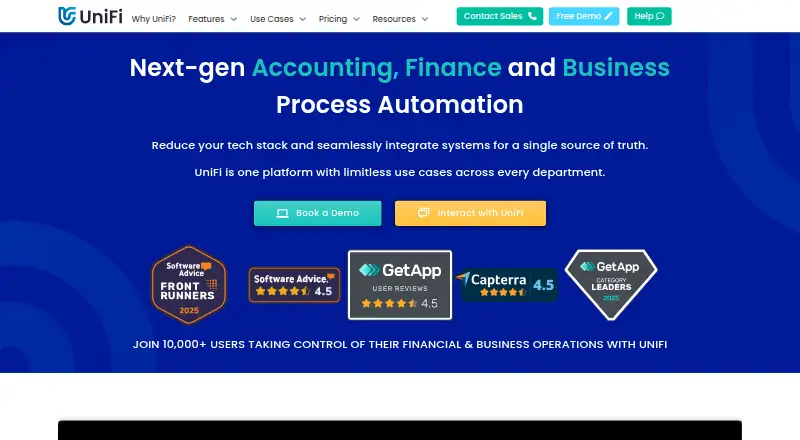
UniFi is a business process automation platform for finance and other departments, designed for mid-market and enterprise organisations. Its no-code drag-and-drop builder and process engine let users create and customise business applications. For accounting workflows, UniFi can capture data when a process starts and send journal transactions automatically to a finance system. Middleware, data connectors and an open API connect business systems, while an Excel add-in can retrieve UniFi data in real time and send spreadsheet data into UniFi. Listed uses include purchasing, sales, financial accounting, reporting, expenses and travel, compliance, enterprise asset management, and budgeting and forecasting. It is available on Android, iOS and the web, with an API. UniFi states that it is ISO 27001 certified and SOC 2 Type 2 compliant, with annual independent audits. Full-user access starts at £9 per user per month, billed annually, and includes 300GB of storage per user shared across users and a 99.9% uptime guarantee. Support includes phone, email, portal and TeamViewer, plus help resources, a customer training environment and free bi-weekly training.
Who it suits
UniFi is intended for mid-market and enterprise organisations seeking to automate processes across finance and other departments. Its maker says it works with ERP or accounting systems.
What it does well
- No-code builder supports custom business applications
- Can send journal transactions to finance systems
- Open API and connectors link business systems
- Full-user plan includes a 99.9% uptime guarantee
- Support includes free bi-weekly training
What to know first
- No free plan is listed
- Full-user pricing is billed annually
- Credit users cannot approve or create applications
- Unused credit submissions do not carry over
Limits
Self-Start Implementation is listed as free. Credit Users are billed per submission, require a 12-month subscription with a minimum bulk purchase of 10 per month, cannot create or approve applications, and lose unused credits at the end of the period. Full User includes 300GB per user, shared across all users; pricing varies by user count and is billed annually.
Plans
| Plan | Billed and limits | Price |
|---|---|---|
| Self-Start Implementation | Customer-led implementation at its own pace | Free |
| Full User | annually; price decreases with more users · All current and future features · 300GB storage per user, shared · 99.9% uptime guarantee · SSO · premium support | £159 a month |
| Empower Implementation | Remote implementation; on-site available | £17,000, paid once |
| Credit User | per submission; credits purchased in bulk and billed annually · Minimum 10 credits monthly · Credit users cannot approve · Unused credits expire after billing year | £3.50, paid once |
| Consultant Implementation | Consultant-led implementation for complex or resource-constrained projects | On request |
| Bot User | annually · One bot licence per autonomous process; RPA requires 2 bots · Generative AI requires at least 3 bots | On request |
As unifiplatform.com lists them, read 15 Oct 2026. The maker's own page has the final word.
Getting started
- Visit the UniFi website
- Choose Self-Start Implementation to implement UniFi at your own pace, or select Empower Implementation for remote consulting
- Select Full User access or add Credit Users if appropriate
- Use the web or Android and iOS apps, or connect through the API
UniFi is a configurable business process platform for organisations coordinating finance work with processes across other departments. It is best suited to mid-market and enterprise teams using ERP or accounting systems. Its combination of workflow building, accounting automation and system connections is compelling, but role-based licences and annual billing make it a substantial commitment.
Overview
UniFi combines a no-code application builder, process engine and tools for moving data between business systems. Its use cases span purchasing, sales, financial accounting, reporting, expenses and travel, compliance, enterprise asset management, and budgeting and forecasting. That breadth can help connect work across departments, but is likely more than a smaller organisation needs for one isolated process.
The platform supports automated eliminations and reconciliation workflows, and has six ERP integrations. UniFi is developed by FinanSys, founded in 1998; development of UniFi began in 2008, and it became publicly available in 2023.
Key features
Build and automate processes
The drag-and-drop builder and process engine let users create and customise business applications without code. This is useful when a business needs workflows shaped around its own processes rather than a fixed template. The corresponding trade-off is the effort of implementation and workflow ownership; teams looking for a ready-made, narrowly focused tool may not need this flexibility.
Connect finance and business systems
UniFi can capture accounting data when a process starts and automatically send journal transactions to a finance system. Middleware, data connectors and an open API support connections and data movement between business systems. This makes the platform relevant to organisations working across ERP or accounting systems, though the six ERP integrations are a consideration for businesses whose systems are not covered.
Work with Excel
The Excel add-in retrieves UniFi data in real time and sends data from Excel into UniFi. That two-way exchange can support teams that already use spreadsheets alongside their business processes, without requiring every task to begin inside the platform.
Security, support and service
UniFi states that it is ISO 27001 certified and SOC 2 Type 2 compliant, with annual independent audits. Full-user pricing includes a 99.9% uptime guarantee. Support includes phone, email, portal and TeamViewer, a dedicated customer training environment, help resources and free bi-weekly training. That support and training provision is useful for a platform requiring organisational implementation, although it does not remove the need to plan who will configure and manage processes.
Pricing
UniFi has no free plan. Its Self-Start Implementation plan is free and lets organisations implement UniFi at their own pace. It avoids an implementation fee, but is not a free software tier with stated user access or feature limits.
Full User pricing starts at £9 a month, billed annually, and varies with user count. It includes full-user access, 300GB of storage per user shared across all users, and a 99.9% uptime guarantee. This is the core option for staff who need full access; annual billing and shared storage mean organisations should assess both their seat count and combined storage needs.
Credit User costs £3.50 per submission, billed per submission. Credits are purchased in bulk, with a minimum of 10 per month, and subscribed to for 12 months. This optional add-on for full-user customers can suit people who submit applications occasionally, but credit users cannot approve or create applications, and unused credits do not carry over.
Bot User costs £45 a month, billed annually. A licence is required for Autonomous Processes. The page also shows €54 / $55 per bot user per month, so the quoted amount depends on currency. Empower Implementation costs £17,000.00 GBP once for remote implementation; on-site implementation is also available. Consultants work with UniFi champions to provide knowledge and enable staff training. These terms make implementation a substantial separate cost for organisations choosing that route.
Platforms
UniFi supports Android, iOS and web, and offers an API. The Excel add-in provides an additional route for exchanging data with the platform.
Who it's for
UniFi is a stronger fit for mid-market and enterprise organisations connecting finance workflows with wider departmental processes, particularly those already working with ERP or accounting systems. Its application builder, connectors and accounting automation offer scope for varied processes; a small team seeking a simple standalone workflow or a free, unrestricted starting tier should look elsewhere.
Pros and cons
- Pros: A no-code builder and process engine allow tailored business applications across a broad range of departmental use cases.
- Pros: Accounting capture, journal automation, reconciliation workflows and system connectors bring finance processes into the wider platform.
- Pros: Full-user access includes 300GB per user of shared storage and a 99.9% uptime guarantee; support and regular training are also provided.
- Cons: Full-user pricing is billed annually, and costs vary with user count, making the commitment harder to judge from the starting price alone.
- Cons: Credit users cannot create or approve applications, must subscribe for 12 months with a minimum of 10 submissions monthly, and lose unused credits.
- Cons: The separate £17,000.00 GBP implementation option and required bot licences for Autonomous Processes add costs beyond full-user seats.
Alternatives
For a narrower intercompany accounting need, Intercompany Accounting Software and Supplier Onboarding Software are category lists to explore. Mayday is worth considering for intercompany balances: its free Basic plan supports three same-currency balances, unlimited users and live-chat support, while Flux costs £10 per month. Translucent Intercompany may fit teams focused on entities and loan or AP/AR discrepancy matrices: its free plan covers up to four entities, and Pro (annual) costs $65 per year, billed monthly and annually, with unlimited users.
Corpay Netting Manager is a more specific option for Corpay customers, who can use it and generate reports at no cost. For a wider platform, OneStream has custom pricing; EntriesOne is another paid alternative. Epicor Kinetic offers platform-core, cloud-package, concurrent-user and industry-bundle choices. SAP Business One prices by quote based on business requirements. Epicor FP&A offers plans organised around company counts, from one company to ten on its Standard tier.
Verdict
Choose UniFi if your mid-market or enterprise organisation needs configurable processes that link finance work with other departments and existing ERP or accounting systems. Its strongest case is the combination of custom application building, accounting automation and business-system connectivity, backed by training and a stated uptime guarantee. Look elsewhere if you need a lightweight free tier, straightforward per-seat pricing without annual commitment, or a narrowly focused tool; the annual licences, credit restrictions and implementation costs make UniFi a platform investment rather than a casual add-on.
Verdict
UniFi offers application building, accounting automation and connections to business systems for larger organisations. Full-user pricing starts at £9 per user per month when billed annually; credit users have restricted permissions.
Questions
Is UniFi free?
There is no free plan. Self-Start Implementation is listed as free, while Full User pricing starts at £9 per user per month billed annually.
What platforms does UniFi support?
UniFi lists Android, iOS, web, and API access.
How much does a Full User cost?
Pricing starts at £9 per user per month, billed annually, and varies with user count.
What are Credit Users?
Credit Users cost £3.50 per submission, are purchased in bulk with a minimum of 10 per month, and require a 12-month subscription. They cannot approve or create applications, and unused credits do not carry over.
What systems can UniFi connect to?
UniFi provides middleware, data connectors, and an open API to connect business systems and move data. The maker describes the product as working with ERP or accounting systems.
Who makes UniFi?
UniFi is the product of FinanSys, its parent company. FinanSys was founded in 1998; UniFi development began in 2008 and it became publicly available in 2023.
Facts from UniFi's own pages
- Accounting automation
- UniFi captures accounting data at process origin and automatically sends journals to finance systems. · unifiplatform.com, 15 Oct 2026
- API
- The public API can start and submit transactions, create or update reference data and read transaction or reference records. · unifiplatform.com, 15 Oct 2026
- API formats
- API requests and responses use JSON, while connectors can transform JSON, XML, CSV and fixed-width text. · unifiplatform.com, 15 Oct 2026
- App builder
- Users can build and customise business applications with a no-code drag-and-drop builder and process engine. · unifiplatform.com, 8 Oct 2026
- Autonomous processes
- Eight bot-driven process types are listed: email extraction, autonomous data capture, scheduler, Connect Hub, RPA, generative AI, integration and webhooks. · unifiplatform.com, 15 Oct 2026
- Business intelligence
- Its BI tools combine data from multiple systems for real-time dashboards, analysis and drill-down reporting. · unifiplatform.com, 15 Oct 2026
- Business-process management
- The platform maps, monitors and automates process flows to standardise operations. · unifiplatform.com, 15 Oct 2026
- Company founder
- FinanSys says Erol Kagan founded the company in 1998 as a financial-systems consultancy. · finansys.com, 15 Oct 2026
- Company headquarters and size
- LinkedIn lists FinanSys as privately held, headquartered in London, founded in 1998 and employing 51–200 people. · linkedin.com, 15 Oct 2026
- Company history
- FinanSys, UniFi’s parent company, was founded in 1998; UniFi development began in 2008 and the product became publicly available in 2023. · unifiplatform.com, 8 Oct 2026
- Company legal identity
- FinanSys Solutions Limited is an active UK private limited company incorporated on 23 September 1998, company number 03636703. · find-and-update.company-information.service.gov.uk, 15 Oct 2026
- Connect Hub
- Connect Hub includes Companies House, 64 e-commerce platforms and Amadeus flight and hotel services, with more connections planned. · unifiplatform.com, 15 Oct 2026
- Documentation
- The help centre covers getting started, app building, reports, administration, technical reference, use cases and API examples. · docs.unifiplatform.com, 15 Oct 2026
- Excel
- The Excel add-in can retrieve data from UniFi in real time and send data from Excel into UniFi. · unifiplatform.com, 8 Oct 2026
- Excel integration
- The Excel add-in supports two-way transfer, allowing users to retrieve UniFi data and send spreadsheet data back. · unifiplatform.com, 15 Oct 2026
- Foundation apps
- Full users receive pre-installed foundation applications and future releases without additional module fees. · unifiplatform.com, 15 Oct 2026
- Founded
- 2021 · unifiplatform.com, 28 Sept 2026
- Headquarters
- UniFi says it is headquartered in London, United Kingdom. · unifiplatform.com, 8 Oct 2026
- Inbound API and webhooks
- Inbound API connections use dedicated URLs and bot users; webhooks are unauthenticated fire-and-forget endpoints. · unifiplatform.com, 15 Oct 2026
- Included limits
- Full-user pricing includes a stated 300GB of storage per user, with total storage shared across all users, and a 99.9% uptime guarantee. · unifiplatform.com, 8 Oct 2026
- Integrations
- UniFi states that it integrates with SunSystems, NetSuite and other finance, ERP, CRM and HR systems. · finansys.com, 15 Oct 2026
- Licence
- FinanSys describes UniFi as its proprietary automation platform, and no open-source licence is published. · finansys.com, 15 Oct 2026
- Limit: implementation
- Some users report frustrating teething problems during setup and occasional transactions that do not complete correctly. · capterra.com, 15 Oct 2026
- Limit: instability
- Independent reviewers report occasional bugs, system errors and instability, although support often resolves incidents quickly. · softwareadvice.com, 15 Oct 2026
Where UniFi stands on Freedom251
- Supplier Onboarding Software#22 of 38
- Intercompany Accounting Software#28 of 43